Active@ ISO Manager
Active@ ISO Manager is a free Windows utility for creating, editing, extracting, rebuilding, and burning ISO images compatible with ISO 9660 and Joliet stand…
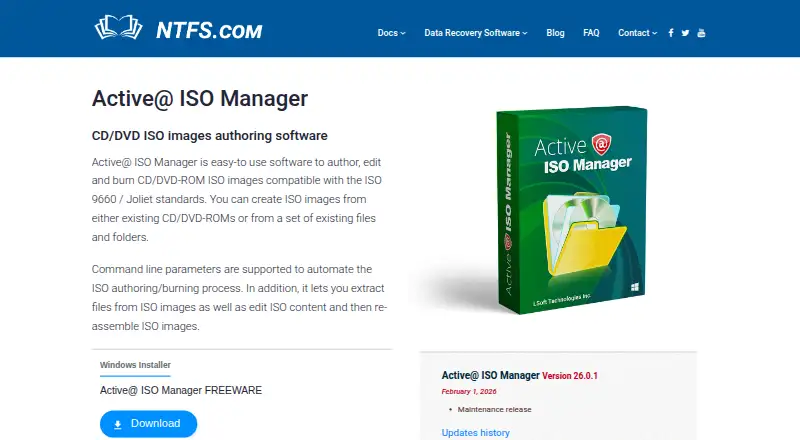
What Active@ ISO Manager is
Active@ ISO Manager is a free Windows utility for creating, editing, extracting, rebuilding, and burning ISO images compatible with ISO 9660 and Joliet standards. It can create images from CD/DVD-ROMs or from files and folders, then extract files or modify image contents before assembling an image again. Burning support covers CD-R, DVD-R, DVD+R, rewritable discs, dual-layer DVD, HD DVD, and Blu-ray. Command-line parameters can automate image authoring and burning, while saved user settings help repeat image creation. The maker's guide describes adding a boot image and choosing floppy or HDD emulation when creating an ISO. The product page lists version 26.0.1 as a maintenance release dated February 1, 2026; version history says version 23 improved Windows 11 support. The Freeware plan is listed as free. LSoft says its Professional edition is available only in the Active@ Data Studio Desktop Suite.
Good
- Creates ISO images from discs, files, or folders.
- Can extract and edit ISO contents.
- Burning support includes Blu-ray and dual-layer DVD.
- Command-line parameters can automate authoring and burning.
Watch out
- Available only for Windows.
- Professional edition is available only in the Active@ Data Studio Desktop Suite.
Who it suits
Active@ ISO Manager suits Windows users who need to create or edit ISO images and burn them to supported disc types. Its command-line parameters may suit users automating authoring or burning tasks.
Verdict
Active@ ISO Manager covers ISO creation, editing, extraction, and disc burning in a free Windows utility. Users seeking the Professional edition need the Active@ Data Studio Desktop Suite.
Plans and prices
From Active@ ISO Manager's own pricing page, checked 15 Oct 2026.
| Plan | Price | What it gives you |
|---|---|---|
| Active@ ISO Manager FREEWARE | Free | Windows Installer · ISO authoring, editing, extraction and burning · FREEWARE |
The facts
Each one read from Active@ ISO Manager's own pages, with the date it was checked.
What it does
- API and SDK
- Public documentation describes a Windows command-line interface but does not describe a web API, SDK or plug-in framework.checked 15 Oct 2026
- Automation
- Command-line parameters can automate ISO authoring and burning.checked 9 Oct 2026
- Automation constraint
- The command-line guide says only one command can be executed per run and documents incompatible switch combinations.checked 15 Oct 2026
- Availability limit
- The maker says Active@ ISO Manager Professional is available only in the Active@ Data Studio Desktop Suite.checked 9 Oct 2026
- Bootable images
- The creation workflow supports adding a boot image with floppy or hard-disk emulation choices.checked 15 Oct 2026
- Changelog
- LSoft's release log records Active@ ISO Manager 26.0.1 as a maintenance release on February 1, 2026.checked 15 Oct 2026
- Command-line automation
- ActiveISO.exe accepts switches for creating, importing, extracting, erasing media, burning, labeling, shutting down and exiting after success.checked 15 Oct 2026
- Create from discs
- Users can create an ISO by reading an existing CD, DVD or Blu-ray disc.checked 15 Oct 2026
- Create from files
- Users can build an ISO from selected files and folders.checked 15 Oct 2026
- Create images
- Creates ISO images from existing CD/DVD-ROMs or from sets of files and folders.checked 9 Oct 2026
- Current version
- Version 26.0.1 is dated February 1, 2026 and described as a maintenance release.checked 15 Oct 2026
- Disc support
- The product page lists burning support for CD-R, DVD-R, DVD+R, rewritable discs, dual-layer DVD, HD DVD, and Blu-ray.checked 9 Oct 2026
- Documentation
- The maker provides step-by-step HTML instructions for creation, disc import, burning, editing, extraction, mounting and automation, plus a five-page PDF guide.checked 15 Oct 2026
- Extract and rebuild
- Extracts files from ISO images and lets users edit ISO content and reassemble images.checked 9 Oct 2026
- Extraction
- Files can be extracted from an ISO image to a folder.checked 15 Oct 2026
- Image standards
- The product supports ISO 9660 and Joliet image standards.checked 15 Oct 2026
- Independent system requirements
- A third-party listing specifies Windows 7, 8.1, 10 or 11, at least 2 GB RAM (4 GB recommended) and 200 MB free disk space.checked 15 Oct 2026
- Integrations
- No third-party integrations are listed on the product page; the documented extensibility is command-line execution.checked 15 Oct 2026
- ISO editing
- The application allows ISO contents to be edited and rebuilt.checked 15 Oct 2026
The company
- Company founding
- LSoft says it has operated since 1999.checked 15 Oct 2026
- Company headquarters
- The maker lists 7177 Danton Promenade, Mississauga, Ontario L5N 5P3, Canada.checked 15 Oct 2026
- Company ownership
- LSoft Technologies Inc. describes itself as privately owned.checked 15 Oct 2026
- Founded
- 1999checked 28 Sep 2026
- Headquarters
- The maker lists its address as 7177 Danton Promenade, Mississauga, Ontario, Canada.checked 9 Oct 2026
Alternatives to Active@ ISO Manager
- 1
Alcohol 52%
Free planWindows7.3$27 one-time - 2
Avidemux
Free planOpen sourceWebLinuxmacOSWindows7.3Free plan - 3

AnyBurn
Free planWindows7.1$39.95 one-time - 4
Express Burn
Free planmacOSWindows6.7From $34.99 a year - 5

SysTools ISO Creator
Free planmacOSWindows6.6$29 one-time - 6
BurnAware
Free planWindows6.5$29.95 one-time