
DAEMON Tools Lite
DAEMON Tools Lite is Windows software for creating disc images and mounting virtual discs, VHDs and TrueCrypt files.
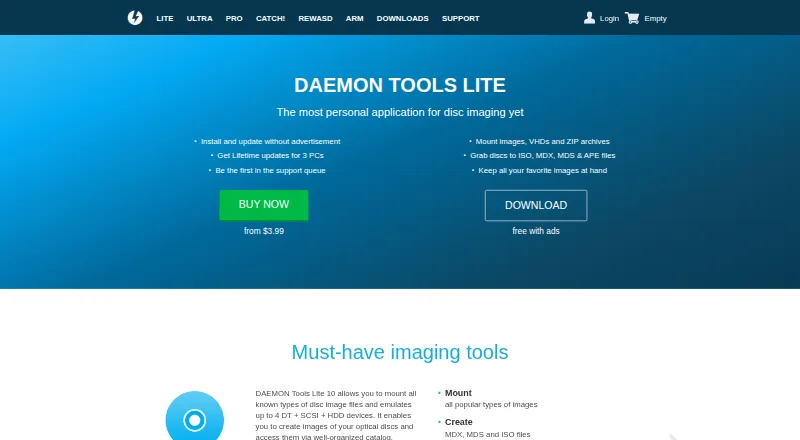
What DAEMON Tools Lite is
DAEMON Tools Lite is Windows software for creating disc images and mounting virtual discs, VHDs and TrueCrypt files. It can create MDX, MDS and ISO images. The Image Editor makes images from discs, files, folders or Audio CDs, and can convert or edit MDS, MDX and ISO files. The free edition emulates up to 4 DT and SCSI devices; paid editions list up to 256 DT and 32 SCSI devices. Virtual HDD tools include VHD creation, RAM disks and TrueCrypt file support. Lite can burn image, data and audio files to optical media, as well as copy or erase discs. Windows Explorer integration exposes features such as mounting associated images and archives. Its iSCSI Initiator connects to iSCSI targets, allowing remote images to be used as local ones. Catch! can browse and back up content from Android, iOS and Windows PC devices over a local wireless network. The free license includes limited support and partner offers. A free license is listed, alongside a 14-day trial; the Personal License is $29.99, paid once and lists lifetime updates and additional features.
Good
- Creates MDX, MDS and ISO images.
- Free edition emulates up to 4 DT and SCSI devices.
- Can burn, copy or erase discs.
- Mounting features appear in Windows Explorer.
- Catch! handles content over a local wireless network.
Watch out
- Free license includes limited support.
- Free edition supports up to 4 DT and SCSI devices.
- Personal License costs $29.99, paid once.
Who it suits
It suits Windows users who need to create, edit or mount disc images and work with virtual drives. Its burning, iSCSI and mobile-transfer functions may also suit people managing optical media or device files.
Verdict
DAEMON Tools Lite combines image creation and mounting with optical-disc, virtual-storage and transfer tools. The free edition has a four-device limit, while paid editions list higher virtual-device limits.
Plans and prices
From DAEMON Tools Lite's own pricing page, checked 15 Oct 2026.
| Plan | Price | What it gives you |
|---|---|---|
| Free License | Free | must-have free tools · partner offers included · limited support · non-commercial use |
| DAEMON Tools Lite | Free | Basic imaging functionality · partner offers included · limited support |
| Disc Burn | $3, paid once | burn, copy and erase optical discs · burn data and audio · $3.00 |
| Personal License | $3.99, paid once | 3 PCs · lifetime updates · no third-party offers · 24/7 support · from $3.99 |
| Virtual HDD | $5, paid once | create VHDs · RAM disk · TrueCrypt files · $5.00 |
| Image Editor | $5, paid once | grab discs · create data and Audio CD images · convert/edit MDS, MDX and ISO · $5.00 |
| Unlimited Devices | $5, paid once | 256 DT drives · 32 SCSI drives · 4 IDE drives · 256 HDD drives · $5.00 |
| Bootable USB | $6, paid once | write bootable OS images · password-protect USB sticks · $6.00 |
| iSCSI Initiator | $7, paid once | connect to iSCSI targets · access VHDs, virtual and physical devices · $7.00 |
| Commercial License | $18.99, paid once | business institutions and developers · lifetime updates · dedicated technical support · from $18.99 |
| All-in Features Pack | $26, paid once | all Pro features at half price · 3 PCs · lifetime updates · no ads · full support · from $26.00 |
| DAEMON Tools Lite Personal | $29.99, paid once | Offers-free version · lifetime updates · additional features · Lifetime Subscription |
The facts
Each one read from DAEMON Tools Lite's own pages, with the date it was checked.
What it does
- Bootable USB
- The Bootable USB feature writes operating-system images to USB sticks and can password-protect them.checked 15 Oct 2026
- Catch! data declarations
- Google Play lists Catch! as collecting no data and sharing no data with third parties according to the developer declaration.checked 15 Oct 2026
- DAEMON Sync status
- The Google Play developer response says DAEMON Sync is no longer supported and directs users to Catch! instead.checked 15 Oct 2026
- Disc burning
- Disc Burn writes image, data and audio discs, copies discs and erases rewritable media.checked 15 Oct 2026
- Documentation
- Support links to a dedicated Lite online manual, FAQ, community forum and technical-support request form.checked 15 Oct 2026
- Image creation
- The application can create images from optical discs, files, folders and Audio CDs.checked 15 Oct 2026
- Image editing
- Its Image Editor converts and saves MDS, MDX and ISO images and supports data and Audio CD image creation.checked 15 Oct 2026
- Image editor
- The Image Editor feature can create images from discs, files, folders, and Audio CDs, and convert or edit images in MDS, MDX, or ISO formats.checked 28 Sep 2026
- Image formats
- The product page says Lite can create MDX, MDS, and ISO files.checked 28 Sep 2026
- Image mounting
- Lite 10 emulates up to four DT, SCSI and HDD devices for mounting image files.checked 15 Oct 2026
- Installation behavior
- The installer asks users to choose a license type; the free installer includes third-party offers and paid installation avoids those offers.checked 15 Oct 2026
- Intended users
- The Commercial License is described as being for business institutions and developers.checked 28 Sep 2026
- iSCSI
- The iSCSI Initiator feature connects to iSCSI targets and uses remote images as local ones.checked 28 Sep 2026
- iSCSI integration
- The iSCSI Initiator connects to cross-platform iSCSI targets and exposes VHD, virtual and physical devices.checked 15 Oct 2026
- License model
- The terms say the software is licensed rather than sold and prohibit copying, modification, distribution, decompilation and reverse engineering except where permitted.checked 15 Oct 2026
- Limit: bundled offers
- The free installer includes partner offers, and independent reviewers cite unwanted bundled software or adware concerns.checked 15 Oct 2026
- Limit: damaged images
- G2’s review summary says damaged ISO files with bad sectors may fail to open.checked 15 Oct 2026
- Limit: interface complexity
- Independent reviewers repeatedly describe the interface as busy or overwhelming, especially with many versions and banners.checked 15 Oct 2026
- Limit: resource use
- Software Advice reviewers report high memory or system-resource use, background processes and temporary files.checked 15 Oct 2026
- Limit: support and pricing
- GetApp reports customer-support scoring of 3.8 out of 5 and lists pricing as unavailable on its profile.checked 15 Oct 2026
- Mobile file transfer
- The Catch! feature lets users browse and back up mobile device content over a local wireless network; the page names Android, iOS, and Windows PC.checked 28 Sep 2026
- Mobile integration
- Catch! transfers and browses Android and iOS content with Lite over a local wireless network without mobile-data use.checked 15 Oct 2026
Money
- Free-use restriction
- The free Lite license is for home and non-business use; organizations must buy a license.checked 15 Oct 2026
The company
- Maker legal name
- The seller and GDPR controller are Disc Soft Limited, with an address in China Hong Kong City, Tsimshatsui, Hong Kong.checked 15 Oct 2026
The full review of DAEMON Tools Lite
DAEMON Tools Lite is Windows imaging software for working with disc images, virtual disks and optical media. It suits people who need more than a basic image mounter, especially when image creation, burning or mobile file transfer also matters. Its free edition has a four-device ceiling and includes partner offers, so the broader toolset comes with trade-offs.
Overview
Lite combines image mounting with tools for creating and editing images, burning discs, managing virtual storage and connecting to iSCSI targets. It can create MDX, MDS and ISO files, and supports persistent mounts. That breadth makes it more capable than a single-purpose mounting utility; users who only need to open an image may find its extra functions and paid upgrade unnecessary.
Key features
- Image creation and editing: Image Editor creates images from discs, files, folders and Audio CDs, and converts or edits MDS, MDX and ISO files. It is useful for people maintaining image collections, not just mounting them.
- Virtual drives: The free edition emulates up to four DT and SCSI devices. Paid editions raise the listed ceilings to 256 DT and 32 SCSI devices, a meaningful distinction for users who need many simultaneous virtual devices.
- Virtual storage: Virtual HDD supports VHD creation and RAM disks, while TrueCrypt file support extends the range of virtual storage it can handle.
- Disc burning: Disc Burn writes images, data and audio files to optical media, and can copy or erase discs. This is a practical advantage for users who still work with physical discs.
- Windows integration: Explorer integration exposes Lite functions, including mounting associated images and archives, reducing the need to open the main application for common actions.
- Network and mobile tools: iSCSI Initiator connects to iSCSI targets and treats remote images as local ones. Catch! browses and backs up mobile-device content over a local wireless network, with Android, iOS and Windows PC named as supported devices.
- USB privacy: Lite can password-protect private data on USB sticks.
Pricing
The free DAEMON Tools Lite plan costs nothing and provides basic imaging functionality. It includes partner offers, limited support and a four-drive cap, making it suitable for occasional image mounting and basic imaging rather than high-volume virtual-drive use.
DAEMON Tools Lite Personal costs $29.99, paid once, billed as a Lifetime Subscription. It removes partner offers, includes lifetime updates and additional features. The comparison lists higher paid virtual-device limits, up to 256 DT and 32 SCSI devices. Personal also includes 24/7 support. This is the better fit for an individual who wants the expanded toolset and ongoing updates without partner offers.
A 14-day trial is available. The Commercial License is aimed at business institutions and developers and includes dedicated technical support; its price is custom pricing. Choose it when organizational use and dedicated support matter, rather than treating Personal as a business license.
Platforms
DAEMON Tools Lite runs on Windows. Supported releases range from Windows 98 through Windows 11, including Windows Server 2008 and 2008 R2; supported Lite versions vary by Windows release. It is not a cross-platform choice for users who need a single tool across macOS or Linux.
Who it's for
Lite is best for Windows users who regularly create, mount or edit disc images and value having burning, virtual storage and network or mobile utilities in the same product. The free plan works for basic use within four virtual drives. Users who need many devices, no partner offers or the paid feature set have a clearer case for Personal. If image mounting alone is the goal, a narrower free alternative may be enough.
Pros and cons
- Pro: Image creation, conversion and editing sit alongside mounting, burning and virtual storage, covering several disc and image workflows in one Windows application.
- Pro: Explorer integration and persistent mounts support convenient access to associated images.
- Pro: iSCSI and Catch! add remote-image and local-network mobile-transfer uses beyond optical image handling.
- Con: The free edition stops at four virtual drives, which may be restrictive for users who need many simultaneous devices.
- Con: The free plan includes partner offers and only limited support; removing offers and getting lifetime updates requires the $29.99, paid once Personal purchase.
- Con: Windows-only support rules it out for users seeking a cross-platform imaging tool.
Alternatives
For a simpler free Windows image-mounting option, WinCDEmu is free for any kind of use, including commercial use. ImDisk is another free option for Windows users, with API support also available. Choose TotalMounter if its free plan's virtual CD/DVD-ROM and RW, encrypted disk and iSCSI disks better match the job; it also includes an INetDisk client and forum support.
ExpanDrive is a cross-platform alternative for Linux, macOS and Windows, with a free personal-use plan covering up to 10 users or devices per year and 15 cloud services and protocols. VHD Attach is a free Windows option for users focused on VHD files. Alcohol 52% offers a 15-day trial and a free edition, but its trial excludes Windows 98 and ME and its free edition is not for business use. libguestfs is a free open-source library and toolset for users who want that kind of solution across API, Linux, macOS, self-hosted and Windows environments. Virtual CloneDrive is another free Windows alternative.
Browse Virtual Drive Software or Disk Imaging Software for more options.
Verdict
Choose DAEMON Tools Lite if you are a Windows user who wants image creation and mounting alongside burning, virtual storage and transfer tools, and can work within the free plan's four-drive limit or justify Personal. Its main advantage is the breadth of functions in one package; look elsewhere if you need cross-platform support, a simpler free mounter or more than four drives without paying.
Alternatives to DAEMON Tools Lite
- 1

Acronis True Image
AndroidiOSWebAPI7.7From $49.99 a year - 2

FOG Project
Free planOpen sourceWebAPILinuxmacOS7.7Free plan - 3
Iperius Backup
Free planWebSelf-hostedWindows7.7From €3.29 a month - 4
EaseUS Todo Backup
Free planmacOSSelf-hostedWindows7.5From $39.95 a year - 5
Vembu BDRCloud
WebAPILinuxmacOS7.5From $1.20 a month - 6
AOMEI Backupper
Free planWindows7.4From $39.95 a year