
Zscaler Private Access
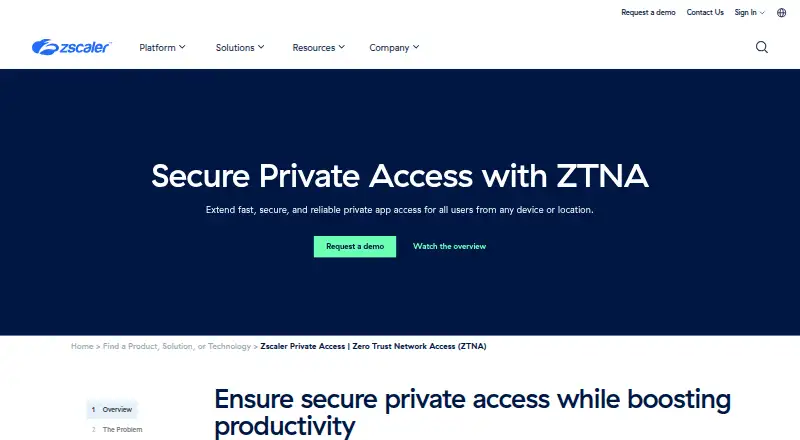
Zscaler Private Access (ZPA) provides zero-trust access to private apps, workloads, and operational technology from users’ devices and locations.
What Zscaler Private Access is
Zscaler Private Access (ZPA) provides zero-trust access to private apps, workloads, and operational technology from users’ devices and locations. Rather than exposing apps to the public internet or connecting users to the corporate network, it brokers a direct connection between an authorized user and a specific app. Its cloud deployment supports desktop and mobile platforms, including Windows, macOS, Android, Android on ChromeOS, and iOS.
ZPA can discover applications and recommend app segments and policies. Workload-to-workload segmentation is designed to secure communications across hybrid and multicloud environments such as AWS and Azure. Privileged Remote Access provides clientless access to RDP, SSH, and VNC production systems for remote workers and third parties. The product page also describes inline inspection and protection against ransomware, zero-day threats, and unknown malware. Web Data Loss Prevention inspects data in motion using exact and indexed data matching and machine learning. Business Continuity is described as maintaining policy-enforced access to mission-critical applications during connectivity outages. Pricing is on request, and there is no free plan.
Good
- Direct user-to-app connections avoid corporate network access.
- Discovers apps and recommends segments and policies.
- Clientless access supports RDP, SSH, and VNC systems.
- Data loss prevention inspects data in motion.
- Supports desktop and mobile platforms.
Watch out
- No free plan is listed.
- Pricing is available on request.
- Data retention is listed as 2 days.
Who it suits
ZPA suits organizations that need to provide controlled access to private applications, workloads, or production systems for employees and third parties. Its listed platform and security capabilities may also suit teams seeking segmentation and data-loss controls.
Verdict
ZPA combines private app access with segmentation, privileged access, and inline protection capabilities. Organizations considering it should account for the lack of a free plan and request pricing details.
Plans and prices
From Zscaler Private Access's own pricing page, checked 30 Sep 2026.
| Plan | Price | What it gives you |
|---|---|---|
| ZPA Platform | Priced on request | Standalone product or part of Zscaler Platform bundle |
| ZPA Standard (Essentials Platform) | Priced on request | Limited private access · for 5% of users |
The facts
Each one read from Zscaler Private Access's own pages, with the date it was checked.
What it does
- Compliance
- Zscaler lists programs including SOC 2 Type 2, ISO/IEC 27001, HIPAA, GDPR, and PCI DSS, with applicability varying by product and customer needs.checked 30 Sep 2026
- Connection model
- ZPA brokers direct, one-to-one connections between authorized users and specific apps without giving users access to the corporate network or exposing apps to the public internet.checked 30 Sep 2026
- Connector deployment
- App Connectors can be deployed in data centers, private or public clouds, and container orchestration platforms; they connect outbound and need no inbound open ports.checked 30 Sep 2026
- Continuity
- Business Continuity is described as maintaining policy-enforced access to mission-critical applications during connectivity outages.checked 30 Sep 2026
- Data protection
- Web Data Loss Prevention inspects data in motion and includes Exact Data Match, Indexed Data Match, and machine learning.checked 30 Sep 2026
- Integrations
- ZPA's Sandbox integration can inspect files transferred through privileged consoles when configured with Zscaler Internet & SaaS Sandbox.checked 30 Sep 2026
- Pricing availability
- Zscaler lists ZPA as available in Essentials Platform for 5% of users and offers a standalone ZPA Platform; the pricing page shows no numeric ZPA price.checked 30 Sep 2026
- Privileged access
- Privileged Remote Access provides clientless access to sensitive RDP, SSH, and VNC production systems for remote workers and third parties.checked 30 Sep 2026
- Segmentation
- AI-powered app segmentation discovers applications automatically and recommends app segments and policies.checked 30 Sep 2026
- Support
- Zscaler says its technical support team is reachable 24/7 by ticket or phone.checked 30 Sep 2026
- Threat protection
- The product page describes full inline inspection and protection against ransomware, zero-day threats, and unknown malware.checked 30 Sep 2026
- What it does
- ZPA provides zero trust access to private apps, workloads, and OT for users from any device or location.checked 30 Sep 2026
- Workload access
- Workload-to-workload segmentation secures cloud workload communications across hybrid and multicloud environments such as AWS and Azure.checked 30 Sep 2026
Where it runs
- Endpoint platforms
- Zscaler Client Connector supports Windows, macOS, Linux, ChromeOS, iOS, and Android.checked 30 Sep 2026
The company
- Founded
- 2007checked 28 Sep 2026
- Headquarters
- San Jose, California, United Stateschecked 28 Sep 2026
The full review of Zscaler Private Access
Zscaler Private Access (ZPA) gives organizations a way to connect people and workloads to private applications without opening access to the wider corporate network. It is best suited to teams that need centralized control across remote users, cloud workloads, and sensitive systems.
Its strongest case is the combination of app-level access and security controls; custom pricing and no free plan make it a poor fit for buyers seeking a low-commitment starting point.
Overview
ZPA brokers a separate connection between an authorized user and each specific app, rather than placing that user on the corporate network or exposing the app publicly. That is a meaningful security boundary for organizations with distributed users and private systems: access can be narrowed to the app, not the surrounding network.
The same approach extends to workload communications in hybrid and multicloud environments, including AWS and Azure. This breadth makes ZPA more compelling as an enterprise access platform than as a simple remote-access tool, but it also means its value depends on a need for these layered controls.
Key features
- App segmentation: AI-powered discovery identifies applications and recommends segments and policies. This can help teams structure access controls across many apps, though recommendations still need to fit the organization’s own policy choices.
- Workload segmentation: Controls for cloud workload-to-workload communication address traffic across hybrid and multicloud environments, rather than only user-to-app access.
- Privileged access: Clientless access to sensitive RDP, SSH, and VNC production systems supports remote workers and third parties without requiring a client for those sessions.
- Threat and data protection: Inline inspection is described as protecting against ransomware, zero-day threats, and unknown malware. Web Data Loss Prevention inspects data in motion and includes Exact Data Match, Indexed Data Match, and machine learning, making the package relevant where access controls also need to address sensitive data.
- Continuity and integration: Business Continuity is designed to preserve policy-enforced access to mission-critical apps during connectivity outages. When configured with Zscaler Internet & SaaS Sandbox, the Sandbox integration can inspect files transferred through privileged consoles.
ZPA also includes controls and monitoring across endpoints, networks, and cloud apps, with activity logs, analytics, audit and reporting, threat detection, and remediation workflows. Data retention is two days, a short window that organizations should weigh if they need longer-term records for investigations or analysis.
Pricing
ZPA is paid software with custom pricing and no free plan. Organizations must request pricing, so it is difficult to assess cost before engaging with the vendor; buyers should clarify the scope and commercial terms before comparing it with narrower tools.
- ZPA Standard (Essentials Platform): Custom pricing; intended for limited private access covering 5% of users. That makes it a constrained option for organizations piloting or serving a smaller subset, not a full-user deployment.
- ZPA Platform: Custom pricing; available as a standalone product or as part of the Zscaler Platform bundle. The bundle may suit buyers evaluating a broader platform, while standalone is the direct option for those focused on ZPA.
Neither plan has a published price or a free tier, and the Standard plan’s 5% user scope is the clearest stated limit. Teams should confirm how users are counted and which capabilities are included in their proposed configuration.
Platforms
ZPA supports Android, iOS, Linux, macOS, web, and Windows, with desktop and mobile coverage. Supported operating systems also include Android on ChromeOS. This range is useful for mixed-device organizations, though platform breadth alone does not establish identical controls on every device.
Who it's for
ZPA is a strong fit for organizations that need to give remote users or third parties narrowly scoped access to private apps and production systems, and for teams securing communication between cloud workloads. Its inline inspection, DLP, segmentation, and continuity capabilities matter most when access security is part of a wider security program.
It is less suitable for small teams looking for a free or transparently priced remote-access service, or for buyers who do not need workload segmentation and the surrounding security controls. The short two-day data retention period may also be a drawback for teams that require longer log histories.
Pros and cons
- Pro: One-to-one app connections avoid granting broad corporate-network access, supporting a narrower access model.
- Pro: User access, workload segmentation, privileged sessions, inline threat protection, and DLP sit within one product offering.
- Pro: Android, iOS, Linux, macOS, web, and Windows support covers a broad mix of user environments.
- Con: There is no free plan, and custom pricing means buyers cannot judge cost from a published price.
- Con: The Standard plan is limited to private access for 5% of users, which may not cover organization-wide needs.
- Con: Two-day data retention limits how far back teams can use retained data for review.
Alternatives
For broader digital-experience monitoring rather than private app access, compare Riverbed Aternity, an enterprise offering with custom pricing and support across desktop, mobile, web, and self-hosted environments.
TeamViewer RMM is worth considering when device monitoring and asset management are the priority: its plan starts at five endpoint devices and it offers a free trial.
FlexxClient is another paid option with pricing upon request and support for Android, Linux, macOS, web, and Windows.
Almaden Collective IQ may suit buyers comparing digital experience tools that offer 13 months of data retention, with visibility periods that differ by edition.
TeamDynamix DEX is a paid alternative for teams evaluating digital experience management, with pricing by inquiry and no free plan.
ControlUp ONE offers a unified platform license and a free trial, making it an option for buyers who want to evaluate a paid platform before requesting pricing.
ManageEngine DEX Manager Plus is a freemium alternative with a free trial and device-based Professional plans; compare its available editions if a lower-entry DEX tool is the goal.
Lakeside SysTrack is another paid alternative to consider.
Readers comparing adjacent categories can also browse Digital Experience Monitoring Software, Data Security Posture Management Software, Data Loss Prevention Software, Cloud Access Security Broker Software, SaaS Security Posture Management Software, and Enterprise Browsers.
Verdict
Choose ZPA if your organization needs tightly scoped access to private apps and production systems, especially alongside workload segmentation and inline security controls. Its central advantage is treating access as app-specific rather than network-wide; look elsewhere if a free entry point, transparent pricing, or longer data retention is essential.
Getting started
- Visit https://www.zscaler.com/products-and-solutions/zscaler-private-access.
- Request pricing from Zscaler.
- Select the ZPA Standard (Essentials Platform) or ZPA Platform plan.
- Deploy the cloud service for supported desktop and mobile platforms.
- Configure access and segmentation for the private apps and workloads in scope.
Limits worth knowing
There is no free plan. ZPA Standard (Essentials Platform) is described as limited private access for 5% of users; prices are on request.
Questions
How much does ZPA cost?
Pricing is on request. No free plan is available.
What plans are described?
ZPA Standard (Essentials Platform) offers limited private access for 5% of users. ZPA Platform is available as a standalone product or as part of a Zscaler Platform bundle.
Which platforms does ZPA support?
Supported operating systems include Windows, macOS, Android, Android on ChromeOS, and iOS.
How does ZPA connect users to private apps?
It brokers a one-to-one connection between an authorized user and a specific app, without granting corporate network access or exposing the app to the public internet.
Does ZPA include data loss prevention?
Yes. Web Data Loss Prevention inspects data in motion and includes Exact Data Match, Indexed Data Match, and machine learning.
What is Privileged Remote Access?
It provides clientless access to sensitive RDP, SSH, and VNC production systems for remote workers and third parties.
Alternatives to Zscaler Private Access
- 1

Tailscale
Free planOpen sourceAndroidiOSWebAPI9.4From $1 a month - 2

Windscribe
Free planOpen sourceAndroidiOSWebExtension9.1From $3 a month - 3

NetBird
Free planAndroidiOSLinuxmacOS9.0From €6 a month - 4
Twingate
Free planAndroidiOSWebAPI8.9From $5 a month - 5

GoodAccess
Free planAndroidiOSWebLinux8.8Free plan - 6
ZeroTier
Free planAndroidiOSWebAPI8.8From $18 a month