
Zoho Calendar
Zoho Calendar is a scheduling service for appointments, team events, and other commitments, available on the web and in Android and iOS apps.
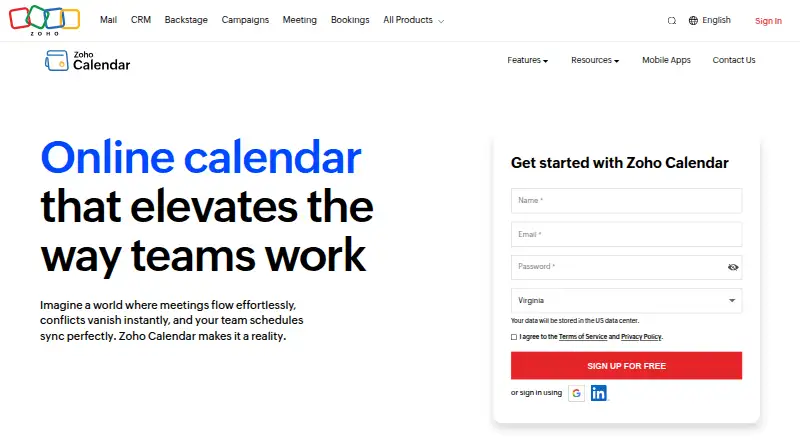
What Zoho Calendar is
Zoho Calendar is a scheduling service for appointments, team events, and other commitments, available on the web and in Android and iOS apps. Its calendar views include day, week, month, and agenda, with custom reminders, color-coded events, and simultaneous display of two time zones. Teams can share calendars, schedule events, and book resources such as meeting rooms. For appointments, users can create a personalized booking page with configurable duration, availability, limits, and branding; the free plan permits one booking link. Smart Add extracts event details from natural-language text. Zoho Calendar syncs both ways with Google Calendar and Outlook, and supports CalDAV sync with Apple Calendar. Listed conferencing integrations include Zoho Meeting, Zoho Cliq, Microsoft Teams, Zoom, Webex, and Google Meet. Zoho also lists workflow connections including Zapier, Microsoft Power Automate, Make, Workato, and n8n. The free plan costs nothing. Zoho identifies Chennai, India, as its global headquarters.
Good
- Free plan is available.
- Supports shared calendars and resource bookings.
- Two-way sync with Google Calendar and Outlook.
- Includes web, Android, and iOS access.
Watch out
- Free users can create only one booking link.
- No paid plan details are listed.
Who it suits
Zoho Calendar suits individuals and teams who need shared calendars, appointment booking, or resource scheduling. It may also fit people who want to sync with Google, Outlook, or Apple calendars.
Verdict
Zoho Calendar covers individual scheduling, team calendars, booking pages, and calendar syncing across named services. Its free plan includes one appointment booking link, so users needing more links should account for that limit.
Plans and prices
From Zoho Calendar's own pricing page, checked 11 Oct 2026.
| Plan | Price | What it gives you |
|---|---|---|
| Free | Free | Free online calendar for individuals and teams · Free users can create up to 1 appointment booking link |
The facts
Each one read from Zoho Calendar's own pages, with the date it was checked.
Where it runs
- Appointment booking
- Users can create a personalized booking page with configurable duration, availability, limits, and branding; free users can create up to one booking link.checked 11 Oct 2026
- Mobile apps
- Zoho Calendar has mobile apps for iOS and Android, where users can manage events and receive notifications and reminders.checked 11 Oct 2026
What it does
- Calendar sync
- two_waychecked 20 Sep 2026
- Calendar syncing
- Zoho Calendar supports two-way sync with Google Calendar and Outlook, and CalDAV sync with Apple Calendar.checked 11 Oct 2026
- Calendar views and reminders
- Calendar features include day, week, month, and agenda views, custom reminders, color-coded events, and simultaneous display of two time zones.checked 11 Oct 2026
- Compliance qualification
- Zoho says it does not collect, use, store, or maintain HIPAA-protected health information for its own purposes and describes Calendar controls to help customers use the service in a HIPAA-compliant manner.checked 11 Oct 2026
- Conferencing integrations
- Zoho Calendar lists integrations with Zoho Meeting, Zoho Cliq, Microsoft Teams, Zoom, Webex, and Google Meet.checked 11 Oct 2026
- Scheduling
- Zoho Calendar provides scheduling tools for appointments, team events, and other commitments.checked 11 Oct 2026
- Scheduling links
- Yeschecked 20 Sep 2026
- Security controls
- For HIPAA-related organizational controls, Zoho Calendar lists MFA, password policies, administrator controls, IP-based restrictions, encryption at rest and in transit, and audit logs retained for one year.checked 11 Oct 2026
- Shared calendars
- Yeschecked 20 Sep 2026
- Smart Add
- Smart Add extracts event details from natural-language text, such as “Meeting with John tomorrow at 2pm.”checked 11 Oct 2026
- Support
- The product page says technical assistance is available around the clock by chat, phone, and email.checked 11 Oct 2026
- Time blocking
- Yeschecked 20 Sep 2026
- Video meeting support
- Yeschecked 20 Sep 2026
- Workflow integrations
- The integrations page lists Zapier, Microsoft Power Automate, Make, Workato, and n8n for automating scheduling workflows.checked 11 Oct 2026
The company
- Company history
- Zoho’s company timeline says it was founded as AdventNet Inc. in 1996 and renamed Zoho Corporation in 2009.checked 11 Oct 2026
- Founded
- 1996checked 28 Sep 2026
- Headquarters
- Zoho identifies Chennai, India, as its global headquarters.checked 11 Oct 2026
- Team and resource calendars
- Teams can schedule events and book resources, including meeting rooms, through the calendar.checked 11 Oct 2026
Money
- Free plan
- Yeschecked 20 Sep 2026
The full review of Zoho Calendar
Overview
Zoho Calendar is a web and mobile calendar for managing personal schedules, appointments, and shared team events. It is a strong fit for individuals and teams that need resource booking or appointment scheduling alongside everyday calendar use; people who rely on several booking links should look elsewhere unless they are prepared to move beyond the free plan.
Key features
Personalized booking pages let users set appointment duration, availability, limits, and branding. Those controls help shape how others request time, while the free plan’s single-link allowance makes it less suitable for separate services, audiences, or availability patterns.
Team calendars handle both events and resource reservations, including meeting rooms, which makes them more useful for shared operations than a calendar used only to track individual commitments. Day, week, month, and agenda views, custom reminders, color-coded events, and simultaneous display of two time zones cover the routine work of keeping schedules legible across a team.
Smart Add extracts event details from natural-language text, such as a meeting description with a person and time. Zoho Calendar also syncs both ways with Google Calendar and Outlook, and supports Apple Calendar through CalDAV. That breadth helps people who already maintain calendars across those services, rather than forcing a complete switch.
Conferencing connections include Zoho Meeting, Zoho Cliq, Microsoft Teams, Zoom, Webex, and Google Meet. For workflow automation, Zoho Calendar connects with Zapier, Microsoft Power Automate, Make, Workato, and n8n. These integrations make it easier to fit scheduling into a wider toolset, though the product’s strongest case remains its combination of booking, shared calendars, and syncing.
For organizations with HIPAA-related requirements, Zoho lists controls including MFA, password policies, administrator controls, IP-based restrictions, encryption at rest and in transit, and audit logs retained for one year. Zoho says it does not collect, use, store, or maintain HIPAA-protected health information for its own purposes; it describes the controls as helping customers use the service in a HIPAA-compliant manner, not as a claim that Zoho handles such information for them.
Pricing
Zoho Calendar uses a freemium model. Its Free plan costs nothing and is described as a free online calendar for individuals and teams. It includes up to one appointment booking link, a useful starting point for personal scheduling or a single appointment offering, but a tight ceiling for anyone needing distinct links.
No paid plan pricing is provided. If the free link cap does not fit your workflow, compare the terms of a paid option directly before committing rather than assuming that a specific quota or price applies.
Platforms
Zoho Calendar is available on web, Android, and iOS. Mobile apps cover scheduling on the move, while web access suits users managing shared calendars or booking arrangements from a browser.
Who it's for
Choose Zoho Calendar if you want one calendar service to cover personal commitments, team events, meeting-room reservations, and a controlled appointment booking page. It is particularly relevant when you need two-way Google Calendar or Outlook sync, or Apple Calendar access through CalDAV. It is less compelling if multiple booking links are essential and you need them on a free plan.
Pros and cons
- Pro: Booking pages have configurable duration, availability, limits, and branding, giving appointment setters control over how time is offered.
- Pro: Shared team calendars can reserve resources such as meeting rooms, not just record events.
- Pro: Two-way Google Calendar and Outlook sync plus Apple Calendar CalDAV support can accommodate existing calendar setups.
- Con: Free users are limited to one appointment booking link, which restricts anyone separating services or scheduling patterns.
- Con: No paid plan price or terms are provided, so users who outgrow the free cap cannot readily compare an upgrade on cost and included limits.
Alternatives
Browse calendar apps if you want to compare more options by category. Tuta Calendar is worth considering if you want a free calendar with 1 GB storage, one calendar, and three labels, or a stated Revolutionary plan at €3 a month.
Microsoft Outlook Calendar is an alternative for users comparing a calendar with Microsoft 365 Personal, which offers a one-month free trial. Calendar.com is another freemium option, with a Free plan described as free forever for individuals and a free trial also available. Proton Calendar may appeal if you want essential calendar features through a free Proton account, which includes three calendars.
Teamup is a reasonable alternative for shared scheduling if its free allowance of five sub-calendars, five users, one custom field, and one year of historical data fits your group. Cozi is oriented around shared family scheduling, with its free plan including a shared family calendar, notifications, grocery and to-do lists, and a recipe library. TimeTree is another freemium calendar option.
Verdict
Zoho Calendar is a sound choice for individuals and teams who want shared scheduling, resource reservations, appointment pages, and calendar sync in one service. Its clearest limitation is the free plan’s single booking link, so readers who need several distinct booking pages should compare alternatives or confirm the paid-plan terms before making it their scheduling hub.
Alternatives to Zoho Calendar
- 1

Lark
Free planAndroidiOSWebAPI9.2From $6 a month - 2
EGroupware
Free planOpen sourceAndroidiOSWebAPI9.2From €21.90 a month - 3
Teamup
Free planAndroidiOSWebAPI9.0From $12 a month - 4
Twake Calendar
Open sourceAndroidiOSWebAPI9.0From €4 a month - 5
TimeFinder
Free planAndroidiOSWebmacOS8.9$119.99 one-time - 6

7shifts
Free planAndroidiOSWebAPI8.9From $39.99 a month