Microsoft Outlook Calendar
Microsoft Outlook Calendar provides email and calendar access through web, desktop, and mobile apps.
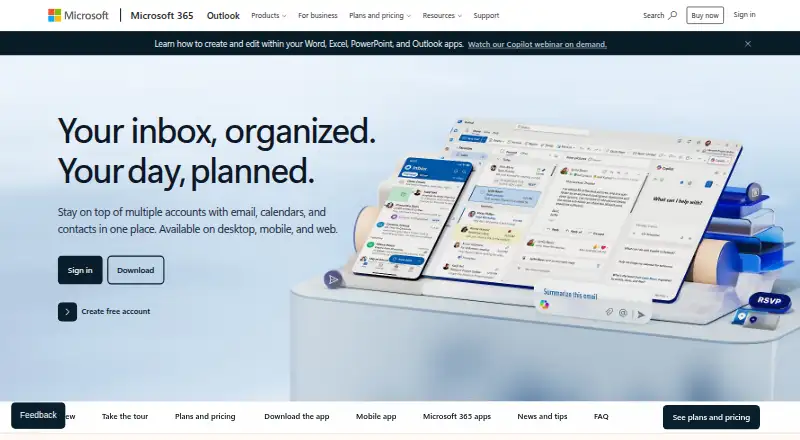
What Microsoft Outlook Calendar is
Microsoft Outlook Calendar provides email and calendar access through web, desktop, and mobile apps. Outlook Free includes email and calendar, 15 GB of mailbox storage, 5 GB of cloud storage, and core security features such as spam filters. Shared calendars and video meeting support are listed. Outlook can connect services such as Outlook.com, Gmail, Yahoo!, and iCloud, and scans links and attachments for threats. Focused inbox, sweep, snooze, and flags help prioritize messages. It also provides access to Word, Excel, PowerPoint, and OneDrive files. Copilot can draft email and refine tone, length, and clarity, but in Outlook it currently works with outlook.com, hotmail.com, live.com, and msn.com addresses. Microsoft 365 Personal costs $9.99 a month, billed monthly, and includes 1 TB of storage and use on five devices. Personal, Family, and Premium plans offer a one-month free trial. Paid Microsoft 365 plans include ongoing support, and subscriptions renew automatically unless canceled in the Microsoft account.
Good
- Free plan includes email, calendar, and 15 GB mailbox storage
- Connects Outlook.com, Gmail, Yahoo!, and iCloud
- Shared calendars and video meeting support are listed
- Scans links and attachments for threats
Watch out
- Free cloud storage is 5 GB
- Copilot in Outlook works with a limited set of address types
- Subscriptions renew automatically unless canceled
Who it suits
Outlook Calendar suits people who want email and calendar access across web, desktop, and mobile, including connections to several mail services. People using Copilot in Outlook should have one of its supported address types.
Verdict
Outlook combines calendar tools with a free email plan, connected mail services, and security features. Copilot's address restriction and subscription renewal terms are worth considering when choosing a plan.
Plans and prices
From Microsoft Outlook Calendar's own pricing page, checked 27 Sep 2026.
| Plan | Price | What it gives you |
|---|---|---|
| Microsoft 365 Personal | $9.99 a month | For 1 person; try free for 1 month · 1 person · 5 devices simultaneously · 1 TB storage · billed monthly |
| Microsoft 365 Family | $12.99 a month | For 1 to 6 people; try free for 1 month · 1 to 6 people · Up to 6 TB storage · 5 devices per person · billed monthly |
| Microsoft 365 Premium | $19.99 a month | Try free for 1 month · 1 to 6 people · Up to 6 TB storage · billed monthly |
| Microsoft 365 Basic | $19.99 a year | For 1 person; subscription automatically renews unless canceled · billed annually at $19.99 |
| Office Home 2024 | $179.99, paid once | One-time purchase for 1 PC or Mac |
| Outlook Free | Free | For 1 person |
The facts
Each one read from Microsoft Outlook Calendar's own pages, with the date it was checked.
What it does
- Calendar sync
- one_waychecked 20 Sep 2026
- Connected services
- Outlook can connect Outlook.com, Gmail, Yahoo!, iCloud, and other mail services.checked 27 Sep 2026
- Copilot address limit
- Copilot in Outlook currently works with outlook.com, hotmail.com, live.com, and msn.com addresses.checked 27 Sep 2026
- Copilot drafting
- Copilot drafts email and helps refine tone, length, and clarity.checked 27 Sep 2026
- File integrations
- Outlook provides access to Word, Excel, PowerPoint, and OneDrive files.checked 27 Sep 2026
- Microsoft product
- Outlook is presented as part of Microsoft 365.checked 27 Sep 2026
- Ongoing support
- Paid Microsoft 365 plans include ongoing support.checked 27 Sep 2026
- Organization tools
- Focused inbox, sweep, snooze, and flag features help prioritize email.checked 27 Sep 2026
- Paid from
- 9.99checked 20 Sep 2026
- Sensitive encryption
- Encryption prevents forwarding of sensitive information.checked 27 Sep 2026
- Shared calendars
- Yeschecked 20 Sep 2026
The company
- Founded
- 1975checked 23 Sep 2026
- Headquarters
- Redmond, Washington, USAchecked 23 Sep 2026
- Teams video calls
- Microsoft Teams supports group calls up to 30 hours with up to 300 people.checked 27 Sep 2026
Money
- Free cloud storage
- The free plan includes 5 GB of cloud storage.checked 27 Sep 2026
- Free mailbox storage
- The free plan includes 15 GB of mailbox storage.checked 27 Sep 2026
- Free plan
- Yeschecked 20 Sep 2026
- Free security
- Outlook Free includes core Outlook security features such as spam filters.checked 27 Sep 2026
- Free tier
- Outlook Free includes email and calendar on web, desktop, and mobile apps.checked 27 Sep 2026
- Free trial
- Microsoft 365 Personal, Family, and Premium offer a free trial for 1 month.checked 27 Sep 2026
- Subscription billing
- Subscriptions automatically renew unless canceled in the Microsoft account.checked 27 Sep 2026
Where it runs
- Mobile apps
- ios and androidchecked 20 Sep 2026
- Mobile devices
- Microsoft 365 works on PC, Mac, iPhone, iPad, and Android phones and tablets.checked 27 Sep 2026
- Supported platforms
- Outlook is available on desktop, mobile, and web.checked 27 Sep 2026
The full review of Microsoft Outlook Calendar
Overview
Microsoft Outlook Calendar is the calendar service within Outlook and Microsoft 365, for people who want appointments alongside email and other Microsoft tools. Its free plan makes it accessible, while paid plans add substantial storage and support; the one-way sync and plan-specific limits make it less compelling if calendar syncing is central to your workflow.
Key features
Calendars, connected accounts, and meetings
Outlook supports shared calendars and connects to Outlook.com, Gmail, Yahoo!, iCloud, and other mail services. That breadth is useful for bringing existing accounts together, though calendar synchronization is one-way, a meaningful constraint for anyone expecting changes to flow both ways. Video meeting support is included. Microsoft Teams group calls can run for up to 30 hours and include up to 300 people; those are Teams limits, not a stated limit for meetings created in Outlook Calendar.
Email, security, and Microsoft tools
The free Outlook plan includes email and calendar on web, desktop, and mobile, with 15 GB of mailbox storage and 5 GB of cloud storage. Spam filtering is part of its core security features. Outlook also scans links and attachments for threats, and encryption can prevent forwarding of sensitive information. Focused Inbox, sweep, snooze, and flag tools help manage messages, while access to Word, Excel, PowerPoint, and OneDrive files makes the broader Microsoft 365 bundle more useful to people already working with those services.
Copilot can draft email and help adjust tone, length, and clarity, but in Outlook it currently works only with outlook.com, hotmail.com, live.com, and msn.com addresses. That address restriction limits its usefulness for people relying on other connected mail accounts.
Pricing
Outlook Free is for one person and includes email and calendar, 15 GB of mailbox storage, 5 GB of cloud storage, and core security features. It is the sensible starting point if those allowances suffice; its storage is much smaller than the paid Microsoft 365 plans.
Microsoft 365 Basic costs $19.99 a year, billed annually at $19.99, for one person. Microsoft 365 Personal costs $9.99 a month, billed monthly, for one person and includes 1 TB of storage, use on five devices simultaneously, and ongoing support. Personal is the clearer fit for an individual needing substantially more storage and support, but the annual Basic price is lower if its offer meets your needs.
Microsoft 365 Family costs $12.99 a month, billed monthly, for one to six people, with up to 6 TB of storage and five devices per person. It suits households sharing a plan; the per-person device allowance is useful, though the total storage is capped at 6 TB. Microsoft 365 Premium costs $19.99 a month, billed monthly, for one to six people and up to 6 TB of storage.
Microsoft 365 Personal, Family, and Premium offer a free trial for one month. Subscriptions automatically renew unless canceled in the Microsoft account, so trial users should account for renewal. Office Home 2024 is a 179.99 USD one-time purchase for one PC or Mac; it avoids recurring billing, but is not presented as a subscription plan. Paid Microsoft 365 plans include ongoing support.
Platforms
Outlook is available on Android, iOS, macOS, and the web, with email and calendar access across web, desktop, and mobile apps. Microsoft 365 also works on PC, Mac, iPhone, iPad, and Android phones and tablets, making it a broad fit for people switching among common device types.
Who it's for
Outlook Calendar is a good choice for people who want a free calendar bundled with email, or Microsoft 365 users who value shared calendars, connected mail services, file access, and Teams calls in the same ecosystem. It is a weaker fit for anyone who needs two-way calendar sync or wants Copilot to draft messages from a non-Microsoft address.
Pros and cons
- Pro: The free plan combines calendar and email with 15 GB of mailbox storage, 5 GB of cloud storage, and core security features.
- Pro: Shared calendars, multiple connected mail services, and broad platform coverage suit users with varied accounts and devices.
- Pro: Personal and Family provide up to 1 TB per individual plan or up to 6 TB for a group, alongside ongoing paid-plan support.
- Con: Calendar sync is one-way, which rules it out for workflows that require changes to synchronize in both directions.
- Con: Copilot in Outlook is restricted to Outlook-family addresses, limiting its reach for users who connect other providers.
- Con: Microsoft 365 subscriptions renew automatically unless canceled, so trial and paid subscribers need to manage renewal themselves.
Alternatives
For other calendar options, browse Calendar apps; readers choosing primarily by email features can compare Email clients.
Lark is worth considering for teams: its Starter plan lists 20 users, 100 GB of storage, 18 months of message history, and 1,000 automations per month. Google Calendar is another freemium option; its Business Starter flexible plan is $8.40 a month with no annual commitment, 30 GB pooled storage per user, and meetings for up to 100 participants. Calendar.com offers a free-forever plan for individuals, while its Standard plan starts at $20 a month.
Proton Calendar has a free plan with three calendars for people who want essential calendar features with a free Proton account. Teamup offers a free plan with five sub-calendars, five users, one custom field, and one year of historical data. Notion Calendar is a free choice that can connect multiple calendars. Nextcloud Calendar may fit organizations considering a minimum of 100 users. Reclaim AI offers a free Lite plan for one user with a one-week scheduling range, one calendar sync, one scheduling link, and five AI agents.
Verdict
Choose Outlook Calendar if you want a free email-and-calendar starting point or a calendar embedded in a broader Microsoft 365 setup. Its connected accounts, sharing, security, and storage-rich paid plans are solid reasons to stay in that ecosystem. Look elsewhere if two-way sync is essential, or if Copilot needs to work with an address outside the Outlook family.
Getting started
- Open the Microsoft Outlook website
- Choose Outlook Free or select a Microsoft 365 plan
- Start the one-month trial for Personal, Family, or Premium when applicable
- Sign in on the web, desktop, iOS, Android, Mac, PC, iPhone, or iPad
- Connect Outlook.com, Gmail, Yahoo!, iCloud, or another mail service
- Use calendar, shared calendars, file access, and Teams meeting features
Limits worth knowing
Outlook Free includes 15 GB of mailbox storage and 5 GB of cloud storage. Microsoft 365 Personal is for one person and five devices with 1 TB storage; Family supports one to six people and up to 6 TB, while Premium supports one to six people and up to 6 TB.
Questions
Is there a free Outlook plan?
Yes. Outlook Free includes email and calendar on web, desktop, and mobile apps, plus 15 GB of mailbox storage and 5 GB of cloud storage.
How much does Microsoft 365 Personal cost?
Microsoft 365 Personal costs $9.99 a month, billed monthly, for one person, five devices simultaneously, and 1 TB storage.
Is a trial available?
Microsoft 365 Personal, Family, and Premium offer a free trial for 1 month.
Which platforms support Outlook?
Outlook is available on web, desktop, macOS, iOS, and Android; Microsoft 365 also supports PC, Mac, iPhone, iPad, and Android phones and tablets.
Does Outlook connect other email services?
Yes. It can connect Outlook.com, Gmail, Yahoo!, iCloud, and other mail services.
Do subscriptions renew automatically?
Microsoft 365 subscriptions automatically renew unless canceled in the Microsoft account.
Alternatives to Microsoft Outlook Calendar
- 1

Lark
Free planAndroidiOSWebAPI9.2From $6 a month - 2
EGroupware
Free planOpen sourceAndroidiOSWebAPI9.2From €21.90 a month - 3
Teamup
Free planAndroidiOSWebAPI9.0From $12 a month - 4
Twake Calendar
Open sourceAndroidiOSWebAPI9.0From €4 a month - 5
TimeFinder
Free planAndroidiOSWebmacOS8.9$119.99 one-time - 6

7shifts
Free planAndroidiOSWebAPI8.9From $39.99 a month