
Zoho Books
Zoho Books is an accounting service for managing invoices, bills, banking, inventory, expenses, projects, reporting, and online payments.
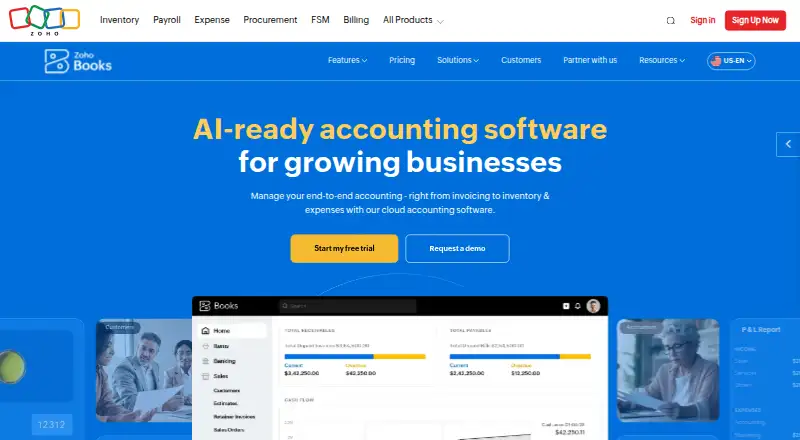
What Zoho Books is
Zoho Books is an accounting service for managing invoices, bills, banking, inventory, expenses, projects, reporting, and online payments. It supports bank feeds, automated reconciliation, invoice creation, receipt capture, and accountant access, with dedicated iOS and Android apps. Inventory tools include stock tracking, reorder alerts, warehouses, serial numbers, batch tracking, and bin locations. Foreign transactions are supported, with exchange rates applied in real time. Changes sync across devices, with automatic cloud backup. Transactions are secured with two-factor authentication and SSL encryption, and Zoho Books says it does not store credit card information. The free plan includes one user and one accountant and remains available indefinitely while annual revenue is at or below $50K. It allows five scheduled reports. A 14-day free trial is available. Standard is listed at $15 a month with annual billing. Subscriptions are pay-as-you-go, have no contract commitment, and can be canceled. Support hours are Monday to Friday, 9 am to 9 pm ET; channels vary by plan.
Good
- Includes invoicing, banking, inventory, and reporting.
- Offers dedicated iOS and Android applications.
- Supports bank feeds and automated reconciliation.
- Free plan includes one user and one accountant.
- Subscriptions have no contract commitment and can be canceled.
Watch out
- Free plan requires annual revenue at or below $50K.
- Free plan permits five scheduled reports.
- Support channels vary by plan.
- Standard is $15 a month with annual billing.
Who it suits
Zoho Books suits solopreneurs and small businesses that need accounting tools such as invoicing, banking, expenses, and inventory tracking. Its mobile apps and accountant access may also suit people managing books across devices or with an accountant.
Verdict
Zoho Books combines core accounting tasks with inventory tools and mobile access. The free option has a revenue condition and a report-scheduling limit, while Standard is listed at $15 a month with annual billing.
Plans and prices
From Zoho Books's own pricing page, checked 27 Sep 2026.
| Plan | Price | What it gives you |
|---|---|---|
| Free | Free | For solopreneurs and micro businesses; available indefinitely while annual revenue stays below $50K. · 1 user + 1 accountant · 1,000 invoices annually · 1,000 expenses annually · 50 receipt autoscans per month · billed monthly |
| Standard | $15 a month | Monthly price shown is $20; annual billing price is $15. · 3 users · 5,000 invoices annually · 5,000 expenses annually · 200 receipt autoscans per month · billed monthly |
| Professional | $40 a month | Monthly price shown is $50; annual billing price is $40. · 5 users · 10,000 invoices annually · 10,000 bills/expenses annually · 200 receipt autoscans per month · billed monthly |
| Premium | $60 a month | Monthly price shown is $70; annual billing price is $60. · 10 users · 25,000 invoices annually · 25,000 bills/expenses annually · 1,000 receipt autoscans per month · billed monthly |
| Elite | $120 a month | Monthly price shown is $150; annual billing price is $120. · 10 users · 100,000 invoices annually · 100,000 bills/expenses annually · 1,000 receipt autoscans per month · billed monthly |
| Ultimate | $240 a month | Monthly price shown is $275; annual billing price is $240. · 15 users · 100,000 invoices annually · 100,000 bills/expenses annually · 3 million records/rows · billed monthly |
The facts
Each one read from Zoho Books's own pages, with the date it was checked.
What it does
- Accountant access
- Yeschecked 20 Sep 2026
- Accounting features
- Features include invoicing, bills, banking, inventory, expenses, projects, reporting, and online payments.checked 27 Sep 2026
- Automated reconciliation
- Yeschecked 20 Sep 2026
- Bank feeds
- Yeschecked 20 Sep 2026
- Cancellation terms
- It is a pay-as-you-go service with no contract commitment, and subscriptions can be cancelled.checked 27 Sep 2026
- Card storage
- Zoho Books does not store credit card information.checked 27 Sep 2026
- Cloud synchronization
- Changes made on one device instantly sync with other devices, with automatic cloud backup.checked 27 Sep 2026
- Inventory capabilities
- Inventory features include stock tracking, reorder alerts, warehouses, serial numbers, batch tracking, and bin locations.checked 27 Sep 2026
- Inventory tracking
- Yeschecked 20 Sep 2026
- Invoice creation
- Yeschecked 20 Sep 2026
- Multi-currency support
- Foreign transactions are supported, with exchange rates automatically applied in real time.checked 27 Sep 2026
- Paid from
- 15checked 20 Sep 2026
- Receipt capture
- Yeschecked 20 Sep 2026
- Security controls
- Transactions are secured with two-factor authentication and SSL encryption.checked 27 Sep 2026
Where it runs
- App integrations
- Zoho Books connects with apps through its integrations offering and online sales channels on Elite.checked 27 Sep 2026
- Mobile apps
- Dedicated iOS and Android applications are available.checked 27 Sep 2026
- Mobile platforms
- ios and androidchecked 20 Sep 2026
The company
- Founded
- 2011checked 23 Sep 2026
- Headquarters
- Pleasanton, California, USAchecked 23 Sep 2026
Money
- Free plan
- Yeschecked 20 Sep 2026
- Free plan limit
- The free plan is available indefinitely while annual revenue remains at or below $50K.checked 27 Sep 2026
- Free plan users
- The free plan includes 1 user and 1 accountant.checked 27 Sep 2026
- Free report limit
- The free plan allows scheduling 5 reports.checked 27 Sep 2026
- Free trial period
- Zoho Books offers a 14-day free trial.checked 27 Sep 2026
The full review of Zoho Books
Overview
Zoho Books is accounting software for businesses that need invoicing, bookkeeping and inventory management across desktop and mobile workflows. It is best suited to solo operators and growing teams that want accounting and stock controls together, with the main trade-off that free access is tied to an annual revenue ceiling.
Key features
Its accounting toolkit spans invoices, bills, banking, expenses, projects, reports and online payments. Bank feeds and automated reconciliation can reduce manual handling of transactions, while receipt capture adds another route for recording expenses. For businesses already managing work in projects, keeping that alongside core accounting is a useful breadth advantage.
Inventory is a notable strength: stock tracking is joined by reorder alerts, warehouse management, serial and batch tracking, and bin locations. That makes Zoho Books a more natural fit for businesses handling physical goods than a bookkeeping tool focused only on invoices and expenses. Foreign transactions are supported, with exchange rates applied automatically in real time.
Dedicated iOS and Android apps sync changes across devices and back up data to the cloud. Two-factor authentication and SSL encryption protect transactions, and Zoho Books does not store credit card information. Support is available Monday to Friday, 9 am to 9 pm ET; channels vary by plan and include email, voice and chat. Professional and higher plans also support team chat, voice, video and screen sharing.
Pricing
The free plan costs nothing and suits a solopreneur or micro business whose annual revenue stays at or below $50K. It includes one user plus one accountant, up to 1,000 invoices and 1,000 expenses a year, and 50 receipt autoscans per month. Access can continue indefinitely under the revenue condition, but scheduling is limited to five reports. That is a meaningful ceiling for businesses with regular reporting needs or growing transaction volumes.
Standard costs $15 a month with annual billing; its monthly price is $20. It raises capacity to three users, 5,000 invoices and 5,000 expenses annually, and 200 receipt autoscans a month. This is the sensible step up when the free plan's revenue or usage caps no longer fit, though it remains a relatively tight allowance for larger teams.
Professional costs $40 a month with annual billing, or $50 monthly, and supports five users, 10,000 invoices, 10,000 bills/expenses and 200 receipt autoscans per month. Premium is $60 a month with annual billing, or $70 monthly; it supports 10 users, 25,000 invoices, 25,000 bills/expenses and 1,000 autoscans per month. Elite costs $120 a month with annual billing, or $150 monthly, with 10 users, 100,000 invoices, 100,000 bills/expenses and 1,000 autoscans monthly. Its integrations offering includes online sales channels, making it the clearest fit for businesses combining high volume with online selling.
Ultimate costs $240 a month with annual billing, or $275 monthly. It allows 15 users, 100,000 invoices, 100,000 bills/expenses and 3 million records/rows, so its main distinction is the much larger records allowance rather than higher invoice volume than Elite. A 14-day free trial provides a short evaluation window. Subscriptions are pay-as-you-go, have no contract commitment and can be cancelled.
Platforms
Zoho Books has dedicated apps for iOS and Android, with cloud synchronization and automatic backup across devices.
Who it's for
Choose Zoho Books if you want accounting, inventory controls and mobile access in one service, especially if stock tracking or multi-currency transactions matter to your business. The free tier is well matched to a small operation within its revenue, report and usage caps; businesses needing more users or throughput can move through five paid tiers. It is less compelling if your main need is a generous free allowance without a revenue condition.
Pros and cons
- Pro: Inventory tools include warehouses, reorder alerts, serial and batch tracking, and bin locations, giving goods-based businesses more than basic stock counts.
- Pro: Bank feeds, automated reconciliation, receipt capture and accountant access cover several routine accounting workflows.
- Pro: Mobile apps sync changes between devices and back up data automatically, with two-factor authentication and SSL encryption for transaction security.
- Con: Free access ends as an option once annual revenue exceeds $50K, and the plan caps users, invoices, expenses, receipt scans and scheduled reports.
- Con: Receipt-autoscan allowances remain at 200 per month on Standard and Professional, so teams relying heavily on automated receipt capture may need a higher tier.
- Con: Online sales channels are tied to Elite, a substantial price step above Standard and Professional for businesses that need that capability.
Alternatives
For bookkeeping-specific comparisons, see Bookkeeping Software. Wave is worth considering if a free plan with unlimited estimates, invoices, bills and bookkeeping records is the priority; online payments incur a 2.9% + $0.60 credit card transaction fee. Clear Books has a free sole-trader option with no transaction limits, making it an alternative for a sole trader who wants to avoid Zoho Books' $50K revenue condition. Odoo Accounting offers a free one-app plan and supports web and self-hosted platforms as well as mobile. FreeAgent has separate monthly plans for sole traders and partnerships or LLPs. BUSY offers a free web plan focused on billing and accounting, with multiple companies and financial years. NolaPro has a free single-user plan and a low-cost cloud option. GnuCash is a free alternative for Linux, Windows and macOS. QuickFile has a free tier capped at 200 ledger entries, with paid account sizes above that threshold.
For more targeted comparisons, browse AI Accounting Software, Salon Accounting Software, SaaS Accounting Software, Gym Accounting Software and Time Billing Software.
Verdict
Zoho Books is a strong choice for small and growing businesses that want bookkeeping, inventory and mobile access under one roof, with a genuinely usable free starting point for eligible micro businesses. Look elsewhere if the free plan's revenue and reporting restrictions are a poor fit, or if you need online sales channels without moving up to Elite.
Getting started
- Visit the Zoho Books website.
- Choose the free plan or a paid plan; Standard is $15/mo with annual billing.
- Start a 14-day free trial if you want to try the service before choosing a plan.
- Use the dedicated iOS or Android app for mobile access.
Limits worth knowing
The free plan is available only while annual revenue remains at or below $50K and includes one user plus one accountant. It includes 1,000 invoices and 1,000 expenses annually, 50 receipt autoscans per month, and scheduling for five reports.
Questions
Is Zoho Books free?
Yes. Its free plan is available indefinitely while annual revenue remains at or below $50K.
How much does Zoho Books cost?
Standard is $15/mo with annual billing. Paid plans also include Professional at $40/mo, Premium at $60/mo, Elite at $120/mo, and Ultimate at $240/mo, all with annual billing.
Is there a free trial?
Yes. Zoho Books offers a 14-day free trial.
Which platforms does Zoho Books support?
Dedicated mobile apps are available for iOS and Android.
What does the free plan include?
It includes one user and one accountant, 1,000 invoices and 1,000 expenses annually, 50 receipt autoscans per month, and scheduling for five reports.
Can I cancel a subscription?
Yes. It is a pay-as-you-go service without a contract commitment, and subscriptions can be cancelled.
Alternatives to Zoho Books
- 1
Sage Accounting
Free planAndroidiOSWebAPI9.1From £2 a month - 2

Wave
Free planAndroidiOSWebAPI9.0From $72 a year - 3

FreeAgent
Free planAndroidiOSWebAPI8.9Free plan - 4

GnuCash
Free planOpen sourceAndroidiOSAPILinux8.8Free plan - 5

FreshBooks
AndroidiOSWebAPI8.7From $4.60 a month - 6

Clear Books
Free planAndroidiOSWeb8.7From £5 a month