WorkflowMAX
WorkflowMAX is a job profitability platform for professional services firms, covering quoting, job management, time tracking, work in progress, and invoicing.
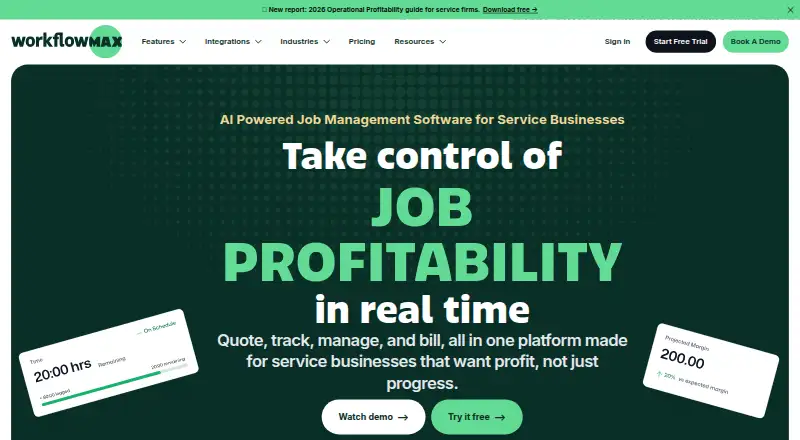
What WorkflowMAX is
WorkflowMAX is a job profitability platform for professional services firms, covering quoting, job management, time tracking, work in progress, and invoicing. A job record brings together tasks, costs, time, and documents, while timesheets can record time against jobs and tasks using eight entry methods. The software supports recurring invoices, online payments, and multi-currency invoicing. It is available on web, iOS, and Android; the mobile apps support job management, time entry, and task viewing. Listed integrations include Xero, QuickBooks, HubSpot, Zapier, Airwallex, and Google Calendar. Its integrations page also describes MCP connections for Claude, ChatGPT, Gemini, and Microsoft Copilot. Plans are charged per user per month, and each person who signs in needs a licence. Essentials costs $8.33 a month and covers 3–25 users; its listed annual rate is $7.50 per user per month. Pro costs $15 a month and starts at five users, while Advanced costs $25 a month and starts at ten. All plans include a 14-day trial with full access to the selected plan and no credit card required. WorkflowMAX was founded in 2007.
Good
- Tracks job tasks, costs, time, and documents
- Timesheets offer eight entry methods
- Supports recurring invoices and online payments
- 14-day trial requires no credit card
- Mobile apps are available for iOS and Android
Watch out
- No free plan
- Anyone who signs in needs a licence
- Essentials is limited to 3–25 users
- Pro starts at five users and Advanced at ten
Who it suits
WorkflowMAX suits professional services teams that need job costing, time tracking, and invoicing in one system. Its plans serve teams with different user thresholds, and mobile apps support managing work away from a desktop.
Verdict
WorkflowMAX brings job management, time tracking, and invoicing together, with mobile apps and a range of integrations. Check each plan’s per-user price and minimum or maximum user count before choosing.
Plans and prices
From WorkflowMAX's own pricing page, checked 11 Oct 2026.
| Plan | Price | What it gives you |
|---|---|---|
| Essentials | $8.33 a month | 3–25 users · Quoting · Jobs · Scheduling · Timesheets · Invoicing · Purchase orders · Xero/QuickBooks integration · Monthly; $7.91 quarterly (Save 5%); $7.50 annual (Save 10%) per user |
| Pro | $15 a month | From 5 users · Essentials features plus leads, quote variations, custom reporting, branded templates, and more invoicing, purchasing, and integration options · Monthly; $14.25 quarterly (Save 5%); $13.50 annual (Save 10%) per user |
| Advanced | $25 a month | From 10 users · Pro features plus capacity planning, individual WIP ledger management, automated and AI-powered reporting, and calendar sync · Monthly; $23.75 quarterly (Save 5%); $22.50 annual (Save 10%) per user |
The facts
Each one read from WorkflowMAX's own pages, with the date it was checked.
What it does
- AI connections
- The integrations page describes MCP connections for Claude, ChatGPT, Gemini, and Microsoft Copilot.checked 11 Oct 2026
- Core workflow
- The product covers quoting, job management, time tracking, work-in-progress management, and invoicing.checked 11 Oct 2026
- Hosting and data location
- The FAQ says customer data is hosted on Amazon Web Services in the Sydney, Australia region.checked 11 Oct 2026
- Industries
- WorkflowMAX names architects, engineers and designers, business consultants, creative agencies, and building and construction as industries it serves.checked 11 Oct 2026
- Integrations
- Listed integrations include Xero, QuickBooks, HubSpot, Zapier, Airwallex, and Google Calendar.checked 11 Oct 2026
- Job management
- Users can create, assign, and track jobs with their tasks, costs, time, and documents in one record.checked 11 Oct 2026
- Multi-currency invoicing
- Yeschecked 20 Sep 2026
- Notable limits
- Essentials is designed for 3–25 users; Pro starts at 5 users and Advanced at 10 users, with no upper limit stated for Pro or Advanced.checked 11 Oct 2026
- Online payments
- Yeschecked 20 Sep 2026
- Paid from
- 7.5checked 20 Sep 2026
- Privacy compliance
- WorkflowMAX says it complies with the European Union's GDPR.checked 11 Oct 2026
- Product
- WorkflowMAX describes itself as a job profitability operating system for professional services firms.checked 11 Oct 2026
- Recurring invoices
- Yeschecked 20 Sep 2026
- Security
- WorkflowMAX says it stores private user data encrypted with AES 256-bit encryption.checked 11 Oct 2026
- Support
- The FAQ says all customers have access to 24/7 in-product support and a help centre.checked 11 Oct 2026
- Time tracking
- Timesheets can record time against jobs and tasks using eight different entry methods.checked 11 Oct 2026
Money
- Billing
- WorkflowMAX charges per user per month, and anyone who signs in needs a licence.checked 11 Oct 2026
- Free plan
- Nochecked 20 Sep 2026
- Trial
- All plans include a 14-day free trial with full access to the chosen plan's features and no credit card required.checked 11 Oct 2026
The company
- Founded
- 2007checked 28 Sep 2026
- Included team users
- 25checked 20 Sep 2026
Where it runs
- Mobile apps
- Dedicated iOS and Android apps support managing jobs, entering time, and viewing tasks on the go.checked 11 Oct 2026
Alternatives to WorkflowMAX
- 1

Billdu
Free planAndroidiOSWebAPI8.8From $4.99 a month - 2
ProfitBooks
Free planAndroidiOSWebAPI8.8From $9.95 a month - 3
Invoice Home
Free planAndroidiOSWeb8.7From $9 a month - 4

PayPal Invoicing
Free planAndroidiOSWeb8.6Free plan - 5
Zoho Billing
AndroidiOSWebAPI8.6From $39 a month - 6

Recurly
AndroidiOSWebAPI8.5From $249 a month