
PayPal Invoicing
PayPal Invoicing lets freelancers, service professionals, consultants, and small businesses create and send invoices to clients.
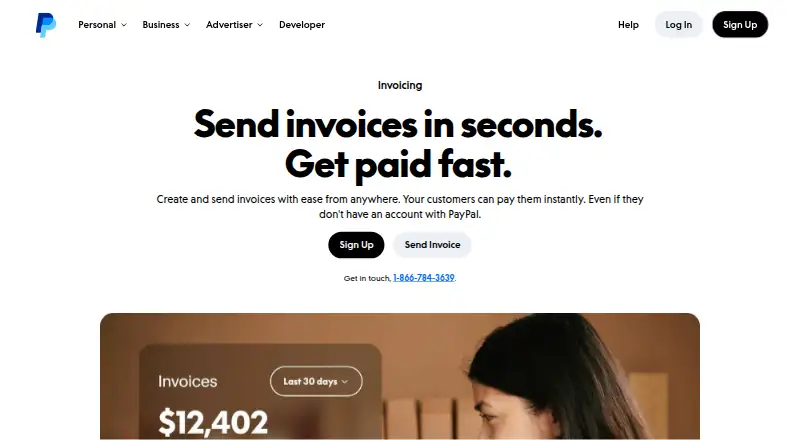
What PayPal Invoicing is
PayPal Invoicing lets freelancers, service professionals, consultants, and small businesses create and send invoices to clients. Invoices can show a company name, brand colors, logo, taxes, discounts, shipping details, and notes, then be shared by email, SMS, messaging apps, social media, or QR code. A dashboard tracks when invoices are sent, opened, and paid. Templates support recurring billing, and automatic reminders plus QuickBooks and Xero sync can reduce manual work. Users can create and manage invoices on the web and through iOS and Android, including the PayPal app. A PayPal account is required to create and send invoices, but clients do not need one to pay. Creating and sending invoices has no setup or subscription fee; transaction fees apply when customers pay. Listed rates are 3.49% + $0.49 per transaction for PayPal and Venmo, and 4.99% + $0.49 per transaction for Pay Later. Fixed fees vary by currency received, and international transactions may add a percentage-based fee. The invoice page lists availability in over 200 markets and 24 currencies.
Good
- Invoices can include branding, taxes, discounts, and notes.
- Send invoices by email, SMS, or QR code.
- Dashboard tracks sent, opened, and paid status.
- Templates support recurring invoices and reminders.
- Clients can pay without a PayPal account.
Watch out
- A PayPal account is required to send invoices.
- Transaction fees apply when customers pay.
- International transactions may add a percentage-based fee.
- Fixed fees vary by currency received.
Who it suits
It suits freelancers and service businesses that bill clients directly and want invoice tracking, recurring templates, or payment reminders. It may also fit small businesses that use QuickBooks or Xero.
Verdict
PayPal Invoicing covers invoice creation, delivery, status tracking, and recurring billing across web and mobile. Consider the transaction fees and currency terms alongside the no-subscription-fee invoicing option.
Plans and prices
From PayPal Invoicing's own pricing page, checked 19 Sep 2026.
| Plan | Price | What it gives you |
|---|---|---|
| Free | Free | Create and send invoices without setup or subscription fees · Transaction fees apply when customers pay |
| PayPal and Venmo | $3.49, paid once | Fixed fee varies by currency received; international transactions may add a percentage-based fee. · 3.49% + $0.49 per transaction |
| Pay Later | $4.99, paid once | Fixed fee varies by currency received; international transactions may add a percentage-based fee. · 4.99% + $0.49 per transaction |
| Free invoicing | Free | Creating and sending invoices is included with a PayPal account. |
The facts
Each one read from PayPal Invoicing's own pages, with the date it was checked.
What it does
- Automation tools
- QuickBooks and Xero sync, recurring invoices, and automatic reminders help reduce manual work.checked 27 Sep 2026
- Business scale
- PayPal reports over 430 million active accounts worldwide and availability in 200+ markets.checked 27 Sep 2026
- Customer account need
- Customers do not need a PayPal account to pay an invoice.checked 27 Sep 2026
- Global invoice value
- PayPal invoices have facilitated $144 billion paid globally.checked 27 Sep 2026
- Global invoice volume
- PayPal invoices sent globally exceeded 755 million.checked 27 Sep 2026
- International availability
- PayPal Invoicing is available in over 200 markets and 24 currencies.checked 27 Sep 2026
- Invoice customization
- Invoices can include company name, brand colors, logo, taxes, discounts, shipping details, and notes.checked 27 Sep 2026
- Invoice tracking
- The dashboard tracks when invoices are sent, opened, and paid.checked 27 Sep 2026
- Mobile access
- The PayPal app lets users create and manage invoices from anywhere they do business.checked 27 Sep 2026
- Multi-currency invoicing
- Yeschecked 19 Sep 2026
- Online payments
- Yeschecked 19 Sep 2026
- Payment reminders
- Yeschecked 19 Sep 2026
- Payment security
- Invoice payment links sent by email are encrypted.checked 27 Sep 2026
- Phone support
- The invoice page lists 1-866-784-3639 for getting in touch.checked 27 Sep 2026
- Recurring invoices
- Yeschecked 19 Sep 2026
- Sender account need
- A PayPal account is required to create and send invoices.checked 27 Sep 2026
- Sharing methods
- Invoices can be sent by email, SMS, messaging apps, social media, or QR code.checked 27 Sep 2026
- Target businesses
- Built for freelancers, service professionals, consultants, and small businesses billing clients directly.checked 27 Sep 2026
Where it runs
- Business platform
- PayPal offers fraud protection, transaction encryption, Seller Protection on eligible transactions, and 24/7 fraud analysis.checked 27 Sep 2026
Money
- Free plan
- Yeschecked 19 Sep 2026
- Recurring billing
- Templates can be used to quickly send recurring invoices.checked 27 Sep 2026
The company
- Headquarters
- San Jose, California, United Stateschecked 28 Sep 2026
The full review of PayPal Invoicing
Overview
PayPal Invoicing lets freelancers, service professionals, consultants, and small businesses create and send client invoices through a PayPal account. It covers recurring billing, payment collection, and invoice tracking across web and mobile. Its no-subscription-fee invoicing is appealing, but transaction fees and international charges matter when choosing how clients pay.
Key features
Invoices can carry a company name, logo, brand colors, taxes, discounts, shipping details, and notes, so businesses can make bills more recognizable and itemize charges. Send them by email, SMS, messaging apps, social media, or QR code; customers do not need a PayPal account to pay, though senders do.
A dashboard shows whether an invoice was sent, opened, or paid. Templates speed up recurring invoices, while automatic reminders and QuickBooks and Xero sync can reduce follow-up and bookkeeping work. The PayPal app supports invoice creation and management away from a desk.
PayPal says invoices have facilitated $144 billion in payments globally, with more than 755 million invoices sent. The service is available in over 200 markets and 24 currencies for invoicing, while its supported-currency count is 130. Email payment links are encrypted; PayPal also cites fraud protection, transaction encryption, Seller Protection on eligible transactions, and 24/7 fraud analysis.
Pricing
PayPal Invoicing is freemium. The Free option costs nothing and lets account holders create and send invoices without setup or subscription fees. That suits occasional or regular billers who want to avoid a software subscription, but it does not remove transaction fees when customers pay.
PayPal and Venmo costs $3.49, paid once, billed at 3.49% + $0.49 per transaction. Pay Later costs $4.99, paid once, billed at 4.99% + $0.49 per transaction. The fixed fee varies by currency received, and international transactions may add a percentage-based fee. These payment charges can outweigh the appeal of free invoice creation for businesses with frequent or high-value payments, especially across borders.
A separate Free invoicing option is included with a PayPal account. No subscription charge is stated for it; the transaction-fee terms still apply when invoices are paid.
Platforms
Access is available on the web, desktop, mobile devices, iOS, and Android through the PayPal app. Invoices can be sent digitally, and Tap to Pay is supported; offline payments are not. Payouts are described as instant, with transfers often arriving within one day of receiving an invoice.
Who it's for
This is a strong fit for independent professionals and small businesses that already use PayPal or want a way to invoice clients without a monthly software fee. It is less compelling for businesses that need offline payment acceptance or want to avoid per-transaction and possible international charges.
Pros and cons
- Pro: Invoice creation has no setup or subscription fee, making it practical for businesses that want to start billing without a recurring software commitment.
- Pro: Multiple delivery channels, payment reminders, status tracking, and recurring templates support the full invoice follow-up cycle.
- Pro: Customers can pay without opening a PayPal account, reducing a potential barrier to payment.
- Con: Transaction fees apply even on the free invoicing option, with higher stated rates for Pay Later and possible extra international charges.
- Con: Offline payments are not supported, so it is not a fit for businesses needing to collect payments without connectivity.
Alternatives
For invoice-focused comparison, browse Invoicing software. SumUp Invoices is worth considering if a free plan with unlimited invoices and quotes, recurring invoices, and customer management better fits the workflow. Helcim may suit businesses prioritizing no monthly account fees and interchange-plus transaction rates that vary by volume; it has a free plan but no free trial.
For broader payment acceptance, compare Payment Processing Software, Payment Gateways, Payment Facilitation Platforms, Mobile Payment Processing Software, and Hosted Checkout Software. Other alternatives include PayAnywhere, Zeller, QuickBooks GoPayment, myPOS Glass, Clover Go, and Grafterr GO!.
Verdict
Choose PayPal Invoicing if you are a freelancer or small business that wants flexible, trackable invoicing without a subscription and values PayPal's broad payment reach. Look elsewhere if transaction costs, international fee exposure, or the lack of offline payments would outweigh that convenience.
Getting started
- Visit https://www.paypal.com/us/business/accept-payments/invoice.
- Create or use a PayPal account to send invoices.
- Use the web, iOS, Android, or PayPal app to create and manage invoices.
- Customize an invoice and send it by email, SMS, messaging app, social media, or QR code.
- Choose a payment method; transaction fees apply when a customer pays.
Limits worth knowing
Creating and sending invoices is free of setup and subscription fees, but payment transaction fees apply. The listed PayPal and Venmo rate is 3.49% + $0.49 per transaction and Pay Later is 4.99% + $0.49; fixed fees vary by currency received, and international transactions may add a percentage-based fee.
Questions
Is PayPal Invoicing free?
Creating and sending invoices has no setup or subscription fee. Transaction fees apply when customers pay.
What are the listed transaction rates?
The PayPal and Venmo rate is 3.49% + $0.49 per transaction, and Pay Later is 4.99% + $0.49 per transaction. Fixed fees vary by currency received, and international transactions may add a percentage-based fee.
Does a customer need a PayPal account to pay?
No. A PayPal account is required to create and send invoices, but customers can pay without an account.
Which platforms does it support?
It is available on web, iOS, and Android. Invoices can also be created and managed through the PayPal app.
Can I send recurring invoices and reminders?
Yes. Templates can be used for recurring invoices, and automatic reminders are listed among the automation tools.
Which accounting integrations are listed?
QuickBooks and Xero sync are listed.
Alternatives to PayPal Invoicing
- 1

Billdu
Free planAndroidiOSWebAPI8.8From $4.99 a month - 2
ProfitBooks
Free planAndroidiOSWebAPI8.8From $9.95 a month - 3
Invoice Home
Free planAndroidiOSWeb8.7From $9 a month - 4
Zoho Billing
AndroidiOSWebAPI8.6From $39 a month - 5

Recurly
AndroidiOSWebAPI8.5From $249 a month - 6
SumUp Invoices
Free planAndroidiOSWebAPI8.5From £7 a month