
UserGuiding
UserGuiding is a no-code platform for creating website onboarding and product-adoption experiences.
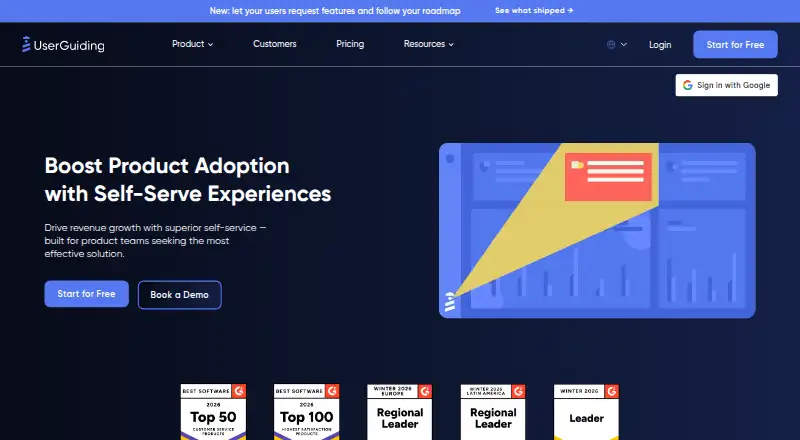
What UserGuiding is
UserGuiding is a no-code platform for creating website onboarding and product-adoption experiences. Its tours can use tooltips, modals, input fields, progress indicators, multi-page steps, and conditional branches. Other listed tools include hotspots, checklists, surveys, resource centers, banners, an AI Assistant, analytics, and segmentation. Integrations include Amplitude, Salesforce, Intercom, Mixpanel, Segment, Slack, Google Analytics, Google Tag Manager, Woopra, and HubSpot. UserGuiding MCP allows AI tools to query users, track events, and manage articles in a project. The service supports localization and A/B testing and is offered through web, API, and extension platforms. It does not support native mobile apps or creating onboarding content directly inside browser extensions or add-ons. Starter is listed at $174 a year (billed $174/Mo yearly), with a 14-day trial and 2,000 MAU starting capacity. Growth is $349 a year, billed $349/Mo yearly; Enterprise pricing requires contacting sales. UserGuiding states SOC 2 Type 1 certification and GDPR compliance.
Good
- No-code tours with conditional branches
- Checklists, surveys, hotspots, and analytics
- Localization and A/B testing support
- AI tools can query users and manage articles
- 14-day trial
Watch out
- No native mobile-app support
- Cannot create content directly inside browser extensions
- No free plan
- MAU quotas can stop users seeing materials
Who it suits
UserGuiding fits product, marketing, sales, customer-success, support, and growth teams building web-based onboarding. It is intended for organizations that can work within browser-based delivery rather than native mobile apps.
Verdict
UserGuiding offers a broad set of web onboarding and adoption tools with integrations, analytics, and AI access. Its native-mobile and browser-extension limitations should be considered before choosing it.
Plans and prices
From UserGuiding's own pricing page, checked 5 Oct 2026.
| Plan | Price | What it gives you |
|---|---|---|
| Starter | $174 a month | 15 active guides · 10 active hotspots · 1 checklist · 1 survey · 1 seat · 1 environment · $174/Mo, billed yearly; starts at 2,000 MAU |
| Growth | $349 a month | 40 active guides · 40 active hotspots · 5 checklists · 5 surveys · 3 seats · 2 environments · $349/Mo, billed yearly; starts at 2,000 MAU |
| Enterprise | Priced on request | Custom MAU · unlimited onboarding experiences · 10 seats · 5 environments · Billed yearly; contact sales for pricing |
The facts
Each one read from UserGuiding's own pages, with the date it was checked.
What it does
- AI integration
- UserGuiding MCP lets AI tools access a project to query users, track events, and manage articles.checked 5 Oct 2026
- Guides
- Its product tours can include tooltips, modals, input fields, progress indicators, multi-page steps, and conditional branches.checked 5 Oct 2026
- Identity verification
- Identity Verification uses a per-user HMAC hash to prevent logged-in users from being impersonated in a workspace.checked 5 Oct 2026
- Integrations
- Listed integrations include Amplitude, Salesforce, Intercom, Mixpanel, Segment, Slack, Google Analytics, Google Tag Manager, Woopra, and HubSpot.checked 5 Oct 2026
- MAU quota
- When an account exceeds its MAU quota, users stop seeing its materials until the quota is raised or usage falls below it, and UserGuiding says it will not charge extra automatically.checked 5 Oct 2026
- Mobile limitation
- UserGuiding does not support native mobile apps; web content works in modern browsers, while screens narrower than 800px require contacting the company during testing.checked 5 Oct 2026
- Privacy
- UserGuiding states it is GDPR compliant and links to its privacy policy for details on data collection and GDPR requests.checked 5 Oct 2026
- Product adoption features
- The pricing page lists guides, hotspots, checklists, surveys, resource centers, banners, an AI Assistant, analytics, and segmentation.checked 5 Oct 2026
- Purpose
- UserGuiding is a no-code platform for creating in-app onboarding and product adoption experiences on websites.checked 5 Oct 2026
- Security
- UserGuiding states it is SOC 2 Type 1 certified for security, confidentiality, and availability.checked 5 Oct 2026
- Support
- The pricing comparison lists email support for plans and live chat support for paid plans.checked 5 Oct 2026
- Target audience
- The use cases page identifies product marketing, sales, customer success, product management, customer support, and growth teams as relevant users.checked 5 Oct 2026
Where it runs
- Browser extension limitation
- UserGuiding does not support creating onboarding content directly inside browser extensions or add-ons.checked 5 Oct 2026