TimeClock 365
TimeClock 365 is a cloud workforce management platform that brings attendance, time off, access control, HR, GPS tracking, tasks, expenses, and payroll expor…
What TimeClock 365 is
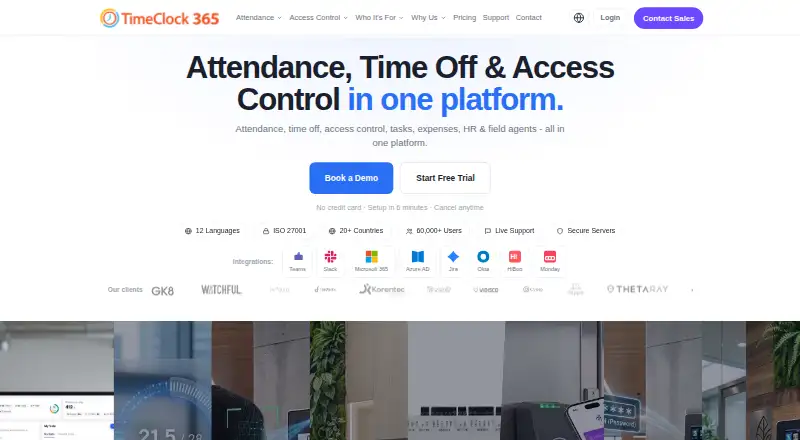
TimeClock 365 is a cloud workforce management platform that brings attendance, time off, access control, HR, GPS tracking, tasks, expenses, and payroll export together. Staff can clock in through a browser or mobile app, Microsoft Teams, Slack, biometric time clocks, NFC or RFID cards, GPS, or PIN. Its Android and iOS app supports GPS clock-in, geofencing, optional selfie verification, offline punch storage, timesheets, and time-off requests. The service lists integrations with Microsoft Teams, Slack, QuickBooks, HiBob, Jira, Azure AD/SSO, GreytHR, Chrome, and Trello, plus a REST API. Plans include attendance, access control, field tracking, expense management, and leave accrual options. The 14-day trial requires no credit card and includes unlimited employees. The product is available on Android, iOS, web, through an API, and as an extension.
Good
- Multiple clock-in methods, including mobile and biometric clocks
- Mobile app supports offline punch storage
- Includes attendance, leave, and payroll export
- 14-day trial includes unlimited employees
- Integrations include Teams, Slack, QuickBooks, and Jira
Watch out
- Free tier is limited to 10 users and demo or personal use
- Trial lasts 14 days
- Hardware pricing is available on request
Who it suits
It suits organizations that need to manage attendance, leave, payroll exports, or location-aware field teams. Its listed industry audiences include manufacturing, retail, healthcare, construction, and technology businesses.
Verdict
TimeClock 365 combines workforce timekeeping with leave, access, GPS, tasks, expenses, and payroll export. Check the plan details and hardware costs against the functions and clock-in options your organization needs.
Plans and prices
From TimeClock 365's own pricing page, checked 30 Sep 2026.
| Plan | Price | What it gives you |
|---|---|---|
| Virtual Building Key | $0.46 a month | Add-on for Door Access · Apple Wallet and Google Wallet credentials |
| Expense Management | $0.81 a month | Receipt submission · manager approval · accounting export |
| Door Access Control | $1.90 a month | Hardware pricing on request · biometric, RFID, NFC access · audit reports |
| Attendance | $2.70 a month | Any team size · attendance and leave management · overtime rules and payroll export |
| Attendance + Access Control | $4.10 a month | Hardware pricing on request · attendance and door access · integrated alerts |
| Tasks + Attendance | $5.40 a month | Any team size · task and client time tracking · Jira and Monday sync |
| Field Team Tracking | $5.50 a month | Live GPS tracking · route history · zone entry/exit alerts |
| Field Teams | $7.30 a month | Any team size · GPS tracking · route history · location-based attendance alerts |
| Leave Accrual Management | $325 a year | Flat rate · vacation and holiday bank · custom leave policies |
| Demo & Personal | — | Up to 10 users · personal/demo use only · community support |
The facts
Each one read from TimeClock 365's own pages, with the date it was checked.
What it does
- Access controls
- The security page lists SAML 2.0 single sign-on, role-based permissions, audit logs, GDPR compliance, and European data residency options.checked 30 Sep 2026
- Backups
- Automated daily backups are provided, with point-in-time recovery available for enterprise customers.checked 30 Sep 2026
- Clock-in methods
- The product supports clock-in through a browser, mobile app, Microsoft Teams, Slack, biometric time clocks, NFC or RFID cards, GPS, and PIN.checked 30 Sep 2026
- Hardware pricing
- Time clock devices and access controllers are listed as request-pricing items, and Door Access Control has additional hardware pricing on request.checked 30 Sep 2026
- Integrations
- Listed integrations include Microsoft Teams, Slack, QuickBooks, HiBob, Jira, Azure AD/SSO, GreytHR, Chrome, and Trello; a REST API is also available.checked 30 Sep 2026
- Intended users
- The company describes the product for organizations including manufacturing, retail, healthcare, construction, and technology businesses.checked 30 Sep 2026
- Product
- TimeClock 365 combines attendance, time off, access control, HR, GPS tracking, tasks, expenses, and payroll export in a cloud workforce management platform.checked 30 Sep 2026
- Security
- The company states it is ISO/IEC 27001:2022 certified and encrypts data at rest and in transit with AES-256, using TLS 1.3 for connections.checked 30 Sep 2026
- Support
- The pricing page lists chat and document support for the Attendance plan, while the free Demo & Personal tier includes community support.checked 30 Sep 2026
The company
- Company reach
- The company says TimeClock 365 is used by more than 12,000 businesses across more than 20 countries and supports 12 languages.checked 30 Sep 2026
- Headquarters
- Hod Hasharon, Israelchecked 23 Sep 2026
Where it runs
- Mobile app
- The iOS and Android app supports GPS clock-in, geofencing, optional selfie verification, offline punch storage, timesheet viewing, and time-off requests.checked 30 Sep 2026
Money
- Trial
- The free trial lasts 14 days, requires no credit card, and includes unlimited employees during the trial.checked 30 Sep 2026
The full review of TimeClock 365
Overview
TimeClock 365 is a cloud workforce platform built around attendance, with leave, access control, field tracking, tasks, expenses, and payroll export alongside it. It is best suited to employers coordinating different work sites or clock-in routines who want related workforce functions in one system. Its range is a strength, but the plan choices and possible hardware costs call for a close fit check.
Clock-ins can come through a browser, mobile app, Microsoft Teams or Slack, or via biometric clocks, NFC or RFID cards, GPS, and PIN. That flexibility can suit offices, shop floors, and mobile teams; organizations relying on physical clocks or door controllers should account for hardware pricing on request.
Key features
Attendance, shifts, and leave
The Attendance plan combines attendance and leave management with overtime rules and payroll export, and is priced for any team size. Shift scheduling is also supported. Employees can view timesheets and request time off in the mobile app, making the core plan a practical fit for organizations that need more than clock-ins alone.
Mobile and field work
The iOS and Android apps support GPS clock-in, geofencing, optional selfie verification, offline punch storage, timesheets, and time-off requests. Offline punch storage helps staff record time when connectivity is unavailable. Field Team Tracking adds live GPS, route history, and zone entry or exit alerts; Field Teams adds GPS tracking, route history, and location-based attendance alerts. These plans are relevant for mobile workforces, but offer little reason to pay extra if location tracking is not part of the job.
Access, expenses, and integrations
Door Access Control supports biometric, RFID, and NFC access with audit reports, while Attendance + Access Control combines attendance and door access with integrated alerts. The Virtual Building Key add-on provides Apple Wallet and Google Wallet credentials. Expense Management adds receipt submission, manager approval, and accounting export. Integrations include Microsoft Teams, Slack, QuickBooks, HiBob, Jira, Azure AD/SSO, GreytHR, Chrome, and Trello; a REST API is also available.
Security and continuity
TimeClock 365 states that it is ISO/IEC 27001:2022 certified and encrypts data at rest and in transit with AES-256, with TLS 1.3 connections. Its security controls include SAML 2.0 single sign-on, role-based permissions, audit logs, GDPR compliance, and European data residency options. Automated daily backups are provided, with point-in-time recovery for enterprise customers.
Pricing
The freemium model has a 14-day trial with no credit card required and unlimited employees during the trial. Paid plans start at $2.70/user/mo. The paid plan prices below are shown with their stated terms; confirm the billing basis for any monthly price before choosing a plan.
| Plan | Price | What it adds |
|---|---|---|
| Demo & Personal | Custom pricing | Up to 10 users, personal or demo use, community support |
| Attendance | $2.70 a month | Any team size, attendance and leave management, overtime rules, payroll export |
| Virtual Building Key | $0.46 a month | Add-on for Door Access; Apple Wallet and Google Wallet credentials |
| Expense Management | $0.81 a month | Receipt submission, manager approval, accounting export |
| Door Access Control | $1.90 a month | Biometric, RFID, and NFC access; audit reports; hardware pricing on request |
| Attendance + Access Control | $4.10 a month | Attendance and door access, integrated alerts; hardware pricing on request |
| Tasks + Attendance | $5.40 a month | Any team size, task and client time tracking, Jira and Monday sync |
| Field Team Tracking | $5.50 a month | Live GPS tracking, route history, zone entry/exit alerts |
| Field Teams | $7.30 a month | Any team size, GPS tracking, route history, location-based attendance alerts |
| Leave Accrual Management | $325 a year | Flat rate, vacation and holiday bank, custom leave policies |
The free Demo & Personal tier is capped at 10 users and intended for personal or demo use, so it is not a substitute for the any-team-size Attendance plan. It also has community support rather than the chat and document support listed for Attendance. The trial offers a better way to evaluate the system at larger scale before committing. Hardware for time clocks and access controllers, as well as Door Access Control hardware, is priced on request, so access-heavy deployments may cost more than the software plan alone.
Platforms
TimeClock 365 is available on Android, iOS, and the web, with an API and browser extension also supported. Mobile apps add location-aware clock-in and offline punch storage; browser and messaging-platform options provide alternatives for staff who do not use a mobile app.
Who it's for
The product is a plausible fit for manufacturing, retail, healthcare, construction, and technology organizations, especially those combining attendance with leave, access, or field-team oversight. The company says it serves more than 12,000 businesses across over 20 countries and supports 12 languages. Smaller teams needing only basic time entry may find the broader plan structure and access hardware unnecessary.
Pros and cons
- Pros: Many clock-in methods, including browser, mobile, messaging apps, biometrics, cards, GPS, and PIN, let employers accommodate varied workplaces.
- Pros: The mobile app stores punches offline and combines GPS clock-in, geofencing, timesheets, and time-off requests, which is useful for distributed staff.
- Pros: Attendance includes leave, overtime rules, and payroll export, keeping several common workforce tasks in the same plan.
- Pros: Security controls include encryption, SSO, role-based permissions, audit logs, and daily backups.
- Cons: Device and access-controller hardware costs are available on request, making total access-control cost harder to judge from the software price alone.
- Cons: Demo & Personal is limited to 10 users and community support, so growing organizations need to move beyond the free tier.
- Cons: Employers that only need straightforward attendance may be paying attention to optional systems—GPS tracking, expenses, tasks, and door access—that they do not need.
Alternatives
- Jibble is worth comparing for teams wanting a freemium time-tracking option with a free plan that allows unlimited users, though its free plan caps geofences at two and work schedules at one.
- Connecteam suits readers considering a free limited-feature tier and paid plans, particularly if they want to compare a broader workforce-app approach.
- OnTheClock is an option for buyers seeking paid employee time tracking, scheduling, and PTO management, with a free trial and a monthly per-employee charge plus a base fee.
- Shiftbase may suit smaller teams that fit within a free allowance of 15 employees, one department, and five teams.
- TimeTrex is another paid workforce option, with Professional, Corporate, and Enterprise editions.
- Synerion is an alternative for organizations comparing attendance tools with reporting, payroll integration, meal and break management, and overtime calculations.
- Timeero is a paid alternative with a free trial and a Basic plan priced at $5 a month when paid annually.
- Buddy Punch is another paid option, with a Starter plan available on monthly or annual billing and free administrator users.
- Browse Time and Attendance Software for more options in this category.
Verdict
TimeClock 365 is a strong candidate for employers that need attendance tied to leave, payroll export, access control, or field-team location tools. The main reason to choose it is the breadth of clock-in methods and workforce functions around the Attendance core. Look elsewhere if your needs are limited to simple time entry, or if unpriced hardware makes the cost of an access-control setup difficult to assess.
Alternatives to TimeClock 365
- 1

Connecteam
Free planAndroidiOSWebAPI8.3From $29 a month - 2

Homebase
Free planAndroidiOSWebAPI8.2From $30 a month - 3

Jibble
Free planAndroidiOSWebAPI8.0From $4.49 a month - 4

Workforce.com
AndroidiOSWebAPI7.9From C$12.80 a month - 5

Fareclock
Free planAndroidiOSWebLinux7.5Free plan - 6
Buddy Punch
AndroidiOSWebAPI7.2From $5.99 a year