Synchro
Synchro creates on-call schedules for hospital departments and medical teams, including family medicine groups and medical clinics that arrange physician cov…
What Synchro is
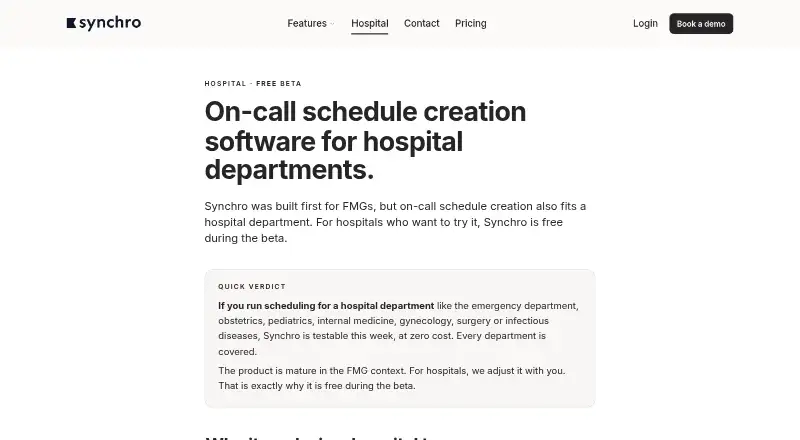
Synchro creates on-call schedules for hospital departments and medical teams, including family medicine groups and medical clinics that arrange physician coverage. Its automatic scheduler assigns shifts based on team rules, weighting, and physician constraints. Teams can give nights, evenings, and weekends different weights, then review weighted totals. Physicians can enter unavailability and preferences in plain language for conversion into scheduling constraints. When a shift is released, an eligible colleague can claim it from an internal board, updating both the schedule and fairness counters. Synchro supports one-way Google Calendar sync, Apple Calendar or iCloud access through an iCal URL, and CSV schedule exports. It runs on Android, iOS, and the web through a mobile-optimized web interface; there is no native app to install. Hospital departments can use every feature at no cost during the beta, with no user cap. Other listed plans include monthly and annual billing, with the first month free. Pricing includes onboarding, training, and support.
Good
- Automatic scheduling considers team rules and physician constraints.
- Teams can weight and review less popular shifts.
- Released shifts can be claimed by eligible colleagues.
- Supports Google Calendar sync and CSV exports.
- Hospital beta includes every feature with no user cap.
Watch out
- No native mobile app to install.
- Does not yet hold externally audited SOC 2 or ISO 27001 certification.
- Google Calendar sync is one-way.
Who it suits
Synchro suits hospital departments, family medicine groups, and medical clinics that schedule physician coverage. Its beta offer is specifically for hospital departments.
Verdict
Synchro focuses on physician coverage schedules, with shift weighting, constraint handling, and internal shift transfers. Hospital departments can use all features free during the beta; others should review the listed monthly and annual plans.
Plans and prices
From Synchro's own pricing page, checked 8 Oct 2026.
| Plan | Price | What it gives you |
|---|---|---|
| Hospital beta | Free | All users in department, no cap · every feature included · Free during the entire hospital beta |
| FMG annual billing | C$10 a month | Every feature included · first month free · $10 CAD per user per month, billed once a year |
| FMG monthly billing | C$15 a month | Every feature included · first month free · $15 CAD per user per month · monthly billing · no commitment |
The facts
Each one read from Synchro's own pages, with the date it was checked.
What it does
- Automatic scheduling
- The software assigns shifts while respecting team rules, weighting, and physician constraints.checked 8 Oct 2026
- Calendar integrations
- Synchro supports one-way Google Calendar sync and Apple Calendar or iCloud through an iCal URL.checked 8 Oct 2026
- Certification limit
- The maker says it does not yet hold an externally audited SOC 2 or ISO 27001 certification.checked 8 Oct 2026
- Exports
- Users can export schedules as CSV for analysis or archiving.checked 8 Oct 2026
- Fair distribution
- Nights, evenings, and weekends can carry different weights, and the team can see weighted totals.checked 8 Oct 2026
- Hospital beta
- Hospital departments can use every feature at no cost during the beta, with no cap on department users.checked 8 Oct 2026
- Intended users
- The product is presented for hospital departments, family medicine groups, and medical clinics that schedule physician coverage.checked 8 Oct 2026
- Mobile access
- Synchro has a mobile-optimized web interface for iPhone and Android and no native app to install.checked 8 Oct 2026
- Natural-language constraints
- Physicians can enter unavailabilities and preferences in plain language for Synchro to convert into structured constraints.checked 8 Oct 2026
- Patient data
- Synchro says it schedules professionals and does not store patient data.checked 8 Oct 2026
- Purpose
- Synchro creates on-call schedules for hospital departments and medical teams.checked 8 Oct 2026
- Security
- The maker says Synchro uses required authentication, role-based access, automatic session timeouts, administrative action logs, and daily backups retained for 30 days.checked 8 Oct 2026
- Shift transfers
- A released shift can be posted to an internal board and claimed by an eligible colleague, updating the schedule and fairness counters.checked 8 Oct 2026
- Support
- Pricing includes onboarding, training, and support; the maker offers onboarding onsite or by video call.checked 8 Oct 2026
The company
- Founded
- 2025checked 28 Sep 2026
- Headquarters
- Montréal region, Québec, Canadachecked 28 Sep 2026
The full review of Synchro
Overview
Synchro is physician coverage scheduling software for teams that need to account for availability and unequal shift burdens. It is especially compelling for hospital departments during the beta, when every feature is free with no department-user cap; outside that setting, its per-user fees call for a closer look at team size and billing term.
Key features
Automatic scheduling assigns shifts against team rules, weighting, and physician constraints. Nights, evenings, and weekends can carry different weights, and visible weighted totals give departments a more meaningful way to assess fairness than raw shift counts alone. That matters most where coverage burdens vary; teams that do not need weighted allocation may find this depth less central.
Physicians can submit preferences and unavailability in plain language, which Synchro converts into structured constraints. This gives clinicians a direct way to express scheduling needs, while the schedule remains bounded by the rules the team sets. When a physician releases a shift, an eligible colleague can claim it from an internal board; Synchro updates both the schedule and fairness counters, keeping the transfer reflected in distribution tracking.
Self-scheduling, availability management, open-shift handling, and shift templates support the broader scheduling workflow. Google Calendar sync is one-way; Apple Calendar and iCloud connect through an iCal URL. Those connections can keep calendars informed, but the Google integration does not sync changes both ways. CSV export is useful for analysis or archiving.
Synchro requires authentication, uses role-based access and automatic session timeouts, logs administrative actions, and retains daily backups for 30 days, according to its maker. It schedules professionals rather than storing patient data. It does not yet have externally audited SOC 2 or ISO 27001 certification, a meaningful consideration for organizations that require one.
Pricing
Hospital departments can use every feature for no cost throughout the hospital beta, with all department users included and no cap. For eligible departments, that removes the usual per-seat cost while the beta lasts; it is not a general free plan for other types of medical teams.
Family medicine groups can choose annual billing at C$10 a year, billed at $10 CAD per user per month once a year, or monthly billing at C$15 a month, billed at $15 CAD per user per month with no commitment. Both include every feature and a first month free. Annual billing lowers the monthly per-user rate but requires payment once a year; monthly billing costs more per user and avoids a commitment. The per-user structure makes team size relevant to either plan. Onboarding, training, and support are included, with onboarding offered onsite or by video call.
Platforms
Synchro runs on the web and offers a mobile-optimized web interface for iPhone and Android, rather than native apps to install. That keeps mobile access available without an app, but teams seeking native iOS or Android software should look elsewhere.
Who it's for
Synchro is aimed at hospital departments, family medicine groups, and medical clinics arranging physician coverage. Its weighted fairness counters and constraint handling suit teams balancing uneven shifts; the uncapped hospital beta is the strongest fit for departments able to use it. Teams that require an externally audited security certification or native mobile apps have clear reasons to consider another product.
Pros and cons
- Pros: Weighted shift totals make uneven night, evening, and weekend workloads visible.
- Pros: Internal shift claims update the schedule and fairness counters together.
- Pros: Hospital departments receive every feature without a user cap during the beta.
- Pros: Onboarding, training, and support are included in pricing.
- Cons: The mobile experience is web-based, with no native app to install.
- Cons: Google Calendar sync is one-way, and Apple Calendar or iCloud relies on an iCal URL.
- Cons: Synchro does not yet hold externally audited SOC 2 or ISO 27001 certification.
Alternatives
Browse Healthcare Staff Scheduling Software for more options across the category. CronShift is a freemium alternative with Android, iOS, and web access; its Starter plan includes status updates, though its feature details are unclear. RosterLab may suit teams looking for a free manual rostering tier with simple rule checks, dynamic statistics, colour-coded shifts, and an employee mobile app.
SimpleStaff is worth comparing for smaller teams: its free tier covers 15 team members and one team, with scheduling, shift swaps, time-off requests, and open-shift pickup. Infor Workforce Management is another paid workforce-management option. Lightning Bolt uses per-seat licenses, with additional licenses required when the number of scheduled individuals grows. Amion offers a Pro plan with up to 10 schedules and self-serve setup, as well as an Enterprise plan. HealthRota uses a usage-based fee model that can start with one department or expand trust-wide. Flexzo Rostering is another paid scheduling option.
Verdict
Synchro is a strong choice for physician teams that need constraints, weighted fairness, and orderly shift transfers, and its uncapped, all-feature hospital beta is especially attractive to departments that can use it. Family medicine groups get the same feature set at a per-user price, with a lower rate for annual billing. Look elsewhere if native mobile apps or externally audited SOC 2 or ISO 27001 certification are requirements.
Alternatives to Synchro
- 1

CronShift
Free planAndroidiOSWeb7.9From $12 a year - 2
RosterLab
Free planAndroidiOSWebAPI7.9From $20 a month - 3

Workforce.com
AndroidiOSWebAPI7.9From C$12.80 a month - 4
Amion
AndroidiOSWebAPI7.8From $399 a year - 5
SimpleStaff
Free planAndroidiOSWeb7.3From C$19 a month - 6

Infor Workforce Management
AndroidiOSWebAPI6.9