
SpendMap
SpendMap automates corporate purchasing tasks, including requisitions, approvals, purchase orders, supplier invoice approval, and inventory control.
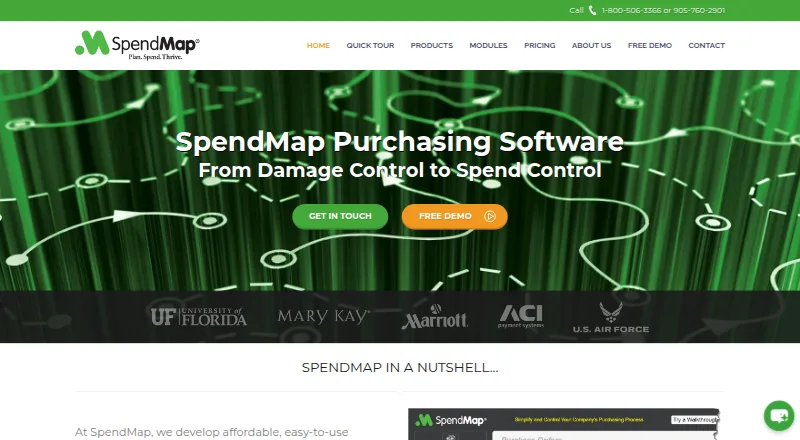
What SpendMap is
SpendMap automates corporate purchasing tasks, including requisitions, approvals, purchase orders, supplier invoice approval, and inventory control. Its free version provides Purchase Orders and Receiving for one user, with email and web-based support. Enterprise is listed at $20 a month, with a $20 minimum and $300/month. SpendMap can display budget information during ordering and approvals, block over-budget transactions, or send them for more approval. It lists over 30 integrations, including QuickBooks, Sage, and Microsoft Dynamics, along with file imports and exports and API access. Its mobile web app supports requisition entry, approvals, and receiving on phones and tablets. SpendMap Cloud includes Microsoft Azure hosting, updates, support, setup assistance, and training. An on-premise version with one-time or perpetual licensing is also offered, with details available by contacting the company. SpendMap describes companies with 50 to 1,000 employees as its mid-market sweet spot and focuses on corporate indirect purchasing.
Good
- Free plan includes Purchase Orders and Receiving
- Budget controls can block or route transactions
- Lists over 30 integrations
- Mobile web app supports requisitions and approvals
- Cloud plan includes setup assistance and training
Watch out
- Free version is limited to one user
- Paid pricing is per user and per module
- On-premise pricing requires contacting the company
Who it suits
SpendMap is aimed at companies managing corporate indirect purchasing, particularly those with 50 to 1,000 employees. Its free version may suit a single user needing purchase orders and receiving.
Verdict
SpendMap covers multiple purchasing workflows, with a one-user free option and paid modular plans. Buyers should clarify the applicable modules and monthly amount for their setup.
Plans and prices
From SpendMap's own pricing page, checked 15 Oct 2026.
| Plan | Price | What it gives you |
|---|---|---|
| Free | Free | 1 user · Purchase Orders · Receiving · 5 PO form designs · free email/web support · totally free |
| Pro | $15 a month | Requisitions & Approvals · Purchase Orders · Receiving · Supplier Invoice Approval · RFQs · phone support · $15 per module per user/month; $150/month minimum |
| Enterprise | $20 a month | AI Auto-Match · Supplier Portal · Inventory Control · Asset Management · PunchOut · mobile web app · sandbox account · $20 per module per user/month; $300/month minimum |
The facts
Each one read from SpendMap's own pages, with the date it was checked.
What it does
- AI support
- Its AI Support Agent is available 24/7 and does not access live financial transactions or private system data.checked 29 Sep 2026
- API
- Version 16.2, released July 20, 2026, introduced a flexible API framework alongside existing integration and reporting tools.checked 15 Oct 2026
- Budget controls
- SpendMap can show real-time budget data during order entry and approvals, block over-budget transactions, or route them for additional approval.checked 29 Sep 2026
- Cloud hosting
- SpendMap Cloud includes hosting in Microsoft Azure, updates, technical support, setup assistance, and training.checked 29 Sep 2026
- Data export
- Users can export database tables to XLS, XLSX, DBF or CSV files and configure field selection, ordering, delimiters and filters.checked 15 Oct 2026
- Documentation
- The public v16 user guide contains module instructions, setup wizard guidance, integration details, dashboards, supplier portal administration and export procedures.checked 15 Oct 2026
- Hosting
- The cloud edition is hosted in Microsoft Azure and includes updates, technical support, setup assistance and training.checked 15 Oct 2026
- Integrations
- SpendMap documents more than 30 prebuilt interfaces, direct integrations with QuickBooks, Sage and Microsoft Dynamics, and configurable file imports and exports.checked 15 Oct 2026
- Inventory
- Inventory control tracks perpetual stock, low-stock items, multiple locations and replenishment orders, with optional barcode support.checked 15 Oct 2026
- Invoice automation
- Version 16.2 adds AI-powered invoice approval for fast, no-touch approval of standard supplier invoices.checked 29 Sep 2026
- Licence
- SpendMap is proprietary software owned by Palmas Development Corporation; the license forbids copying, reverse engineering and source-code extraction.checked 15 Oct 2026
- Limit: Capterra usability
- Reviewers report that modifying or searching records can be time-consuming, the help system is extensive, and initial setup requires substantial effort.checked 15 Oct 2026
- Limit: G2 implementation
- The G2 reviewer said training and implementation were challenging for some employees.checked 15 Oct 2026
- Limit: Software Advice navigation
- Software Advice summarizes complaints that the system can be cumbersome and that modifying or finding information is difficult and slow.checked 15 Oct 2026
- Limit: support verification
- Hotel Tech Report says SpendMap has no verified support certification and lacks basic support information on that directory.checked 15 Oct 2026
- Mobile
- SpendMap’s mobile web app supports requisition entry, order approvals, and receiving on smartphones and tablets.checked 29 Sep 2026
- Notable news
- SpendMap announced its new module-based pricing model on January 8, 2025, charging users only for modules assigned to them.checked 15 Oct 2026
- On-premise
- SpendMap offers an on-premise version with one-time/perpetual licensing; the page directs buyers to contact the company for details.checked 29 Sep 2026
- Praise: Capterra support
- Capterra reviewers repeatedly rate customer service highly and describe support as responsive and knowledgeable.checked 15 Oct 2026
The company
- Company facts
- SignalHire lists SpendMap as an independent private software company founded in 1989, headquartered in Richmond Hill, Ontario, with an estimated 10–50 employees.checked 15 Oct 2026
- Company history
- SpendMap says its founder identified the purchasing problem 25 years ago; the site identifies the operating corporation as Palmas Development Corporation, doing business as SpendMap.checked 29 Sep 2026
- Company legal identity
- SpendMap is identified in its help system as a division of Palmas Development Corporation.checked 15 Oct 2026
Money
- Free version
- The free version provides Purchase Orders and Receiving for one user, with free email/web-based support.checked 29 Sep 2026
Where it runs
- Invoice approval
- Enterprise includes AI Auto-Match for supplier invoice approval, and the July 2026 release added AI-powered no-touch approval for standard invoices.checked 15 Oct 2026
The full review of SpendMap
Overview
SpendMap is a corporate purchasing platform for organizations managing requisitions, purchase orders, supplier invoices, and receiving. It is best suited to mid-market companies focused on indirect purchasing; its standout strength is a broad set of purchasing controls, while modular per-user pricing makes the total cost dependent on what each team needs.
Choose between SpendMap Cloud, which includes Microsoft Azure hosting, updates, technical support, setup assistance, and training, and an on-premise version with one-time, perpetual licensing. The latter may suit organizations that prefer to host their system themselves, though its price is custom.
Key features
Purchasing controls and workflows
Requisitions, approvals, purchase orders, receiving, and supplier invoice approval cover the core purchase-to-payment workflow. Real-time budget data during order entry and approvals can help teams catch overspending early: transactions over budget can be blocked or sent for additional approval. Purchase-order tracking and three-way matching add controls for teams that need to monitor orders and reconcile purchasing activity.
Connections and mobile work
SpendMap includes more than 30 integrations, including QuickBooks, Sage, and Microsoft Dynamics, alongside file imports and exports and API access. That breadth should help companies connect purchasing to accounting and other systems, although the specific integration a buyer needs should be confirmed before committing. The mobile web app supports requisition entry, order approvals, and receiving on smartphones and tablets, useful for staff who need to move those tasks beyond a desktop.
Invoice AI and support
Version 16.2 adds AI-powered approval for standard supplier invoices, intended to enable fast, no-touch processing. The AI Support Agent is available 24/7 and does not access live financial transactions or private system data. SpendMap says data sent to AI providers is encrypted in transit and at rest, and providers are contractually barred from using customer data to train generalized public AI models. Buyers considering AI-assisted workflows should weigh that stated separation against their own data policies.
Support options include phone and web technical support, web and on-site training, implementation consulting, and custom programming. The free plan includes email/web-based support; Cloud also includes technical support, setup assistance, and training.
Pricing
SpendMap uses modular per-user pricing for paid plans, so the amount depends on the modules and users selected. The free tier is unusually narrow but gives a single user a way to handle Purchase Orders and Receiving without a subscription.
- Free: free. One user, Purchase Orders and Receiving modules, and free email/web-based support. Its one-seat limit and two modules make it a fit for an individual with a limited purchasing workflow, not a wider team.
- Pro: $15 a month; billed $15/mo. each, $15 minimum, $150/month. Per-user, per-module pricing covers Requisitions & Approvals, Purchase Orders, Receiving, Supplier Invoice Approval, and RFQs. It suits teams needing those purchasing workflows; the modular structure means buyers should size the required users and modules against the stated minimum and monthly amount.
- Enterprise: $20 a month; billed $20/mo. each, $20 minimum, $300/month. Per-user, per-module pricing includes Pro modules plus AI Auto-Match, Supplier Portal, Consumable Inventory Control, Asset Management, and PunchOut. This is the tier for organizations that need those additional supplier, inventory, asset, or automation capabilities.
The stated paid starting point is 15 /user/mo. The on-premise option uses one-time, perpetual licensing with custom pricing. The listed plans do not state a trial period or renewal terms.
Platforms
SpendMap supports Android, iOS, Linux, macOS, web, and Windows, and offers an API. Its mobile web app covers requisitions, approvals, and receiving on phones and tablets.
Who it's for
SpendMap identifies companies with 50 to 1,000 employees as its mid-market sweet spot and designs the product for corporate indirect purchasing. It is a stronger fit for organizations that need budget checks, approval routing, and multiple purchasing modules than for a small buyer seeking an all-inclusive, fixed-price system.
Pros and cons
- Broad purchasing coverage: Requisitions through receiving, invoice approval, and inventory control can sit within one purchasing platform.
- Useful budget enforcement: Teams can block over-budget orders or require another approval rather than relying only on after-the-fact review.
- Flexible deployment and integrations: Cloud hosting or perpetual on-premise licensing, plus more than 30 integrations and API access, accommodate different operating setups.
- Modular costs require careful sizing: Per-user, per-module pricing and stated minimums mean the plan headline alone does not determine a team's monthly spend.
- Free access is limited: One user and Purchase Orders and Receiving only leave broader workflows and team use to paid plans.
Alternatives
For a wider comparison of purchasing tools, browse Purchase Order Software.
- BetterSpend is the alternative to consider if self-hosting, no usage caps, and an MIT License matter more than SpendMap's stated corporate purchasing module set.
- Bellwether offers requisitions, purchase orders, approval workflows, matching, inventory, invoicing, budgeting, reporting, and ERP, API, and QuickBooks integrations; consider it when that mix is the priority.
- Entexia Procurement is a paid option with a free trial and Android, iOS, web, and API platforms; compare its team-size-based per-user pricing if that structure better suits your team.
- Lentune has no free trial or free plan and starts at NZ$900 a month, with unlimited users included; it may suit a buyer who prefers an unlimited-user monthly package.
- Site Samurai is a paid alternative with a free trial and a Starter plan at £99 a month, including unlimited users and projects; consider it if those terms fit your needs.
- Tradogram has a free trial, an Essentials plan at $99 a month, and a Premium plan for 20+ users; compare it if you want to assess another paid purchasing platform.
- eRequisition is a web-only paid option with a free trial and a QuickBooks Online Single User plan at $11.99 a month; consider it if that plan and platform fit your setup.
- ProcureDesk is a paid option without a free trial, with Android, iOS, web, and API platforms; compare its Startup plan at $830 a month, billed annually, if that package suits your requirements.
Verdict
SpendMap is a sound choice for mid-market organizations managing indirect purchasing that want budget enforcement, connected workflows, and a choice of cloud or on-premise deployment. Its free one-user plan is a useful narrow entry point, but buyers should look elsewhere if they need a simple fixed team price or broader free access.
Getting started
- Visit the SpendMap website.
- Choose the free version or review the paid Pro and Enterprise plans.
- Select SpendMap Cloud or contact the company about the on-premise version.
- Use the mobile web app on a smartphone or tablet for requisitions, approvals and receiving.
- Contact SpendMap for its listed implementation consulting, setup assistance or training.
Limits worth knowing
The free version is limited to one user and the Purchase Orders and Receiving modules. Pro and Enterprise use per-user, per-module pricing; on-premise licensing details are provided by contacting SpendMap.
Questions
Does SpendMap have a free plan?
Yes. The Free plan is free and includes one user, the Purchase Orders and Receiving modules, and free email/web-based support.
How much do the paid plans cost?
Pro is listed at $15 a month, billed at $15 per user each, with a $15 minimum and $150/month shown. Enterprise is listed at $20 a month, billed at $20 per user each, with a $20 minimum and $300/month shown.
Which platforms does SpendMap support?
SpendMap lists Android, iOS, Linux, macOS, web and Windows, as well as an API. Its mobile web app supports requisitions, order approvals and receiving on smartphones and tablets.
Does SpendMap integrate with accounting software?
SpendMap lists over 30 integrations, including QuickBooks, Sage and Microsoft Dynamics. It also supports file imports and exports and provides an API.
Can SpendMap be hosted on-premise?
Yes. SpendMap offers an on-premise version with one-time/perpetual licensing; buyers are directed to contact the company for details.
What does the Enterprise plan add?
Enterprise includes the Pro modules plus AI Auto-Match, Supplier Portal, Consumable Inventory Control, Asset Management and PunchOut.
Alternatives to SpendMap
- 1

Tradogram
AndroidiOSWebAPI7.8From $950.40 a year - 2
ProcurementExpress.com
AndroidiOSWebAPI7.7From $415 a month - 3
TREX Grow
Free planWeb7.4From $40 a year - 4
Numbris Purchase & Suppliers
AndroidiOSWebAPI7.1From $25 a month - 5

Kissflow
AndroidiOSWebAPI7.0 - 6
Turbine
AndroidiOSWeb7.0From $8 a month