
Skyvia
Skyvia is a web service for integrating, backing up, accessing, and managing cloud data.
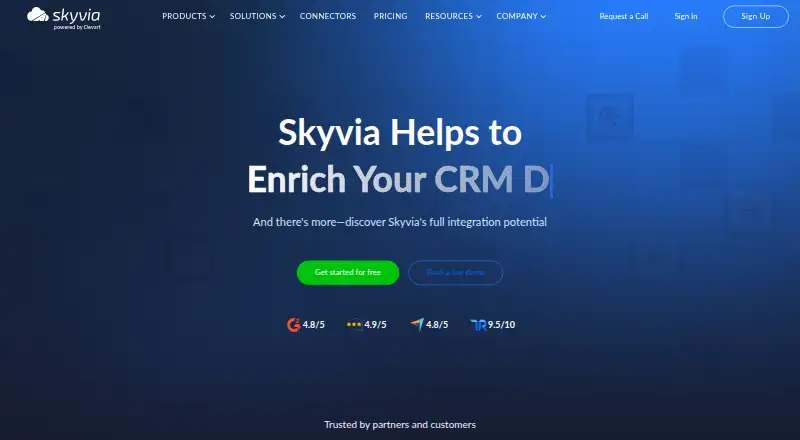
What Skyvia is
Skyvia is a web service for integrating, backing up, accessing, and managing cloud data. It supports ETL, ELT, Reverse ETL, import, export, replication, and synchronization across cloud apps, databases, storage, data warehouses, spreadsheets, and BI tools. The service advertises more than 200 ready-to-use connectors and supports custom REST and GraphQL connectors. Its separate products cover Data Integration, Automation, Backup, Query, and Connect. Users can build visual workflows with triggers, actions, and logic, apply SQL transformations, and capture changes with real-time CDC and incremental updates. Skyvia can create web API and MCP endpoints for live data access; Skyvia Connect also publishes data through OData and SQL endpoints. It is accessed through a browser, while a Windows Agent provides a gateway to local databases behind a firewall. The Free plan is free and allows 10k records per month and two scheduled integrations. Paid plans include Backup Standard at $7 a month and Data Integration Basic at $79 a month. Registered accounts receive 14-day trials for all products.
Good
- Advertises more than 200 ready-to-use connectors.
- Supports custom REST and GraphQL connectors.
- Visual workflows combine triggers, actions, and logic.
- Real-time CDC and incremental updates are available.
- Windows Agent connects to local databases behind a firewall.
Watch out
- Free integration is limited to 10k records per month.
- Free integration allows two scheduled integrations.
- Products have separate pricing plans.
Who it suits
Skyvia suits teams that need to connect cloud and local data sources, automate workflows, or back up data. The free integration plan may suit smaller workloads within its monthly record and schedule limits.
Verdict
Skyvia brings integration, automation, backup, query, and data access into one web service, with connectors for many data platforms. Check which product and plan fits your workload, since limits and pricing differ by offering.
Plans and prices
From Skyvia's own pricing page, checked 21 Sep 2026.
| Plan | Price | What it gives you |
|---|---|---|
| Free | Free | 10k records per month · 2 scheduled integrations · Once-a-day scheduling · 30-day schedule expiration · billed monthly |
| Basic | $99 a month | 5 scheduled integrations · Once-a-day scheduling · Unlimited source/target connections · Unlimited users · billed monthly |
| Standard | $199 a month | 50 scheduled integrations · Hourly scheduling · Unlimited source/target connections · Unlimited users · billed monthly |
| Professional | $499 a month | Unlimited scheduled integrations · Once-a-minute scheduling · Unlimited source/target connections · Unlimited users · billed monthly |
| Enterprise | Priced on request | Unlimited record volume · Dedicated virtual machine |
| Enterprise | — | Unlimited record volume · Dedicated virtual machine |
| Backup Standard | $7 a month | 20 GB storage · unlimited snapshot storage · data search · backup comparison · automatic cleaning · automatic backups · $9 $7/mo.; Save $24/yr |
| Data Integration Basic | $79 a month | once-a-day scheduling · 5 scheduled integrations · basic scenarios · simple mapping · $99 $79/mo.; Save $240/yr |
| Backup Professional | $79 a month | 200 GB storage · unlimited snapshot storage · data search · backup comparison · automatic cleaning · automatic backups · $99 $79/mo.; Save $240/yr |
| Automation Standard | $99 a month | 1-minute minimum interval · unlimited active automations · 60-day log retention · version history and recovery · detailed execution log · custom error notifications · $119 $99/mo.; Save $240/yr |
| Data Integration Standard | $159 a month | once-an-hour scheduling · 50 scheduled integrations · basic scenarios · advanced mapping · $199 $159/mo.; Save $480/yr |
| Data Integration Professional | $399 a month | once-a-minute scheduling · unlimited scheduled integrations · advanced scenarios · advanced mapping · $499 $399/mo.; Save $1200/yr |
| Data Integration Free | Free | 10k records per month; scheduling once a day; 2 scheduled integrations · 10k records/month · once-a-day scheduling · 2 scheduled integrations (30-day expiration) · basic scenarios · simple mapping · 0/mo. |
| Backup Free | Free | 1 GB storage; 3-month snapshot storing time; CSV export and one-click restore · 1 GB storage · 3-month snapshot storage · CSV export · one-click restore · 0/mo. |
| Connect Free | Free | 100 KB traffic per month; 1 endpoint; 1 connector; cloud connectors |
| Automation Free | Free | 1k tasks per month; minimum interval 1 day; 2 active automations · 1k tasks/month · 1-day minimum interval · 2 active automations · 7-day log retention · 0/mo. |
| Query Free | Free | 5 queries per day; limited traffic |
| Data Integration Enterprise | Priced on request | Custom quote; dedicated environment; unlimited record volume; priority support · dedicated virtual machine · instant runs · higher processing capacity · unlimited record volume · priority support · onboarding consultations · Get a custom quote ([email protected]) |
The facts
Each one read from Skyvia's own pages, with the date it was checked.
What it does
- Annual discount
- Annual billing is advertised as 20% off.checked 28 Sep 2026
- API access
- Skyvia Connect can publish data through OData and SQL endpoints, and the platform exposes web API use cases.checked 28 Sep 2026
- API management
- Yeschecked 21 Sep 2026
- Available connectors
- The homepage advertises more than 200 ready-to-use connectors.checked 28 Sep 2026
- Backup options
- Backup includes automatic daily backups and anytime manual backups.checked 28 Sep 2026
- Cloud access
- Skyvia is 100% cloud-based and requires only a web browser for access.checked 28 Sep 2026
- Cloud data service
- Skyvia integrates, backs up, accesses, and manages cloud data in one service.checked 28 Sep 2026
- Compliance
- Skyvia states that it is SOC 2 certified, HIPAA-ready, PCI DSS-compliant and GDPR-compliant.checked 28 Sep 2026
- Connectors
- Skyvia lists 200+ prebuilt connectors and supports custom REST and GraphQL connectors.checked 28 Sep 2026
- Customer base
- Skyvia reports more than 2,000 loyal customers and 400 trusted partners.checked 28 Sep 2026
- Data transformation
- Yeschecked 21 Sep 2026
- Deployment model
- hybridchecked 21 Sep 2026
- Hosting
- Skyvia is hosted in Microsoft Azure and uses a multi-tenant fault-tolerant cloud architecture.checked 28 Sep 2026
- Integration methods
- The platform supports ETL, ELT, Reverse ETL, import, export, replication and synchronization workflows.checked 28 Sep 2026
- On-premises access
- A Windows Agent application provides a secure gateway to local databases behind a firewall.checked 28 Sep 2026
- On-premises connectors
- Yeschecked 21 Sep 2026
- On-premises integration
- On-premise data integration is listed as a solution and use case.checked 28 Sep 2026
- Priority support
- The Enterprise integration plan includes priority support and onboarding consultations.checked 28 Sep 2026
- Products
- Skyvia offers Data Integration, Automation, Backup, Query and Connect products with separate pricing plans.checked 28 Sep 2026
The company
- Company scale
- Skyvia's About page reports 10 billion records processed per month, 20 terabytes backed up and 2,000+ loyal customers.checked 28 Sep 2026
- Founded
- 1997checked 28 Sep 2026
Money
- Free access
- Users can get started for free.checked 28 Sep 2026
- Free integration limits
- The free integration plan allows 10k records per month and two scheduled integrations.checked 28 Sep 2026
- Free plan
- Yeschecked 21 Sep 2026
The full review of Skyvia
Skyvia is a web-based data service for integration, automation, backup, querying, and live data access, aimed at teams working across cloud apps, databases, and analytics tools. Its broad connector and workflow coverage is compelling, but the separate products and plan-specific quotas make it important to match the subscription to the job.
Overview
Skyvia brings together data movement and management tasks that often require separate tools. Data Integration handles ETL, ELT, Reverse ETL, imports, exports, replication, and synchronization; other products cover automation, backup, query, and Connect. It supports cloud apps, databases, storage, warehouses, spreadsheets, and BI tools, with more than 200 ready-to-use connectors plus custom REST and GraphQL connectors.
The service runs in a browser, while a Windows Agent can provide a gateway to local databases behind a firewall. That combination suits organizations mixing cloud and on-premises data. Skyvia says it processes 30 billion records per month, though its company information gives a different figure of 10 billion, so those scale claims do not align.
Key features
Integration and automation
Data Integration supports scheduled and real-time synchronization, including change data capture and incremental updates. SQL transformations can clean and enrich data, analyze it, and calculate metrics. Automation offers visual workflows built from triggers, actions, and logic components. Together, these capabilities suit recurring data pipelines and operational workflows without requiring every task to be built as code.
Scheduling limits are consequential: the free plan allows two scheduled integrations with once-a-day scheduling, while Basic allows five and Standard allows 50. Professional removes the scheduled-integration cap and supports once-a-minute scheduling. Teams with frequent or numerous jobs will quickly outgrow the entry tiers.
Backup and access
Backup supports automatic daily and manual backups. Its paid plans combine storage with unlimited snapshot storage, search, comparison, and automatic cleaning, making it a focused option for protecting supported data rather than merely moving it. Skyvia Connect can expose data through OData and SQL endpoints, and Skyvia can create web API and MCP endpoints for live access. Those options are useful when other applications need current data without a separate export cycle.
Skyvia says it encrypts private data at rest with AES 256-bit encryption and uses TLS in transit. It also states that it is SOC 2 certified, HIPAA-ready, PCI DSS-compliant, and GDPR-compliant. The service is hosted on Microsoft Azure in a multi-tenant, fault-tolerant architecture.
Pricing
Skyvia is freemium, and each product has separate plans. All products offer a 14-day trial after account registration. Annual billing is advertised at 20% off, while the prices below are the stated monthly amounts.
| Plan | Price | What it includes |
|---|---|---|
| Free | free | 10k records per month, two scheduled integrations, once-a-day scheduling, and 30-day schedule expiration |
| Basic | $99 a month | Five scheduled integrations, once-a-day scheduling, unlimited source/target connections, and unlimited users |
| Standard | $199 a month | 50 scheduled integrations, hourly scheduling, unlimited source/target connections, and unlimited users |
| Professional | $499 a month | Unlimited scheduled integrations, once-a-minute scheduling, unlimited source/target connections, and unlimited users |
| Enterprise | Custom pricing | Unlimited record volume, dedicated virtual machine, priority support, and onboarding consultations |
The free integration tier is a sensible way to try small, low-frequency jobs, but 10k records per month and schedule expiry constrain ongoing production use. Basic is the least costly paid integration choice, though five daily jobs may be too restrictive for teams with larger pipelines. Standard is a more practical middle ground for hourly refreshes; Professional is for workloads that need minute-level scheduling or many integrations. All three paid integration tiers include unlimited users and source/target connections, so seat count is not the differentiator.
Backup Standard is $7 a month, billed at $9 $7/mo.; Save $24/yr, with 20 GB storage and unlimited snapshot storage. Backup Professional is $79 a month, billed at $99 $79/mo.; Save $240/yr, with 200 GB storage. Both include search, comparison, automatic cleaning, and automatic backups. Standard fits smaller protected datasets; Professional is the more suitable choice when 20 GB is insufficient. Data Integration Basic is $79 a month, billed at $99 $79/mo.; Save $240/yr, and provides five scheduled integrations, daily scheduling, basic scenarios, and simple mapping. Its limits make it an entry point, not a substitute for higher tiers where scheduling frequency or volume of workflows matters.
Platforms
Skyvia is available through the web, API, and Windows, and uses a hybrid deployment model. Most work is cloud-based and browser-accessible; the Windows Agent extends integration to local databases behind a firewall. That is useful for mixed estates, while teams seeking a fully self-hosted platform should look elsewhere.
Who it's for
Skyvia is a strong fit for organizations that need one service to connect cloud and local data, automate workflows, protect data, or expose live records through endpoints. Its broad connector set and SQL transformations help teams combine sources and shape data, while the free tier offers a low-risk start. It is less compelling for a simple single pipeline if a free, code-oriented tool is enough, or where the required integration volume makes the paid tier cost prohibitive.
Pros and cons
- Broad data coverage: More than 200 prebuilt connectors, custom REST and GraphQL connectors, and support for databases, apps, warehouses, spreadsheets, and BI tools reduce the need to assemble separate connectors.
- Multiple workloads in one service: Integration, visual automation, backup, query, and API access cover more than data transfer alone.
- Useful local-data bridge: The Windows Agent connects to on-premises databases behind a firewall while keeping the service browser-based.
- Free tier is tightly capped: 10k monthly records, two scheduled jobs, daily scheduling, and 30-day schedule expiration limit its usefulness for sustained workloads.
- Product-by-product pricing complicates decisions: Backup and Data Integration have distinct plans, and Enterprise integration uses custom pricing, so the total depends on which capabilities a team needs.
Alternatives
For a more code-centric approach, Apache Beam is free and open source, though execution costs depend on the runner and infrastructure. EasyMorph offers a free Desktop plan with restrictions, including 20 actions and 20 loop iterations per project, making it an option for smaller constrained projects. Apache Hop is a free open-source platform for teams comfortable with its Java 21 requirement for release 2.19.0. Apache Spark is a free distributed analytics engine with download, PyPI, Maven Central, and Docker options, rather than an all-in-one managed service.
Google Cloud Data Fusion has a Developer plan at $0.35 a month, billed by the minute at $0.35 per instance hour, for development and exploration with two concurrent users and zonal high availability. Keboola is another web-based freemium option, with 1,500+ data sources and free compute minutes that fall from 120 in the first month to 60 per month afterward; additional compute is $0.14 per minute. Informatica Product 360 uses paid pricing dependent on data volume, modules, deployment, integrations, and add-ons. Jitterbit Harmony has paid plans with connection limits and stated support response times.
Readers comparing broader categories can also browse ETL Software, CRM Data Migration Software, and Integration Platform as a Service Software.
Verdict
Choose Skyvia if your team needs broad connector coverage across cloud and local systems, plus integration, backup, automation, and live data access under one service. Its strongest case is range: a single browser-based platform spans recurring pipelines, transformations, backups, and endpoints. Look elsewhere if you need only a lightweight pipeline, a fully self-hosted deployment, or cannot justify the paid scheduling tiers for your workload.
Getting started
- Open skyvia.com in a web browser.
- Register an account to access the 14-day trials for all products.
- Start with the free integration plan, which permits 10k records per month and two scheduled integrations.
- Choose a paid product plan if you need its listed higher integration capacity or backup features.
- Install the Windows Agent to connect to local databases behind a firewall.
Limits worth knowing
The Free integration plan permits 10k records per month, two scheduled integrations, once-a-day scheduling, and a 30-day schedule expiration. Basic costs $99 a month and allows five scheduled integrations with once-a-day scheduling; Backup Standard costs $9 a month and includes 20 GB storage. Registered accounts receive 14-day trials for all products.
Questions
Is Skyvia free?
Yes. Its Free plan costs nothing and allows 10k records per month and two scheduled integrations.
What does Skyvia cost?
Listed options include Backup Standard at $7 a month and Data Integration Basic at $79 a month. Annual billing is advertised as 20% off.
Which platforms does Skyvia support?
Skyvia is available through a web browser and lists API and Windows platforms. Its Windows Agent provides a gateway to local databases behind a firewall.
What data workflows does Skyvia support?
It supports ETL, ELT, Reverse ETL, imports, exports, replication, and synchronization, as well as SQL transformations and real-time CDC.
Does Skyvia offer a trial?
Yes. Registered accounts receive 14-day trials for all products.
Can Skyvia connect to on-premises data?
Yes. A Windows Agent provides a secure gateway to local databases behind a firewall.
Alternatives to Skyvia
- 1

Boomi
WebAPILinuxSelf-hosted7.6$99 usage-based - 2

IFTTT
Free planAndroidiOSWebAPI7.6From $2.99 a month - 3

Pabbly Connect
Free planWeb7.6Free plan - 4

Apache Camel
Free planOpen sourceAPILinuxmacOSSelf-hosted7.5Free plan - 5

Zapier
Free planWeb7.5From $19.99 a month - 6
Albato
Free planWebAPI7.3From $22 a month