Site24x7 Synthetic Monitoring
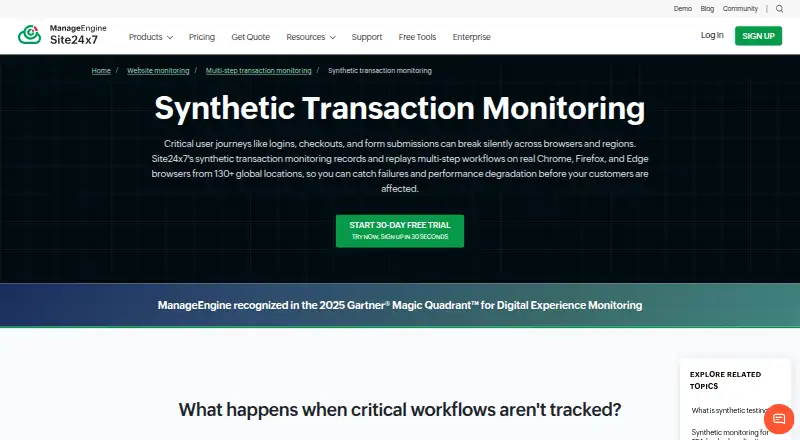
Site24x7 Synthetic Monitoring simulates multi-step user workflows in real browsers to check web applications for availability, functionality, and performance.
What Site24x7 Synthetic Monitoring is
Site24x7 Synthetic Monitoring simulates multi-step user workflows in real browsers to check web applications for availability, functionality, and performance. A no-code recorder captures browser transactions for playback in Chrome, Firefox, or Edge, and existing Selenium IDE cases in .side format can be imported. Recorded checks can run from more than 130 monitoring locations. For diagnosis, the service provides per-step timing, resource waterfall charts, screenshots, and root cause analysis reports. Intelligent Capture can detect changes to interactive page elements and adjust transaction scripts. Example workflows include logins, checkouts, payments, banking, healthcare portals, e-commerce, and SaaS. Integrations listed for alerting and workflow connections include ServiceNow, PagerDuty, Slack, Microsoft Teams, Jira, and webhooks. A fully functional 30-day trial includes web transaction monitoring and does not require a credit card. Recording is limited to 20 steps per transaction with an advanced license. Synthetic transaction add-ons are listed at $8 a month for 10,000 runs with Professional and $10 a month for 10,000 runs with Enterprise.
Good
- No-code browser transaction recorder
- Runs from more than 130 monitoring locations
- Step timings, screenshots, and root cause reports
- Imports Selenium IDE .side cases
- 30-day trial requires no credit card
Watch out
- 20-step recording maximum requires an advanced license
- Professional add-on: $8 a month for 10,000 runs
- Enterprise add-on: $10 a month for 10,000 runs
Who it suits
It suits teams that need to monitor browser-based workflows such as logins, payments, or SaaS journeys. The recorder and Selenium import may also suit teams maintaining browser transaction checks.
Verdict
Site24x7 Synthetic Monitoring combines browser workflow checks with diagnostic details and script upkeep. Check the step limit and transaction add-on terms against the workflows you need to monitor.
Plans and prices
From Site24x7 Synthetic Monitoring's own pricing page, checked 30 Sep 2026.
| Plan | Price | What it gives you |
|---|---|---|
| Synthetic transactions (Professional add-on) | $8 a month | 10,000 synthetic runs · 1M runs for $680 · Rates per month; $8 for 10,000 synthetic runs |
| Synthetic transactions (Enterprise add-on) | $10 a month | 10,000 synthetic runs · 1M runs for $1,105 · Rates per month; $10 for 10,000 synthetic runs |
The facts
Each one read from Site24x7 Synthetic Monitoring's own pages, with the date it was checked.
Where it runs
- Browsers and recording
- A no-code recorder captures browser transactions, which can be played back in Chrome, Firefox, or Edge.checked 30 Sep 2026
The company
- Founded
- 2006checked 28 Sep 2026
- Headquarters
- Pleasanton, California, USAchecked 28 Sep 2026
What it does
- Global monitoring
- Recorded transactions can run from more than 130 global monitoring locations.checked 30 Sep 2026
- Integrations
- Site24x7 lists integrations including ServiceNow, PagerDuty, Slack, Microsoft Teams, Jira, and webhooks for alerting and workflow connections.checked 30 Sep 2026
- Per-transaction allowance
- The browser transaction documentation says a maximum of 20 transaction steps can be recorded, with an advanced license.checked 30 Sep 2026
- Product security controls
- The Trust Center lists audit logging, role-based access control, MFA, encryption at rest, and encryption in transit among its security controls.checked 30 Sep 2026
- Purpose
- Synthetic transactions simulate multi-step user workflows in real browsers to monitor web-application availability, functionality, and performance.checked 30 Sep 2026
- Script upkeep
- Intelligent Capture detects changes to interactive page elements and updates transaction scripts accordingly.checked 30 Sep 2026
- Security certifications
- The Trust Center lists ISO/IEC 27001, ISO/IEC 27017, ISO/IEC 27018, SOC 2 Type II, GDPR, and CCPA among its certifications and compliance items.checked 30 Sep 2026
- Selenium import
- Existing Selenium IDE test cases in .side format can be imported into the transaction monitor.checked 30 Sep 2026
- Step diagnostics
- The product provides step-level timing, resource waterfall charts, screenshots, and root cause analysis reports.checked 30 Sep 2026
- Supported workflows
- The maker highlights login, checkout, payment, banking, healthcare portal, e-commerce, and SaaS workflows as use cases.checked 30 Sep 2026
Money
- Trial
- Site24x7 offers a fully functional 30-day free trial that includes web transaction monitoring and requires no credit card to start.checked 30 Sep 2026
The full review of Site24x7 Synthetic Monitoring
Overview
Site24x7 Synthetic Monitoring is a synthetic transaction monitor for teams that need to keep critical web workflows under watch. Its strongest case is browser-based paths that matter to customers, with diagnostics that help locate a slow or failing step.
The trade-off is that browser transactions have a 20-step recording ceiling, and synthetic-run add-ons make usage terms important to check before scaling.
Key features
Record and replay workflows
A no-code recorder captures browser transactions for playback in Chrome, Firefox, or Edge. That makes it practical to monitor sign-ins, checkouts, payment paths, and other multi-step journeys without building the recording process around code. Teams with existing Selenium IDE cases can import them in .side format. The 20-step maximum per recorded transaction is a meaningful constraint for longer workflows, and the documentation ties that allowance to an advanced license.
Find the failing step
Step-level timing, resource waterfalls, screenshots, and root cause analysis reports provide more than an up-or-down availability signal: they help teams narrow down where a transaction slows or breaks. Recorded transactions can run from more than 130 global monitoring locations, useful for checking how a workflow behaves across regions. The fastest schedule is one minute.
Maintain scripts and connect alerts
Intelligent Capture detects changes to interactive page elements and updates transaction scripts accordingly. That can reduce upkeep when monitored pages change, though it does not remove the need to consider the step cap and workflow coverage. Integrations include ServiceNow, PagerDuty, Slack, Microsoft Teams, Jira, and webhooks, connecting alerts with common incident and workflow tools.
Security controls
The Trust Center lists ISO/IEC 27001, ISO/IEC 27017, ISO/IEC 27018, SOC 2 Type II, GDPR, and CCPA among its certifications and compliance items. Listed controls include audit logging, role-based access control, MFA, and encryption at rest and in transit.
Pricing
Site24x7 uses a freemium model with a free plan and a fully functional 30-day trial. The trial includes web transaction monitoring and does not require a credit card to start. The trial is a useful way to assess whether the workflows fit within the recording ceiling before committing, but it is time-limited.
- Free plan: Available, though its transaction allowance and other caps are not established here. Readers should confirm the free tier suits their expected monitoring volume.
- Synthetic transactions (Professional add-on): $8 a month, billed Rates per month; $8 for 10,000 synthetic runs, with 1M runs for $680. This is the lower-priced stated add-on and may fit teams with more modest run needs.
- Synthetic transactions (Enterprise add-on): $10 a month, billed Rates per month; $10 for 10,000 synthetic runs, with 1M runs for $1,105. It costs more than Professional at both stated run quantities.
The run allowance is central to budgeting: a frequent schedule across many workflows can consume runs quickly. Confirm how the add-on tiers apply to your account and expected volume, as well as any free-plan limits, before relying on a particular monitoring cadence.
Platforms
Platforms include Android, iOS, Linux, macOS, Windows, web, API, extension, and self-hosted. Browser checks, API checks, transaction checks, and journey checks are supported.
Who it's for
This is best suited to teams monitoring customer-facing web applications where a specific sequence—such as login, checkout, payment, banking, healthcare portal, e-commerce, or SaaS use—must keep working. It is a stronger fit when step-level evidence and broad location coverage matter than when a simple uptime ping is enough. Teams with workflows longer than 20 recorded steps should check whether the limit fits their use case before choosing it.
Pros and cons
- Pro: Step timings, waterfalls, screenshots, and root cause reports help make a failed transaction actionable rather than merely visible.
- Pro: Intelligent Capture updates scripts when interactive page elements change, easing a recurring maintenance burden.
- Pro: More than 130 monitoring locations and a one-minute fastest schedule support geographically broad, frequent checks.
- Con: The 20-step recording maximum can exclude longer customer journeys.
- Con: Synthetic-run add-ons require careful volume planning; the stated 1M-run prices differ by tier.
Alternatives
For a wider directory of category options, browse Synthetic Monitoring.
- Elastic Observability is worth considering for teams seeking observability with a usage-based serverless option; its Complete plan's logs and traces ingest starts at $0.09/.
- Dotcom-Monitor may suit readers who want a free target-based monitor: its free plan covers up to 25 targets, checks as often as every five minutes, two locations, and email alerts.
- Grafana Cloud Application Observability is an alternative for teams whose needs align with its always-free allowance of 2,232 host hours.
- New Relic Kubernetes Monitoring may fit teams prioritizing Kubernetes monitoring and platform access; its Pro annual plan includes unlimited full platform users and 100 GB of free data ingest.
- Zabbix is another freemium monitoring option with a free trial.
- HostTracker suits readers who can work with a free allowance of two monitors and checks every 30 minutes, or want a 30-day trial.
- GoPinger offers a free option with five monitors, five-minute checks, email and webhook alerts, and 30-day data retention.
- ManageEngine Applications Manager may be preferable for a small setup that fits its free allowance of up to five apps or servers.
Verdict
Choose Site24x7 Synthetic Monitoring if your team needs browser-based checks of important user journeys and wants diagnostics to pinpoint the failing step. Its recorder, script upkeep, and global execution are the main reasons to choose it; the 20-step cap and run-based add-on costs are the reasons to look elsewhere if your journeys are longer or your monitoring volume is difficult to predict.
Alternatives to Site24x7 Synthetic Monitoring
- 1
Grafana Cloud Application Observability
Free planAndroidiOSWebAPI8.4From $0.03 a month - 2

Dotcom-Monitor
Free planAndroidiOSWebAPI8.3From $13.33 a month - 3
New Relic Synthetics
Free planAndroidiOSWebAPI7.9From $10 a month - 4

Pingdom
AndroidiOSWebAPI7.8From $16.50 a month - 5

OnlineOrNot
Free planWebAPILinuxmacOS7.6From $15 a month - 6

Uptrends
AndroidiOSWebAPI7.4From $42 a month