Recal
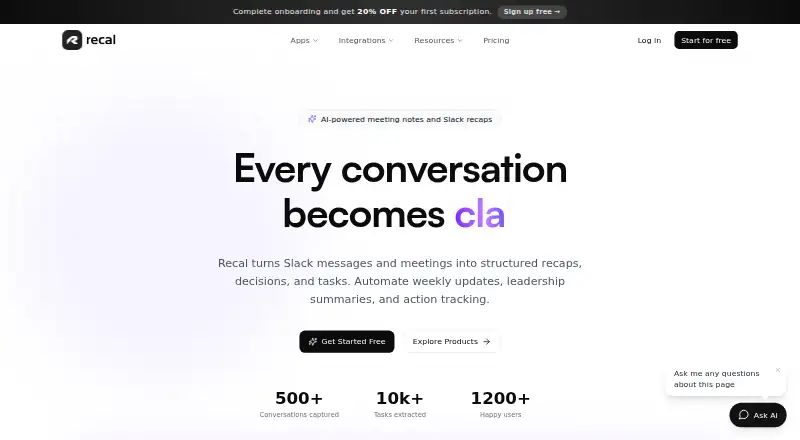
Recal turns Slack messages, meetings, and other supplied material into recaps, decisions, and tasks.
What Recal is
Recal turns Slack messages, meetings, and other supplied material into recaps, decisions, and tasks. It can capture meetings, work from pasted text, voice memos, file uploads, and URL links, and analyze video frames to include visual context such as screen shares and presentations alongside audio transcription. Its integrations include Slack, Notion, and Linear; Google Calendar sync is available on Pro and Premium. Recal says it accesses Slack messages only in channels where users invoke /recal, not private DMs, and does not retain full message history. It reports that meeting content is not used to train AI models, data is encrypted in transit and at rest, and users can delete their data. Uploaded originals are deleted after processing, while transcripts and summaries remain. Uploads can be up to 2GB, and text-to-tasks accepts up to 50,000 characters. The Starter plan has limited async recaps and no meeting recaps or team workspaces. Pro is $14 a month; Premium is $29 a month.
Good
- Accepts meetings, text, voice memos, files, and URLs
- Analyzes video frames alongside audio transcription
- Extracts and tracks action items with due dates
- Offers Slack, Notion, and Linear integrations
- Users can delete their data
Watch out
- Starter excludes meeting recaps and team workspaces
- Uploads are limited to 2GB
- Text-to-tasks accepts up to 50,000 characters
- Google Calendar sync is limited to Pro and Premium
Who it suits
Recal suits distributed teams coordinating across time zones and relying on asynchronous communication. It may also fit teams that want to turn meetings and written material into assigned tasks with due dates and reminders.
Verdict
Recal combines recap creation with task extraction across meetings and several other input types. Check the plan limits and Google Calendar availability against your team's needs.
Plans and prices
From Recal's own pricing page, checked 30 Sep 2026.
| Plan | Price | What it gives you |
|---|---|---|
| Pro | $14 a month | 5 hrs meeting recaps/month · 10 hrs async recaps/month · up to 2 hrs/recap · up to 5 workspaces · 3 team members/workspace · 30-day retention |
| Premium | $29 a month | 15 hrs meeting recaps/month · 30 hrs async recaps/month · up to 4 hrs/recap · unlimited workspaces · 10 team members/workspace · 180-day retention · priority support |
| Starter | — | 30 min async recaps/month · up to 3 async recaps/month · 3 Q&A questions/recap · 7-day retention · no meeting recaps, custom templates, or team workspaces |
The facts
Each one read from Recal's own pages, with the date it was checked.
What it does
- Audience
- The company describes Recal as built for distributed teams that work across time zones and prefer asynchronous communication.checked 30 Sep 2026
- Input types
- The site offers meeting capture, pasted text, voice memos, file uploads, and URL links for recaps.checked 30 Sep 2026
- Integrations
- The FAQ says integrations include Slack, Notion, and Linear, with Google Calendar sync on Pro and Premium.checked 30 Sep 2026
- Product
- Recal turns Slack messages and meetings into structured recaps, decisions, and tasks.checked 30 Sep 2026
- Security
- The FAQ says data is encrypted in transit and at rest, meeting content is not used to train AI models, and users can delete their data.checked 30 Sep 2026
- Slack access
- Recal says it accesses Slack messages in channels where users invoke /recal and does not read private DMs or store full message history.checked 30 Sep 2026
- Support
- Starter and Pro receive email support with responses within 24 hours; Premium receives priority support.checked 30 Sep 2026
- Text limit
- Text-to-tasks accepts up to 50,000 characters at once.checked 30 Sep 2026
- Transcription
- Recal reports typical transcription accuracy of 95% or higher for clear English audio and says it supports multiple languages and accents.checked 30 Sep 2026
- Upload limit
- The FAQ gives a maximum upload file size of 2GB.checked 30 Sep 2026
- Upload retention
- The FAQ says uploaded originals are deleted after processing and only the transcript and summary are retained.checked 30 Sep 2026
- Video analysis
- Its AI analyzes video frames to capture screen shares, presentations, and other visual context alongside audio transcription.checked 30 Sep 2026
The company
- Company
- The About page describes Recal's mission and story but does not state a headquarters location or founding year.checked 30 Sep 2026
The full review of Recal
Overview
Recal is a recap and task-extraction service for conversations, documents, and other submitted material. It is best suited to distributed teams that need decisions and follow-up work to travel across time zones. Its combination of meeting capture and asynchronous inputs is useful, but the paid plans impose defined recap quotas and Google Calendar sync is limited to higher tiers.
Key features
Recaps across meeting and async inputs
Recal accepts meeting capture, pasted text, voice memos, file uploads, and URL links. Meeting recaps draw on audio transcription and video-frame analysis, so screen shares and presentations can contribute context alongside spoken discussion. This is a broader mix of inputs than a meeting-only workflow, though users should match their expected volume to the monthly hour caps.
Text-to-tasks handles up to 50,000 characters at once, and uploaded files can be up to 2GB. Recal reports typical transcription accuracy of 95% or higher for clear English audio and supports multiple languages and accents. The accuracy claim applies to clear English audio, so teams handling other language or recording conditions should not assume the same result.
Tasks, integrations, and privacy
Action-item extraction, assignment tracking, due dates, and reminders connect recaps to follow-up work. Integrations include Slack, Notion, and Linear; Google Calendar sync is available on Pro and Premium. Recal accesses Slack messages in channels where users invoke /recal, not private DMs, and says it does not store full message history.
Data is encrypted in transit and at rest, meeting content is not used to train AI models, and users can delete their data. Uploaded originals are deleted after processing, while transcripts and summaries are retained. These are useful boundaries for teams evaluating sensitive material, though retention of processed content still varies by plan.
Pricing
Recal has a free Starter plan and paid plans from $14/mo. Starter has no meeting recaps, custom templates, or team workspaces. It allows 30 minutes of async recaps per month, up to three async recaps, three Q&A questions per recap, and seven-day retention. Its short retention and low recap allowance make it a limited fit for evaluation or occasional async use, not a dependable team meeting workflow.
Pro costs $14 a month and includes five hours of meeting recaps and 10 hours of async recaps monthly, with a two-hour maximum per recap. It supports up to five workspaces and three team members per workspace, with 30-day retention. This is the practical entry point for small teams that need meeting capture and Google Calendar sync, but the monthly hours and workspace seats constrain heavier use.
Premium costs $29 a month. It raises the allowances to 15 hours of meeting recaps and 30 hours of async recaps per month, permits recaps up to four hours, and includes unlimited workspaces, 10 team members per workspace, 180-day retention, and priority support. It better fits teams with sustained recap volume or longer retention needs; the higher price buys capacity and support rather than removing usage limits. Starter and Pro receive email support with responses within 24 hours. The supplied plan terms do not state a trial or renewal schedule.
Platforms
Recal supports Android, iOS, macOS, web, and Windows. The broad platform range suits teams working across different devices, while the documented Google Calendar sync remains a Pro and Premium feature.
Who it's for
Recal is a strong fit for distributed teams that communicate asynchronously and want meeting or Slack context turned into assigned, dated follow-up tasks. It also suits individuals who need recaps from voice memos, pasted text, files, or URLs. It is less compelling for teams that need unrestricted meeting volume, longer retention on the free tier, or Google Calendar sync without a paid plan.
Pros and cons
- Pro: Meeting capture, async inputs, and video-frame context bring spoken discussion and visual material into the same recap workflow.
- Pro: Assignment tracking, due dates, and reminders make extracted action items more operational than a recap alone.
- Pro: Slack access is limited to channels where users invoke the command, with no private-DM reading or full message-history storage.
- Con: Starter excludes meeting recaps and team workspaces, with only three async recaps and seven-day retention per month.
- Con: Pro and Premium both cap monthly recap hours, and Google Calendar sync requires a paid tier.
Alternatives
For a wider look at task-focused products, browse Action Item Tracking Software.
- ActFlux is a fit for readers who want a free plan capped at five meetings per month and a free trial.
- HyNote is worth considering for readers who want a free forever plan, sessions up to 120 minutes, recording and transcription, and professional templates.
- Route5 AI may suit readers seeking a free, view-only tier capped at three commitments, with capture, agents, and enforcement requiring Classic.
- imeetly offers a free plan capped at five meetings per month, with a 100 MB file limit and five AI memory searches per day.
- Notepik is an option for readers who want a free forever plan with one hour of meetings per month and up to three seats.
- Confab is a paid product with a free trial.
- 4Minitz is free, open-source, and self-hosted.
- Harmony is another option for web, Windows, and macOS.
Verdict
Choose Recal if your distributed team needs recaps that combine meeting audio, visual context, and async material with trackable follow-up tasks. Its input flexibility and task workflow are the strongest reasons to pick it. Look elsewhere if your team needs uncapped recap use or Google Calendar sync on a free plan; even Premium retains monthly hour limits.
Alternatives to Recal
- 1

HyNote
Free planAndroidiOSWebExtension8.2From $6.66 a month - 2
Knowtworthy
Free planAndroidiOSWeb7.9From $24 a month - 3

AfterTheCall
Free planWebExtension7.2From $9 a month - 4

BoardPro
AndroidiOSWeb7.2From $1,650 a year - 5

Harmony
WebAPImacOSSelf-hosted7.2From $29 a month - 6
Route5 AI
Free planAndroidiOSWebmacOS7.2From $24.99 a month