Real-CUGAN
Real-CUGAN is a free AI super-resolution model made for anime images.
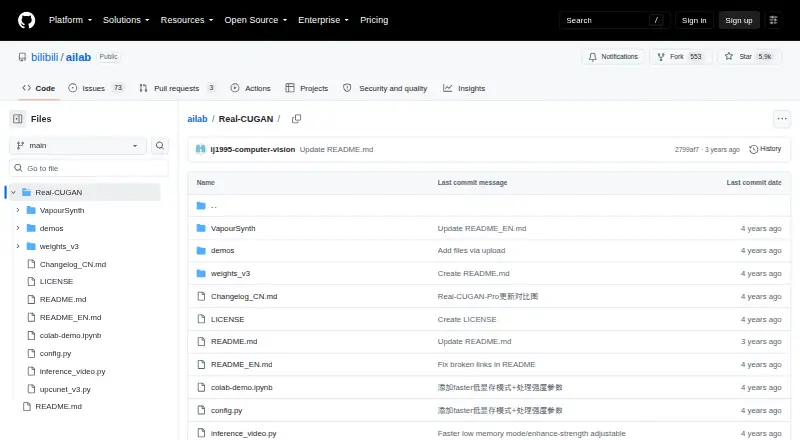
What Real-CUGAN is
Real-CUGAN is a free AI super-resolution model made for anime images. It enlarges images by 2×, 3×, or 4×, with different model weights for varying enhancement strengths, denoising options, a conservative mode, and adjustable alpha. The 1× model is still in training. Its Windows configuration processes images and video, and the project includes a video inference script. Windows packages are linked through Baidu Drive, GitHub Releases, and Google Drive. The package was tested on 64-bit Windows 10; Nvidia use requires 1.5 GB of video memory, with different CUDA minimums for light and heavy versions. A portable NCNN implementation offers Windows, Linux, and macOS executables for Intel, AMD, Nvidia, and Apple-Silicon GPUs using Vulkan, and its package needs neither CUDA nor PyTorch runtime. Browser options include a demo and Web-CPU version, though the CPU demo is slow enough that smaller images are recommended. Cache and tile settings can reduce GPU-memory use. The project also lists PyTorch and VapourSynth use paths.
Good
- Supports 2×, 3×, and 4× upscaling.
- Windows configuration handles images and video.
- NCNN executables cover Windows, Linux, and macOS.
- Cache and tile settings reduce GPU-memory use.
Watch out
- The 1× model is still in training.
- CPU demo is slow; smaller images are recommended.
- Training code is not public.
Who it suits
It suits people looking to upscale anime images, including Windows users who want image or video processing. Developers can also use its listed PyTorch and VapourSynth paths or the portable NCNN package.
Verdict
Real-CUGAN focuses on anime upscaling, with several scaling levels and enhancement strengths. Consider the Windows requirements and the slow CPU demo when choosing how to run it.
Plans and prices
From Real-CUGAN's own pricing page, checked 9 Oct 2026.
| Plan | Price | What it gives you |
|---|---|---|
| Real-CUGAN | Free | Open-source model and downloadable packages; no paid tiers or usage limits stated |
The facts
Each one read from Real-CUGAN's own pages, with the date it was checked.
What it does
- Alternative GPU support
- The linked NCNN implementation offers Windows, Linux, and macOS executables for Intel, AMD, Nvidia, and Apple-Silicon GPUs using Vulkan.checked 9 Oct 2026
- Download
- The maker links Windows executable packages through Baidu Drive, GitHub Releases, and Google Drive.checked 9 Oct 2026
- Enhancement models
- The English README says 2× has five model weights and 3×/4× have three model weights each for different enhancement strengths.checked 9 Oct 2026
- Image and video
- The Windows configuration supports both image and video processing, and the repository includes a simple video inference script.checked 9 Oct 2026
- Integration
- The project describes its model architecture as compatible with Waifu2x-CUNet, and it lists PyTorch and VapourSynth use paths.checked 9 Oct 2026
- Memory limits
- The Windows package provides cache and tile settings to trade processing speed for lower GPU-memory use, including modes intended for very large images.checked 9 Oct 2026
- Portable NCNN package
- The NCNN package includes binaries and models and states that it needs no CUDA or PyTorch runtime.checked 9 Oct 2026
- Purpose
- Real-CUGAN is an AI super-resolution model trained on a million-scale anime dataset and designed for anime images.checked 9 Oct 2026
- Security and compliance
- The maker README and repository page provide no security or compliance claims.checked 9 Oct 2026
- Support
- The maker invites users to leave suggestions and requests in the repository issues.checked 9 Oct 2026
- Training code
- The maker README says the training code is not public.checked 9 Oct 2026
- Upscaling
- It supports 2×, 3×, and 4× upscaling; the 1× model is described as still in training.checked 9 Oct 2026
- Web option
- The maker README links a browser demo and a Web-CPU version; the README notes that the CPU demo is slow enough that smaller images are recommended.checked 9 Oct 2026
Where it runs
- Desktop app
- Yeschecked 20 Sep 2026
- Windows requirements
- The package was tested on Windows 10 64-bit; Nvidia use requires 1.5 GB of video memory, with different CUDA minimums for light and heavy versions.checked 9 Oct 2026
Money
- Free plan
- Yeschecked 20 Sep 2026
The full review of Real-CUGAN
Real-CUGAN is a free super-resolution model tailored to anime images. It suits anime artists and viewers who want control over enlargement and denoising, especially those comfortable choosing a desktop or integration workflow. Its appeal is focused scaling with several enhancement strengths; the best route depends on hardware and tolerance for a slow CPU demo.
Overview
Real-CUGAN is trained on a large anime dataset, making it a targeted option for drawn content rather than a general image enhancer. It supports 2×, 3× and 4× enlargement; the 1× model is still in training. That makes it a sensible fit when the goal is to enlarge anime imagery, but not when a 1× model is required.
The Windows configuration handles both images and video, and the repository includes a basic video inference script. PyTorch and VapourSynth are also documented integration paths, while the model architecture is described as compatible with Waifu2x-CUNet. These options suit users who want to fit the model into an existing workflow, though they do not amount to one uniform interface across platforms.
Key features
- Scale-specific enhancement choices: The 2× scale offers five model weights, while 3× and 4× offer three each. Denoising strengths, conservative mode and adjustable alpha add control over how strongly details are treated. This is useful when preserving anime linework matters, but choosing among weights and settings takes more involvement than relying on a single preset.
- GPU flexibility through NCNN: The linked NCNN implementation provides Windows, Linux and macOS executables for Intel, AMD, Nvidia and Apple-Silicon GPUs through Vulkan. Its portable package bundles binaries and models and does not require CUDA or PyTorch runtimes, making it a practical route for users whose GPU or system does not suit the Windows package.
- Memory controls: The Windows package offers cache and tile settings that trade speed for reduced GPU-memory use, including modes intended for very large images. Those controls can help work around limited video memory, though lower memory use comes at a processing-speed cost.
- Browser demos: The maker links both a browser demo and a Web-CPU version. The CPU demo is slow enough that smaller images are recommended, so it is better for trying the model on modest inputs than for regular large-image work.
Pricing
Real-CUGAN is free: its listed plan costs nothing and includes the open-source model and downloadable packages. There are no paid tiers or stated usage limits, so there is no subscription or quota trade-off to weigh. It has no free trial because the product itself is free.
The maker links Windows executable packages through Baidu Drive, GitHub Releases and Google Drive. Windows use has a narrower hardware fit: the package was tested on 64-bit Windows 10, and Nvidia use requires 1.5 GB of video memory, with different CUDA minimums for light and heavy versions. Users without a suitable setup can consider the NCNN route or browser demo instead.
Platforms
Real-CUGAN is offered across Android, Linux, macOS, self-hosted, web and Windows. It has a desktop app, with Windows image and video support, NCNN executables for Windows, Linux and macOS, and browser-based options. The implementations differ in hardware and workflow, so the platform label should not be taken to mean that every feature is available in the same form on every system.
Who it's for
Choose Real-CUGAN if your main subject is anime and you want defined 2×, 3× or 4× scaling with options for denoising and enhancement strength. It is especially suitable for users who can select a compatible desktop or NCNN path, or who already work with PyTorch or VapourSynth.
Look elsewhere if you need a polished, consistent workflow across devices, a 1× model, or a fast browser-based process for large images. The CPU demo's speed limitation and the Windows package's hardware requirements make the execution route an important part of the decision.
Pros and cons
- Pro: Anime-specific training and multiple scale-dependent weights give users more control over drawn imagery than a single enlargement choice.
- Pro: NCNN supports Intel, AMD, Nvidia and Apple-Silicon GPUs through Vulkan, and its portable package avoids CUDA and PyTorch runtime requirements.
- Pro: Windows supports both image and video processing, with memory settings for reducing GPU use on large images.
- Con: The 1× model is still in training, leaving current use centered on enlargement.
- Con: Windows Nvidia use requires at least 1.5 GB of video memory and has CUDA-version requirements; the CPU demo is slow for large images.
- Con: The training code is not public, which limits users who want to inspect or build on the training process.
Alternatives
For a wider range of video-upscaling choices, browse AI Video Upscalers or Video Upscaling Software; for still-image tools, see Image Upscaling Software.
- Cutout.Pro is a freemium alternative with Android, API, iOS, Linux, macOS, web and Windows support; its 80-credit monthly subscription costs $5 a month.
- Media.io AI Video Upscaler is a freemium alternative with a free trial offering three daily check-in credits, up to one video, 720p exports, a watermark and 1 GB of cloud storage.
- NextGenUp is another free, open-source option with Linux, macOS, self-hosted, web and Windows support.
- SeedVR2 is a free alternative for Linux, macOS, self-hosted and Windows, with no paid plans or stated usage limits.
- Vmake AI Video Enhancer offers Android, iOS and web access; its free plan provides 20 daily credits and video export up to 720p.
- REAL Video Enhancer is a free video-enhancement application for Linux, macOS and Windows.
- Aiarty Video Enhancer has a free version for videos under 120 seconds with watermarked exports and no batch export.
- Free AI Video Upscaler is a free Android and web option offering unlimited use, no signup or watermark, and video output up to 4K.
Verdict
Real-CUGAN is a strong fit for anime-focused users who want free enlargement with more control over denoising and enhancement than a one-setting tool offers. Its main reason to choose it is that focused model and the availability of NCNN across major desktop GPU types; its main reason to look elsewhere is the extra hardware and workflow consideration, particularly if you need quick browser processing or a unified app experience.
Alternatives to Real-CUGAN
- 1
TensorPix
Free planAndroidiOSWebAPI8.3From $5.50 a month - 2
Cutout.Pro
Free planAndroidiOSWebAPI8.2From $5 a month - 3

Media.io AI Video Upscaler
Free planAndroidiOSWebAPI8.1From $167.88 a year - 4
HitPaw VikPea
AndroidiOSWebAPI7.8From $99.99 a year - 5

Pixop
Free planWebAPILinuxSelf-hosted7.6From $0.02 a month - 6

UniFab Video Enhancer Pro
WebmacOSWindows7.2From $89.99 a year