HitPaw VikPea
HitPaw VikPea is an AI video tool for upscaling, noise reduction, blur repair, and restoration of damaged footage.
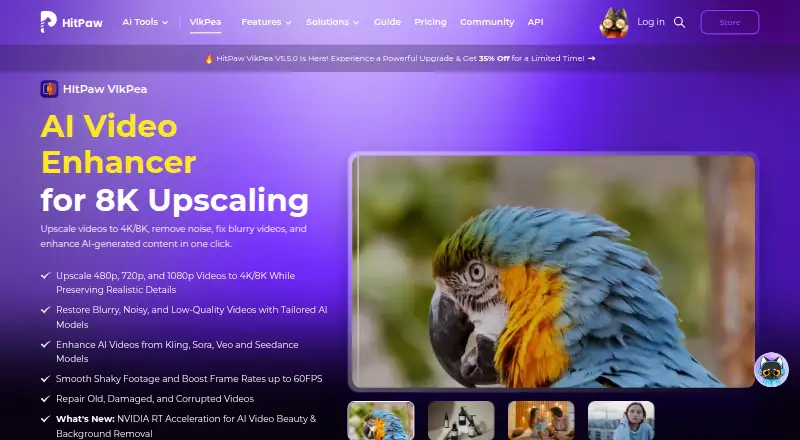
What HitPaw VikPea is
HitPaw VikPea is an AI video tool for upscaling, noise reduction, blur repair, and restoration of damaged footage. Its listed models cover HD/Fast Sharpen, Portrait, Video Quality Repair, UHD Restoration, Frame Interpolation, and Stabilize. Color options include colorization, color enhancement, low-light enhancement, and SDR-to-HDR conversion. VikPea supports formats including MP4, MOV, MKV, AVI, FLV, and WMV, and says it can generate videos from text or images with models including Kling, Pixverse, VEO, and Seedance. HitPaw also offers a video and image enhancement API with MCP integration for developers, creative platforms, and AI agents; its API free plan provides 5,000 credits and access to all AI models for testing. The software is listed for Windows, macOS, web, iOS, and Android. The free license supports preview only, while paid licenses unlock features and video export. Listed plans include $43.19 a month, $99.99 a year, $350.39, paid once, and $459.95 a year for a team plan.
Good
- Offers models for stabilization and frame interpolation.
- Includes color and low-light enhancement tools.
- Generates video from text or images.
- API free plan provides 5,000 credits.
- Supports listed Windows, macOS, web, iOS, and Android platforms.
Watch out
- Free license is preview-only.
- Paid licenses are needed for video export.
- Desktop requires at least 8 GB RAM and 4 GB disk space.
- Some features use AI credits.
Who it suits
VikPea may suit people restoring or enhancing video, as well as developers and creative platforms considering its enhancement API. The preview-only free license is a factor for anyone who needs exported results.
Verdict
VikPea combines video repair and enhancement models with color tools and video generation. Its free license is limited to previews, so export needs and AI-credit use matter when considering a paid plan.
Plans and prices
From HitPaw VikPea's own pricing page, checked 15 Oct 2026.
| Plan | Price | What it gives you |
|---|---|---|
| Free trial | Free | Preview only; exports unavailable without paid license |
| 1 Month License | $43.19 a month | 8K upscale · 10+ AI models · repair · colorize · HDR · generation · background removal · stabilization · batch processing · Automatically renews; tax excluded |
| 1 Year License | $99.99 a year | 8K upscale · 10+ AI models · repair · colorize · HDR · generation · background removal · stabilization · batch processing · free major-version upgrades during subscription · Automatically renews; tax excluded |
| Perpetual License | $350.39, paid once | 8K upscale · 10+ AI models · repair · colorize · HDR · generation · background removal · stabilization · batch processing · updates within current major version · One-time price; tax excluded |
| Annual Team Plan | $459.95 a year | Free updates · free technical support · company use · multi-user control · volume discount · sales reporting · Billed annually for 5 PCs |
| Annual Business Plan | Priced on request | Volume discount · one-to-one sales report · flexible payment options · Annual; contact sales for more than 5 users |
The facts
Each one read from HitPaw VikPea's own pages, with the date it was checked.
What it does
- AI-video compatibility
- The product advertises enhancement for videos generated by Kling, Sora, Veo and Seedance.checked 15 Oct 2026
- AI video generation
- VikPea says it can generate videos from text or images using models including Kling, Pixverse, VEO, and Seedance.checked 30 Sep 2026
- API deployment
- The API offering describes custom private or hybrid deployment for supported customers.checked 15 Oct 2026
- API extensibility
- The developer documentation includes video and image APIs, model references, an MCP integration and a public GitHub documentation repository.checked 15 Oct 2026
- API integration
- HitPaw offers a video and image enhancement API with MCP integration for developers, creative platforms, and AI agents.checked 30 Sep 2026
- Color tools
- Colorization, low-light enhancement, color adjustment and SDR-to-HDR conversion are included.checked 15 Oct 2026
- Desktop requirements
- The product page lists Windows 10/11 and macOS 13 or higher, with at least 8 GB RAM and 4 GB disk space.checked 30 Sep 2026
- Documentation depth
- Official guides cover enhancement, colorization, frame interpolation, stabilization, repair, background removal, decompression, denoising, sharpening, generation, beauty and slow motion.checked 15 Oct 2026
- Editing toolkit
- The desktop product includes background removal, AI video generation, video repair and watermark removal; local watermark processing is advertised as avoiding cloud uploads.checked 15 Oct 2026
- Formats
- Supported inputs include MP4, MOV, MKV, AVI, FLV and WMV, with additional formats listed in the technical table.checked 15 Oct 2026
- Integrations
- The product links to online processing plus iPhone/iPad and Android apps, and advertises cloud rendering.checked 15 Oct 2026
- Legal entity
- The privacy policy identifies the provider as HitPaw CO., LIMITED, registered in Tsuen Wan, New Territories, Hong Kong.checked 15 Oct 2026
- Licence
- The public developer-docs repository contains documentation and utilities but shows no LICENSE file or stated open-source licence.checked 15 Oct 2026
- Limit: performance
- Reviewers report very long processing times, including a one-hour video taking about ten hours and some jobs estimated at 35 hours.checked 15 Oct 2026
- Limit: stability
- Capterra and Software Advice reviewers report freezes, crashes and interrupted processing that sometimes produced no usable output.checked 15 Oct 2026
- Local processing
- The product page says invisible watermark removal processes locally without cloud uploads.checked 30 Sep 2026
- Notable news
- Version 5.5.0, announced in August 2026, added NVIDIA RTX acceleration, an upgraded AI Colorist, comparison slider and claimed 20–35% faster UHD restoration on supported GPUs.checked 15 Oct 2026
Money
- API free tier
- The API page lists a free plan with 5,000 credits and access to all AI models for testing.checked 30 Sep 2026
- Free license limit
- The purchase page says the free license supports preview only, while paid licenses unlock features and video export.checked 30 Sep 2026
- Limit: credits and billing
- Independent reviews complain that subscriptions can still require extra AI credits and that pricing or unexpected recurring charges are unclear.checked 15 Oct 2026
- Limit: trial restrictions
- An independent review says the trial watermarks output and blocks downloads and 4K/8K export, requiring payment to retrieve full results.checked 15 Oct 2026
The company
- Company founding and headquarters
- HitPaw's Trustpilot company profile states it was founded in 2019, is based in Hong Kong and has more than 150 engineers.checked 15 Oct 2026
- Company size
- LinkedIn lists HitPaw as a 201–500-person software-development company.checked 15 Oct 2026
Where it runs
- Mac requirements
- Minimum Mac requirements are macOS 13 or later, a 2015-or-newer Intel/AMD processor, 8 GB disk space and at least 4 GB RAM.checked 15 Oct 2026
The full review of HitPaw VikPea
Overview
HitPaw VikPea is video software for enhancing, repairing, and generating footage. It best suits people who need several AI video tools in one product; the free license is preview-only, so anyone who needs exports should weigh subscription costs and AI-credit use before choosing it.
Its range is a strength, spanning restoration and color correction as well as video generation. The trade-off is that the broad feature set does not remove practical limits: the free license cannot export, some paid features use AI credits, and the listed desktop requirements rule out older systems.
Key features
Enhancement and repair
VikPea lists HD/Fast Sharpen, Portrait, Video Quality Repair, UHD Restoration, Frame Interpolation, and Stabilize models. Alongside 4K/8K upscaling, noise removal, blur repair, and restoration of damaged videos, these make it a plausible all-in-one choice for improving uneven or degraded footage. Batch processing is useful for larger queues, and output can reach 8K. Those capabilities matter most to users with varied repair and enhancement jobs; they are less compelling if all you need is a single-purpose tool.
Color, formats, and generation
Colorization, color enhancement, low-light enhancement, and SDR-to-HDR conversion extend the product beyond sharpness and repair. VikPea also generates video from text or images using models including Kling, Pixverse, VEO, and Seedance. That breadth may suit creators moving between fixing footage and making new clips, though some features use AI credits. Supported formats include MP4, MOV, MKV, AVI, FLV, and WMV, among others.
API and privacy
HitPaw offers a video and image enhancement API with MCP integration for developers, creative platforms, and AI agents. Its API free tier provides 5,000 credits and access to all AI models for testing, a useful starting point for evaluation rather than a substitute for checking ongoing API needs. HitPaw’s privacy policy says it may collect device details, product version, file name and size, and operation logs depending on product features and permissions. The product page says invisible watermark removal runs locally without cloud uploads; that specific assurance should not be read as a blanket description of processing for every feature.
Pricing
VikPea is freemium, but its free license supports previews only; export and paid features require a paid license. The purchase page also says some features use AI credits, so buyers should consider credit use alongside the license price.
| Plan | Price and terms | Who it fits |
|---|---|---|
| 1 Month License | $43.19 a month; automatically renews, cancel any time. Windows license. | Best for a short project or a limited commitment, though renewal needs attention. |
| 1 Year License | $99.99 a year; automatically renews, cancel any time. Windows license. | A lower-cost option for ongoing individual use, in exchange for an annual commitment. |
| Perpetual License | $350.39, paid once; one-time price. Windows license, with free updates within the current big version. | For buyers who prefer one payment and can accept updates limited to the current major version. |
| Annual Team Plan | $459.95 a year; billed annually. 5 PCs shown, free updates, company use, multi-user control, and volume discount. | Teams needing multiple seats and company use; it costs more than an individual license but includes team controls. |
The listed individual purchase licenses are for Windows, so Mac users should check the applicable purchase option before committing. HitPaw advertises a 7-day trial and a 30-day money-back guarantee. Its support says it responds to online requests within one working day.
Platforms
VikPea is listed for Windows, macOS, web, iOS, Android, and API use. Desktop requirements are Windows 10/11 or macOS 13 or higher, at least 8 GB RAM, and 4 GB of disk space. The desktop requirements give buyers a concrete compatibility check, while the Windows-only purchase licenses shown above are a notable caveat for Mac users.
Who it's for
VikPea makes the most sense for creators and video owners who want restoration, enhancement, color tools, and generation together, and who need batch processing or output up to 8K. Developers can also consider its API and 5,000-credit testing tier. It is a weaker fit for anyone who needs free exports, wants to avoid credit-based features, or requires a purchase license clearly suited to a non-Windows desktop.
Pros and cons
- Pro: A broad set of repair, sharpening, stabilization, interpolation, and color tools can cover several video-improvement tasks in one product.
- Pro: Batch processing and output up to 8K suit larger or high-resolution projects.
- Pro: Text- and image-based video generation adds a creation option beyond restoration.
- Con: The free license is preview-only, so it cannot serve as a free export workflow.
- Con: Some features use AI credits, making license price only part of the cost picture.
- Con: Paid individual licenses shown are Windows licenses, despite VikPea being listed for macOS and other platforms.
- Con: The one-year license renews automatically, and the perpetual plan only includes updates within the current major version.
Alternatives
For a focused shortlist, compare AI Video Restoration Software, Video Upscaling Software, AI Video Upscalers, and AI Video Stabilization Software.
- Klarity is the better fit if you want a free, local and offline restoration tool for Linux or Windows.
- RestoraX suits users looking for free, open-source, self-hosted processing with GPU or CPU support.
- TensorPix is worth considering if a free web or self-hosted option is enough: its free tier is limited to up to 720p input, 1 GB storage, weekly login credits, and basic generation models.
- Cognitech Video Investigator is an alternative for buyers considering a paid forensic video tool.
- Intelion Video Lab is an alternative for buyers considering on-premise or secure hybrid-cloud deployment.
- My Cognitech Cloud is another paid option for buyers comparing video-investigation software.
- Surveillant Forensic Video Enhancement suits readers seeking a paid forensic enhancement option with a free trial.
- Vapourkit is another free option for Linux or Windows.
Verdict
Choose HitPaw VikPea if you want one product for repairing and enhancing footage, adjusting color, and generating clips, with batch work and up to 8K output. Its breadth is the main reason to choose it; the preview-only free license, AI-credit use, and Windows-specific purchase licenses are the main reasons to look elsewhere.
Alternatives to HitPaw VikPea
- 1
TensorPix
Free planAndroidiOSWebAPI8.3From $5.50 a month - 2

Pixop
Free planWebAPILinuxSelf-hosted7.6From $0.02 a month - 3
Phoenix Upscaler
WebAPILinuxWindows7.1$2.99 one-time - 4
Surveillant Forensic Video Enhancement
AndroidiOSWebAPI6.9From $49 a month - 5

Aiarty Video Enhancer
Free planmacOSWindows6.8From $79 a year - 6
DRS Nova
Windows6.8From $1,295 a month