
Aiarty Video Enhancer
Aiarty Video Enhancer is desktop software for upscaling and restoring video on Windows and macOS, with output resolution up to 4K and a maximum 4× upscale fa…
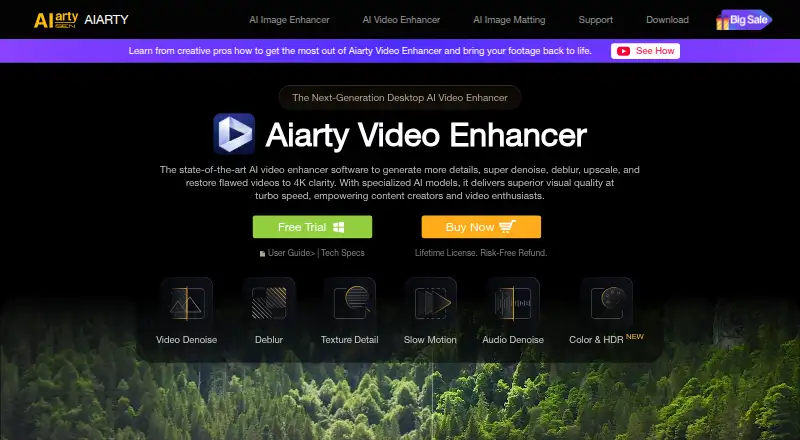
What Aiarty Video Enhancer is
Aiarty Video Enhancer is desktop software for upscaling and restoring video on Windows and macOS, with output resolution up to 4K and a maximum 4× upscale factor. It can reduce noise, clarify blurred footage, and restore detail. Three AI models—moDetail-HQ v3, Smooth-HQ v3, and superVideo vHQ—serve different detail, fidelity, and low-light enhancement needs. Frame interpolation generates additional frames for playback at 90 fps, 120 fps, or higher. The software also includes AI audio noise removal and controls for color correction, HDR, white balance, exposure, contrast, and saturation. Output formats include MP4, MOV, and MKV, with H.264, H.265, ProRes, and AV1 codecs. Processing happens locally, although the software may connect to download updates and AI models. The free version handles videos under 120 seconds each, adds a watermark to exports, and does not support batch export. The Standard License costs $79 a year; the Lifetime License costs $149, paid once. Both paid options include personal and commercial use.
Good
- Upscales video to 4K and up to 4×.
- Offers three AI models for different enhancement needs.
- Frame interpolation supports playback at 90 fps or higher.
- Processing is local to the desktop.
Watch out
- Free exports have a watermark.
- Free version limits each video to under 120 seconds.
- Free version does not support batch export.
Who it suits
Aiarty Video Enhancer may suit videographers, content creators, family users, gamers, and vloggers who want desktop tools for improving or restoring footage. The free version is limited to short clips and watermarked exports.
Verdict
Aiarty Video Enhancer offers video restoration, interpolation, and audio and color tools on Windows and macOS. Its free version has clear export limits, while paid licenses add broader use and higher-cost options.
Plans and prices
From Aiarty Video Enhancer's own pricing page, checked 4 Oct 2026.
| Plan | Price | What it gives you |
|---|---|---|
| Free version | Free | Videos under 120 seconds · watermark on exports · no batch export |
| Standard License | $79 a year | 1 PC and 1 Mac · updates for 1 year · personal and commercial use · 30-day money-back guarantee · Billed Yearly; auto-renews annually |
| Lifetime License | $149, paid once | 3 PCs and 3 Macs · lifetime updates · personal and commercial use · 30-day money-back guarantee · One-Time Fee |
The facts
Each one read from Aiarty Video Enhancer's own pages, with the date it was checked.
What it does
- AI models
- It offers three AI models—moDetail-HQ v3, Smooth-HQ v3, and superVideo vHQ—for different detail, fidelity, and low-light enhancement needs.checked 4 Oct 2026
- Audio and color
- The software includes AI audio noise removal and controls for color correction, HDR, white balance, exposure, contrast, and saturation.checked 4 Oct 2026
- Batch processing
- The product page says users can queue hundreds of clips in one session, while the free version does not support batch export.checked 4 Oct 2026
- Data handling
- The privacy policy says support may collect an issue description, licensed email, software and operating system details, and error diagnostics to resolve technical problems.checked 4 Oct 2026
- Format limits
- Listed output formats are MP4, MOV, and MKV, with H.264, H.265, ProRes, and AV1 output codecs.checked 4 Oct 2026
- Frame interpolation
- Its frame interpolation feature generates frames to increase video playback to 90 fps, 120 fps, or higher.checked 4 Oct 2026
- Intended users
- The product page presents the software for videographers, content creators, AIGC creators, family users, gamers, and vloggers.checked 4 Oct 2026
- Offline processing
- The maker says video processing happens locally and processed media is not uploaded to or stored by Digiarty.checked 4 Oct 2026
- Privacy and connectivity
- The privacy policy says the software may connect to download updates and AI models, and local error logs are not transmitted unless a user chooses to submit them.checked 4 Oct 2026
- Purpose
- Aiarty Video Enhancer is desktop software for upscaling, denoising, deblurring, and restoring videos, including to 4K.checked 4 Oct 2026
- Security claims
- The maker says its installers are digitally signed, regularly scanned, and checked for malware, adware, and bundled third-party software.checked 4 Oct 2026
- Support
- The maker lists 24/7 dedicated email support with paid licenses and says its Support Center aims to respond to email within 24 hours.checked 4 Oct 2026
- Supported systems
- The listed minimum systems are Windows 10 and macOS 13.0 or higher; the macOS requirements include Intel and Apple Silicon Macs.checked 4 Oct 2026
The company
- Founded
- 2006checked 28 Sep 2026
- Headquarters
- Chengdu, Sichuan, Chinachecked 28 Sep 2026
Money
- Trial limits
- The free version supports processing videos under 120 seconds each, includes a watermark on exported video, and does not include batch export.checked 4 Oct 2026
The full review of Aiarty Video Enhancer
Overview
Aiarty Video Enhancer is desktop software for improving and enlarging video, with tools for motion, sound, and color as well as image restoration. It suits creators and family users who want several cleanup tools in one Windows or Mac app. Its breadth is useful, but the short, watermarked free exports make a paid license the practical choice for ongoing work.
Key features
Three AI models—moDetail-HQ v3, Smooth-HQ v3, and superVideo vHQ—address different detail, fidelity, and low-light enhancement needs. The 4× upscale ceiling and maximum 4K output give a clear boundary: this is for improving footage within that range, not producing higher-resolution masters.
Frame interpolation generates frames to raise playback to 90 fps, 120 fps, or higher. That gives users a motion-smoothing option alongside restoration, while AI audio noise removal and controls for color correction, HDR, white balance, exposure, contrast, and saturation extend the app’s role beyond image cleanup.
Batch processing can queue hundreds of clips in one session, which should help with larger workloads; the free version cannot batch-export, so this advantage requires a paid plan. Export formats are MP4, MOV, and MKV, with H.264, H.265, ProRes, and AV1 codecs.
Processing happens locally, and the maker says processed media is not uploaded to or stored by Digiarty. The app may connect to download updates and AI models. Local error logs are not transmitted unless users choose to submit them; support may collect an issue description, licensed email, software and operating-system details, and diagnostic information to investigate technical problems.
The maker says installers are digitally signed and regularly scanned for malware, adware, and bundled third-party software. Paid licenses include 24/7 dedicated email support, while the Support Center aims to reply to email within 24 hours.
Pricing
The Free version costs nothing. It processes videos under 120 seconds each, adds a watermark to exports, and does not support batch export. That is enough to assess short clips, but the watermark and duration cap limit useful finished work.
The Standard License costs $79 a year, billed yearly, and auto-renews annually. It covers 1 PC and 1 Mac, provides updates for 1 year, and allows personal and commercial use, with a 30-day money-back guarantee. It is the lower-cost paid option for a single user who wants a year of updates and both personal and commercial rights; renewal is an ongoing cost to account for.
The Lifetime License costs $149, paid once, billed as a one-time fee. It covers 3 PCs and 3 Macs, includes lifetime updates and personal and commercial use, and has a 30-day money-back guarantee. It costs more upfront but suits users who value lasting updates or need more device seats. Both paid licenses remove the free version’s stated export limits.
Platforms
Aiarty Video Enhancer runs on Windows 10 or later and macOS 13.0 or later, including Intel and Apple Silicon Macs. It is desktop software, so it is not a fit for users seeking a mobile-only workflow. Maximum output is 4K.
Who it's for
The app makes sense for videographers, content creators, AIGC creators, vloggers, gamers, and family users who need restoration plus interpolation, audio cleanup, and color controls in one desktop tool. Its paid batch workflow is better suited to people handling many clips than to occasional users who can accept short, watermarked exports. Those wanting a free, open-source alternative or a Linux option should look elsewhere.
Pros and cons
- Pros: Combines video restoration, frame interpolation, audio noise removal, and color controls, reducing the need to switch among tools for these tasks.
- Pros: Queues hundreds of clips in one session and supports several common containers and codecs, which benefits larger export workflows.
- Pros: Local processing and the stated non-uploading of processed media may suit users cautious about sending footage to a service.
- Cons: Free exports are watermarked, limited to clips under 120 seconds, and cannot be batch-exported, so the free version is restrictive for finished or high-volume work.
- Cons: The Standard License auto-renews annually, while the Lifetime License requires a higher one-time payment.
- Cons: Windows 10 and macOS 13.0 are the minimum listed systems, excluding older operating systems.
Alternatives
For a free, open-source desktop option on Windows or Linux, choose Vapourkit; its maker describes it as open source under GPL-3.0. Klarity is another free choice for local, offline image and video restoration on Windows or Linux.
RestoraX is a free, open-source MIT option for users who want self-hosted GPU or CPU processing. If a web or API workflow and weekly login credits suit better than Aiarty’s desktop licensing, TensorPix has a free plan with up to 720p input and 1 GB of storage.
HitPaw VikPea offers a broader platform range, including mobile and web, with a 1 Month License at $43.19 a month that automatically renews but can be canceled any time. For investigative video work, Cognitech Video Investigator has a Video Investigator Cloud plan at $1,399 a year. Intelion Video Lab is aimed at on-premise or secure hybrid-cloud deployment, with custom pricing. My Cognitech Cloud also offers Video Investigator Cloud at $1,399 a year.
For broader category comparisons, browse AI Video Restoration Software, Video Upscaling Software, and AI Video Upscalers.
Verdict
Aiarty Video Enhancer is a strong fit for Windows and Mac users who want restoration, interpolation, audio cleanup, and color adjustment together, especially when batch processing or multiple devices matter. The main reason to choose it is that broad set of desktop tools; look elsewhere if the free tier must support clean, longer, batch exports or if a free, open-source workflow is the priority.
Getting started
- Visit https://www.aiarty.com/ai-video-enhancer/.
- Use a Windows 10 PC or a Mac running macOS 13.0 or higher.
- Install the desktop software for Windows or macOS.
- Start with the free version, which processes videos under 120 seconds each and watermarks exports.
- Choose the Standard License for $79 a year or Lifetime License for $149, paid once if you need paid-license terms.
Limits worth knowing
The free version processes videos under 120 seconds each, adds a watermark to exports, and does not support batch export. The Standard License costs $79 a year; it covers 1 PC and 1 Mac with updates for 1 year. The Lifetime License costs $149, paid once and covers 3 PCs and 3 Macs.
Questions
Is Aiarty Video Enhancer free?
A free version is available. It processes videos under 120 seconds each, adds a watermark to exports, and does not include batch export.
How much do the paid licenses cost?
The Standard License is $79 a year, billed yearly and auto-renewing annually. The Lifetime License is $149, paid once.
Which platforms does it support?
It supports Windows and macOS. Minimum systems are Windows 10 and macOS 13.0 or higher; the Mac requirements include Intel and Apple Silicon Macs.
What video formats and codecs can it output?
Listed formats are MP4, MOV, and MKV. Listed codecs are H.264, H.265, ProRes, and AV1.
Does processing happen online?
The maker says video processing happens locally and processed media is not uploaded to or stored by Digiarty. The software may connect to download updates and AI models.
What do the paid licenses include?
Both allow personal and commercial use and include a 30-day money-back guarantee. Standard includes 1 PC and 1 Mac with updates for 1 year; Lifetime includes 3 PCs and 3 Macs with lifetime updates.
Alternatives to Aiarty Video Enhancer
- 1
TensorPix
Free planAndroidiOSWebAPI8.3From $5.50 a month - 2
HitPaw VikPea
AndroidiOSWebAPI7.8From $99.99 a year - 3

Pixop
Free planWebAPILinuxSelf-hosted7.6From $0.02 a month - 4
Phoenix Upscaler
WebAPILinuxWindows7.1$2.99 one-time - 5
Surveillant Forensic Video Enhancement
AndroidiOSWebAPI6.9From $49 a month - 6
DRS Nova
Windows6.8From $1,295 a month