SeedVR2
SeedVR2 is a free, open-source model for restoring video at arbitrary resolutions.
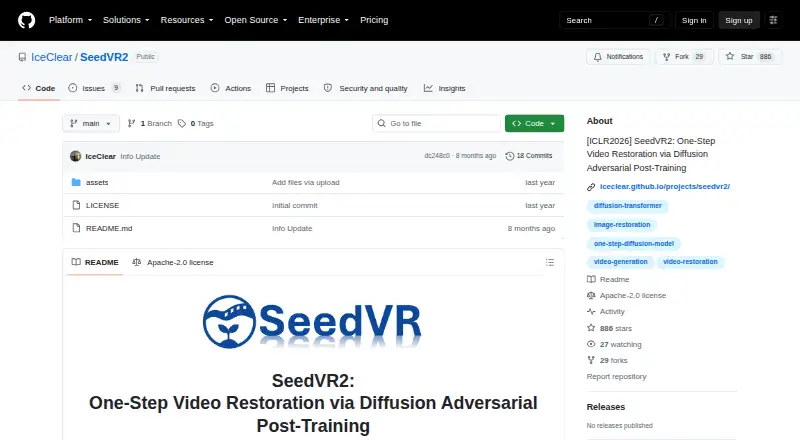
What SeedVR2 is
SeedVR2 is a free, open-source model for restoring video at arbitrary resolutions. Its approach performs restoration in one step without an additional diffusion prior. The official ComfyUI release can upscale both videos and images, with four nodes for controlling the pipeline; a standalone command-line interface also supports multi-GPU and batch workflows. Inputs may be RGB or RGBA images and video. The release documents 3B and 7B model variants, with FP16, FP8, and quantized GGUF options. Model offloading, VAE tiling, and BlockSwap are available as documented controls for managing inference memory. Standalone installation instructions cover Windows, macOS, and Linux, and Apple Silicon MPS support is documented. Input height and width must be multiples of 32; the demo crops resized inputs to meet that requirement. The research describes adaptive window attention and adversarial post-training for high-resolution restoration. SeedVR2 is licensed under Apache 2.0, and the project links to inference code and model weights.
Good
- Upscales both video and images
- ComfyUI release includes four control nodes
- Offers command-line batch and multi-GPU workflows
- Documents several model and precision options
Watch out
- Input dimensions must be multiples of 32
- Inference includes memory-management controls to configure
Who it suits
SeedVR2 suits users seeking local video or image upscaling through ComfyUI or a command-line workflow. Its installation options cover Windows, macOS, and Linux.
Verdict
SeedVR2 offers both ComfyUI and command-line paths for restoration, with multiple model options and memory controls. Its input dimension constraint is important to account for before processing.
Plans and prices
From SeedVR2's own pricing page, checked 10 Oct 2026.
| Plan | Price | What it gives you |
|---|---|---|
| SeedVR2 | Free | No paid plans or usage limits stated on the project pages |
The facts
Each one read from SeedVR2's own pages, with the date it was checked.
What it does
- Adaptive attention
- Its adaptive window attention adjusts window size to fit output resolutions.checked 10 Oct 2026
- Authors’ affiliations
- The listed affiliations are S-Lab at Nanyang Technological University and ByteDance Seed.checked 10 Oct 2026
- ComfyUI integration
- The release provides four ComfyUI nodes for controlling the upscaling pipeline.checked 4 Oct 2026
- Downloads
- The repository links to released inference code and model weights.checked 10 Oct 2026
- High-resolution results
- The project page describes efficient single-step restoration at 1080p with faithful details.checked 10 Oct 2026
- Image and video upscaling
- The official ComfyUI release supports upscaling both videos and images.checked 4 Oct 2026
- Inference
- The model restores video in a single step without relying on an additional diffusion prior.checked 10 Oct 2026
- Input constraint
- Input height and width must be multiples of 32; the demo crops resized inputs to meet that constraint.checked 10 Oct 2026
- Integration
- The maintainers state that a ComfyUI integration was released in November 2025.checked 10 Oct 2026
- License
- The project is released under the Apache License 2.0.checked 10 Oct 2026
- Model options
- The release documents 3B and 7B model variants, with FP16, FP8, and quantized GGUF options.checked 4 Oct 2026
- Performance controls
- The release documents model offloading, VAE tiling, and BlockSwap to manage memory use during inference.checked 4 Oct 2026
- Purpose
- SeedVR2 is a one-step diffusion-transformer model for video restoration at any resolution.checked 10 Oct 2026
- Research
- The project page identifies the work as ICLR 2026.checked 10 Oct 2026
- Research affiliation
- The paper lists the authors’ affiliations as S-Lab at Nanyang Technological University and ByteDance Seed.checked 4 Oct 2026
- Research method
- The paper describes adaptive window attention and adversarial post-training for high-resolution video restoration.checked 4 Oct 2026
- Security
- A release note says model loading was restricted to tensor-only deserialization to prevent code execution from malicious .pth files.checked 4 Oct 2026
- Standalone use
- The release also provides a standalone command-line interface, including multi-GPU and batch processing workflows.checked 4 Oct 2026
- Support
- The repository invites questions by email at [email protected].checked 10 Oct 2026
- Supported formats
- The upscaler supports RGB and RGBA video and image inputs.checked 4 Oct 2026
- Training
- The project describes adversarial video restoration training against real data and a feature matching loss.checked 10 Oct 2026
Where it runs
- Platform support
- Standalone installation instructions cover Windows, macOS, and Linux; Apple Silicon MPS support is also documented.checked 4 Oct 2026
The full review of SeedVR2
SeedVR2 is an open-source restoration model for video, with image upscaling through its ComfyUI release. It suits people comfortable setting up local AI workflows, especially those who need batch or multi-GPU processing. Its flexible model and memory options are useful, though the 32-pixel input dimension rule can affect framing.
Overview
SeedVR2 is built to restore video in one inference step, without an extra diffusion prior. Its approach pairs adaptive window attention, which changes its window size for different output resolutions, with adversarial training against real video and a feature-matching loss. The project describes efficient 1080p restoration with faithful detail, making it a focused option for high-resolution work rather than a general editing suite.
Input width and height must each be divisible by 32. The demo crops resized inputs to meet that rule, so users may need to account for a change in composition. The project is licensed under Apache 2.0, and its repository links to inference code and model weights.
Key features
- ComfyUI and command-line workflows: Four ComfyUI nodes expose controls for the upscaling pipeline, while the standalone CLI supports batch and multi-GPU processing. This range suits both node-based projects and automation, but requires users to work within a technical setup.
- Video and image support: The ComfyUI release handles both, accepting RGB and RGBA inputs. Image upscaling is tied to that release rather than the standalone workflow described here.
- Model and precision choices: SeedVR2 offers 3B and 7B variants, with FP16, FP8, and quantized GGUF options. These choices give experienced users ways to balance model size and precision for their setup.
- Memory controls: Model offloading, VAE tiling, and BlockSwap help manage memory during inference. That flexibility can make constrained setups more workable, though it does not remove the need for compatible hardware.
- Safer model loading: A release note says loading was restricted to tensor-only deserialization to prevent code execution from malicious .pth files.
Pricing
SeedVR2 is free and open source, with no paid plans or usage limits stated. The SeedVR2 plan costs nothing. There is no free trial because the software is already free to use. The project invites questions by email at [email protected].
Platforms
Standalone installation instructions cover Windows, macOS, and Linux, with Apple Silicon MPS support also documented. The release provides a command-line interface and ComfyUI integration; it is not presented as a conventional desktop editor.
Who it's for
SeedVR2 is a strong fit for technically capable users who want local video restoration, resolution-aware controls, and the option to process batches or distribute work across multiple GPUs. Its image support also makes it useful to ComfyUI users who want one workflow for stills and video. Users seeking a guided desktop app, or who need inputs to retain their exact framing after resizing, should consider another tool.
Pros and cons
- Pro: Free, Apache 2.0 software with released inference code and model weights, so users can run the project without a paid plan.
- Pro: ComfyUI and CLI workflows cover node-based editing, batch jobs, and multi-GPU processing.
- Pro: Multiple model sizes, precision formats, and memory controls give experienced users room to adapt inference to their hardware.
- Con: Width and height must be multiples of 32, and the demo's crop can change framing.
- Con: The project expects users to set up ComfyUI or work from the command line rather than offering a straightforward editing interface.
Alternatives
AI Video Restoration Software and AI Video Upscalers are category guides for comparing more options.
- Vapourkit is another free, open-source option for Windows and Linux.
- Aiarty Video Enhancer may suit people who prefer a paid Windows or macOS option with a free tier; its free exports are limited to videos under 120 seconds and carry a watermark, with no batch export.
- Klarity is a free local and offline restoration tool for Linux and Windows.
- RestoraX may suit people who want free, open-source, self-hosted GPU or CPU processing, including through an API or web interface.
- TensorPix may suit users who want a web or API workflow and a freemium plan; its free tier has weekly login credits, 1 GB of storage, and limits including 720p input.
- HitPaw VikPea is a freemium alternative spanning desktop, mobile, web, and API platforms; its one-month license is $43.19 a month and renews automatically.
- Videvra Restore offers short restoration tests through a free public beta with GPU-backed processing on the web.
- Refocused may suit people who want a local app for Windows, macOS, or Linux, with a free trial that processes all models but watermarks output.
Verdict
Choose SeedVR2 if you want a free, open-source model with both ComfyUI and command-line routes, and you are comfortable managing local inference. Its model range and memory controls make it adaptable for restoration workflows; look elsewhere if setup simplicity or preserving exact input framing matters more.
Getting started
- Visit the SeedVR2 GitHub repository.
- Choose the ComfyUI release or the standalone command-line interface.
- For standalone use, follow the instructions for Windows, macOS, or Linux.
- Get the released inference code and model weights linked from the repository.
- Choose a documented 3B or 7B variant and an available model format.
- Prepare input dimensions as multiples of 32.
Limits worth knowing
Input height and width must be multiples of 32; the demo crops resized inputs to meet the constraint. No paid plans or usage limits are stated on the project pages.
Questions
Is SeedVR2 free?
The project is open source under the Apache 2.0 license. Its listed plan is free, and no paid plans or usage limits are stated on the project pages.
Which platforms are supported?
Standalone installation instructions cover Windows, macOS, and Linux. Apple Silicon MPS support is also documented.
Can SeedVR2 process images as well as video?
Yes. The official ComfyUI release supports upscaling both videos and images.
What ways are there to use it?
The official release offers a ComfyUI integration with four nodes and a standalone command-line interface. The CLI includes multi-GPU and batch-processing workflows.
What input formats and dimensions does it support?
The upscaler supports RGB and RGBA video and image inputs. Input height and width must be multiples of 32; the demo crops resized inputs to meet that constraint.
Who made SeedVR2?
The repository is associated with the SeedVR2 project. The paper lists author affiliations at S-Lab, Nanyang Technological University, and ByteDance Seed.
Alternatives to SeedVR2
- 1
TensorPix
Free planAndroidiOSWebAPI8.3From $5.50 a month - 2
HitPaw VikPea
AndroidiOSWebAPI7.8From $99.99 a year - 3

Pixop
Free planWebAPILinuxSelf-hosted7.6From $0.02 a month - 4
Phoenix Upscaler
WebAPILinuxWindows7.1$2.99 one-time - 5
Surveillant Forensic Video Enhancement
AndroidiOSWebAPI6.9From $49 a month - 6

Aiarty Video Enhancer
Free planmacOSWindows6.8From $79 a year