Videvra Restore
Videvra Restore is a browser-based service for repairing damaged clips and archive footage with focused AI fixes.
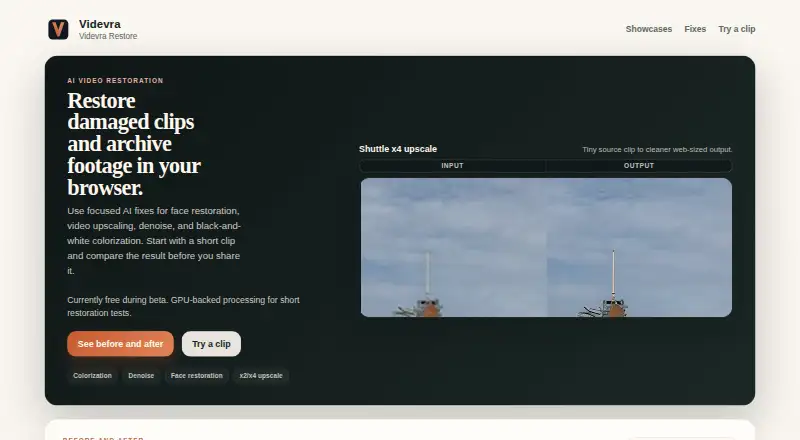
What Videvra Restore is
Videvra Restore is a browser-based service for repairing damaged clips and archive footage with focused AI fixes. You upload one clip, choose a tool, follow processing progress, and download the result. The available tools are face restoration, video upscaling, denoise, and black-and-white colorization. Upscaling offers x2 and x4 options for small clips, but cannot make badly blurred or over-compressed footage into a true high-resolution master. Face restoration is aimed at compressed talking-head footage; tiny, heavily blurred, obstructed, or very dark faces are poor candidates. Colorization is a first pass for steady, readable footage rather than historically exact matching. Denoise addresses visible grain, low-light noise, and compression noise, not missed focus or camera shake. Videvra describes the service as an experimental public beta provided as is and as available. Its Free public beta costs nothing. Uploads and outputs are temporary and may be deleted at any time, so results should be downloaded promptly. The hosted beta is not designed as a private archive, and the maker cautions that perfect security cannot be promised.
Good
- Browser workflow needs only one clip at a time.
- Offers face restoration, upscaling, denoise, and colorization.
- Upscaling includes x2 and x4 options.
- Free public beta costs nothing.
Watch out
- Upscaling cannot recover severely blurred footage.
- Temporary uploads and outputs may be deleted.
- Hosted beta does not promise perfect security.
- Experimental service may be changed, paused, or withdrawn.
Who it suits
It suits people looking to make targeted repairs to short clips in a browser, especially archive footage or compressed talking-head video. It is less suited to footage with severe blur, camera shake, or faces that are tiny or hard to see.
Verdict
Videvra Restore offers a focused set of AI fixes for clips, with clear limits on the footage each tool can handle. Its temporary-file policy and experimental beta status matter if you need dependable long-term storage or a stable service.
Plans and prices
From Videvra Restore's own pricing page, checked 9 Oct 2026.
| Plan | Price | What it gives you |
|---|---|---|
| Free public beta | Free | Short restoration tests · GPU-backed processing · Currently free during beta |
The facts
Each one read from Videvra Restore's own pages, with the date it was checked.
What it does
- Analytics retention
- The stated beta policy intends to redact IP-linked run analytics after about 7 days and delete them after about 14 days.checked 9 Oct 2026
- Colorization
- Colorization is intended as a believable first pass on steady, readable black-and-white footage, not historically perfect color matching.checked 9 Oct 2026
- Denoise
- Denoise targets visible grain, low-light noise, and compression noise, and is not intended to fix missed focus or camera shake.checked 9 Oct 2026
- Face restoration
- Face recovery targets compressed talking-head footage and is a weak fit for tiny, heavily motion-blurred, obstructed, or very dark faces.checked 9 Oct 2026
- Integrations
- The opened maker pages describe a browser upload workflow and do not state any integrations.checked 9 Oct 2026
- Privacy and security
- The maker says access to uploads and outputs is limited to the operator and required infrastructure, while cautioning that the hosted beta cannot promise perfect security and is not designed as a private archive.checked 9 Oct 2026
- Purpose
- Videvra Restore uses focused AI fixes to restore damaged clips and archive footage in a browser.checked 9 Oct 2026
- Restoration tools
- The site offers face restoration, video upscaling, denoise, and black-and-white colorization.checked 9 Oct 2026
- Service status
- The maker describes Videvra Restore as an experimental service provided as is and as available, and says the beta may be changed, paused, or withdrawn at any time.checked 9 Oct 2026
- Support
- Support is best effort by email, and the maker says immediate deletion from every system is not guaranteed.checked 9 Oct 2026
- Temporary files
- Uploads and outputs are temporary and may be deleted at any time, so users are advised to download results promptly.checked 9 Oct 2026
- Upscaling
- Upscaling supports x2 and x4 for small clips, but the maker says it cannot turn badly blurred or over-compressed footage into a true high-resolution master.checked 9 Oct 2026
- Workflow
- Users upload one clip, choose a fix, follow processing progress, and download the result when ready.checked 9 Oct 2026
Alternatives to Videvra Restore
- 1
TensorPix
Free planAndroidiOSWebAPI8.3From $5.50 a month - 2
HitPaw VikPea
AndroidiOSWebAPI7.8From $99.99 a year - 3

Pixop
Free planWebAPILinuxSelf-hosted7.6From $0.02 a month - 4
Phoenix Upscaler
WebAPILinuxWindows7.1$2.99 one-time - 5
Surveillant Forensic Video Enhancement
AndroidiOSWebAPI6.9From $49 a month - 6

Aiarty Video Enhancer
Free planmacOSWindows6.8From $79 a year