
Quadratic
Quadratic is an AI-enabled spreadsheet that combines spreadsheet formulas with Python, SQL, JavaScript, AI, and live data connections.
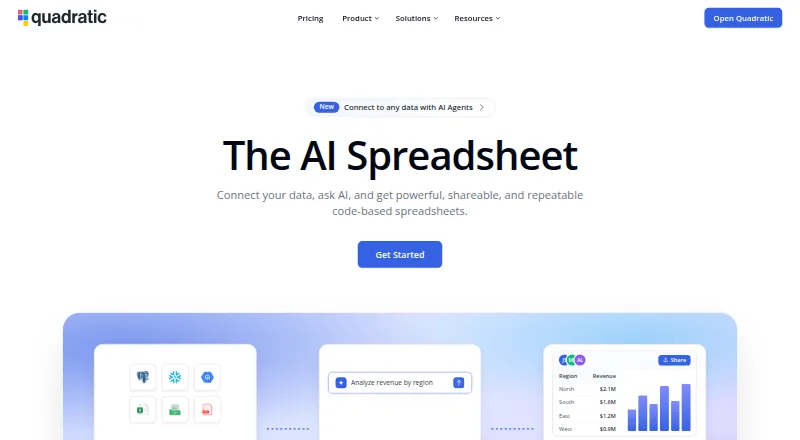
What Quadratic is
Quadratic is an AI-enabled spreadsheet that combines spreadsheet formulas with Python, SQL, JavaScript, AI, and live data connections. Users can ask questions in plain English, then inspect and edit AI-generated formulas, code, and charts in spreadsheet cells. It imports CSV, Excel, Parquet, PDF, and Google Sheets files, and connects to services including PostgreSQL, Snowflake, BigQuery, QuickBooks, Google Analytics, Mixpanel, Plaid, and Salesforce. Quadratic says a sheet can contain 100 million rows and that it can import multi-gigabyte CSV and Parquet files. Its MCP server lets compatible AI tools read sheets, write cells and charts, and run Python, SQL, and formulas. An API can trigger AI runs and read or write cells. Quadratic says data is stored and calculations run on the user's computer by default. Personal is free with limits on AI usage, sharing, files, connections, and support. Pro costs $18/user/mo (annual), with $20 in monthly AI credits and additional privacy controls. Desktop apps are available for macOS and Windows, alongside a mobile interface for phones.
Good
- Combines spreadsheets with Python, SQL, and JavaScript
- AI-generated work can be inspected and edited
- Imports CSV, Excel, Parquet, PDF, and Google Sheets
- Supports SQL connections and an API
- Data and calculations stay on the user's computer by default
Watch out
- Personal plan limits AI usage and sharing
- Pro costs $18/user/mo (annual)
- No free trial
- Self-hosting is for Business and Enterprise
Who it suits
Quadratic suits individuals or teams who want to combine spreadsheet work with Python, SQL, JavaScript, AI, and connected data. Its plans are aimed at individual users, shared-workspace users, teams needing more AI capacity, and enterprises needing custom features and support.
Verdict
Quadratic brings code, connected data, and AI-assisted analysis into a spreadsheet, with generated work remaining editable. Consider the plan limits and annual Pro price when choosing it for individual or team use.
Plans and prices
From Quadratic's own pricing page, checked 14 Oct 2026.
| Plan | Price | What it gives you |
|---|---|---|
| Pro | $18 a month | $20 AI credits/month · additional models · privacy controls · unlimited sharing, files, and connections · billed annually |
| Business | $36 a month | $40 AI credits/month · on-demand AI-credit purchases · everything in Pro · billed annually |
| Personal | Free | Limited AI usage · limited sharing, files, and connections · limited support |
| Enterprise | Priced on request | Custom AI usage · SSO · self-hosting option · dedicated support |
The facts
Each one read from Quadratic's own pages, with the date it was checked.
What it does
- AI agents
- Quadratic's MCP server lets compatible AI tools read sheets, write cells and charts, and run Python, SQL, and formulas.checked 29 Sep 2026
- AI analysis
- Quadratic AI writes formulas, Python, SQL and charts from plain-English prompts and exposes the resulting work for inspection.checked 14 Oct 2026
- AI data retention
- The security page says its model providers use a zero-day data-retention policy with Quadratic.checked 14 Oct 2026
- API
- The Quadratic API can trigger AI runs and read or write spreadsheet cells.checked 29 Sep 2026
- API documentation
- The API reference includes an OpenAPI 3.1 specification and examples for cURL, Python, Node.js, Ruby, PHP and other HTTP clients.checked 14 Oct 2026
- Auditable output
- Users can inspect and edit AI-generated analysis in spreadsheet cells.checked 29 Sep 2026
- Charts
- Quadratic provides native Excel-compatible charts, including bar, line, area, pie, scatter, radar, surface and newer statistical chart types.checked 14 Oct 2026
- Data capacity
- Quadratic says it supports 100 million rows in one sheet and multi-GB CSV and Parquet imports.checked 29 Sep 2026
- Data import
- The product accepts CSV, Excel and PDF data and can combine those with live database sources.checked 14 Oct 2026
- Desktop and mobile
- The changelog says standalone desktop apps are available for macOS and Windows and describes a mobile UI for phones.checked 29 Sep 2026
- Desktop availability
- A standalone Electron desktop app is published for macOS and Windows.checked 14 Oct 2026
- Integrations
- Listed connections include PostgreSQL, MySQL, Snowflake, BigQuery, MariaDB, MS SQL, CockroachDB, Supabase, Neon, QuickBooks, Google Analytics, Mixpanel and Plaid.checked 14 Oct 2026
- Intended users
- Quadratic presents Personal for individuals, Pro for shared-workspace users, Business for teams needing more AI capacity, and Enterprise for companies needing custom features and support.checked 29 Sep 2026
- Investors
- The company names Google Ventures, Catapult, Betaworks and The Fund among its backers, alongside several angel investors.checked 14 Oct 2026
- JavaScript support
- JavaScript can run in cells and return values to the sheet, but the documentation calls the feature experimental.checked 14 Oct 2026
- Large-data capacity
- The maker advertises sheets up to 100 million rows and multi-gigabyte CSV or Parquet imports.checked 14 Oct 2026
- Legal name
- Crunchbase lists the legal entity as Quadratic Growth Inc.checked 14 Oct 2026
Where it runs
- Browser requirements
- Chrome and Chromium browsers receive first-tier support; Safari and Firefox are second-tier and hardware acceleration is required for WebGL operation.checked 14 Oct 2026
The company
- Company
- Quadratic says it was founded in Boulder, Colorado in 2022.checked 29 Sep 2026
- Company size
- Crunchbase places Quadratic in the 1–10 employee range and identifies David Kircos as founder and Peter Mills as COO and co-founder.checked 14 Oct 2026
- Founded
- 2022checked 23 Sep 2026
- Founded and headquarters
- Quadratic says it was founded in Boulder, Colorado in 2022.checked 14 Oct 2026
- Headquarters
- Boulder, Colorado, USAchecked 23 Sep 2026
Money
- Free plan
- Yeschecked 19 Sep 2026
The full review of Quadratic
Overview
Quadratic is a spreadsheet for people who need more than formulas, bringing Python, SQL, JavaScript, live data connections, and AI-assisted analysis into one workspace. It is best suited to data-minded individuals and teams who want to inspect and edit generated work rather than accept a finished answer at face value. Its breadth is compelling, but plan limits and the annual commitment for paid tiers deserve a close look.
Users can ask questions in plain English and have AI create formulas, code, or charts. The output stays in spreadsheet cells, where it can be reviewed and changed—a useful distinction for analysis that needs follow-up or correction. Quadratic says one sheet can support 100 million rows and that it can import multi-GB CSV and Parquet files, making it a candidate for datasets that would strain a conventional workbook.
It imports CSV, Excel/XLSX, Parquet, PDF, and Google Sheets, and exports Excel/XLSX, CSV, Quadratic/Grid, PNG, and PDF. The connections directory includes PostgreSQL, Snowflake, BigQuery, QuickBooks, Google Analytics, Mixpanel, Plaid, and Salesforce. Its MCP server lets compatible AI tools read sheets, write cells and charts, and run Python, SQL, and formulas; the API can trigger AI runs and read or write cells.
Key features
- AI with editable output: Plain-English requests can produce formulas, code, and charts. Keeping results in cells makes it easier to audit and refine the work than a standalone answer, though the value depends on users being willing to review that output.
- Code and connected data: Python, SQL, and JavaScript sit alongside spreadsheet formulas, while SQL connections and a broad set of named services offer routes to live data. This suits users who want analysis and source data in the same environment; it may be more capability than someone seeking a simple grid needs.
- Large-file support: The stated 100-million-row sheet capacity and multi-GB CSV and Parquet imports are notable for data-heavy work. The claim is a capacity ceiling, not a reason to assume every workflow will benefit from that scale.
- AI tool and API access: The MCP server exposes sheet editing and code execution to compatible AI tools, and the API can launch AI runs and exchange cell data. These are useful extensions for connected workflows, but less relevant to spreadsheet users who work only inside the app.
- Security and control: Quadratic says its cloud service is SOC 2 and HIPAA compliant, and that data is stored and calculations run on the user's computer by default. Business and Enterprise customers can also self-host, with AWS and Docker supported.
Pricing
Quadratic has a free Personal plan and paid tiers billed annually. Personal is aimed at individuals, but limited AI usage, sharing, files, connections, and support make it a constrained starting point rather than a full-featured team option. Its price is custom pricing.
- Personal: Custom pricing. Limited AI usage, sharing, files, connections, and support. A fit for an individual trying the workflow, provided those limits are acceptable.
- Pro: $18 a month (billed annually). It includes $20 in AI credits per month, additional privacy controls, and unlimited sharing, files, and connections. This is the clearest fit for shared-workspace users, though the annual billing matters if needs change.
- Business: $36 a month (billed annually). It includes $40 in AI credits per month, the Pro features, and the option to buy additional AI credits on demand. Teams that need more AI capacity have a defined upgrade path; the higher annual price is harder to justify for lighter use.
- Enterprise: Custom pricing, with custom AI usage, single sign-on, self-hosting, and dedicated support. It is intended for companies that need those controls and services rather than a standard individual or shared-workspace plan.
There is no free trial. Pro and Business are the published paid entry points, while Personal has limited quotas and capabilities; compare those constraints with your expected sharing, connection, and AI needs before committing annually.
Platforms
Quadratic lists Android, iOS, macOS, Windows, web, API, and self-hosted availability. Standalone desktop apps are available for macOS and Windows, and its changelog describes a mobile UI for phones. Self-hosting is offered on Business and Enterprise, not as a general substitute for the hosted entry tiers.
Who it's for
Quadratic is a strong match for people who combine spreadsheet work with code, SQL sources, or AI-assisted exploration, especially when they want to inspect and edit generated results. Pro fits users who need shared workspaces and uncapped sharing, files, and connections; Business suits teams needing more AI credits. It is less suitable for someone who wants an uncomplicated spreadsheet, has little use for code or connected data, or cannot accept annual billing for paid access.
Pros and cons
- Pro: AI output remains editable in cells, so users can inspect and refine formulas, code, and charts.
- Pro: Broad import, export, and connection options make it practical to bring data in and move results out.
- Pro: Business and Enterprise self-hosting, alongside stated cloud compliance and local-by-default processing, give organizations different control options.
- Con: Personal limits AI, sharing, files, connections, and support, which can make the free tier restrictive for sustained or collaborative work.
- Con: Pro and Business prices are billed annually, and there is no free trial to evaluate a paid tier before that commitment.
- Con: Business costs $36 a month billed annually; its extra AI capacity is valuable mainly to teams that will use it.
Alternatives
For a broader comparison of tools in this category, see AI Data Analysis Tools, Spreadsheet apps, and AI Spreadsheet Tools.
- Julius AI is another freemium option with Android, iOS, and web apps; its Free plan includes daily credits and a Google Drive connector, while Plus is $20 a month.
- Byaan is a free alternative with a macOS app and MIT license for individuals, plus a self-hosted team version.
- Calliope AI offers a BYOC Workbench that runs in the customer's AWS account and VPC, with a 10-seat minimum and volume pricing shown down to $9 per seat per month.
- ExcelGPT offers AI data analysis through web and API, with a Pro plan at $19.90 a month and 300 credits monthly.
- Akkio is a freemium AI analytics platform with a free trial and custom-priced enterprise offering.
- PerSight is a macOS and Windows option with a free tier capped at 15 questions per month, one database connection, and one device.
- Energent.ai is a web-based alternative whose free tier allows one concurrent task, 10 monthly file uploads, and five monthly downloads.
- Chartt is a freemium web-based alternative.
Verdict
Choose Quadratic if you want a spreadsheet that combines code, connected data, and AI assistance while keeping generated analysis editable. That combination is its strongest reason to choose it, especially for users who need to inspect and build on results. Look elsewhere if you need a simple spreadsheet, rely on generous free collaboration, or want to avoid an annual paid-plan commitment.
Getting started
- Open the Quadratic website or choose a listed platform: Android, iOS, macOS, self-hosted, web, or Windows.
- Choose Personal, Pro, Business, or Enterprise according to the listed usage and team needs.
- Import a supported file or connect to a listed data source.
- Ask a question in plain English, then inspect and edit the generated analysis in cells.
Limits worth knowing
Personal has limited AI usage, sharing, files, connections, and support. Pro includes $20 in AI credits per month; Business includes $40 in monthly AI credits, with additional credits available on demand.
Questions
Is Quadratic free?
Yes. Personal is free, with limited AI usage, sharing, files, connections, and support.
How much does Pro cost?
Pro costs $18 per user per month billed annually. It includes $20 in AI credits per month.
Which platforms are listed?
Android, API, iOS, macOS, self-hosted, web, and Windows are listed. Standalone desktop apps are available for macOS and Windows, and the product describes a mobile interface for phones.
What can it import and connect to?
File imports include CSV, Excel/XLSX, Parquet, PDF, and Google Sheets. Listed connections include PostgreSQL, Snowflake, BigQuery, QuickBooks, Google Analytics, Mixpanel, Plaid, and Salesforce.
Can teams self-host Quadratic?
Self-hosting is offered on Business and Enterprise, with AWS and Docker listed as supported providers.
Who makes Quadratic?
The maker is Quadratic, founded in Boulder, Colorado, in 2022.
Alternatives to Quadratic
- 1

Sourcetable
Free planAndroidiOSWebAPI8.1From $29 a month - 2

remio
Free planAndroidiOSExtensionmacOS7.6From $13.90 a month - 3
SheetFactorys
Free planAndroidiOSWebmacOS7.6From $19 a month - 4

Grist
Free planWebAPILinuxmacOS7.5From $96 a year - 5
XcelAI
Free planWebWindows7.5From $89 a year - 6

Ajelix
Free planWebExtension7.4From $384 a year