
Ajelix
Ajelix is an AI chatbot and workspace for business professionals working with data.
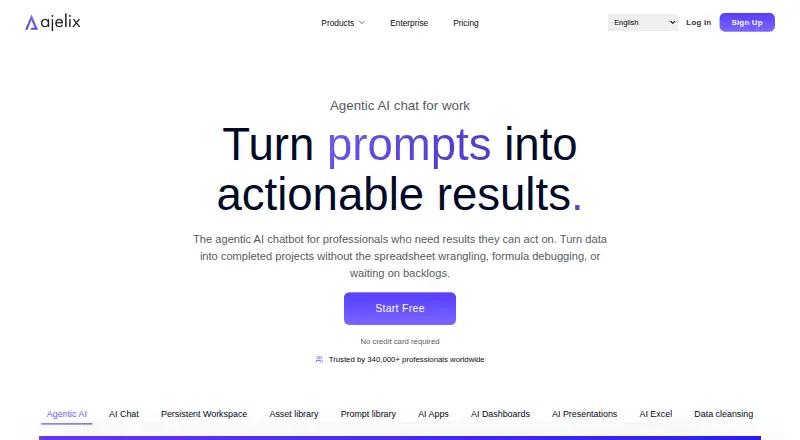
What Ajelix is
Ajelix is an AI chatbot and workspace for business professionals working with data. It can create Excel files, interactive web apps, live dashboards, PowerPoint presentations, VBA scripts, automated workflows, QR codes and cleaned datasets. Spreadsheet tools generate formulas, fix errors, create charts and calculate KPIs. Its Google Sheets add-on can build financial reports, write and run Google Apps Script, create charts and dashboards, and clean datasets. Ajelix imports Google Sheets, spreadsheets, PDFs, files and documents from more than 20 sources. Listed file types include XLSX, XLS, CSV, DOCX, PDF, PPTX and images for OCR or text extraction. In agentic chat mode, it presents an execution plan for review and approval before execution. The add-on also works in Google Docs, Slides and Forms, and Excel is supported. The free plan offers 10 requests monthly and access to all tools. Listed paid plans include Lite at $39 per user per month, billed monthly; the pricing note gives a starting price of $32 per user per month billed annually.
Good
- Free plan includes 10 requests each month.
- Imports data from more than 20 sources.
- Agentic mode asks for plan approval before execution.
- Supports Google Workspace add-ons and Excel.
Watch out
- Free requests are limited to 10 monthly.
- Subscriptions are non-refundable.
- Cancellation takes effect at the end of the billing cycle.
Who it suits
Ajelix suits business professionals in areas such as finance, operations, marketing and analytics who work with spreadsheets or other business data. Its Google Workspace add-on and Excel support serve users of those platforms.
Verdict
Ajelix combines spreadsheet work with broader data and content generation, including dashboards, presentations and workflows. Its free plan gives access to all tools but caps usage at 10 monthly requests; review the billing terms before subscribing.
Plans and prices
From Ajelix's own pricing page, checked 28 Sep 2026.
| Plan | Price | What it gives you |
|---|---|---|
| Lite | $39 a month | Standard usage · Max file: 20MB · Workspace: 500MB · 1 CPU · 1 GB RAM · user/month – billed monthly |
| Pro | $99 a month | Extended usage · Max file: 100MB · Workspace: 2GB · 2 CPUs · 4 GB RAM · user/month – billed monthly |
| Max | $199 a month | 2x pro usage · Max file: 500MB · Workspace: 10GB · 4 CPUs · 8 GB RAM · user/month – billed monthly |
| Enterprise | Priced on request | Custom pricing per request · Custom file storage · Dedicated workspace · Dedicated compute · Custom workflows · per request |
| Lite | $384 a year | Standard usage · Max file: 20MB · Workspace: 500MB · 1 CPU · 1 GB RAM · $384.00 per year (= $32.00/month, billed annually) |
| Pro | $984 a year | Extended usage · Max file: 100MB · Workspace: 2GB · 2 CPUs · 4 GB RAM · $984.00 per year (= $82.00/month, billed annually) |
| Max | $1,980 a year | 2x pro usage · Max file: 500MB · Workspace: 10GB · 4 CPUs · 8 GB RAM · $1,980.00 per year (= $165.00/month, billed annually) |
| Free plan | Free | 10 free requests monthly and all tools |
The facts
Each one read from Ajelix's own pages, with the date it was checked.
Where it runs
- Agent approval
- In agentic chat mode, Ajelix creates an execution plan for the user to review and approve before execution.checked 28 Sep 2026
What it does
- Asset Library
- Stores charts, dashboards, apps, and files for reusechecked 28 Sep 2026
- Cancellation Policy
- Cancellations take effect at the end of the current billing cyclechecked 28 Sep 2026
- Data Integrations
- Imports from Google Sheets, spreadsheets, PDFs, files, documents, and 20+ sourceschecked 28 Sep 2026
- Data sources
- Ajelix says it can import Google Sheets, spreadsheets, PDFs, files, and documents from 20+ sources.checked 28 Sep 2026
- Data use
- Ajelix states that customer data is not used to train AI models and is not shared, sold, or disclosed to third parties for unrelated purposes.checked 28 Sep 2026
- Excel Features
- Generates formulas, fixes errors, creates charts, and calculates KPIschecked 28 Sep 2026
- File support
- The quick-start documentation lists .xlsx, .xls, .csv, Google Sheets links, .docx, .pdf, .pptx, and images for OCR or text extraction.checked 28 Sep 2026
- File Upload Limit
- Files, spreadsheets, CSVs, and documents up to 1 GBchecked 28 Sep 2026
- Formula generation
- Yeschecked 20 Sep 2026
- Generated outputs
- The service can generate working Excel files, interactive web apps, live dashboards, PowerPoint presentations, VBA scripts, automated workflows, QR codes, and cleaned datasets.checked 28 Sep 2026
- Google Sheets automation
- The Google Sheets add-on can build financial reports, write and execute Google Apps Script, create charts and KPI dashboards, and clean datasets.checked 28 Sep 2026
- Integrations
- Its Google Workspace add-on operates inside Google Sheets, Google Docs, Google Slides, and Google Forms.checked 28 Sep 2026
- Paid from
- 32checked 20 Sep 2026
The company
- Company Entity
- Ajelix SIAchecked 28 Sep 2026
- Company history
- Ajelix says it was founded in 2022 by Arturs Jaunosans and Agnese Jaunosane.checked 28 Sep 2026
- Company Since
- Trusted by users around the globe since 2018checked 28 Sep 2026
- Founded
- 2022checked 28 Sep 2026
- Headquarters
- Aizkraukle, Latviachecked 28 Sep 2026
Money
- Free plan
- Yeschecked 20 Sep 2026
- Free Plan Add-ons
- Includes Excel add-in and Google Sheets add-onchecked 28 Sep 2026
- Free Plan Tools
- The free plan includes access to all toolschecked 28 Sep 2026
- Free Requests Limit
- 10 free requests every monthchecked 28 Sep 2026
- Free usage
- The pricing FAQ states that the freemium offering includes 10 free requests every month and access to all tools.checked 28 Sep 2026
The full review of Ajelix
Ajelix is an AI workspace for spreadsheet analysis, automation and finished business deliverables. It best suits professionals working in Excel or Google Workspace who also need dashboards, presentations or reusable workflows. The central trade-off is clear: its tool range is broad, but sustained use quickly moves beyond the free allowance.
Overview
Ajelix combines an agentic chatbot with a persistent workspace. It can turn imported business data into working Excel files, interactive web apps, live dashboards, PowerPoint presentations, VBA scripts, automated workflows, QR codes and cleaned datasets. In agentic chat mode, it presents an execution plan for approval before execution, providing a useful checkpoint before changes run.
It accepts .xlsx, .xls, .csv, Google Sheets links, .docx, .pdf, .pptx and images for OCR or text extraction. Files up to 1 GB are supported, and uploaded data remains available across conversations. That persistence is valuable for ongoing projects rather than one-off prompts. An asset library stores charts, dashboards, apps and files for reuse, while a prompt library turns recurring workflows into one-click templates.
Key features
- Spreadsheet assistance: Excel support covers formula generation, error correction, chart creation and KPI calculations. The Google Sheets add-on can build financial reports, write and execute Google Apps Script, create charts and KPI dashboards, and clean datasets. This goes well beyond a formula generator, although users seeking only occasional spreadsheet help may not need the wider workspace.
- Broad output generation: Ajelix produces files and applications rather than just explanations, including presentations, dashboards, web apps and automated workflows. That makes it relevant when analysis must become a shareable business artifact.
- Data import: Imports include Google Sheets, spreadsheets, PDFs, files and documents from more than 20 sources. The 1 GB file ceiling is generous for normal business material, while persistent access reduces repetitive setup.
- Sharing and reuse: Assets can be embedded, shared and scheduled. Saved prompts and the asset library favor teams with repeatable reporting or content processes.
- Google and Microsoft coverage: Add-ons operate inside Google Sheets, Docs, Slides and Forms, and the free tier includes both the Excel add-in and Google Sheets add-on. Users already split work between those ecosystems can keep the assistant close to their files.
- Controls and support: Ajelix states that it encrypts data in transit, uses access controls, audits and employee training, and does not use customer data to train AI models or disclose it for unrelated purposes. It claims GDPR compliance, 99.99% uptime and fast support from real humans.
Pricing
Ajelix uses a freemium model. The Free plan costs nothing and includes every tool, the Excel add-in and Google Sheets add-on, but limits users to 10 free requests monthly. No credit card is required to start. It is a sensible evaluation tier; the cap is restrictive for regular reporting or automation.
Lite costs $39 per user/month, billed monthly. It provides standard usage, a 20 MB maximum file, 500 MB workspace, 1 CPU and 1 GB RAM. It fits individual users with modest files, but the small file and workspace limits can become an immediate constraint for larger datasets.
Pro costs $99 per user/month, billed monthly. Extended usage, 100 MB files, 2 GB workspace, 2 CPUs and 4 GB RAM make it the more practical choice for heavier personal or small-team workloads.
Max costs $199 per user/month, billed monthly. It doubles Pro usage and raises capacity to 500 MB files, 10 GB workspace, 4 CPUs and 8 GB RAM. Choose it when larger files and compute headroom justify the substantial jump in price.
Enterprise uses custom pricing per request, with custom file storage, a dedicated workspace, dedicated compute and custom workflows. Cancellations take effect at the end of the current billing cycle, and subscriptions are non-refundable. A separate pricing note states paid access starts at $32/user/mo on annual billing, so buyers should verify the applicable annual terms before committing.
Platforms
Ajelix is available as a web service and extension. Supported environments include Google Workspace add-ons for Sheets, Docs, Slides and Forms, plus Excel. Its broadest value is for users who move between those applications rather than staying in a single spreadsheet.
Who it's for
Finance, operations, marketing, analytics and other business professionals are the natural audience. It is particularly suitable for people who need to turn spreadsheet data into reports, dashboards, presentations or automated processes, and for teams that can reuse saved workflows. It is less compelling for light spreadsheet users who will exceed ten monthly requests only rarely or who want a narrowly focused, low-cost formula assistant.
Pros and cons
Pros
- One workspace covers spreadsheet analysis, automation and finished business assets.
- Google Workspace and Excel add-ons keep core tasks inside familiar applications.
- Persistent data, reusable assets and one-click prompt templates support repeat work.
- Agent approval, stated encryption and a no-training-use data policy add practical control.
- 99.99% uptime and human support are reassuring for operational use.
Cons
- The free plan's 10 monthly requests are enough to evaluate, not to sustain active use.
- Monthly prices rise sharply from Lite to Max, while cancellations do not produce refunds.
- Lite's 20 MB file and 500 MB workspace limits may quickly rule it out for larger projects.
- The product's breadth may be unnecessary if your needs stop at formulas or basic table cleanup.
Alternatives
Grist is the better fit when you want a freemium database-style spreadsheet with a free plan offering unlimited documents, up to 5,000 records per document and 100 lifetime AI credits, plus web, desktop, API and self-hosted options.
Choose Quadratic instead if broad platform coverage matters and limited AI usage, sharing, files, connections and support are acceptable on its Personal plan.
remio suits users prioritizing webpage capture, local file parsing and integrations such as Slack and Gmail, with 500 AI credits per month on its free plan.
GPTExcel is a lower-cost spreadsheet-focused alternative: its free tier offers up to 90 credits monthly through daily check-in and requires no credit card to try.
For a lightweight free spreadsheet assistant, ExcelAI offers 20 requests per five hours on its free plan. CleanSheet AI is more narrowly aimed at cleaning and analyzing files, with five AI analyses per month on Free.
For broader comparisons, see AI Spreadsheet Tools and Spreadsheet apps.
Verdict
Choose Ajelix if you want one AI workspace that can take business data from Excel or Google Workspace through analysis, automation and polished deliverables. Its strongest reason to buy is the combination of broad outputs, persistent projects and in-app add-ons. Look elsewhere if ten monthly requests are sufficient for your needs, if you want a cheaper spreadsheet-only tool, or if recurring non-refundable billing and rising capacity prices do not fit your workflow.
Alternatives to Ajelix
- 1

Quadratic
Free planAndroidiOSWebAPI8.2From $18 a month - 2

Sourcetable
Free planAndroidiOSWebAPI8.1From $29 a month - 3

remio
Free planAndroidiOSExtensionmacOS7.6From $13.90 a month - 4
SheetFactorys
Free planAndroidiOSWebmacOS7.6From $19 a month - 5

Grist
Free planWebAPILinuxmacOS7.5From $96 a year - 6
XcelAI
Free planWebWindows7.5From $89 a year