
Piktochart
Piktochart is a web-based creation tool for infographics, presentations, documents, print materials, social media visuals, and videos.
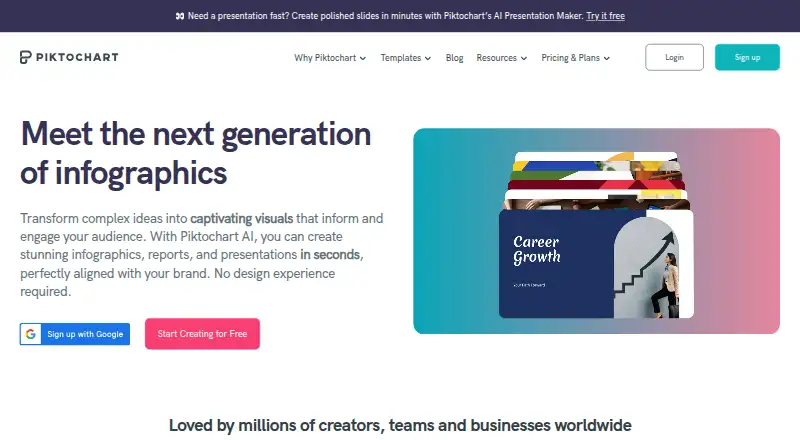
What Piktochart is
Piktochart is a web-based creation tool for infographics, presentations, documents, print materials, social media visuals, and videos. It combines templates, illustration tools, a brand kit, and presentation design, with charts that can use CSV or Google Sheets data. Piktochart AI generates visual content from prompts. Teams can share work, comment, review, and revise in a shared workspace. The Free plan includes 2 PNG downloads, 60 AI credits, free templates, 1GB of storage, and 1 to 4 team members. Pro costs $10 a month billed annually, while Business costs $17 a month billed annually; plans can be canceled at any time. Business, Education, and Nonprofit plans support PNG, PDF, and PowerPoint downloads. Enterprise includes an advanced security review, MSA support, and SSO/SAML. Support includes a knowledge base and email, with live chat on paid plans. Piktochart is available on the web, with no desktop or mobile app.
Good
- Free plan includes 2 PNG downloads and 60 AI credits.
- Imports CSV and Google Sheets data into charts.
- Shared workspace supports comments, reviews, and revisions.
- Plans can be canceled at any time.
Watch out
- Free plan storage is limited to 1GB.
- Free plan allows only 2 PNG downloads.
- No desktop or mobile app is available.
Who it suits
Piktochart suits individuals and teams making visual materials such as infographics, presentations, and videos. Its shared workspace and data imports may be useful for teams building charts together.
Verdict
Piktochart covers several visual formats and offers collaboration, data imports, and prompt-based generation in a web tool. Check the Free plan’s download and storage limits, and note that there is no desktop or mobile app.
Plans and prices
From Piktochart's own pricing page, checked 20 Sep 2026.
| Plan | Price | What it gives you |
|---|---|---|
| Free | Free | 1-4 team members · 2 downloads · 1 GB storage · 60 AI credits |
| Pro | $10 a month | 1-100 team members · Unlimited downloads · 100 GB storage · 500 AI credits · billed annually |
| Business | $17 a month | 1-100 team members · Unlimited downloads · 250 GB storage · 1,000 AI credits · billed annually |
| Enterprise | Priced on request | For enterprises needing better security, onboarding, and support · 101+ team members · 250 GB storage |
| Education | $39 a year | 1-100 team members · 100 GB storage · 250 AI credits · billed annually |
| Campus | Priced on request | Minimum 3000 seats for universities and colleges · 3000+ seats |
| Nonprofit | $60 a year | 1-100 team members · 100 GB storage · 250 AI credits · billed annually |
The facts
Each one read from Piktochart's own pages, with the date it was checked.
What it does
- AI generation
- Piktochart AI can generate visual content from prompts in under 10 seconds.checked 28 Sep 2026
- Authentication options
- The platform supports two-factor authentication and Google or Facebook authentication.checked 28 Sep 2026
- Brand kit
- Yeschecked 20 Sep 2026
- Creation tools
- Piktochart offers infographic, presentation, document, print, social media, and video tools.checked 28 Sep 2026
- Data integrations
- Users can import CSV data and dynamic data from Google Sheets into charts.checked 28 Sep 2026
- Download formats
- Business, Education, and Nonprofit support PNG, PDF, and PowerPoint downloads.checked 28 Sep 2026
- Enterprise security
- Enterprise includes an advanced security review, MSA support, and SSO/SAML.checked 28 Sep 2026
- Illustration tools
- Yeschecked 20 Sep 2026
- Premium assets
- Pro includes more than 5 million premium icons, illustrations, and 3D graphics.checked 28 Sep 2026
- Presentation design
- Yeschecked 20 Sep 2026
- Real-time collaboration
- Yeschecked 20 Sep 2026
- Support options
- Support includes a self-service knowledge base, email support, and live chat on paid plans.checked 28 Sep 2026
- Template library
- Piktochart provides templates for brochures, flyers, infographics, newsletters, presentations, resumes, and more.checked 28 Sep 2026
- Visuals created
- Piktochart reports more than 220 million visuals created.checked 28 Sep 2026
Money
- Billing cancellation
- Plans can be canceled at any time.checked 28 Sep 2026
- Free access
- Piktochart offers free creation and a basic free plan.checked 28 Sep 2026
- Free plan
- Yeschecked 20 Sep 2026
- Free plan limits
- The Free plan includes 2 PNG downloads, 60 AI credits, free templates, and 1GB storage.checked 28 Sep 2026
- Free team size
- The Free plan allows 1 to 4 team members.checked 28 Sep 2026
Where it runs
- Desktop app
- Nochecked 20 Sep 2026
- Mobile app
- Nochecked 20 Sep 2026
- Video aspect ratios
- Videos can be produced in multiple aspect ratios for platforms such as YouTube and TikTok.checked 28 Sep 2026
The company
- Founded
- 2011checked 23 Sep 2026
- Team collaboration
- Teams can share, comment, review, and make revisions in a shared workspace.checked 28 Sep 2026
The full review of Piktochart
Piktochart is a web-based visual creation platform for people and teams making infographics, presentations, documents, social content, print materials, and videos. It is strongest for teams that need multiple formats, shared review, and data-backed charts in one workspace. The main trade-off is that its most useful production capacity sits behind paid plans.
Overview
Piktochart combines a template library, illustration tools, brand kit, and prompt-based visual generation with tools for several kinds of deliverables. AI can generate visual content from prompts in under 10 seconds, while CSV and dynamic Google Sheets imports let charts use data that can change over time. This breadth makes it more useful to communications teams with varied output than to someone seeking a narrowly focused infographic tool.
Teams can share, comment on, review, and revise work in a shared workspace, giving collaborators a clear path to feedback. Piktochart supports two-factor authentication and Google or Facebook authentication. It is web-only, however, so people who need dedicated desktop or mobile apps should look elsewhere.
Key features
Formats, data, and collaboration
Tools for infographics, presentations, documents, print, social media, and video cover a wide range of routine communications. Video can be produced in multiple aspect ratios for platforms such as YouTube and TikTok. CSV and Google Sheets imports make charts more practical for recurring data-led materials, while shared review helps teams coordinate revisions without separating feedback from the work.
Templates and visual assets
Templates, a brand kit, and illustration tools support repeatable design work. Pro adds more than 5 million premium icons, illustrations, and 3D graphics, a substantial library for teams that need varied visual material. Business, Education, and Nonprofit plans support PNG, PDF, and PowerPoint downloads, giving those users more ways to move finished work into other workflows.
Pricing
Piktochart has a free plan and paid plans for individual users, teams, education, nonprofits, and larger organizations. Plans can be canceled at any time. Support includes a self-service knowledge base; paid plans also include email support and live chat.
| Plan | Price | What it includes |
|---|---|---|
| Free | free | 1–4 team members, 2 PNG downloads, 1 GB storage, and 60 AI credits |
| Pro | $10 a month, billed annually | 1–100 team members, unlimited downloads, 100 GB storage, and 500 AI credits |
| Business | $17 a month, billed annually | 1–100 team members, unlimited downloads, 250 GB storage, and 1,000 AI credits |
| Enterprise | Custom pricing | 101+ team members, 250 GB storage, advanced security review, MSA support, and SSO/SAML |
| Education | $39 a year, billed annually | 1–100 team members, 100 GB storage, and 250 AI credits |
| Campus | Custom pricing | Minimum 3000 seats for universities and colleges |
| Nonprofit | $60 a year, billed annually | 1–100 team members, 100 GB storage, and 250 AI credits |
Free is a constrained way to explore creation: 2 PNG downloads and 1 GB storage make it a poor fit for steady publishing, despite 60 AI credits and room for up to four team members. Pro is the entry point for regular production, removing the download cap and expanding storage to 100 GB. Business costs more but doubles Pro’s AI credits and adds 150 GB of storage, which suits heavier team use. Education and Nonprofit offer 100 GB and 250 AI credits at yearly prices, with the same 1–100 team-member range. Enterprise is aimed at organizations that need stronger security, onboarding, and support; Campus is for large colleges and universities needing at least 3000 seats.
Platforms
Piktochart runs on the web. There is no desktop app or mobile app, so it is not the right choice for people who need a dedicated application on either device.
Who it's for
Piktochart suits communications and education teams producing several kinds of visual content, especially when charts need imported data and colleagues need to review work together. It also makes sense for nonprofits that can use the yearly plan. A solo creator who needs only occasional graphics may find the free download limit too restrictive, while users who depend on native desktop or mobile software should choose a different platform.
Pros and cons
- Pros: One web workspace covers infographics, presentations, documents, print, social, and video, reducing the need to switch tools across formats.
- Pros: CSV and dynamic Google Sheets imports support charts that reflect changing data.
- Pros: Shared commenting, review, and revision help teams coordinate approvals.
- Pros: Pro includes more than 5 million premium visual assets, and Business, Education, and Nonprofit support PNG, PDF, and PowerPoint downloads.
- Cons: Free permits only 2 PNG downloads, limiting its usefulness for ongoing publishing.
- Cons: The web-only platform has no desktop or mobile app.
Alternatives
Visme is worth considering if native Windows, macOS, or iOS apps matter; its free Basic plan includes 500 MB storage and 50 slides or pages per project. Infogram is an option for users prioritizing interactive charts: its Basic plan includes 35+ chart types, up to 10 projects, and online publishing. MilleMots is a mobile alternative on Android and iOS, with a free plan allowing three infographics per month and one free edit per month. Datastory may suit users focused on data visualizations; its free Starter plan includes 10 visualizations, up to three team members, and 100 AI credits per month. GetInfographic is another freemium infographic option, available on web, as an extension, and through an API. InfographicMaker.org offers a free Starter plan with five infographic drafts, community templates, and PNG export. Jeda.ai is a web-based freemium alternative with a free trial. MakeInfographic.ai has a free tier with 20 monthly credits and five 1K infographics per month.
For category-specific comparisons, browse AI Infographic Makers, AI Poster Generators, Infographic Makers, Poster Maker Software, Social Media Post Maker Software, and Social Media Template Libraries.
Verdict
Piktochart is a strong fit for teams that need varied visual formats, data-connected charts, and shared review in a single web workspace. Its broad toolset and collaboration are the main reasons to choose it; the free plan’s two-download cap and the lack of desktop and mobile apps are the clearest reasons to look elsewhere.