
phpMyAdmin
phpMyAdmin is free software written in PHP for administering MySQL and MariaDB over the web.
What phpMyAdmin is
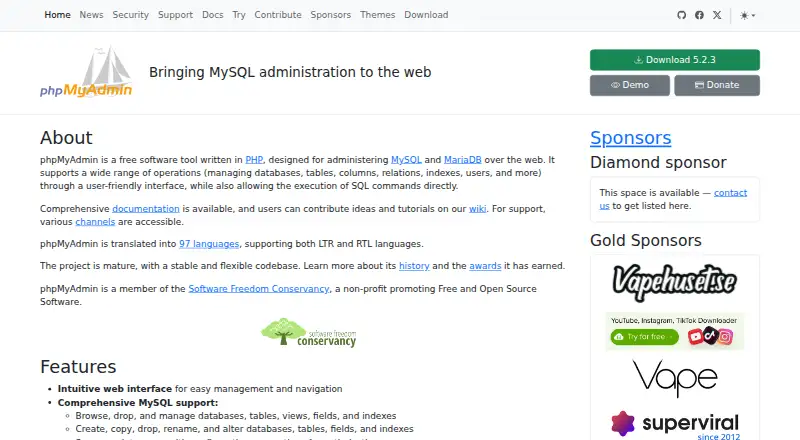
phpMyAdmin is free software written in PHP for administering MySQL and MariaDB over the web. It lets users manage databases, tables, columns, relations, indexes, and users, as well as run SQL commands. Import options include CSV and SQL; exports include CSV, SQL, XML, PDF, OpenDocument, Word, and LaTeX. For environments with multiple servers, its multi-server administration provides centralized control. Other tools include graphical schema visualization, query-by-example, and search across tables, columns, or databases.
The project says the software is translated into 98 languages and supports both left-to-right and right-to-left languages. It is self-hosted, with downloads and installation guidance, an official Docker image, and Composer installation. The current stable 5.2 release requires PHP 7.2 or newer and MySQL or MariaDB 5.5 or newer. That version receives security fixes and feature updates; selected long-term support versions receive security fixes only. phpMyAdmin is available for Linux and web deployments, with a free plan. The project began in 1998, and a group of developers took over development in 2001.
Good
- Administers both MySQL and MariaDB
- Imports CSV and SQL files
- Exports to CSV, SQL, XML, PDF, and other formats
- Supports centralized administration across multiple servers
- Translated into 98 languages
Watch out
- Self-hosted deployment requires installation
- Stable 5.2 requires PHP 7.2 or newer
- Stable 5.2 requires MySQL or MariaDB 5.5 or newer
Who it suits
phpMyAdmin suits people who administer MySQL or MariaDB databases and want web-based tools for queries, data movement, and schema work. Its self-hosted deployment and stated software requirements are relevant when planning installation.
Verdict
phpMyAdmin provides a broad set of web-based database administration tools at no software cost. Before installing, check the PHP and database requirements for the stable 5.2 release and choose a supported version.
Plans and prices
From phpMyAdmin's own pricing page, checked 5 Oct 2026.
| Plan | Price | What it gives you |
|---|---|---|
| phpMyAdmin | Free | Free software tool for administering MySQL and MariaDB over the web |
The facts
Each one read from phpMyAdmin's own pages, with the date it was checked.
What it does
- Commercial support
- Commercial installation help or custom-feature work may be sought through the development mailing list, but those services are not connected with the project team and their quality is not guaranteed.checked 5 Oct 2026
- Database operations
- It supports managing databases, tables, columns, relations, indexes, and users, as well as executing SQL commands.checked 5 Oct 2026
- History
- Tobias Ratschiller began the project in 1998, and a group of developers took over its development in 2001.checked 5 Oct 2026
- Import and export
- It can import CSV and SQL and export to CSV, SQL, XML, PDF, OpenDocument, Word, and LaTeX formats.checked 5 Oct 2026
- Installation
- The project provides downloads and installation guidance, and maintains an official Docker image; phpMyAdmin is also installable using Composer.checked 5 Oct 2026
- Localization
- The project says it is translated into 98 languages and supports both left-to-right and right-to-left languages.checked 5 Oct 2026
- Multi-server
- The features page describes multi-server administration for centralized control over multiple MySQL servers.checked 5 Oct 2026
- Purpose
- phpMyAdmin is a free software tool written in PHP for administering MySQL and MariaDB over the web.checked 5 Oct 2026
- Query and schema tools
- Features include graphical database schema visualization, query-by-example, and global search across tables, columns, or databases.checked 5 Oct 2026
- Release verification
- The download page provides PGP signatures and SHA256 checksums for stable release packages.checked 5 Oct 2026
- Requirements
- The current stable 5.2 release requires PHP 7.2 or newer and MySQL or MariaDB 5.5 or newer.checked 5 Oct 2026
- Security reporting
- The security page asks users to report code security issues to the security team before public disclosure and says critical issues receive a security release.checked 5 Oct 2026
- Support
- The project directs how-to and error questions to Stack Overflow, confirmed bugs to its issue tracker, and code questions to its developers mailing list.checked 5 Oct 2026
- Version support
- The current stable version receives security fixes and feature updates, while selected long-term support versions receive security fixes only.checked 5 Oct 2026
The company
- Founded
- 1998checked 28 Sep 2026
The full review of phpMyAdmin
phpMyAdmin is a free, PHP-based web tool for administering MySQL and MariaDB. It suits people who manage those databases on their own Linux or self-hosted systems and want a wide range of administration tools in a browser. Its breadth and zero software cost make it a strong fit for database work; its PHP and database version requirements are the main constraints.
Overview
Created in 1998, phpMyAdmin has been developed by a group of contributors since 2001. It puts everyday database administration and direct SQL work in a web interface, covering everything from tables and users to imports, exports, and schema exploration. That range is useful when one tool needs to serve several administrative tasks, though it is specifically for MySQL and MariaDB rather than a general-purpose interface for any database engine.
Key features
Administrators can manage databases, tables, columns, relations, indexes, and users, with support for roles and permissions. SQL commands can be run directly, while query-by-example offers a graphical route for constructing queries. Global search across tables, columns, or databases and graphical schema visualization help with navigating larger or less familiar data structures.
Import support covers CSV and SQL. Exports include CSV, SQL, XML, PDF, OpenDocument, Word, and LaTeX, giving users several options for moving or presenting data. Multi-server administration adds centralized control over multiple MySQL servers, which is useful for administrators responsible for more than one server.
The interface is translated into 98 languages and supports both left-to-right and right-to-left languages. Installation options include project downloads and guidance, an official Docker image, and Composer. Stable release packages come with PGP signatures and SHA256 checksums, giving administrators a way to verify downloads.
Pricing
The phpMyAdmin plan costs nothing. It is free software with no software charge, making it a practical choice for individuals and teams that can host and maintain it themselves. There is no free trial because the software is free; self-hosting still means the administrator is responsible for providing the environment.
There is no paid tier to unlock in-product features. The trade-off is that installation help or custom-feature work may require outside commercial support: the project says such services can be sought through its developers mailing list, but they are not connected with the project team and their quality is not guaranteed.
Platforms
phpMyAdmin is web-based and self-hosted, with Linux among its supported platforms. The current stable 5.2 release requires PHP 7.2 or newer and MySQL or MariaDB 5.5 or newer, so existing environments below either minimum will need updating before deployment. The current stable version receives security fixes and feature updates; selected long-term support versions receive security fixes only.
Who it's for
Choose phpMyAdmin if you administer MySQL or MariaDB and want browser-based access to both routine database management and more involved work such as SQL execution, cross-database search, schema viewing, or multi-server control. Its free software model and flexible installation routes suit users comfortable managing a self-hosted stack.
Look elsewhere if your database is neither MySQL nor MariaDB, or if you need a hosted service rather than software to install and operate. It is also a poor fit for an environment that cannot meet the current stable release's PHP and database minimums.
Pros and cons
- Pro: Broad coverage of database objects, users, SQL, imports, and exports makes one free tool useful across many administration tasks.
- Pro: Multi-server control, global search, and schema visualization are valuable for managing multiple servers or navigating complex data.
- Pro: Docker, Composer, and standard downloads give administrators several deployment paths; signed packages and checksums support release verification.
- Con: It is limited to MySQL and MariaDB, so users of other database engines need a different tool.
- Con: Self-hosting and the PHP and database minimums put setup and compatibility responsibility on the administrator.
- Con: Commercial installation or customization help is not backed by the project team, and its quality is not guaranteed.
Alternatives
For a broader comparison, browse Database Administration Tools. Choose DbNinja if you want to compare a freemium database administration option with support across Linux, macOS, Windows, and self-hosted web environments. ClusterControl is worth considering when deployment and monitoring, performance advisors, and community support are priorities; its Community plan is free forever, while Self-serve costs €250 a month.
OpenEverest is another free, open-source option for people who want to deploy and customize software without licensing fees. Choose pgAdmin instead when PostgreSQL is the database you need to administer. YugabyteDB Anywhere offers an evaluation license for up to 32 consecutive calendar days, while production use requires a commercial production license.
Adminer is a free alternative for users whose environment meets its PHP 5.3+, 7, or 8 requirement with sessions enabled. Neo4j is a freemium, self-hosted option to consider when a graph database is the relevant alternative. Trusted Postgres Architect is a free Linux and self-hosted alternative for PostgreSQL administration.
Verdict
phpMyAdmin is a compelling choice for administrators who want extensive web-based tools for MySQL or MariaDB without paying for the software. Its combination of object management, SQL, import and export, search, schema visualization, and multi-server control is the clearest reason to choose it. Look elsewhere if you need a different database engine, cannot meet its runtime requirements, or do not want to manage a self-hosted installation.
Alternatives to phpMyAdmin
- 1

IBM Db2
Free planWebAPILinuxSelf-hosted7.4From $630 a month - 2

Neo4j
Free planSelf-hosted7.0From $65 a month - 3

ClusterControl
Free planWebAPILinuxSelf-hosted6.8From €250 a month - 4

YugabyteDB Anywhere
Free planWebAPILinuxSelf-hosted6.5Free plan - 5

DbNinja
Free planWebLinuxmacOSSelf-hosted6.4Free plan - 6
Oracle Maestro
Windows6.4$129 one-time