
OpenEverest
OpenEverest is a free, open-source platform for provisioning and managing databases, storage, and LLMs on Kubernetes.
What OpenEverest is
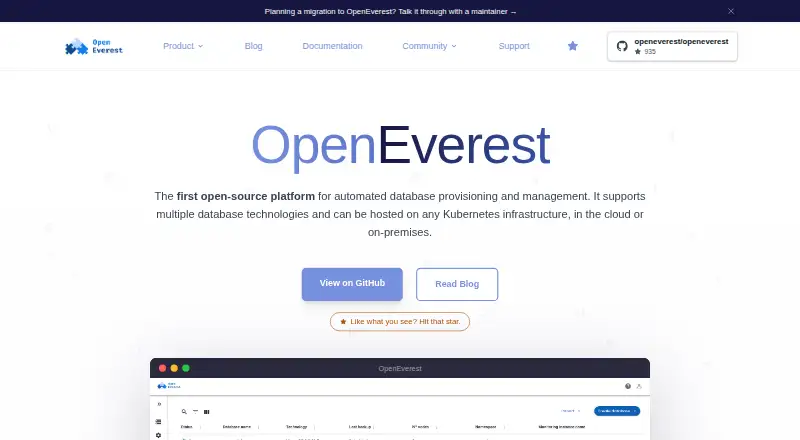
OpenEverest is a free, open-source platform for provisioning and managing databases, storage, and LLMs on Kubernetes. Teams can create instances through its interface, API, or CLI, selecting topologies, versions, and presets. The listed workloads include MySQL, MariaDB, MongoDB, PostgreSQL, ClickHouse, Microsoft SQL Server, TiDB, Valkey, Apache Cassandra, and KServe. Users can adjust CPU, memory, and storage, or add nodes, shards, and replicas as workloads change. Backup features include scheduled copies to S3-compatible storage, point-in-time recovery, and creating an instance from a backup. OpenEverest can send metrics to an existing observability stack without requiring a particular monitoring tool. TLS, generated credentials, and role-based access control are listed as built-in protections. It runs on Kubernetes in public or private clouds, on bare metal, or on-premises. A guided interface covers storage classes, pod scheduling, external access, and database engine parameters. The project says its components are available under Apache 2.0. Version 1 is the current release; version 2 remains a developer preview that is not feature-complete or intended for production.
Good
- Free and open-source under Apache 2.0
- Provision instances through UI, API, or CLI
- Supports scheduled backups and point-in-time recovery
- Runs across cloud, bare-metal, and on-premises Kubernetes
Watch out
- Version 2 is a developer preview
- Version 2 is not intended for production
- Deployment requires Kubernetes
Who it suits
OpenEverest suits teams managing Kubernetes-based database workloads that want provisioning through a UI, API, or CLI. It can also fit teams deploying on public or private clouds, bare metal, or on-premises infrastructure.
Verdict
OpenEverest provides broad database provisioning and management capabilities with multiple deployment options. Use the current version for production; version 2 is explicitly a preview.
Plans and prices
From OpenEverest's own pricing page, checked 4 Oct 2026.
| Plan | Price | What it gives you |
|---|---|---|
| OpenEverest | Free | 100% open source · no licensing fees · deploy and customize to your needs |
The facts
Each one read from OpenEverest's own pages, with the date it was checked.
What it does
- Backups
- The platform supports scheduled backups to S3-compatible storage, point-in-time recovery, and cloning an instance from a backup.checked 4 Oct 2026
- Configuration
- A guided interface supports configuration of storage classes, pod scheduling, external access, and database engine parameters.checked 4 Oct 2026
- Deployment
- OpenEverest can run on Kubernetes in public or private clouds, on bare metal, or on-premises.checked 4 Oct 2026
- Extensions
- The Extension Hub is the official catalog for database providers and plugins, and the site says users can build providers with the Provider SDK.checked 4 Oct 2026
- License
- The project says its components are available under the Apache 2.0 license.checked 4 Oct 2026
- Logs and topology
- The homepage describes an interactive topology view for inspecting proxies, pods, and containers, plus in-app Kubernetes pod log streaming and search.checked 4 Oct 2026
- Monitoring
- OpenEverest can plug metrics into an existing observability stack and does not require a particular monitoring tool.checked 4 Oct 2026
- Provisioning
- Teams can create databases through the UI, API, or CLI, with topologies, versions, and presets.checked 4 Oct 2026
- Purpose
- OpenEverest is an open-source platform for automated provisioning and management of databases, storage, and LLMs on Kubernetes.checked 4 Oct 2026
- Release status
- The repository says v1 is the current released version and v2 is a developer preview that is not feature-complete or intended for production.checked 4 Oct 2026
- Scaling
- Users can add nodes, shards, or replicas and adjust CPU, memory, and storage as workloads change.checked 4 Oct 2026
- Security
- The site lists TLS, generated credentials, and role-based access control as built-in protections.checked 4 Oct 2026
- Support
- The project offers community help through CNCF Slack, issues, discussions, and meetings, and lists certified partners for commercial support.checked 4 Oct 2026
- Workloads
- The site lists MySQL, MariaDB, MongoDB, PostgreSQL, ClickHouse, Microsoft SQL Server, TiDB, and Valkey, and its FAQ also names Apache Cassandra and KServe.checked 4 Oct 2026
The full review of OpenEverest
Overview
OpenEverest is an open-source Kubernetes platform for provisioning and managing databases, storage, and LLMs. It suits teams that want to run database services on infrastructure they control, with a choice of interface and deployment environment. Its breadth is compelling, though production users should stay on v1: v2 remains a preview.
Key features
Teams can create database instances from the UI, API, or CLI, choosing topology, version, and presets. That flexibility helps teams standardize deployments while leaving room to tailor them; it also makes OpenEverest a better fit for Kubernetes operators than for someone seeking a standalone desktop administration tool.
Workload coverage includes MySQL, MariaDB, MongoDB, PostgreSQL, ClickHouse, Microsoft SQL Server, TiDB, and Valkey; the FAQ also names Apache Cassandra and KServe. The platform can scale by adding nodes, shards, or replicas and adjusting CPU, memory, and storage. This gives operators several ways to respond to changing workloads, but requires them to manage the underlying Kubernetes environment.
Scheduled backups to S3-compatible storage, point-in-time recovery, and instance cloning from a backup support recovery and repeatable environments. Built-in TLS, generated credentials, and role-based access control address common operational security needs. Metrics can feed an existing observability stack, without tying teams to a particular monitoring tool.
A guided configuration interface covers storage classes, pod scheduling, external access, and engine parameters. The interactive topology view and in-app Kubernetes pod log streaming and search give operators a direct way to inspect running components. The Extension Hub catalogs database providers and plugins, and the Provider SDK lets teams build providers; that extensibility is useful when the catalog alone does not cover a requirement, but entails provider development.
OpenEverest's components are offered under the Apache 2.0 license. Community help is available through CNCF Slack, issues, discussions, and meetings, while certified partners offer commercial support. Teams that need paid support can therefore turn to partners, though the community channels are the project's direct support routes.
Pricing
The OpenEverest plan costs free. It is 100% open source, has no licensing fees, and can be deployed and customized to users' needs. That makes it a strong fit for teams able to operate the platform themselves; the trade-off is that commercial support comes through certified partners rather than a paid plan described here. There is no free trial because the plan is free.
OpenEverest is self-hosted, with public or private cloud, bare-metal, and on-premises Kubernetes deployment options. Its supported database engines include PostgreSQL, MySQL, and MongoDB; it also supports automated provisioning, high-availability management, and roles and permissions.
Platforms
OpenEverest supports API, Linux, macOS, self-hosted, and web access. The deployment model is self-hosted on Kubernetes, so the range of access platforms does not remove the need to provide and operate Kubernetes infrastructure.
Who it's for
OpenEverest is best suited to teams managing database services on Kubernetes that want broad engine coverage, configurable provisioning, and control over where services run. It is less suitable for teams seeking a managed service that removes infrastructure operations, or anyone planning to deploy v2 in production: v2 is a developer preview, is not feature-complete, and is not intended for production. The repository identifies v1 as the current released version.
Pros and cons
- Pro: UI, API, and CLI provisioning plus adjustable topology and resources give teams several ways to standardize and adapt database deployments.
- Pro: Scheduled S3-compatible backups, point-in-time recovery, and backup-based cloning cover useful recovery and duplication workflows.
- Pro: Kubernetes deployment across cloud, bare metal, and on-premises environments gives operators control over placement.
- Con: Self-hosting means teams need to run Kubernetes and take responsibility for the operating environment.
- Con: Production use should remain on v1; v2 is explicitly not production-ready.
- Con: Direct project support is community-based, so teams needing commercial support must look to certified partners.
Alternatives
For a wider comparison, see Database Administration Tools.
ClusterControl is worth considering for teams that want a freemium option with a forever-free Community plan for deployment, monitoring, performance advisors, and community support, or a paid Self-serve plan at €250 a month.
Oracle Enterprise Manager may suit teams already covered by an Oracle software license or support contract: its base features are included with one, while additional management packs and options are separate.
YugabyteDB Anywhere is an alternative for teams evaluating a platform with a free license for up to 32 consecutive calendar days, with a commercial production license required for production.
Trusted Postgres Architect is another free, self-hosted option.
MongoDB Ops Manager is an option for teams seeking MongoDB Enterprise Advanced, which includes Ops Manager and is priced by contacting MongoDB.
EDB Postgres AI Hybrid Manager is a paid alternative that includes Hybrid Manager with EDB Postgres AI Enterprise Postgres.
IBM Db2 offers a free plan capped at 200 MB of storage and five connections, as well as a Performance plan at $630 a month, billed hourly, with 4 vCPUs and 50 GB storage and expansion up to 128 vCPUs, 40 TB, and unlimited connections.
SQL Server Management Studio is a free, Windows-only alternative.
Verdict
Choose OpenEverest if your team can operate Kubernetes and wants a free, open-source platform to provision and manage a range of database workloads across infrastructure it controls. Its combination of deployment flexibility, scaling, recovery, and extensibility is the central draw. Look elsewhere if you need a managed service, or if production deployment on v2 is a requirement.
Getting started
- Open the OpenEverest website
- Deploy it on Kubernetes in a public or private cloud, bare metal or on-premises
- Choose the UI, API or CLI provisioning route
- Configure storage, scheduling, external access and engine parameters
- Create a database using a topology, version and preset
- Connect metrics to your existing observability stack
Limits worth knowing
Version 1 is the current released version. Version 2 is a developer preview that is not feature-complete or intended for production.
Questions
Does OpenEverest cost anything?
The OpenEverest plan is free at 0.00 USD, with no licensing fees.
Is OpenEverest open source?
Yes. Its components are available under the Apache 2.0 license.
Which platforms are supported?
OpenEverest lists API, Linux, macOS, self-hosted and web platforms.
Which databases can it manage?
Listed engines include PostgreSQL, MySQL, MongoDB, MariaDB, ClickHouse, Microsoft SQL Server, TiDB and Valkey. The FAQ also names Apache Cassandra and KServe.
Does it provide high availability and permissions?
The plan lists automated provisioning, high availability management, and roles and permissions.
Is there a free trial?
No. The facts list a free plan and no free trial.
Alternatives to OpenEverest
- 1

IBM Db2
Free planWebAPILinuxSelf-hosted7.4From $630 a month - 2

Neo4j
Free planSelf-hosted7.0From $65 a month - 3

ClusterControl
Free planWebAPILinuxSelf-hosted6.8From €250 a month - 4

YugabyteDB Anywhere
Free planWebAPILinuxSelf-hosted6.5Free plan - 5

DbNinja
Free planWebLinuxmacOSSelf-hosted6.4Free plan - 6
Oracle Maestro
Windows6.4$129 one-time