
ClusterControl
ClusterControl is a database automation platform for managing open-source and source-available databases across on-premises, cloud, and hybrid environments.
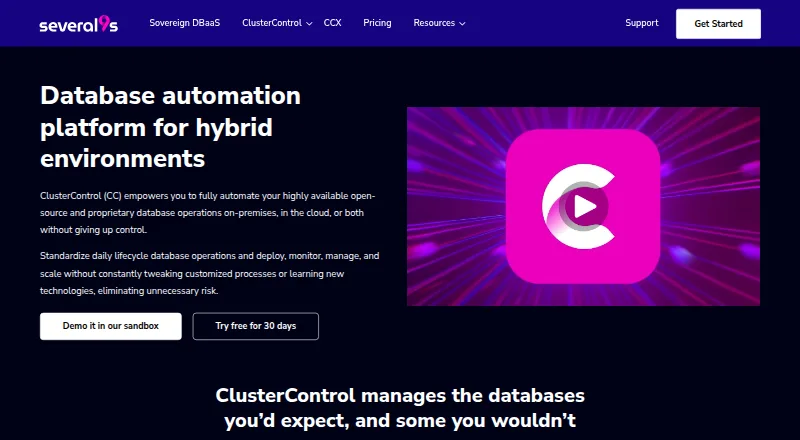
What ClusterControl is
ClusterControl is a database automation platform for managing open-source and source-available databases across on-premises, cloud, and hybrid environments. It supports MySQL, MariaDB, PostgreSQL, SQL Server on Linux, ClickHouse, Galera Cluster, TimescaleDB, Elasticsearch, MongoDB, Valkey, and Redis. Teams can use it for deployment, security, backups, scaling, failover, monitoring, upgrades, configuration management, reporting, integrations, and DevOps work. Available interfaces include a command-line tool, API, graphical interface, and Terraform provider. Deployments can run on-premises, across multiple clouds, or on Kubernetes; installation in offline and air-gapped environments is also supported. ClusterControl describes automated, verified backups and point-in-time recovery, with availability depending on database and plan. The free Community plan provides deployment and monitoring. Self-serve costs €250 per month, with an alternative rate of €0.35 per node per hour, and covers clusters of two to five nodes. A host needs x86_64 architecture, more than 2 GB RAM, more than 2 CPU cores, and more than 40 GB disk space. Severalnines, its maker, is headquartered in Kalmar, Sweden, and says it was founded in 2011.
Good
- Supports a wide range of open-source and source-available database engines.
- Provides deployment, scaling, failover, monitoring, and upgrade operations.
- Offers CLI, API, GUI, and Terraform provider interfaces.
- Supports offline and air-gapped installation.
- Enterprise includes RBAC, LDAP/Active Directory, key management, and TLS encryption.
Watch out
- Self-serve is limited to clusters of two to five nodes.
- Self-serve lists community support.
- Backup capabilities vary by database and plan.
Who it suits
ClusterControl suits teams that need to automate database operations across on-premises, cloud, or Kubernetes environments, including teams working with its supported engines. It can also suit organizations that need offline installation or enterprise access controls and support, though those security features are listed for Enterprise.
Verdict
Choose ClusterControl if you need database automation across hybrid environments and want a free tier for deployment and monitoring. Self-serve costs €250 per month and is capped at five nodes; teams needing business-hours or 24×7 support should review the higher plans.
Plans and prices
From ClusterControl's own pricing page, checked 29 Sep 2026.
| Plan | Price | What it gives you |
|---|---|---|
| Community | Free | Deploy and monitor · Performance advisors · Community support · Free forever |
| Self-serve | €250 a month | 2 to 5 node clusters · Community support · Up to 5 nodes · Monthly subscription; also shown as €0.35 per node, per hour |
| Advanced | Priced on request | Load balancers · Scaling and failover · Backup and recovery · Monitoring and alerting · Database user management · Business-hours support · 12 incidents per year · Annual for standard Advanced plans |
| Enterprise | Priced on request | CC Ops Centre · Backup verification · Ops reports and audit logs · RBAC and LDAP/Active Directory · Key management and TLS encryption · 24×7 web/email/phone support · Unlimited incidents · Annual for standard Enterprise plans |
The facts
Each one read from ClusterControl's own pages, with the date it was checked.
What it does
- Backups
- The product describes automated, verified backups and point-in-time recovery, with backup capabilities varying by database and plan.checked 29 Sep 2026
- Certifications
- Severalnines states that it is ISO/IEC 27001:2022 certified and SOC 2 Type II certified.checked 29 Sep 2026
- Database support
- The product lists MySQL, MariaDB, PostgreSQL, SQL Server on Linux, ClickHouse, Galera Cluster, TimescaleDB, Elasticsearch, MongoDB, Valkey, and Redis.checked 29 Sep 2026
- Deployment environments
- ClusterControl supports on-premises, multi-cloud, and Kubernetes deployments.checked 29 Sep 2026
- Developer interfaces
- The product offers a CLI, API, GUI, and Terraform provider.checked 29 Sep 2026
- Install requirements
- The stated minimum ClusterControl host requirements are x86_64 architecture, more than 2 GB RAM, more than 2 CPU cores, and more than 40 GB disk space.checked 29 Sep 2026
- Integrations
- The installer page lists deployment through an official Helm chart, Ansible playbook, or Puppet module, and marketplace launches through DigitalOcean, gridscale, Vultr, Linode, and Google Cloud Platform.checked 29 Sep 2026
- Offline deployment
- ClusterControl supports installation in offline and air-gapped environments.checked 29 Sep 2026
- Operations
- Its listed operations include deployment, security, backup, scaling, failover, monitoring, integrations, upgrades, configuration management, reporting, and DevOps tools.checked 29 Sep 2026
- Purpose
- ClusterControl is a hybrid database automation platform for automating open-source and source-available databases on-premises, in the cloud, or both.checked 29 Sep 2026
- Security features
- Enterprise includes key management, role-based access control, LDAP/Active Directory authentication, backup encryption, audit logs, and TLS encryption.checked 29 Sep 2026
- Support
- Community and Self-serve plans list community support; Advanced lists business-hours support, while Enterprise lists 24×7 web, email, and phone support.checked 29 Sep 2026
- Supported operating systems
- The installer page lists Red Hat Enterprise Linux 8.x/9.x, Rocky Linux 8.x/9.x, AlmaLinux 8.x/9.x, Ubuntu 18.04/20.04/22.04/24.04 LTS, Debian 10.x/11.x/12.x, and SUSE Linux Enterprise Server 15 SP3/SP4.checked 29 Sep 2026
The company
- Company history
- Severalnines says its founders were former MySQL employees and the pricing page states the company was founded in 2011.checked 29 Sep 2026
- Headquarters
- Kalmar, Swedenchecked 23 Sep 2026
The full review of ClusterControl
Overview
ClusterControl is a hybrid platform for automating the deployment and operation of open-source and source-available databases on premises, in the cloud, or across both. It is aimed at teams responsible for multiple database engines or environments that want provisioning and ongoing operations in one system. Its wide engine support and air-gapped installation option stand out, while the five-node Self-serve ceiling and custom-priced support tiers put a premium on matching the plan to the workload.
Key features
ClusterControl covers deployment, security, backups, scaling, failover, monitoring, upgrades, configuration management, integrations, reporting, and DevOps tools. Supported engines range from MySQL, MariaDB, and PostgreSQL to ClickHouse, MongoDB, Redis, and Elasticsearch, along with SQL Server on Linux, Galera Cluster, TimescaleDB, and Valkey. This breadth is useful for mixed-database estates; a team operating only one engine may not need a cross-engine operations layer.
Operations can be managed through a CLI, API, GUI, or Terraform provider, with deployments supported on premises, across multiple clouds, and on Kubernetes. Automated provisioning and high-availability management make it more than a monitoring console. The product also describes automated, verified backups and point-in-time recovery, but backup capabilities vary by engine and plan, so recovery requirements should be checked against the intended tier.
Installation paths include a Helm chart, Ansible playbook, and Puppet module, plus marketplace launches through DigitalOcean, gridscale, Vultr, Linode, and Google Cloud Platform. Offline and air-gapped installation is supported, a meaningful advantage for restricted environments. The ClusterControl host minimums—x86_64, more than 2 GB RAM, more than 2 CPU cores, and more than 40 GB of disk—are modest, though they are minimum requirements rather than a sizing guide for production workloads.
Supported host operating systems include Red Hat Enterprise Linux 8.x/9.x, Rocky Linux 8.x/9.x, AlmaLinux 8.x/9.x, Ubuntu 18.04/20.04/22.04/24.04 LTS, Debian 10.x/11.x/12.x, and SUSE Linux Enterprise Server 15 SP3/SP4. Severalnines holds ISO/IEC 27001:2022 and SOC 2 Type II certifications. Enterprise adds key management, role-based access control, LDAP/Active Directory authentication, backup encryption, audit logs, and TLS encryption; organizations requiring these controls should account for Enterprise’s custom pricing.
Pricing
ClusterControl uses a freemium model, with a free plan, paid subscriptions from €250 per month, and a 30-day trial. The price and node limit make the distinction between experimentation and sustained multi-node operations important.
| Plan | Price and term | What it includes |
|---|---|---|
| Community | free; free forever | Deployment and monitoring, performance advisors, and community support. |
| Self-serve | €250 a month; monthly subscription; also shown as €0.35 per node, per hour | Clusters of 2 to 5 nodes, capped at five nodes, with community support. |
| Advanced | Custom pricing; standard plans billed annually | Load balancers, scaling and failover, backup and recovery, monitoring and alerting, database user management, business-hours support, and 12 incidents per year. |
| Enterprise | Custom pricing; standard plans billed annually | CC Ops Centre, backup verification, operations reports and audit logs, RBAC and LDAP/Active Directory, key management and TLS encryption, 24×7 web, email, and phone support, and unlimited incidents. |
Community is a sensible starting point for deployment and monitoring, but it does not include the broader paid-plan operations or higher support levels. Self-serve puts a clear price on small clusters, yet its five-node cap and community-only support make it a poor fit for growing estates or teams that need a response commitment. Advanced suits organizations that want scaling, recovery, alerting, and business-hours assistance; Enterprise is the choice for stronger access and audit controls or round-the-clock support. Both higher tiers are custom priced, so budget comparisons require a quote.
Platforms
ClusterControl is available for API, Linux, self-hosted, and web environments. Its hybrid deployment model covers on-premises, multi-cloud, and Kubernetes use. The range is practical for infrastructure teams working across deployment models, but the listed host operating systems are Linux distributions rather than desktop platforms.
Who it's for
ClusterControl is best suited to infrastructure and database teams managing several supported engines, hybrid deployments, or operational tasks spanning provisioning, high availability, monitoring, and recovery. Offline installation and the broad Linux support also make it relevant to environments with tighter network constraints. It is less compelling for a small single-engine setup that needs only a database administration interface, or for teams whose requirements exceed five nodes but cannot justify a custom-priced tier.
Pros and cons
- Broad database coverage: supports a varied set of relational, clustered, and other database engines, making one operations layer more useful in mixed estates.
- Flexible deployment and interfaces: on-premises, multi-cloud, Kubernetes, CLI, API, GUI, and Terraform support suit different operational workflows.
- Air-gapped installation: offline deployment is a concrete benefit for restricted networks.
- Low entry barrier: Community is free forever and includes deployment and monitoring, while Self-serve provides a paid path for clusters up to five nodes.
- Important capabilities are tiered: advanced scaling, recovery, business-hours support, security controls, and 24×7 support require higher plans, with custom pricing for Advanced and Enterprise.
- Self-serve is tightly capped: the five-node limit can force a plan change as a cluster grows, and support remains community-based.
Alternatives
Database Administration Tools is a useful category page for comparing products if ClusterControl’s broad automation scope is more than a team needs.
- DbNinja is worth considering for readers who want a freemium database tool with a free plan and Linux, macOS, self-hosted, web, and Windows platforms.
- OpenEverest is the clearer choice for teams prioritizing a free, fully open-source option with no licensing fees and the ability to deploy and customize it.
- pgAdmin suits PostgreSQL-focused users who want a free, open-source administration tool rather than ClusterControl’s multi-engine automation.
- YugabyteDB Anywhere may fit teams evaluating YugabyteDB-specific management, with a free evaluation license for up to 32 consecutive calendar days and a commercial production license required for production use.
- Adminer is a free alternative for users seeking a lightweight web database administration tool that supports PHP 5.3+, 7, and 8 with enabled sessions.
- phpLiteAdmin is a free option for SQLite administration when a PHP server and a supported SQLite extension are available.
- phpMyAdmin is a free web-based choice for administering MySQL and MariaDB.
- Trusted Postgres Architect is another free option for readers seeking a PostgreSQL-focused tool.
Verdict
Choose ClusterControl when a team needs one automation layer across multiple database engines and hybrid environments, especially if offline deployment matters. Its free deployment and monitoring tier and broad operational scope are strong entry points, but the five-node Self-serve cap, community-only support on the lower plans, and custom pricing for richer controls make it less suitable for expanding fleets that need predictable costs or guaranteed support.
Getting started
- Visit the ClusterControl website.
- Choose the free Community plan or review the paid plans; a 30-day trial is available.
- Prepare an x86_64 host with more than 2 GB RAM, more than 2 CPU cores, and more than 40 GB disk space.
- Install using an official Helm chart, Ansible playbook, Puppet module, or an available marketplace launch.
- Use the CLI, API, GUI, or Terraform provider to manage databases.
Limits worth knowing
The free Community plan covers deployment and monitoring. Self-serve supports clusters of two to five nodes, and backup capabilities vary by database and plan.
Questions
Is ClusterControl free?
Yes. The Community plan is free forever and includes deployment, monitoring, performance advisors, and community support.
How much does Self-serve cost?
Self-serve costs €250 per month, and is also listed at €0.35 per node per hour. It covers clusters of two to five nodes.
Is there a free trial?
Yes, ClusterControl offers a 30-day trial.
Which databases does it support?
Supported engines include MySQL, MariaDB, PostgreSQL, SQL Server on Linux, ClickHouse, Galera Cluster, TimescaleDB, Elasticsearch, MongoDB, Valkey, and Redis.
What platforms and deployment environments are supported?
Listed platforms include API, Linux, self-hosted, and web. Deployment options include on-premises, multi-cloud, and Kubernetes, with offline and air-gapped installation supported.
What support do the plans provide?
Community and Self-serve list community support. Advanced lists business-hours support, while Enterprise lists 24×7 web, email, and phone support.
Alternatives to ClusterControl
- 1

IBM Db2
Free planWebAPILinuxSelf-hosted7.4From $630 a month - 2

Neo4j
Free planSelf-hosted7.0From $65 a month - 3

YugabyteDB Anywhere
Free planWebAPILinuxSelf-hosted6.5Free plan - 4

DbNinja
Free planWebLinuxmacOSSelf-hosted6.4Free plan - 5
Oracle Maestro
Windows6.4$129 one-time - 6

pgAdmin
Free planWebLinuxmacOSSelf-hosted6.4Free plan