PestPro
PestPro is web and iOS software for pest control businesses, with tools for route optimization, treatment documentation, customer access, and technicians in …
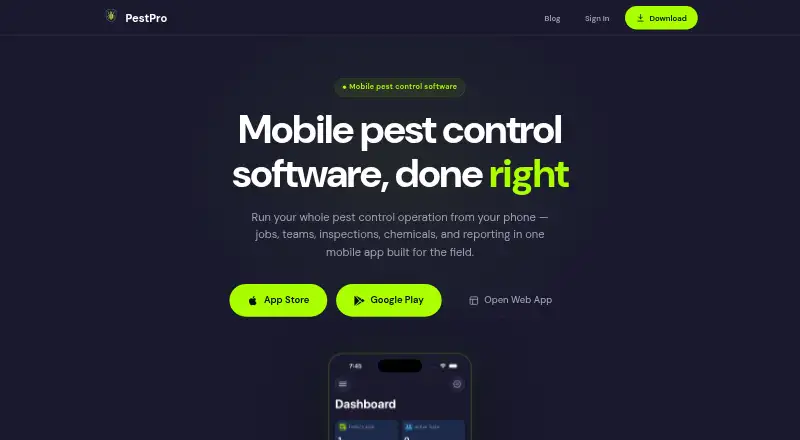
What PestPro is
PestPro is web and iOS software for pest control businesses, with tools for route optimization, treatment documentation, customer access, and technicians in the field. Its customer portal gives customers a dedicated access point, while the technician mobile app supports mobile use. Route optimization addresses the ordering of service visits, and treatment documentation helps record work performed. PestPro is listed as free, with recurring billing also noted; no paid amount or billing term is specified. The available platform details name web and iOS, with no Android platform listed. These features make PestPro relevant to teams that need to coordinate routes and maintain treatment records while providing customers and technicians with dedicated access options. Businesses considering the software should note the platform and billing details alongside the listed operational tools.
Good
- Route optimization is included.
- Treatment documentation is available.
- Includes a customer portal.
- Technician mobile app is available.
- Listed as free.
Watch out
- Only web and iOS are listed.
- Recurring billing is noted.
Who it suits
PestPro may suit pest control teams that need route optimization and treatment records, along with a customer portal and technician mobile app.
Verdict
PestPro brings route planning and treatment documentation together with customer and technician access tools. It is listed as free, though recurring billing is also noted and the available platforms are web and iOS.
Plans and prices
From PestPro's own pricing page, checked 5 Oct 2026.
| Plan | Price | What it gives you |
|---|---|---|
| Free | Free | Unlimited jobs · No credit card · No trial |
The facts
Each one read from PestPro's own pages, with the date it was checked.
What it does
- Checklists
- Admins can create inspection checklist templates with custom items for different pest types.checked 5 Oct 2026
- Chemical records
- The chemical database includes more than 500 products with EPA registration numbers, active ingredients, and categories, and users can add custom chemicals.checked 5 Oct 2026
- Integrations
- The opened product page does not name third-party integrations.checked 5 Oct 2026
- Job management
- The app shows job status across the team and lets admins assign work and track progress.checked 5 Oct 2026
- Offline use
- Technicians can use the app offline in the field.checked 5 Oct 2026
- Photo documentation
- Technicians can take and annotate photos for job records.checked 5 Oct 2026
- Property history
- Property tracking shows previous findings, treatments, and trouble spots.checked 5 Oct 2026
- Purpose
- PestPro is mobile pest control software for managing jobs, teams, inspections, chemicals, and reporting.checked 5 Oct 2026
- Reports
- Completed jobs automatically generate service reports with inspection findings, treatments, photos, and the customer signature.checked 5 Oct 2026
- Security
- The maker says data is encrypted in transit and at rest, company data is isolated to team members, and authentication uses strict access controls.checked 5 Oct 2026
- Treatment logs
- Treatment records include the chemical, dose, target, area, timestamp, and technician name.checked 5 Oct 2026
Where it runs
- Supported devices
- PestPro is available as a web app and native apps for iPhone, iPad, and Android, with data syncing across platforms in real time.checked 5 Oct 2026
The company
- Team onboarding
- Admins can invite technicians with an invite code that adds them to the company during sign-up.checked 5 Oct 2026
The full review of PestPro
Overview
PestPro is pest-control field-service software for businesses coordinating technicians and keeping treatment records. It is a strong fit for teams that need structured job documentation and field access even when connectivity drops. Its free plan removes the subscription cost, making it an appealing starting point for small operators—but not a substitute for evaluating whether its workflow covers their needs.
Key features
Admins can assign jobs and monitor their status across the team, while property histories preserve earlier findings, treatments, and trouble spots. Together, these tools give technicians useful site context and managers a view of work in progress. Custom inspection templates for different pest types and annotated job photos help make records more specific than a simple completion update.
Treatment logs capture the chemical, dose, target, area, timestamp, and technician. The database includes more than 500 products with EPA registration numbers, active ingredients, and categories, and teams can add custom chemicals. Completed jobs automatically produce reports combining inspection findings, treatments, photos, and the customer’s signature. This is a meaningful strength for businesses that need consistent service documentation; teams seeking broader business systems should weigh that focus against their other requirements.
Technicians can work offline in the field, and data syncs in real time across the web app and native iPhone, iPad, and Android apps. Offline access is useful between sites with unreliable connectivity, while cross-platform syncing keeps field and office work aligned. The maker says data is encrypted in transit and at rest, company data is restricted to team members, and authentication uses strict access controls.
PestPro also includes route optimization, treatment documentation, a customer portal, and a technician mobile app. Admins can invite technicians with an invite code during sign-up. Third-party integrations are not part of the named feature set, which may matter to businesses that need PestPro connected to other software.
Pricing
The Free plan costs nothing and includes unlimited jobs, with no credit card required and no trial. That is a notably open job allowance for a no-cost plan, though there is no stated user cap or broader set of quotas to compare. Recurring billing is also noted, so businesses should confirm the terms that apply before relying on the free plan as a long-term commitment.
There is no free trial, but the free plan provides a way to use the product without a trial period. PestPro is the clearest fit for teams prioritizing job volume and documentation at no subscription cost; businesses that need defined seat limits, integrations, or different commercial terms may prefer a product with those requirements spelled out.
Platforms
PestPro runs on the web and has native apps for iPhone, iPad, and Android. Real-time data syncing across platforms supports teams splitting work between the office and field, and offline use helps technicians continue working in areas with poor service.
Who it's for
PestPro suits pest-control businesses that want job assignment, property history, treatment logging, and customer-ready service reports in one workflow. It is especially relevant to teams whose technicians need offline access and whose managers value detailed, consistent records. It is a weaker fit for buyers who require named third-party integrations or clearly defined seat and billing terms before adoption.
Pros and cons
- Pros: Unlimited jobs on the free plan remove a common volume constraint for teams getting started.
- Pros: Treatment logs and automatically assembled service reports capture operational details through to customer sign-off.
- Pros: Offline field access and real-time cross-platform syncing support work across locations and devices.
- Cons: No trial is offered, so the free plan is the only stated way to begin using the product without a paid commitment.
- Cons: No third-party integrations are named, which may be a limitation for businesses with established software workflows.
Alternatives
Plannit is worth considering if broader device coverage, a free trial, or a defined two-user free plan is a better fit; its free tier includes job requests and customers, scheduling, job tracking and work orders, plus quotes and invoicing.
PestPro Manager may suit web-only teams that prefer a free plan with explicit limits: its Basic tier allows up to two admins and two technicians, caps email at 100 per month, and has no customer portal.
PestPac is a paid alternative for businesses seeking a wider feature set that includes customer management, scheduling and routing, termite inspection, mobile service, billing and payments, and basic accounting.
ServiceWorks is another paid option, with its Bronze plan priced at $150 a month and a monthly program fee; consider it if a paid service is a better match for your requirements.
FieldRoutes is a paid alternative with route optimization, a technician mobile app, automated communications and reminders, and mobile sales capabilities.
Fieldwork may suit teams willing to pay per field user: Startup is $59 a month, with office users free and a QuickBooks integration, and it offers a free trial.
PestScan is a paid alternative with a free trial; its Budget yearly-payment plan is €50 a year, billed monthly with yearly payment, for one technician, 15 customers or locations, and one administrator.
ServBuilder offers a paid Starter plan at $79 a month, billed monthly, with up to 25 active jobs and five team members, basic scheduling, iOS and Android apps, AI quoting, and email support.
Browse Pest Control Software for more options in the category.
Verdict
PestPro is a compelling choice for pest-control teams that want free, unlimited job management alongside detailed treatment records, offline field use, and signed service reports. Its strongest reason to choose it is the combination of a broad job allowance and documentation tailored to pest work. Look elsewhere if defined seat and billing terms or named third-party integrations are essential to your operation.
Getting started
- Open https://pestpro.app/
- Choose the Free plan at no cost
- Have an administrator invite technicians with an invite code
- Use the web app or install the iPhone, iPad, or Android app
- Sign in to synchronize data across platforms
Limits worth knowing
The Free plan costs nothing and includes unlimited jobs. It has no trial period because no free trial is offered.
Questions
How much does PestPro cost?
The Free plan is free and includes unlimited jobs. No credit card is required.
Which devices support PestPro?
PestPro is available on the web, iPhone, iPad, and Android, with real-time data syncing across platforms.
Can technicians work without an internet connection?
Yes. Technicians can use PestPro offline in the field.
What does the chemical database contain?
It includes more than 500 products with EPA registration numbers, active ingredients, and categories. Users can also add custom chemicals.
Does PestPro create service reports?
Completed jobs automatically generate reports containing inspection findings, treatments, photos, and the customer signature.
Alternatives to PestPro
- 1

Servgrow
AndroidiOSWebAPI7.9From $19 a month - 2
Smart Book
AndroidiOSWeb7.7From $300 a year - 3

Smart Service
AndroidiOSWebAPI7.6 - 4

Fieldwork
AndroidiOSWebAPI7.5From $59 a month - 5
ServiceWorks
AndroidiOSWebAPI7.5From $49 a month - 6
Plannit
Free planAndroidiOSWebmacOS7.4From $59 a month