OpnForm
OpnForm helps you build forms, surveys, and workflows using a drag-and-drop editor.
What OpnForm is
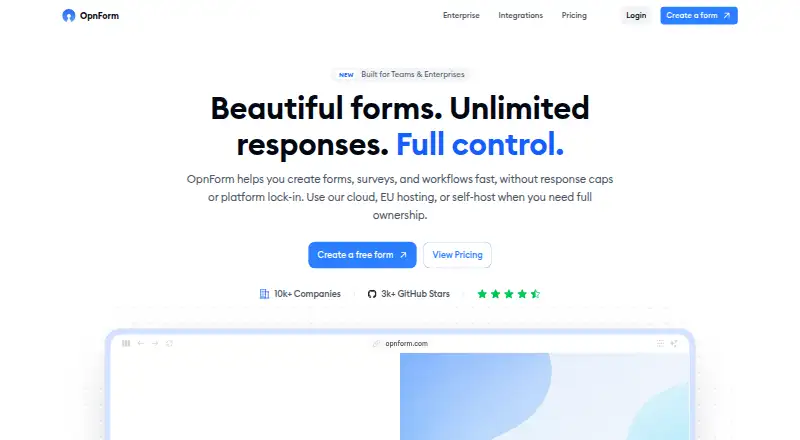
OpnForm helps you build forms, surveys, and workflows using a drag-and-drop editor. It supports single-page and multi-step layouts, conditional logic, and custom themes, with unlimited submissions on the hosted Free plan. Forms can be shared by link, embedded in a site or app, added to Notion, shared on a custom domain, or distributed by QR code. Listed integrations include email, Slack, Discord, webhooks, Zapier, Google Sheets, Telegram, and Stripe; file uploads and payment collection are supported. OpnForm describes itself as open source and offers cloud hosting, hosting in France, and self-hosted deployment. The hosted Free plan includes one workspace, basic file uploads, API access, community support, and required branding. There is no automated trial of paid features. Self-hosted options include a free community edition for up to two users per instance and an enterprise license listed at $1,999 per year.
Good
- Unlimited submissions on the hosted Free plan.
- Supports conditional logic and multi-step forms.
- Offers several form-sharing and embed options.
- Supports file uploads and payment collection.
- Available as a self-hosted community edition.
Watch out
- Free plan requires OpnForm branding.
- Free plan includes only one workspace.
- No automated trial of paid features.
- Paid plan prices differ between cards and comparison table.
Who it suits
OpnForm suits individuals or teams creating forms and surveys who want a hosted or self-hosted option. Its free plan supports unlimited submissions, while teams needing more workspaces or roles can consider paid plans.
Verdict
OpnForm combines a flexible form builder with multiple sharing, integration, and hosting options. Check the listed pricing carefully, since paid-plan figures are inconsistent across its pricing materials.
Plans and prices
From OpnForm's own pricing page, checked 15 Oct 2026.
| Plan | Price | What it gives you |
|---|---|---|
| Free | Free | Unlimited forms and submissions · basic file uploads · logic and validation · computed fields · one workspace · branding required · community support · API · basic integrations and webhooks |
| Pro | $25 a month | Removes branding · custom domains · custom SMTP · Slack, Discord, Telegram · password protection · expiration · captcha · analytics · AI generation · editable submissions · multiple workspaces · monthly |
| Business | $67 a month | Everything in Pro · roles and permissions · advanced branding · larger uploads · priority support · partial submissions · versioning · advanced integrations · monthly |
| Enterprise | $220 a month | Everything in Business · SAML/LDAP SSO · audit logs and compliance · external storage · white-label hosting · SLA and onboarding · monthly |
| Self-hosted Community Edition | Free | Up to 2 users per instance · Free OSS |
| Community Edition (self-hosted) | Free | Unlimited forms & submissions · Up to 2 users across the instance · OIDC SSO within the 2-user limit · Branding required · Community support · Free OSS |
| Enterprise License (self-hosted) | $1,999 a year | Branding removal · Custom SMTP · Multi-workspace support · Roles & permissions · SSO and audit logs · Packaged updates and migration tooling · Priority support · $1,999 /year per instance |
| Self-hosted Enterprise license | $1,999 a year | More than two users · SAML/LDAP · branding controls · audit and governance · workspace SMTP · priority support · billed yearly at $1,999 per instance |
The facts
Each one read from OpnForm's own pages, with the date it was checked.
What it does
- AI and MCP
- The MCP service lets compatible assistants create private drafts, preview them, revise forms, and manage forms through OAuth within existing permissions.checked 15 Oct 2026
- API access
- Users create API access tokens from Settings and use the documented public API for integrations and automation.checked 15 Oct 2026
- Changelog: AI assistant
- On August 20, 2026, OpnForm added conversational form creation and editing through its MCP integration.checked 15 Oct 2026
- Changelog: PDF variables
- On August 31, 2026, OpnForm added computed variables to PDF templates.checked 15 Oct 2026
- Distribution
- Forms can be shared by link, embedded on websites, placed in Notion, served from custom domains, or distributed through QR codes.checked 15 Oct 2026
- Documentation
- Documentation consists of a Help Center, technical documentation, API guidance, deployment guides, and a Discord community.checked 15 Oct 2026
- Embed options
- multiplechecked 22 Sep 2026
- File uploads
- Yeschecked 22 Sep 2026
- Form building
- The form builder supports drag-and-drop fields, multi-step and single-page layouts, conditional logic, and custom themes.checked 4 Oct 2026
- Form design
- The builder supports drag-and-drop construction, multi-page layouts, conversational or classic styles, themes, colors, and fonts.checked 15 Oct 2026
- Input types
- The product supports text, date, URL, phone, email, checkbox, select, multi-select, number, star rating, file, signature, and other field types.checked 15 Oct 2026
- Integrations
- Native connections include email, Slack, Discord, webhooks, Zapier, Google Sheets, Telegram, and Stripe payments.checked 15 Oct 2026
- Launch year
- Product Hunt lists OpnForm as launched in 2024.checked 15 Oct 2026
- Licence
- The core application is AGPLv3-or-later open source, while code under api/app/Enterprise is proprietary and separately licensed.checked 15 Oct 2026
- Limit: account complaint
- One Product Hunt reviewer said a free account was banned after two weeks without notice.checked 15 Oct 2026
- Limit: analytics and support
- An independent review says analytics are basic, free support is Discord-centered, and complex forms with uploads can perform poorly on mobile.checked 15 Oct 2026
- Limit: integration breadth
- The same review says native CRM and marketing integrations are limited, leaving webhooks or middleware for some workflows.checked 15 Oct 2026
- Logic and calculations
- Conditional logic can show, hide, require, or make fields optional, while computed fields support calculations.checked 15 Oct 2026
- MCP safety limits
- Publishing and trashing require confirmation, submission tools are read-only, and the assistant cannot administer workspaces or alter submissions.checked 15 Oct 2026
The company
- Company legal name
- The privacy policy identifies the company as MONSIEUR JULIEN NAHUM.checked 15 Oct 2026
- Headquarters
- The privacy policy places the company in Neuilly-sur-Seine, France.checked 15 Oct 2026
Money
- Free plan
- Yeschecked 22 Sep 2026
- Free plan limits
- The Free plan includes one workspace, multi-user access without roles, and required OpnForm branding.checked 4 Oct 2026
Where it runs
- Limit: AppSumo complaints
- One reviewer reported broken back links, very slow speed, and missing Google Sheets integration in 2024.checked 15 Oct 2026
The full review of OpnForm
OpnForm is a form, survey, and workflow builder for people who want to combine flexible form design with multiple ways to share and host their work. It is best suited to teams that need unlimited submissions or want control over hosting, and can match a plan to their access and governance needs.
Overview
OpnForm combines drag-and-drop form building with multi-step or single-page layouts, conditional logic, and custom themes. It supports payment collection and file uploads, but not quizzes. Sharing options range from links and QR codes to website or app embeds, Notion, and custom domains. That breadth makes it useful for varied distribution needs; the free plan’s required branding and single workspace make it less suitable for polished, multi-workspace projects.
Its open-source positioning is paired with cloud hosting, hosting in France, and self-hosted deployment. That flexibility is a meaningful distinction for organizations with hosting preferences, though self-hosting has a strict two-user cap in the free edition.
Key features
- Flexible forms: Drag-and-drop fields, conditional logic, and both multi-step and single-page layouts suit simple forms as well as more guided workflows.
- Distribution and integrations: Forms can be shared by link, embedded, added to Notion, placed on a custom domain, or distributed by QR code. Integrations include email, Slack, Discord, webhooks, Zapier, Google Sheets, Telegram, and Stripe. Payment collection and multiple embed options extend its reach beyond basic surveys.
- Submissions and uploads: Submissions are unlimited, including on the free cloud plan, but that plan has only a basic file-upload quota. Higher plans raise upload limits.
- Security and administration: Security features include SSO, SAML, audit logs, two-factor authentication, and end-to-end data encryption; SOC2 compliance is underway. Roles and permissions begin at Business, while Enterprise includes SAML or LDAP SSO and audit logs.
Pricing
OpnForm is freemium, with no automated paid-feature trial. Teams can contact the company to evaluate a plan. The plan cards give these monthly prices, but the comparison table shows different figures: Pro $25/mo versus $29, Business $67/mo versus $79, and Enterprise $220/mo versus $250. Confirm the applicable price before choosing a paid tier.
- Free — free: Unlimited forms and submissions, basic file uploads, one workspace, multi-user access without roles, required branding, community support, API access, and basic integrations and webhooks. It is a useful starting point when branding and role controls are not essential.
- Pro — $25 a month (billed $25/mo): Adds branding removal, custom domains and SMTP, Discord, Slack and Telegram integrations, analytics, AI form generation, and multiple workspaces. It suits users who need a more finished presentation or several workspaces, but does not add the roles and permissions reserved for Business.
- Business — $67 a month (billed $67/mo): Adds roles and permissions, advanced branding, higher upload limits, priority support, partial submissions, versioning, and advanced integrations. This is the more appropriate cloud tier for teams that need controlled access or stronger support.
- Enterprise — $220 a month (billed $220/mo): Adds SAML or LDAP SSO, audit logs and compliance features, external storage, a white-label hosting option, SLA, and onboarding support. It targets organizations that need governance and service commitments; the conflicting price figures warrant confirmation.
- Self-hosted Community Edition — free: Free OSS, capped at two users per instance. The community edition includes unlimited forms and submissions, OIDC SSO within the user limit, required branding, and community support.
- Self-hosted Enterprise License — $1,999 a year: One license per self-hosted instance, for more than two users. It adds branding removal, custom SMTP, multiple workspaces, roles and permissions, SSO and audit logs, packaged updates and migration tooling, and priority support. This is the self-hosting route for larger teams, but the annual per-instance license is a substantial commitment.
Platforms
OpnForm supports web, API, and self-hosted use. Cloud hosting, hosting in France, and self-hosted deployment give organizations different ways to operate it; the self-hosted free edition’s two-user ceiling may push larger teams toward a paid license.
Who it's for
OpnForm is a strong fit for individuals and teams that want varied form layouts, integrations, payment collection, and unlimited submissions, especially if self-hosting or hosting in France matters. Free is suitable when one workspace and visible branding are acceptable. Teams needing role-based access, higher upload limits, or enterprise governance should look at Business or Enterprise. It is a weaker fit for quiz use, or for teams that need a short automated trial before buying.
Pros and cons
- Pro: Unlimited submissions on the free cloud plan make it practical for ongoing forms without a response ceiling.
- Pro: Link, embed, Notion, custom-domain, and QR distribution options accommodate different ways of reaching respondents.
- Pro: Cloud, France-hosted, and self-hosted options provide meaningful deployment choice.
- Con: Free cloud use requires OpnForm branding and is limited to one workspace; access has no roles.
- Con: Free self-hosting is limited to two users per instance, so growing teams need the annual enterprise license.
- Con: Plan-card and comparison-table prices conflict, complicating budget planning until the price is confirmed.
- Con: There is no automated trial of paid features, and quiz support is absent.
Alternatives
Endatix is worth considering when a self-hosted API with an always-free MIT-licensed option is the priority.
Basin may suit a small project that fits within one form, 50 monthly submissions, and 30-day data retention on its free plan.
SurveyJS is another option for teams considering a form builder with unlimited forms and submissions on its Essential plan.
Feathery may fit projects whose free allowance of 500 monthly submissions, five live forms, and 10 MB file uploads is sufficient.
Paperform offers a free plan for individuals and small teams with 30 submissions per month, unlimited users, and three signed documents per month.
Formsort is an alternative for flow-based projects that can work within 100 monthly flow starts on its free plan, or need 1,000 starts on its $279 a month Pro plan.
Form.io is another API and self-hosted option, with a $300 a month SaaS plan after its trial.
forms.app is worth comparing if a free plan with five forms, 10 MB file storage, unlimited monthly responses, and unlimited team members meets the need.
Browse Form API Software, Online Form Builders, and Form Builder Software for more options.
Verdict
Choose OpnForm if you want a flexible form builder with unlimited submissions, varied distribution, and a choice of cloud or self-hosted deployment. Its free plan is useful when branding and basic workspace controls are acceptable; teams that need role-based access or governance will need a higher tier. Confirm paid pricing before committing, and look elsewhere if you need quiz support or an automated trial.