Onform
Onform is a sports video analysis and coaching app for recording, reviewing, and sharing feedback with athletes.
What Onform is
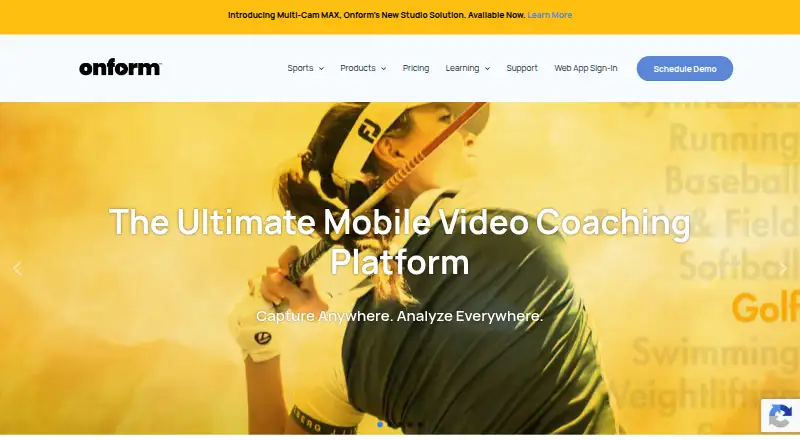
Onform is a sports video analysis and coaching app for recording, reviewing, and sharing feedback with athletes. It serves coaches and athletes across more than 150 sports, including golf, track and field, baseball, softball, and swimming. Review tools include slow motion, frame-by-frame playback, drawing annotations, voice-overs, side-by-side comparisons, and instant sharing. Recording supports 1080p HD video at up to 240 fps and offers five modes; videos are automatically backed up to the cloud. Coach Pro adds golf-specific 3D visualizations and data, Kinematic Sequence, and up to four simultaneous angles. A free plan and 14-day trial are available. Individual Standard costs $9.99 per month, Individual Premium costs $14.99 per month, Coach Standard costs $39.99 per month, and Coach Pro costs $59.99 per month. Onform is available for Android, iOS, web, and Windows, though Android has fewer features than iOS.
Good
- Review includes slow motion and frame-by-frame playback.
- Videos are automatically backed up to the cloud.
- Supports more than 150 sports.
- Coach Pro includes up to four video angles and 3D golf data.
Watch out
- Android has fewer features than iOS.
- After the 14-day trial, new video recording requires a subscription.
- Individual Standard limits voice-overs to five per month.
- Coach Pro costs $59.99 per month.
Who it suits
Onform suits coaches who want to review and annotate athlete videos, and athletes who need to record or respond to coaching feedback. Golf coaches may find the Coach Pro analysis features relevant; Android users should account for its feature differences from iOS.
Verdict
Onform combines video review and coach-athlete feedback tools, with additional golf analysis on Coach Pro. Compare the plan limits and Android feature set with the way you plan to use it.
Plans and prices
From Onform's own pricing page, checked 30 Sep 2026.
| Plan | Price | What it gives you |
|---|---|---|
| Individual Basic | Free | Review coach-shared videos · record personal videos via auto-detect · respond to coach feedback · Free when connected to a coach |
| Individual Standard | $9.99 a month | Up to 1,000 personal videos · 5 voice-overs/month · free when working with a Coach Standard or Pro coach · $9.99 monthly; $26.99 quarterly; $99.99 yearly |
| Individual Premium | $14.99 a month | Up to 5,000 personal videos · 20 voice-overs/month · multi-cam up to 4 angles · 3D golf data · $14.99 monthly; $40.99 quarterly; $149.99 yearly |
| Coach Basic | $19.99 a month | 2,000 videos · 20 voice-overs/month · 20 individual workspaces · 3 team workspaces · $19.99 monthly; $53.99 quarterly; $199.99 yearly |
| Coach Standard | $39.99 a month | Unlimited videos, voice-overs, teams, athletes, and organizations · multi-cam up to 2 angles · $39.99 monthly; $107.99 quarterly; $399.99 yearly |
| Coach Pro | $59.99 a month | Unlimited videos · multi-cam up to 4 angles · 60-minute recording · 3D golf visuals and data · $59.99 monthly; $161.99 quarterly; $599.99 yearly |
| Multi-Cam MAX Upgrade | $499, paid once | For existing compatible fixed cameras · requires Onform Coach Standard or Coach Pro account · Starting at $499 per bay |
| Multi-Cam MAX New Install | $999, paid once | Hardware bundle · custom packages based on setup and preferred camera system · Single camera solutions starting at $999 |
The facts
Each one read from Onform's own pages, with the date it was checked.
Where it runs
- Android limits
- Onform's Android guide lists fewer features for Android than iOS, including unavailable launch monitor, Pocket Radar, external UVC camera, and multi-cam support.checked 30 Sep 2026
What it does
- Capture
- Onform says it captures 1080p HD video at up to 240 fps and offers five recording modes.checked 30 Sep 2026
- Cloud storage
- The product automatically backs up videos to its cloud to save device storage.checked 30 Sep 2026
- Golf analysis
- Coach Pro includes 3D golf visualizations and data, Kinematic Sequence, and up to four simultaneous video angles.checked 30 Sep 2026
- HIPAA
- Onform states that its platform is HIPAA-compliant and that it can sign a Business Associate Agreement with healthcare customers.checked 30 Sep 2026
- Integrations
- The pricing comparison lists compatibility with FullSwing KIT and Garmin R10 launch monitors, plus Pocket Radar and Stalker Sport Radar integrations on Coach Standard and Pro.checked 30 Sep 2026
- Multi-Cam MAX
- Multi-Cam MAX streams compatible fixed-camera footage to an iPad and supports up to four fixed cameras per bay.checked 30 Sep 2026
- Purpose
- Onform is a sports video analysis and coaching app for capturing, reviewing, analyzing, and sharing video feedback with athletes.checked 30 Sep 2026
- Sports and audience
- The company describes the app as serving coaches and athletes across 150+ sports, including golf, track and field, baseball, softball, and swimming.checked 30 Sep 2026
- Support
- Support is available by phone or email, and the company says it often responds within an hour; phone support is listed Monday–Friday, 10am–7pm ET.checked 30 Sep 2026
- Video analysis
- Features include slow-motion and frame-by-frame review, drawing annotations, voice-overs, side-by-side comparisons, and instant sharing.checked 30 Sep 2026
The company
- Founded
- 2020checked 28 Sep 2026
- Headquarters
- Bellvue, Colorado, United Stateschecked 28 Sep 2026
Money
- Post-trial access
- If a user does not subscribe after the 14-day trial, the pricing page says existing videos remain accessible but recording new videos is unavailable.checked 30 Sep 2026
The full review of Onform
Onform is a sports coaching app built around recording movement, reviewing it closely and sharing feedback between coaches and athletes. It suits coaching relationships across many sports, with extra analysis for golf. Its strongest case is a video-first workflow; Android users should weigh the platform’s narrower feature set before choosing it.
Overview
Onform combines capture, detailed video review and coach-athlete feedback in one service. Slow motion, frame-by-frame playback, frame-accurate marking, annotations, voice-overs and side-by-side comparisons give coaches several ways to explain a movement rather than relying on a written note alone. Athletes can respond to feedback, and clips can be shared instantly.
Capture supports up to 1080p HD at 240 fps across five recording modes. Automatic cloud backup helps keep sessions from consuming device storage. The breadth is useful for coaches working across sports: Onform says it serves more than 150, including golf, track and field, baseball, softball and swimming. But its advantages depend on a compatible device and the right plan, particularly for radar integrations and multi-camera setups.
Key features
- Movement review: Slow-motion and frame-by-frame playback, frame-accurate marking and drawing annotations support precise discussion of technique. Voice-overs add spoken explanation; monthly quotas on lower tiers can restrict how often coaches or athletes use that format.
- Capture and sharing: Up to 240 fps and 1080p HD capture, plus five recording modes, give users options for recording sessions. Cloud backup saves device storage, while instant sharing and athlete responses keep feedback in the app.
- Golf analysis: Coach Pro includes 3D visualizations and data, Kinematic Sequence and up to four simultaneous video angles. Individual Premium also includes 3D golf data and up to four angles, while Coach Standard tops out at two angles. These are meaningful differences for golf instruction; general sports users may not benefit from paying for them.
- Equipment connections: The pricing comparison includes FullSwing KIT and Garmin R10 compatibility, with Pocket Radar and Stalker Sport Radar integrations on Coach Standard and Pro. Android does not support launch-monitor or Pocket Radar features, so Android users should not choose a plan on the assumption that those tools will work for them.
- Multi-Cam MAX: This add-on streams footage from compatible fixed cameras to an iPad, supporting up to four cameras per bay. It requires Coach Standard or Pro and is a separate hardware expense, making it a specialized setup rather than a general-purpose upgrade.
- Healthcare use: Onform says its platform is HIPAA-compliant and that it can sign a Business Associate Agreement with healthcare customers, a relevant provision for coaches handling protected health information.
Pricing
Onform is freemium, with a free plan and a 14-day trial. Subscription plans offer monthly, quarterly and yearly billing; the monthly price below is followed by the other listed terms where applicable.
| Plan | Price and limits | Best fit |
|---|---|---|
| Individual Basic | Free when connected to a coach; review coach-shared videos, record personal videos via auto-detect and respond to feedback. | Athletes who primarily review a coach’s work rather than build a large personal library. |
| Individual Standard | $9.99 per month; $26.99 quarterly; $99.99 yearly. Up to 1,000 personal videos and 5 voice-overs per month. Free when working with a Coach Standard or Pro coach. | Independent athletes who need more than coach-shared clips but do not need extensive voice feedback. |
| Individual Premium | $14.99 per month; $40.99 quarterly; $149.99 yearly. Up to 5,000 personal videos, 20 voice-overs per month, multi-cam up to 4 angles and 3D golf data. | Athletes who need a larger archive, more voice-overs or the listed golf tools. |
| Coach Basic | $19.99 per month; $53.99 quarterly; $199.99 yearly. 2,000 videos, 20 voice-overs per month, 20 individual workspaces and 3 team workspaces. | Smaller coaching operations that can work within defined video and workspace caps. |
| Coach Standard | $39.99 per month; $107.99 quarterly; $399.99 yearly. Unlimited videos, voice-overs, teams, athletes and organizations; multi-cam up to 2 angles. | Coaches who need unlimited core usage and broader organization management. |
| Coach Pro | $59.99 per month; $161.99 quarterly; $599.99 yearly. Unlimited videos, multi-cam up to 4 angles, 60-minute recording and 3D golf visuals and data. | Golf coaches needing the deepest listed analysis and longer recording sessions. |
The lower-cost coach tier trades unlimited use for firm video, voice-over and workspace caps. Individual Basic is useful as a companion to a coach, but it is not a standalone paid-style archive: recording personal videos requires auto-detect. After the 14-day trial, users who do not subscribe can still access existing videos but cannot record new ones.
Multi-Cam MAX costs $499.00 per once for an upgrade, starting at $499 per bay, for existing compatible fixed cameras; it requires Coach Standard or Pro. New single-camera solutions start at $999 per once and are hardware bundles, with custom packages based on setup and preferred camera system.
Platforms
Onform is available on Android, iOS, web and Windows. Android has fewer capabilities than iOS: launch monitors, Pocket Radar, external UVC cameras and multi-cam support are unavailable. That makes Android a weaker choice for users whose workflow depends on connected equipment or multiple camera angles. Phone or email support is available; phone support is listed Monday–Friday, 10am–7pm ET, and the company says it often responds within an hour.
Who it's for
Onform is a strong fit for coaches who make video central to instruction and want athletes to review and answer feedback in the same workflow. The free Individual Basic option makes sense for athletes already connected to a coach. Independent athletes can choose Standard or Premium according to archive size, voice-over needs and interest in golf tools. Coaches with small caseloads may find Coach Basic sufficient, while teams needing unlimited core usage should consider Standard or Pro. Android users who need multi-cam or listed radar integrations should look elsewhere or use another supported platform.
Pros and cons
- Pro: Detailed playback, marking, annotations, voice-overs and side-by-side comparison give coaches multiple ways to make movement feedback specific.
- Pro: Automatic cloud backup and athlete responses support a continuing coaching loop without relying only on device storage.
- Pro: Golf-specific 3D data and multi-angle options make the upper plans more capable for golf instruction than the basic tiers.
- Con: Android lacks launch-monitor, Pocket Radar, external UVC camera and multi-cam support, limiting equipment-led workflows.
- Con: Coach Basic caps videos, voice-overs and workspaces; Individual Standard also limits video and voice-over counts.
- Con: Multi-Cam MAX requires qualifying coach plans and additional hardware spending, so multi-camera use is not a simple software-only upgrade.
Alternatives
For a broader comparison, browse Video Annotation Software.
- BORIS is a free, open-source option for readers who prioritize a no-cost tool and its listed desktop, Android or self-hosted platforms over Onform’s coaching plans.
- ELAN is a free option for readers seeking video annotation on Linux, macOS or Windows.
- Frame.io is worth considering for video teams whose needs fit its free plan of up to two members, two projects and 2GB storage, with Camera to Cloud and transcription and captions.
- FrameQuery may suit users focused on metadata search and local, Drive or NAS sharing and backup; its free plan has no monthly indexing hours, and face, voice and AI-tag search require indexed video.
- Label Studio is an alternative for readers looking for a freemium annotation tool with a Community Edition and web, API, self-hosted and desktop platform options.
- InqScribe is an alternative for readers comparing a freemium tool listed for macOS and Windows.
- Roboflow is an alternative for readers comparing a freemium tool with Android, iOS, web, API and self-hosted platform options.
- CVAT offers a free Community plan for personal use and small teams, making it an option for those prioritizing that stated scope and MIT license.
Verdict
Choose Onform if you coach through video and want capture, detailed review and athlete feedback joined in one workflow, especially if your sport or golf work benefits from its analysis tools. Its clearest drawbacks are the tighter lower-tier quotas and Android feature gaps. If radar or multi-camera work is central, confirm that your platform and plan support it before committing; for Android users who need those capabilities, Onform is not the right fit.
Getting started
- Visit the Onform website or use its Android, iOS, or Windows platform.
- Choose a free plan or a paid plan; a 14-day trial is also available.
- Use Individual Basic when connected to a coach to review shared videos and respond to feedback.
- Record video or review, annotate, and share clips using the available video tools.
- Choose Coach Standard or Coach Pro for the listed radar integrations, or Coach Pro for 3D golf tools.
Limits worth knowing
Individual Basic is free when connected to a coach and supports reviewing coach-shared videos, recording personal videos via auto-detect, and responding to feedback. After the 14-day trial, existing videos remain accessible without a subscription, but recording new videos is unavailable.
Questions
Is Onform free?
Yes. Individual Basic is listed as free when connected to a coach. A 14-day trial is also available.
What does Individual Standard cost?
Individual Standard is listed at $9.99 per month, $26.99 quarterly, or $99.99 yearly.
Which platforms are supported?
Onform lists Android, iOS, web, and Windows.
Does it integrate with golf or radar equipment?
The pricing comparison lists FullSwing KIT and Garmin R10 compatibility. Pocket Radar and Stalker Sport Radar integrations are listed on Coach Standard and Coach Pro.
What happens after the free trial?
If a user does not subscribe, existing videos remain accessible, but recording new videos is unavailable.
Is Onform HIPAA-compliant?
Onform states that its platform is HIPAA-compliant and that it can sign a Business Associate Agreement with healthcare customers.
Alternatives to Onform
- 1

Frame.io
Free planAndroidiOSWebAPI8.3From $15 a month - 2

Roboflow
Free planAndroidiOSWebAPI8.3From $39 a month - 3

Label Studio
Free planOpen sourceWebAPILinuxmacOS8.2From $99 a month - 4

Kollaborate
iOSWebAPIExtension7.8From $7 a month - 5
MAXQDA
Free planWebExtensionmacOSWindows7.8From $41 a month - 6

FrameQuery
Free planWebAPImacOSWindows7.7From $19 a month