BORIS
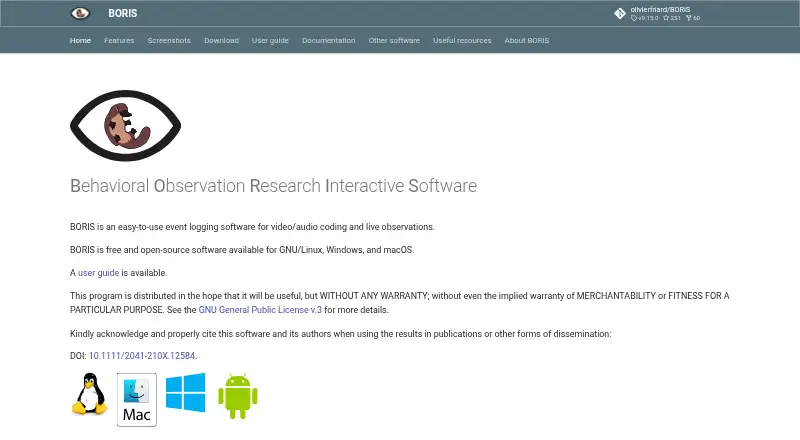
BORIS is free, open-source software for coding video and audio and logging live observations.
What BORIS is
BORIS is free, open-source software for coding video and audio and logging live observations. For media coding, it offers frame-by-frame navigation, playback speeds from 0.1× to 100×, and synchronized playback of up to eight files. Users can define unlimited behaviors, subjects, modifiers, and independent variables, with behaviors represented as state or point events. Analysis tools include Cohen’s Kappa inter-rater reliability, transition matrices, flow diagrams, time-budget analysis, and graphical displays of coded data. Results can be exported in formats such as CSV, TSV, XLSX, SQL, Pandas and R dataframes, Praat TextGrid, and JWatcher. BORIS can import JWatcher Global Definition Files and Noldus The Observer XT templates. Live event logging is available in the desktop program and Android app, though the Android app is marked beta for testing only. Data is stored in JSON, and download files are signed with GPG. The project warns that backward compatibility of project files is not guaranteed and recommends regular backups.
Good
- Supports frame-by-frame navigation and adjustable playback speed
- Can synchronize playback of up to eight media files
- Provides multiple analysis tools for coded data
- Exports to a broad range of formats
- Free and open-source under GNU GPL v.3
Watch out
- Android app version 0.13 is marked beta for testing only
- Backward compatibility of project files is not guaranteed
- Project files should be backed up regularly
Who it suits
BORIS suits researchers and other users coding video or audio or recording live observations. Its analysis and export options may help users who need to examine and share coded event data.
Verdict
BORIS brings media coding, live logging, analysis, and export tools together in a free desktop application. Users should account for the Android app’s beta status and the project-file compatibility warning.
Plans and prices
From BORIS's own pricing page, checked 29 Sep 2026.
| Plan | Price | What it gives you |
|---|---|---|
| BORIS | Free | Free and open-source software · distributed under GNU GPL v.3 |
The facts
Each one read from BORIS's own pages, with the date it was checked.
What it does
- Analysis
- Features include Cohen’s Kappa inter-rater reliability, transition matrices, flow diagrams, time-budget analysis, and graphical representation of coded data.checked 29 Sep 2026
- Audience
- The site describes BORIS as software for video/audio coding and live observations and asks users to cite it when disseminating results in publications.checked 29 Sep 2026
- Coding structure
- Users can define unlimited behaviors, subjects, modifiers, and independent variables; behaviors can be state events or point events.checked 29 Sep 2026
- Data handling
- BORIS uses JSON, described as an open format for storing data to support further analysis.checked 29 Sep 2026
- Exports
- Coded events can be exported as TSV, CSV, HTML, ODS, XLSX, XLS, Pandas and R dataframes, SQL, SDIS, Praat TextGrid, behavioral strings, and JWatcher formats.checked 29 Sep 2026
- Interoperability
- BORIS supports importing JWatcher Global Definition Files and Noldus The Observer XT OTX/OTB templates.checked 29 Sep 2026
- Limitations
- The project warns that backward compatibility of BORIS project files is not guaranteed and recommends regularly backing up project files.checked 29 Sep 2026
- Live observations
- Live event logging is available in the desktop program and in the Android app.checked 29 Sep 2026
- Purpose
- BORIS is event-logging software for video and audio coding and live observations.checked 29 Sep 2026
- Security and integrity
- The download page says all files are signed with GPG and provides a PGP public key for integrity verification.checked 29 Sep 2026
- Support
- The site provides a user guide, video tutorials and workshops, an FAQ, a user forum, and channels for bug reports and feature requests.checked 29 Sep 2026
- Video and audio coding
- It supports playback speeds from 0.1× to 100×, synchronous playback of up to eight media files, and frame-by-frame navigation.checked 29 Sep 2026
Where it runs
- Android app
- The Android app is designed for live observations, and its current version is 0.13, marked as beta for testing only.checked 29 Sep 2026
- Platforms
- The download page lists GNU/Linux, Windows, macOS, Raspberry Pi 4, Chromebook, VirtualBox, Docker, and Linux Python Package Index installation options.checked 29 Sep 2026
The company
- Headquarters
- Torino, Italychecked 28 Sep 2026
The full review of BORIS
BORIS is event-logging software for video and audio coding, as well as live observations. It is best suited to researchers and other users who need structured event data and analysis. Its combination of detailed coding and broad exports makes it a capable free option, though Android users should note the app’s beta status.
Overview
BORIS brings media coding, live logging, analysis, and export into one desktop application. Users can define unlimited behaviors, subjects, modifiers, and independent variables, with behaviors represented as state or point events. That flexibility suits projects with a defined observation framework; it is more than most casual video review requires.
Data is stored in JSON, an open format intended to support further analysis. BORIS warns that backward compatibility of project files is not guaranteed, so regular backups matter for anyone maintaining ongoing work.
Key features
Media coding and live observation
Playback speeds range from 0.1× to 100×, and users can synchronize up to eight media files or navigate frame by frame. Frame-accurate marking and drawing annotations support precise review, while custom labels or fields add flexibility to coding. Live event logging is available in the desktop program and Android app, making BORIS useful both for reviewing recordings and capturing observations as they happen.
The Android app is designed for live observations, but version 0.13 is marked beta for testing only. It is not the right choice for users who need a stable mobile workflow.
Analysis and interoperability
Analysis includes Cohen’s Kappa inter-rater reliability, transition matrices, flow diagrams, time-budget analysis, and graphical representations of coded data. This range makes BORIS more than a logging tool: it can help users assess agreement and examine patterns in their observations without limiting work to a single summary view.
Exports span common spreadsheets and tabular formats, including TSV, CSV, ODS, XLSX, and XLS, as well as Pandas and R dataframes, SQL, SDIS, Praat TextGrid, behavioral strings, and JWatcher formats. BORIS can also import JWatcher Global Definition Files and Noldus The Observer XT OTX/OTB templates. That breadth is valuable for teams moving coded data into other analysis workflows.
The download page says files are signed with GPG and provides a PGP public key for integrity verification. Support resources include a user guide, video tutorials and workshops, an FAQ, a user forum, and channels for bug reports and feature requests.
Pricing
BORIS: free. The plan is free and open-source software distributed under GNU GPL v.3. It includes the listed coding and analysis capabilities, with no paid tier or free-trial period specified. That makes it a straightforward fit for individual researchers and teams wanting a no-cost event-coding tool; users should weigh the project-file compatibility warning and back up their work regularly.
Platforms
BORIS is available for Android, Linux, macOS, and Windows, and as self-hosted software. The desktop program supports live logging as well as media coding; the Android app is focused on live observations and is currently beta for testing only.
Who it's for
BORIS fits researchers and other users who need to code video or audio against a structured scheme, log live events, and analyze or export the resulting data. Its unlimited coding categories and multiple statistical and visualization tools serve detailed observation work. It is less suitable for people who only need lightweight video comments or for mobile users requiring a production-ready Android app.
Pros and cons
Pros
- Detailed coding structure: Unlimited behaviors, subjects, modifiers, and independent variables accommodate complex observation schemes.
- Rich analysis and exports: Reliability measures, transition and time-budget analysis, and exports to formats including R, Pandas, SQL, and Praat TextGrid help carry results into further work.
- Free and open-source: The GNU GPL v.3 license makes the application available at no charge.
- Multiple-media support: Synchronized playback of up to eight files and frame-by-frame navigation support close review.
Cons
- Android is beta: Version 0.13 is marked for testing only, so mobile live logging is a less dependable choice.
- Project compatibility is not guaranteed: Backward compatibility warnings make regular backups important for ongoing projects.
- Specialized workflow: Its event-coding and analysis capabilities are best justified by structured observation work, not simple review or feedback.
Alternatives
Video Annotation Software is the category directory for comparing tools in this space.
- Onform is a freemium option with a free plan and trial, available on Android, iOS, web, and Windows. Its Individual Basic plan is free when connected to a coach and covers review of coach-shared videos, recording personal videos via auto-detect, and responding to videos; choose it when that coach-centered workflow is the priority.
- Frame.io offers a free plan for up to two members, two projects, 2GB storage, and 2GB Mounted Storage, alongside Camera to Cloud, transcription, and captions. It is the better fit for small collaborative video projects and cloud-oriented review rather than structured event coding.
- FrameQuery has a free plan with no monthly indexing hours, metadata search, and local, Drive, or NAS sharing and backup; face, voice, and AI-tag search require indexed video. Choose it when finding and managing media across storage locations matters more than coding observations.
- Label Studio is a freemium alternative with a free Community Edition and trial; consider it when its labeling workflow is a closer match to the task.
- InqScribe is a freemium option for macOS and Windows, with a Perpetual License at $79 a month, billed as a one-time purchase with two years of free updates, and a 10-Day License at $10 a month, billed as a one-time purchase. It is an alternative to consider for transcription-focused work.
- MAXQDA is a paid macOS and Windows option with a free trial; choose it if you are looking for that alternative’s qualitative-analysis workflow.
- Roboflow has a free tier with 10 credits a month, enough to train about 30 models or run 80,000 inferences. It is an alternative for users focused on computer-vision model training and inference rather than observational coding.
- CVAT offers a free Community plan for personal use and small teams under the MIT license, as well as a free online plan limited to one member, one project, three tasks, and 1GB internal storage. Choose it when those limits fit a small annotation workflow.
Verdict
Choose BORIS if your work depends on structured video or audio event coding, live observation, and analysis or export into other research tools. Its strongest reason to choose is the depth of its coding, analysis, and interoperability at no cost. Look elsewhere if you need a production-ready Android app, a lightweight general-purpose review workspace, or guaranteed backward compatibility for project files.
Getting started
- Visit the BORIS website.
- Choose the version for Android, Linux, macOS, or Windows, or use the self-hosted option.
- Install or access BORIS on the selected platform.
- For live observations on Android, note that version 0.13 is marked beta for testing only.
- Back up project files regularly.
Limits worth knowing
The Android app is marked beta for testing only. Backward compatibility of BORIS project files is not guaranteed.
Questions
How much does BORIS cost?
BORIS is free: its plan is listed as free. It is distributed under GNU GPL v.3.
Which platforms does BORIS support?
Its listed platforms are Android, Linux, macOS, self-hosted, and Windows. Live event logging is available in the desktop program and Android app.
Is the Android app ready for general use?
The current Android app version is 0.13 and is marked beta for testing only.
What file formats can BORIS export?
Exports include TSV, CSV, HTML, ODS, XLSX, XLS, Pandas and R dataframes, SQL, SDIS, Praat TextGrid, behavioral strings, and JWatcher formats.
Can BORIS import templates from other software?
It supports importing JWatcher Global Definition Files and Noldus The Observer XT OTX/OTB templates.
What should I know about BORIS project files?
Backward compatibility is not guaranteed, and the project recommends regularly backing up project files.
Alternatives to BORIS
- 1
Frame.io
Free planAndroidiOSWebAPI8.3From $15 a month - 2

Roboflow
Free planAndroidiOSWebAPI8.3From $39 a month - 3

Label Studio
Free planOpen sourceWebAPILinuxmacOS8.2From $99 a month - 4

Kollaborate
iOSWebAPIExtension7.8From $7 a month - 5
MAXQDA
Free planWebExtensionmacOSWindows7.8From $41 a month - 6
FrameQuery
Free planWebAPImacOSWindows7.7From $19 a month