ODL Studio
ODL Studio is a standalone desktop application for customer-location analysis, sales-territory design and vehicle fleet routing and scheduling.
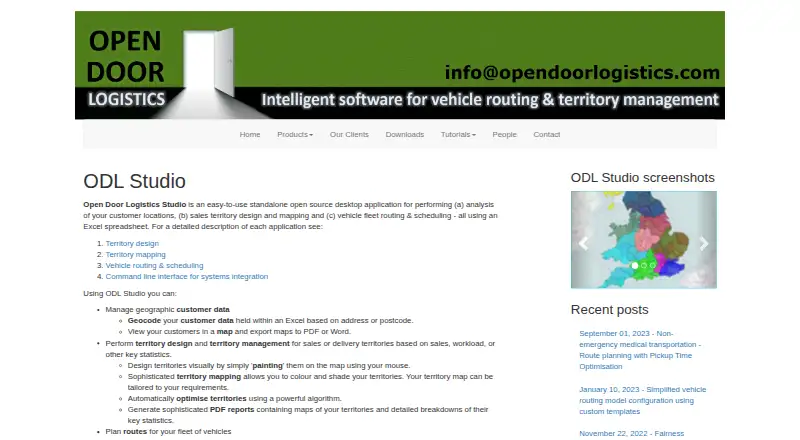
What ODL Studio is
ODL Studio is a standalone desktop application for customer-location analysis, sales-territory design and vehicle fleet routing and scheduling. Its data is stored in Excel spreadsheets, which can also be edited in Excel. The software can geocode addresses or postcodes, place customers on a map and export maps to PDF or Word. Territories can be painted onto maps or generated by an optimization algorithm, with reports that include maps and territory statistics. For fleet planning, it schedules routes on real road networks, displays routes on an interactive map and reports mileage and driving-time statistics. ODL Connect can call Studio functions from the command line for scheduled or on-demand background tasks, but it is a separate closed-source module. ODL Studio is free and open source under LGPL. Downloads are listed for Windows, Linux and Mac; the Linux and Mac package requires Java Runtime 8 or higher. The maker recommends at least 6 GB RAM and a dual-processor CPU. The downloads page lists version 1.4.1, released 3 November 2017.
Good
- Free and open source under LGPL
- Maps customers from addresses or postcodes
- Territories can be drawn or optimized automatically
- Reports route mileage and drive-time statistics
Watch out
- Linux and Mac package requires Java Runtime 8 or higher
- ODL Connect is a separate closed-source module
- Listed version 1.4.1 was released 3 November 2017
Who it suits
ODL Studio suits desktop users working on customer mapping, sales territories or vehicle routes. Its spreadsheet workflow may suit teams already managing data in Excel.
Verdict
ODL Studio combines customer mapping, territory planning and fleet routing in a desktop tool. Note the Java requirement for Linux and Mac, and that command-line automation through ODL Connect requires a separate module.
Plans and prices
From ODL Studio's own pricing page, checked 3 Oct 2026.
| Plan | Price | What it gives you |
|---|---|---|
| ODL Studio | Free | Free and open source software |
The facts
Each one read from ODL Studio's own pages, with the date it was checked.
What it does
- Automation
- ODL Connect can call ODL Studio functionality from the command line for on-demand or scheduled background tasks; ODL Connect is a separate closed-source module.checked 3 Oct 2026
- Geocoding and maps
- It can geocode customer data from addresses or postcodes, display customers on a map, and export maps to PDF or Word.checked 3 Oct 2026
- License
- The maker says ODL Studio is licensed under LGPL.checked 3 Oct 2026
- Operating system requirements
- Downloads are listed for Windows 32-bit and 64-bit and for Linux and Mac; the Linux and Mac package requires Java Runtime 8 or higher.checked 3 Oct 2026
- Purpose
- ODL Studio is a standalone desktop application for customer location analysis, sales territory design and mapping, and vehicle fleet routing and scheduling.checked 3 Oct 2026
- Routing integrations
- The routing functionality uses the jsprit vehicle-routing library and Graphhopper road networks.checked 3 Oct 2026
- Security and compliance
- The maker's ODL Studio and download pages reviewed here do not state security certifications or compliance claims.checked 3 Oct 2026
- Spreadsheet workflow
- Its data is held in Excel spreadsheets that can also be edited in Excel.checked 3 Oct 2026
- Support
- The maker provides tutorials and invites users to contact it about training services; its contact page lists a bug-report email.checked 3 Oct 2026
- System requirements
- The maker recommends at least 6 GB RAM and a dual-processor CPU.checked 3 Oct 2026
- Territory design
- Territories can be designed by painting them on a map or generated automatically using an optimisation algorithm.checked 3 Oct 2026
- Territory reporting
- It can create territory reports with maps and territory statistics, and export map images at a user-defined resolution.checked 3 Oct 2026
- Vehicle routing
- It can schedule vehicle routes, model routes on real road networks, show mileage and drive-time statistics, and display routes on an interactive map.checked 3 Oct 2026
- Version and date
- The downloads page lists ODL Studio v1.4.1, released 3 November 2017.checked 3 Oct 2026
The company
- Headquarters
- Bishops Cleeve, Cheltenham, United Kingdomchecked 28 Sep 2026
The full review of ODL Studio
Overview
ODL Studio is a free desktop application for analysing customer locations, designing sales territories and scheduling vehicle fleets. It fits analysts and operations teams that already manage location data in spreadsheets and need mapping plus road-based planning in one package. Its broad scope is attractive at no software cost, while the lack of mobile access and the age of its listed release make it less suitable for teams wanting a current field-sales platform.
Key features
Data is held in Excel spreadsheets that can also be edited in Excel, with CSV import available. ODL Studio geocodes addresses or postcodes, plots customers on a map and exports maps to PDF or Word. That workflow is practical for spreadsheet-led customer analysis and reporting, although users looking for a phone or tablet workflow will find no mobile access.
Territories can be painted directly on a map or generated automatically with an optimisation algorithm. Territory reports combine maps with territory statistics, and map images can be exported at a user-defined resolution. These tools support both exploratory boundary design and polished material for managers or sales teams.
Fleet planning schedules routes on real road networks, displays them on an interactive map and reports mileage and drive-time statistics. Routing uses the jsprit vehicle-routing library and Graphhopper road networks, giving planners road-based calculations rather than simple point-to-point lines. ODL Connect can invoke Studio functions from the command line for scheduled or on-demand background work, but it is a separate closed-source module, so that automation requires an additional component.
Pricing
ODL Studio costs nothing. The plan is free and open-source software licensed under LGPL, making it the natural choice for individuals, small teams and organisations that need substantial territory and routing capability without a subscription. There are no paid seat tiers or published usage quotas in this plan, but command-line automation through ODL Connect is outside the Studio package and requires that separate module.
The free model does not remove implementation requirements. The maker recommends at least 6 GB of RAM and a dual-processor CPU. Linux and Mac packages require Java Runtime 8 or higher. Training services are offered, and a bug-report email is provided, but teams needing a formal commercial support arrangement should clarify that directly.
Platforms
Downloads are provided for Windows 32-bit and 64-bit, Linux and Mac. Linux and Mac users need Java Runtime 8 or newer. ODL Studio is a desktop application with no mobile access, so it is aimed at office-based planning rather than representatives working primarily in the field. The downloads page lists version 1.4.1, released 3 November 2017; organisations with strict currency or maintenance expectations should weigh that dated release carefully.
Who it's for
ODL Studio is a strong fit for sales-operations analysts, territory planners and fleet coordinators who keep customer records in Excel or CSV files and want one desktop tool for mapping, territory modelling and route scheduling. It is also compelling for technically capable users who value LGPL-licensed software and can supply the recommended hardware and Java dependency.
It is a weaker choice for mobile sales teams, organisations that require a web service, or buyers seeking a recently released product with built-in command-line automation.
Pros and cons
Pros
- Broad planning scope: customer mapping, territory design, reporting and fleet routing are covered in one application.
- Spreadsheet compatibility: Excel-based data can be edited outside the application, and CSV import supports straightforward data preparation.
- Useful territory outputs: painting, optimisation, statistics and user-defined map resolution support both planning and presentation.
- No licence fee: the free, LGPL-licensed package removes subscription cost for eligible teams.
Cons
- No mobile access: the desktop-only model does not serve field users directly.
- Separate automation module: ODL Connect is closed-source and not included in Studio itself.
- Older listed release: version 1.4.1 dates from 3 November 2017, which may concern buyers prioritising a current release cadence.
- Environment prerequisites: Linux and Mac installations require Java 8 or higher, with 6 GB RAM and a dual-processor CPU recommended.
Alternatives
Choose Badger Maps instead when you need Android, iOS, web and API access, a 14-day free plan and route optimisation for up to 120 stops in its Personal plan.
GeoMaps is a better fit for a freemium service with web, mobile, API and self-hosted options; its free plan allows 1,000 locations, one user, routes of up to 25 stops and 500 prospects per month.
Pick SalesRabbit Appointment Management when appointment-focused sales management matters more than desktop fleet planning; its free Lite plan is for one user with limited core features, while Team costs $59 a month.
Scribble Maps suits users who mainly need online map creation, with a free tier offering five lifetime map saves, one user and 450×450px images.
Create Mappins is preferable for lightweight web mapping, offering up to three maps and 20 pins per map free forever.
Gradient Works is the alternative for API and web-based territory workflows, with a free plan including 1,000 credits, five rep users and one Carve scenario.
Mapline is another freemium web and API mapping option.
TerraMap is suited to browser-based territory modelling, with its Starter plan at $49 a month for up to three territory models, 15 territories, 10,000 data points and two users.
Browse the Sales Mapping Software category for more options.
Verdict
Choose ODL Studio if you want a no-cost, open-source desktop workspace that connects spreadsheet-based customer analysis, territory design and road-network fleet routing. Look elsewhere if mobile access, a newer release, built-in automation or clearly stated security and compliance commitments are essential.
Alternatives to ODL Studio
- 1
SalesRabbit Appointment Management
Free planAndroidiOSWebAPI8.2From $59 a month - 2

Badger Maps
Free planAndroidiOSWebAPI8.1From $12 a month - 3

Scribble Maps
Free planAndroidiOSWebAPI8.1From $168 a year - 4

Maptitude
AndroidiOSWebAPI7.8From $795 a year - 5

Gradient Works
Free planWebAPI7.5From $799 a month - 6
Workday Adaptive Planning
AndroidiOSWebAPI7.5