Scribble Maps
Scribble Maps is a web-based map-authoring platform with Android and iOS support.
What Scribble Maps is
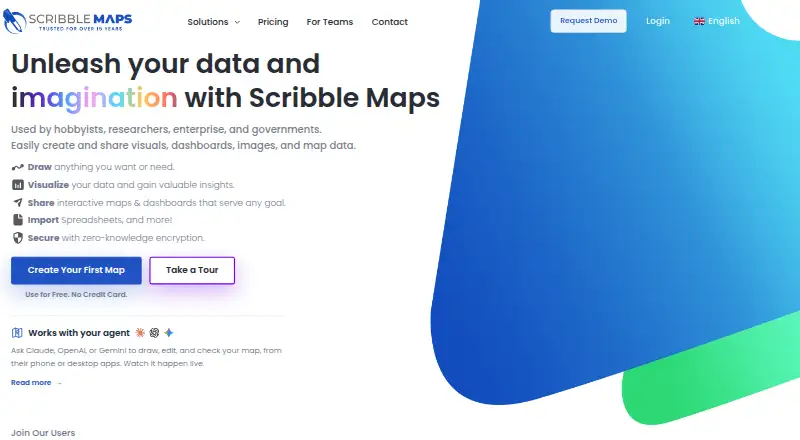
Scribble Maps is a web-based map-authoring platform with Android and iOS support. Users can find, create, edit, annotate, embed, and use maps, importing place-related spreadsheets, lists, and geodata in CSV, GeoJSON, or KML formats. Mapping tools include markers, lines, circles, donut polygons, drive-time polygons, data filters, heat maps, measurement, and route optimization. Maps can be shared or embedded, and multiple users can work on one map simultaneously. The Connect Map Picker integrates into web apps and can return user map data in formats such as GeoJSON, KML, CSV, GPX, DXF, and Shapefile. Encrypted maps use AES-256 with PBKDF2, with encryption and decryption performed on the user’s computer; the encryption password is not sent to Scribble Maps servers. Encryption comes with limits: encrypted maps do not support server-generated images, listed-format exports, or autosave, and Scribble Maps cannot recover a forgotten encryption password. The free plan costs nothing and allows one user, 450×450px images, and five lifetime map saves.
Good
- Imports CSV, GeoJSON, and KML data
- Multiple users can work on a map simultaneously
- Connect Map Picker returns several data formats
- Encrypted maps keep the password off Scribble Maps servers
Watch out
- Free plan permits five lifetime map saves
- Free plan is limited to one user
- Encrypted maps lack autosave and listed-format exports
- Forgotten encryption passwords cannot be recovered
Who it suits
Scribble Maps suits people who need to create, annotate, share, or embed maps using imported location data. Its web-app connector may suit developers who want to return selected map data in common geospatial formats.
Verdict
Scribble Maps combines map editing, data import, collaboration, and web-app integration. Review the free save limit and encryption-related restrictions before settling on a workflow.
Plans and prices
From Scribble Maps's own pricing page, checked 15 Oct 2026.
| Plan | Price | What it gives you |
|---|---|---|
| Free | Free | basic drawing/editing · 5 lifetime saved maps · 450x450px images · 1 user · free account |
| Pro Basic monthly | $19 a month | unlimited maps · 500 geocodes/month · 2500x2500px images · heatmaps · WMS/TMS · advanced search · analysis · monthly, auto-renewing |
| Pro Basic — monthly | $19 a month | 500 geocodes/month · 2,500×2,500px images · 1,500 Google map views/month · $19/month; auto-renewing |
| Pro Business monthly | $100 a month | Pro Basic features · 5000 geocodes/month · 11000x11000px images · onboarding · recent aerial imagery · georeferenced imagery · monthly, auto-renewing |
| Pro Business — monthly | $100 a month | 5,000 geocodes/month · 11,000×11,000px images · 5,000 Google map views/month · $100/month; auto-renewing |
| Pro Basic — annual | $168 a year | 500 geocodes/month · 2,500×2,500px images · 1,500 Google map views/month · $168/year; auto-renewing |
| Pro Basic annual | $168 a year | unlimited maps · 500 geocodes/month · 2500x2500px images · heatmaps · WMS/TMS · advanced search · analysis · 12 months prepaid, auto-renewing |
| Pro Business — annual | $1,080 a year | 5,000 geocodes/month · 11,000×11,000px images · 5,000 Google map views/month · $1080/year; auto-renewing |
| Pro Business annual | $1,080 a year | Pro Basic features · 5000 geocodes/month · 11000x11000px images · onboarding · recent aerial imagery · georeferenced imagery · 12 months prepaid, auto-renewing |
The facts
Each one read from Scribble Maps's own pages, with the date it was checked.
What it does
- API licensing
- Scribble Maps licenses do not include commercial licenses for underlying base APIs, so separate Google or other provider licensing may be required.checked 15 Oct 2026
- Collaboration
- Multiple users can work on maps together in real time, with team maps and role-based access.checked 15 Oct 2026
- Commercial use
- The terms say free products do not include a commercial license, while paid products automatically include one.checked 1 Oct 2026
- Connect picker SDK
- A client-side picker.js SDK lets an application receive user-selected map data without implementing map rendering, server code or OAuth.checked 15 Oct 2026
- Data import
- The service imports spreadsheets, CSV, GeoJSON, KML and other geodata for plotting and analysis.checked 15 Oct 2026
- Documentation
- The help center lists 151 drawing/editing articles, 47 maps/data articles, 58 Pro articles and dedicated team, billing and support sections.checked 15 Oct 2026
- Drawing and analysis
- Map tools include markers, lines, circles, donut polygons, drive-time polygons, data filters, heat maps, measurement, and route optimization.checked 1 Oct 2026
- Drawing and annotation
- Users can place markers and text, draw polygons, donut polygons, curves and great-circle lines, add image overlays, and highlight regions.checked 15 Oct 2026
- Embedding
- Saved maps can be embedded in websites, blogs and portals with an iframe snippet.checked 15 Oct 2026
- Encryption
- Encrypted maps use AES-256 with PBKDF2, and encryption and decryption occur on the user's computer; the encryption password is not sent to Scribble Maps servers.checked 1 Oct 2026
- Encryption limits
- Encrypted maps do not support server-generated images, exports to listed file formats, or autosave, and a forgotten encryption password cannot be recovered by Scribble Maps.checked 1 Oct 2026
- Export formats
- Maps can be exported as images and PDF, KML, GPX, SHP, DXF, CSV or GeoJSON files.checked 15 Oct 2026
- Geocoding
- Maps can search locations and geocode lists of addresses into mapped points.checked 15 Oct 2026
- Google Sheets connector
- The Google Sheets live data connector is listed as available on Pro Business, and the connector currently requires latitude and longitude rather than addresses alone.checked 1 Oct 2026
- Heatmaps
- Pro accounts can create heatmap layers for visualizing concentrations of mapped data.checked 15 Oct 2026
- Integration
- The Connect Map Picker integrates into web apps and returns user map data in formats including GeoJSON, KML, CSV, GPX, DXF, and Shapefile.checked 1 Oct 2026
- Integrations
- The site advertises S3 integration, custom integrations, Google and OpenStreetMap basemaps, and data connectors on Business plans.checked 15 Oct 2026
- Limit: cancellation and account deletion
- Recent Trustpilot reviewers allege difficulty cancelling membership on mobile and prolonged delays deleting accounts.checked 15 Oct 2026
- Limit: reliability and usability
- Trustpilot complaints include buggy behavior, difficulty importing photos, tablet navigation problems and lack of automatic saving unless enabled.checked 15 Oct 2026
The company
- Company size and founding
- LinkedIn lists Scribble Maps as a privately held software-development company founded in 2009 with 2–10 employees.checked 15 Oct 2026
- Headquarters
- The maker's terms give its address as 1180 Aire Pl, Windsor, Ontario N8S 4G2, Canada.checked 15 Oct 2026
Where it runs
- Data mapping
- It imports place-related spreadsheets, lists, and geodata and supports CSV, GeoJSON, and KML formats.checked 1 Oct 2026
Money
- Free account limits
- The maker's subscription page says free accounts have five lifetime map saves, and deleting a saved map does not restore a save slot.checked 1 Oct 2026
- Limit: free output quality
- Trustpilot complaints say the free tier has a poor interface and low-resolution images, with higher-resolution output requiring payment.checked 15 Oct 2026
The full review of Scribble Maps
Scribble Maps suits people who need to build maps from location data, analyze them, and share or embed the result. It is particularly useful for collaborative projects and web apps that need a map-selection workflow, though the free tier is tightly capped and encrypted maps lose several conveniences.
Overview
This mobile-ready web platform combines map authoring with data import, annotation, analysis, and sharing. It accepts place-related spreadsheets and geodata in CSV, GeoJSON, and KML, and lets multiple users work on a map simultaneously. That makes it a practical fit for teams assembling maps from their own data; someone who only needs a simple static map may not benefit from its broader toolkit.
The free account allows five lifetime map saves, and deleting a map does not restore a slot. Free products do not include a commercial license, while paid products do. Users retain copyright in submitted content, but public maps may be indexed and licensed to third parties, including AI companies; unlisted maps are excluded from those arrangements. Those terms make map visibility and intended use important choices, not afterthoughts.
Key features
Drawing and analysis
Markers, lines, circles, donut polygons, and drive-time polygons support different ways to annotate locations and define areas. Data filters and heat maps help surface patterns in location data, while measurement and route optimization add analytical functions. This breadth is valuable when a map needs to explain or support a decision, rather than simply show where places are.
Sharing, encryption, and app integration
Maps can be shared or embedded in a webpage through an iframe, and simultaneous editing supports group work. The Connect Map Picker extends the platform into other web apps, returning user map data in formats including GeoJSON, KML, CSV, GPX, DXF, and Shapefile. Developers building map-enabled workflows have a more specific reason to choose Scribble Maps than users who only need to publish a finished map.
Encrypted maps use AES-256 with PBKDF2, with encryption and decryption happening on the user's computer rather than on Scribble Maps servers. That gives the user control over the encryption password, but also makes it essential to keep it safe: Scribble Maps cannot recover a forgotten password. Encrypted maps do not support server-generated images, exports to the listed file formats, or autosave, so this mode is a poor fit for workflows that depend on those functions.
The Google Sheets live data connector is available on Pro Business and requires latitude and longitude, not addresses alone. It is therefore a better match for teams whose spreadsheet data is already geocoded than for those expecting address-only sheets to feed directly into live maps.
Pricing
Scribble Maps is freemium, with a seven-day trial and a published starting figure of $14/mo (annual). The specific annual and monthly plan prices below show their billing terms; paid subscriptions renew automatically.
| Plan | Price | Included limits and terms |
|---|---|---|
| Free | free | Five lifetime map saves, one user, and 450×450px images. Deleting a saved map does not return a save slot; free products have no commercial license. |
| Pro Basic — monthly | $19 a month; billed $19/month | Auto-renewing; 500 geocodes/month, 2,500×2,500px images, and 1,500 Google map views/month. |
| Pro Basic — annual | $168 a year; billed $168/year | Auto-renewing; 500 geocodes/month, 2,500×2,500px images, and 1,500 Google map views/month. |
| Pro Business — monthly | $100 a month; billed $100/month | Auto-renewing; 5,000 geocodes/month, 11,000×11,000px images, and 5,000 Google map views/month. |
| Pro Business — annual | $1,080 a year; billed $1080/year | Auto-renewing; 5,000 geocodes/month, 11,000×11,000px images, and 5,000 Google map views/month. |
Pro Basic is the sensible paid step for an individual who needs a commercial license and higher image and usage limits but not the Google Sheets connector. Pro Business is for heavier usage or teams that need that connector; it raises monthly geocode and Google map-view allowances and image dimensions, and includes complimentary training and onboarding. Pro customers receive email support with a stated 24-hour response. Free is suitable for a brief evaluation or a small noncommercial map task, but five lifetime saves make it unsuitable as a continuing workspace.
Platforms
Scribble Maps is available on the web and on Android and iOS, with API access for software integrations. Custom branding and private access are supported, and embeds use iframes. Its listed viewer limit is 1,500 viewers/month, a consideration for public-facing embeds with recurring traffic.
Who it's for
Choose Scribble Maps if you need to combine imported geodata with custom drawing and analysis, work on maps with others, or feed map data into a web app. It can also suit organizations publishing embedded maps that need private access or custom branding. Look elsewhere if you need a generous no-cost map library, if an address-only Google Sheets feed is central to the workflow, or if encrypted maps must retain autosave and export support.
Pros and cons
- Pro: CSV, GeoJSON, and KML import plus varied drawing and analysis tools support maps built from real datasets, not only manual annotations.
- Pro: Simultaneous editing, iframe embeds, and the Connect Map Picker cover collaboration and integration needs in one platform.
- Pro: Client-side encryption keeps the password off Scribble Maps servers.
- Con: Five lifetime saves on the free account, with no slot restored after deletion, limits meaningful ongoing use.
- Con: Encryption disables autosave, server-generated images, and listed-format exports, and a lost password is unrecoverable.
- Con: Free products lack a commercial license, and public maps may be indexed and licensed to third parties.
Alternatives
Felt is worth considering for personal use when unlimited maps and sharing matter more than uploading your own data files; its free Personal plan does not allow those uploads and is personal-use only.
Mapotic is another free map-building option, with a Map Builder FREE plan that allows 100 places and includes custom fields, data layers, filters, ratings, and comments; ads may appear.
MapTiler Cloud fits testing, personal, or non-commercial projects that need cloud storage and API requests within its free tier, which includes 5 GB storage, 5k sessions/month, 100k API requests/month, and 100 uploads/month.
Datawrapper is a candidate when charts, maps, or tables for web publishing and embedding are the priority, with PNG downloads and attribution on its free plan.
MapHub may suit a web-only project with modest map contents: its free plan sets limits of 100 items and 100 kB GeoJSON per map, plus 12 images and 2 custom icons.
BatchGeo is an alternative for maps with large marker sets; its Pro plan supports 100,000 markers per map, password protection, 10 users, Street View integration, and PDF, PNG, and KML export at $99 a month.
CARTO is an alternative to consider for a paid, enterprise-oriented mapping option, with cloud and SaaS or self-hosted deployment.
Maptive is another option to compare for mapping software.
For broader comparisons, browse Interactive Map Software, Map Creation Software, and Sales Mapping Software.
Verdict
Scribble Maps is a strong choice for teams and developers who need editable, data-driven maps with analysis tools, collaboration, and web-app integration. Its main advantage is bringing those jobs together in one mobile-ready platform; its main reasons to look elsewhere are the free account's five-save lifetime ceiling and the functional tradeoffs imposed by encryption. Choose a paid plan when commercial use or sustained map work matters, and match the tier to your geocode, image, and Google map-view needs.
Alternatives to Scribble Maps
- 1

Datawrapper
Free planOpen sourceAndroidiOSWebAPI8.6From $21 a month - 2

Felt
Free planAndroidiOSWebAPI8.2From $199 a month - 3
MapChart
Free planAndroidiOSWebExtension8.0From $39.99 a year - 4

BatchGeo
Free planAndroidiOSWebAPI7.9From $99 a month - 5

Maptitude
AndroidiOSWebAPI7.8From $795 a year - 6
Mapbox Studio
Free planAndroidiOSWebAPI7.7Free plan