
Datawrapper
Datawrapper is a web app for creating and publishing charts, maps and tables.
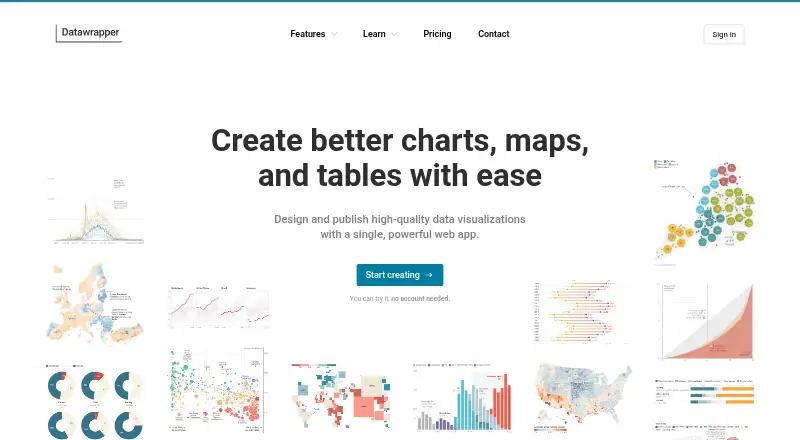
What Datawrapper is
Datawrapper is a web app for creating and publishing charts, maps and tables. Its feature overview lists 25 interactive, responsive and accessible visualization types, including more than 20 chart types. Map options include symbol, choropleth and locator maps, along with more than 4,000 basemaps and cartograms. Tables can include images, heatmaps, miniature charts, search, pagination and sorting. Visualizations can be embedded on websites and exported as PNG, PDF or SVG depending on plan. A PowerPoint add-in supports creating, editing, embedding and updating visualizations in presentations, and a REST API can create and edit charts and support integrations. Datawrapper says embeds have no trackers, cookies or third-party scripts and meet GDPR and CCPA requirements. It says its service is hosted in Frankfurt and Stockholm within the EEA and is ISO 27001 certified. The free plan allows unlimited publishing, with Datawrapper attribution retained. Pro costs $21 per user per month, excluding VAT. The maker is based in Berlin and was founded in 2012.
Good
- Free plan allows unlimited publishing.
- Offers charts, maps and interactive tables.
- PowerPoint add-in can update visualizations in presentations.
- REST API supports creating and editing charts.
- Embeds are described as tracker-, cookie- and third-party-script-free.
Watch out
- Free visualizations retain Datawrapper attribution.
- PDF and SVG downloads are listed for Pro.
- Pro costs $21 per user per month, excluding VAT.
Who it suits
Datawrapper suits people who need to present data as charts, maps or tables, including teams publishing visualizations on websites or in presentations. Its API and team features may also fit organizations building chart workflows into other tools.
Verdict
Datawrapper covers several common ways to visualize and publish data, with embedding, presentation and API options. The free plan may be sufficient for attributed publishing, while PDF and SVG exports and attribution removal are listed with Pro.
Plans and prices
From Datawrapper's own pricing page, checked 15 Oct 2026.
| Plan | Price | What it gives you |
|---|---|---|
| Free | Free | Unlimited chart, map and table creation/publication · PNG export · attribution required |
| Pro | $21 a month | Removes attribution · PDF/SVG export · 90-day edit history · per user/month excl. VAT |
| Business | $39 a month | Pro features · waterfall and dual-axis charts · advanced permissions · 1-year edit history · per user/month excl. VAT |
| Custom theme add-on | $499 a month | One fully customized theme · additional themes $299/month each · per month excl. VAT |
| Enterprise | Priced on request | Custom uptime/support agreements · self-hosted visualizations · SAML SSO |
The facts
Each one read from Datawrapper's own pages, with the date it was checked.
What it does
- Accessibility
- Accessibility tools include color checks, alternative descriptions, screen-reader support, keyboard navigation and reader data downloads.checked 15 Oct 2026
- API
- The REST API can create and edit charts and support integrations such as CMS chart viewers and image exports.checked 28 Sep 2026
- API capabilities
- The REST API can create and edit charts, update account information and support chart viewers or CMS integrations.checked 15 Oct 2026
- API usage pricing
- The API includes monthly allowances of 500 create, 1,000 publish and 3,000 export operations, then charges per operation.checked 15 Oct 2026
- Chart features
- The product offers more than 20 chart types with annotations, overlays, highlights and smart defaults.checked 15 Oct 2026
- Collaboration
- Team features provide real-time co-editing, shared archives and folders, comments, notifications and version history.checked 15 Oct 2026
- Data residency
- The service says user data is hosted in AWS data centers in Frankfurt and Stockholm within the EEA, with TLS and encryption at rest.checked 15 Oct 2026
- Documentation and support
- Developer documentation includes guides, API reference, tutorials for charts/maps/exports, integrations, webhooks and embedding; support is available by email.checked 15 Oct 2026
- Enterprise access control
- Enterprise workspaces support SAML2 or OpenID Connect single sign-on and team permissions.checked 15 Oct 2026
- Hosting and compliance
- The company says its service is hosted in Frankfurt and Stockholm within the EEA and is ISO 27001 certified, with yearly audits and penetration tests.checked 28 Sep 2026
- Licence
- The public Datawrapper GitHub repository describes its shared JavaScript utility code as MIT licensed; that repository is archived.checked 15 Oct 2026
- Limit: customization and breadth
- G2 review summaries mention limited customization, connectivity issues and less versatility than broad design platforms.checked 15 Oct 2026
- Limit: learning curve
- Software Advice reviewers report a learning curve, especially for maps, and say troubleshooting can feel clunky.checked 15 Oct 2026
- Limit: styling controls
- A Capterra reviewer found font and color customization challenging.checked 15 Oct 2026
- Live data
- Charts can pull CSV data from websites, GitHub or Google Sheets through Datawrapper's hosted update service.checked 15 Oct 2026
- Map features
- Users can make symbol, choropleth and locator maps and choose from more than 4,000 basemaps and cartograms.checked 15 Oct 2026
- Maps
- Map features include symbol, choropleth, and locator maps, plus more than 4,000 basemaps and cartograms.checked 28 Sep 2026
- News: accessibility update
- The October 14, 2026 news update announced full keyboard navigation and dynamic font scaling for visualizations.checked 15 Oct 2026
Where it runs
- API browser restriction
- API calls are intended for server-side scripts because direct browser requests are blocked for security reasons.checked 15 Oct 2026
- Browser requirements
- Datawrapper says visualizations are designed to work even in very old Chrome, Firefox and other browsers.checked 15 Oct 2026
The company
- Company facts on LinkedIn
- LinkedIn lists Datawrapper as a privately held software-development company founded in 2011, headquartered in Berlin, with 11–50 employees.checked 15 Oct 2026
- Founded
- 2012checked 23 Sep 2026
- Headquarters
- Berlin, Germanychecked 23 Sep 2026
Money
- Free plan
- Yeschecked 19 Sep 2026
The full review of Datawrapper
Datawrapper is a web app for making charts, maps, and tables. It suits publishers, teams, and analysts who need interactive visuals for websites or presentations. Its breadth and publishing options make it a strong fit for clear, attributed data publishing; removing that attribution and unlocking PDF and SVG exports requires a paid plan.
Overview
Datawrapper brings several common forms of data visualization into one publishing workflow. It offers more than 20 chart types, map tools, and tables with controls such as sorting and search. Its web publishing and embedding support make it particularly relevant to people presenting data online, while its API and PowerPoint add-in extend that work into software integrations and presentations.
The company was founded in 2012 and is headquartered in Berlin. It says its service is hosted in Frankfurt and Stockholm within the EEA, is ISO 27001 certified, and undergoes yearly audits and penetration tests. It also says embeds use no trackers, cookies, or third-party scripts and meet GDPR and CCPA requirements.
Key features
Charts, maps, and tables
The selection of 25 interactive, responsive, accessible visualization types gives users room to match the format to the data. Map options include symbol, choropleth, and locator maps, supported by more than 4,000 basemaps and cartograms. Tables can combine images, heatmaps, or miniature charts with search, pagination, and sorting. This range makes Datawrapper useful when a project needs more than a static chart; readers focused on a narrower type of visual may not need all of it.
Publishing and integrations
Users can publish interactively, embed visualizations on websites, and download PNG files. PDF and SVG downloads are reserved for paid plans, a meaningful distinction for teams that need those formats for print or other workflows. The PowerPoint add-in can create, edit, embed, and update visualizations in presentations. A REST API supports creating and editing charts and integrations such as CMS chart viewers and image exports, making it more suitable than a stand-alone chart tool for workflows that need programmatic access.
Privacy, security, and support
Datawrapper says it encrypts data at rest and in transit, uses TLS, makes daily backups, and peer-reviews code. Support includes a contact form, email, and an Academy with more than 100 articles; paid plans also list email-based support. These practices may matter to organizations choosing a publishing service, though Enterprise is the plan that offers custom uptime and support guarantees.
Pricing
Datawrapper has a free plan and per-user paid plans. Prices for Pro and Business are billed per user per month, excluding VAT; that seat-based structure matters as teams grow.
- Free: free. Includes charts, maps, and tables, web publishing and embedding, PNG downloads, and unlimited publishing. Attribution remains on published visualizations, and PDF and SVG downloads are not included. It is a practical starting point for users comfortable with the Datawrapper credit and PNG output.
- Pro: $21 a month, billed per user/month excl. VAT. Removes attribution and adds PDF and SVG downloads and 90-day edit history. It fits individual publishers or teams that need cleaner branding or those export formats, but the per-user price can add up across a larger group.
- Business: $39 a month, billed per user/month excl. VAT. Includes Pro features, waterfall and dual-axis charts, advanced team permissions, and a 1-year edit history. The higher price is most relevant to teams that need those chart types, finer permissions, or a longer record of edits.
- Enterprise: custom pricing. Offers custom agreements with uptime and support guarantees, self-hosting of published visualizations, and SAML single sign-on. It is aimed at organizations with hosting or account-management requirements beyond the individual and team plans.
Platforms
Datawrapper is listed for web and offers an API, with platform support also listed for Android, iOS, Linux, macOS, Windows, and self-hosted use. Its publishing and embedding workflow is web-oriented, while the API and PowerPoint add-in serve integration and presentation use cases.
Who it's for
Datawrapper is a good match for newsrooms, publishers, and other teams that need to turn data into shareable charts, maps, or tables. The free plan can cover attributed web publishing without a publishing quota, while Pro is the clearer fit when attribution removal or PDF and SVG output matters. Organizations needing self-hosting or SAML should consider Enterprise. It is less compelling for someone who only needs a basic static graphic and has no use for its interactive publishing, range of formats, or integrations.
Pros and cons
- Pro: A broad set of charts, maps, and table features supports varied data presentations in one tool.
- Pro: Unlimited free publishing, embedding, and PNG downloads make it possible to publish without a subscription if attribution is acceptable.
- Pro: The API and PowerPoint add-in cover both software integration and presentation workflows.
- Con: The free plan retains Datawrapper attribution and omits PDF and SVG downloads, so some publishing needs require a paid seat.
- Con: Pro and Business charge per user per month, which can make broader team access more expensive.
Alternatives
For a wider comparison, see Data Visualization Software, Infographic Software, Interactive Map Software, Data Storytelling Tools, and Map Creation Software.
- Tableau is another freemium option with a self-hosted platform listing and paid Creator and Explorer plans.
- ClicData is a freemium alternative with web, API, desktop, and self-hosted platform listings.
- Data Studio offers a free self-service option for creators and report viewers on the web.
- Metabase is an open-source, freemium option with a self-hosted edition.
- Plotly offers a free plan and free trial, with self-hosted availability.
- Kibana has a free, open self-managed plan and web availability.
- Matplotlib is a free option available on web, Windows, macOS, and Linux.
- Infogram is a freemium web and API alternative with interactive chart types and map options in its Basic plan.
Verdict
Choose Datawrapper if you need a capable, web-oriented way to publish interactive charts, maps, and tables, especially when embedding, APIs, or presentation workflows matter. Its free plan is useful for attributed publishing, but look elsewhere or budget for Pro if attribution-free output and PDF or SVG exports are essential.
Getting started
- Visit https://www.datawrapper.de/.
- Start with the Free plan or choose Pro at $21 per user per month excluding VAT, or Business at $39 per user per month excluding VAT.
- Create a chart, map, or table in the web app.
- Publish it on the web, embed it, or export it in a format available with your plan.
Limits worth knowing
The Free plan includes PNG downloads and unlimited publishing, but visualizations retain Datawrapper attribution. PDF and SVG downloads are included with Pro; Business adds waterfall and dual-axis charts, advanced team permissions, and a one-year edit history.
Questions
Is Datawrapper free?
Yes. The Free plan costs nothing and includes charts, maps, and tables, web publishing and embedding, PNG downloads, and unlimited publishing.
What do Pro and Business cost?
Pro is $21 per user per month excluding VAT. Business is $39 per user per month excluding VAT.
Which export formats are available?
PNG downloads are included with Free. PDF and SVG downloads are included with Pro; exports depend on plan.
Can I use Datawrapper in PowerPoint?
Yes. Its PowerPoint add-in lets users create, edit, embed, and update Datawrapper visualizations within presentations.
Does Datawrapper have an API?
Yes. The REST API can create and edit charts and support integrations such as CMS chart viewers and image exports.
What happens to attribution on the free plan?
Free-plan visualizations retain the “Created with Datawrapper” attribution. Pro, Business, and Enterprise remove it.