
Kibana
Kibana is an open-source web interface for querying, analyzing, visualizing, and managing Elasticsearch data.
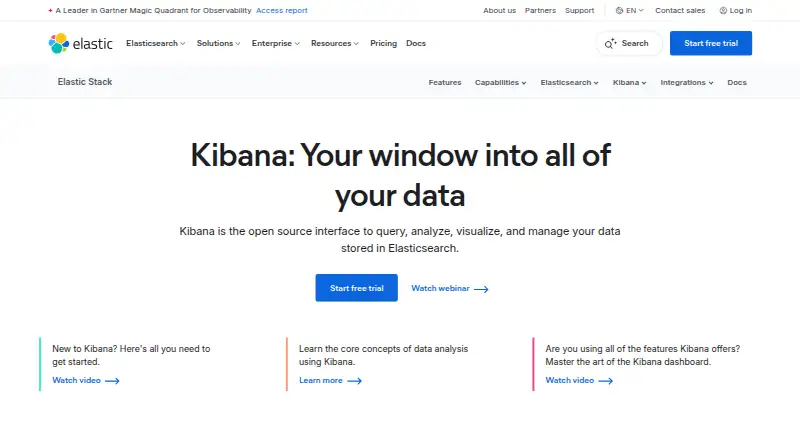
What Kibana is
Kibana is an open-source web interface for querying, analyzing, visualizing, and managing Elasticsearch data. Its tools include Discover, Dashboards, Dev Tools Console, Maps, alerting, and developer console capabilities. Interactive dashboards can combine metrics, charts, graphs, maps, tables, live data, drilldowns, and reusable saved queries, and can be embedded. Data can be ingested into Elasticsearch from logs, metrics, or documents, including through OpenTelemetry, Logstash, and Beats; listed sources also include cloud services, APIs, files, traces, and events. The self-managed Free and open tier includes the Elastic Stack and Kibana, plus native authentication, role-based access control, and TLS encryption; support is community-based. Elastic Cloud Hosted and Serverless offer a free trial. The Standard hosted plan is listed at $99 a month, as low as, based on cloud production configuration. Kibana also offers no-code machine learning for anomalies, rare events, message patterns, and alerting, alongside geospatial tools such as distance filters and shape overlays.
Good
- Open-source interface for Elasticsearch data.
- Dashboards support drilldowns and reusable saved queries.
- Can embed dashboards.
- Free self-managed tier includes native authentication and TLS.
- No-code machine learning and geospatial analysis tools.
Watch out
- Free-tier support is community-based.
- Standard hosted pricing is based on cloud configuration.
- Some listed plans are priced per contact.
Who it suits
Kibana suits people who need to explore and visualize Elasticsearch data through dashboards, maps, and analysis tools. Teams needing paid support or enterprise controls should review the available plan details.
Verdict
Kibana combines data exploration, dashboards, maps, and alerting around Elasticsearch. The free self-managed tier includes core security features, while support and hosted pricing vary by plan.
Plans and prices
From Kibana's own pricing page, checked 28 Sep 2026.
| Plan | Price | What it gives you |
|---|---|---|
| Free and open | Free | Self-managed; community support and free Elastic Stack features · Self-managed Elastic Stack · Kibana interface included · Community support |
| Standard | $99 a month | Elastic Cloud Hosted; based on cloud production config, 120 GB storage / 2 zones · Elastic Cloud Hosted · AWS, Azure, and Google Cloud · Dashboards and visualizations · Maps and alerting · Web-based support · As low as; based on cloud production configuration |
| Gold | $114 a month | Elastic Cloud Hosted; includes everything in Standard plus additional features · Everything in Standard · Reporting · Third-party alerting actions · Watcher · Multi-stack monitoring · As low as; based on cloud production configuration |
| Platinum | Priced on request | Self-managed; existing customers only · Everything in Gold · Advanced Elastic Stack security · Machine-learning anomaly detection · Supervised learning · Cross-cluster replication · As low as; based on cloud production configuration |
| Enterprise | Priced on request | Self-managed; everything in Platinum plus additional features · Everything in Platinum · Elastic Maps Server · Cross-cluster search · AI-assisted capabilities · Premium support · As low as; based on cloud production configuration |
The facts
Each one read from Kibana's own pages, with the date it was checked.
The company
- Company relationship
- Elastic describes itself as the company behind Elasticsearch.checked 28 Sep 2026
- Founded
- 2012checked 28 Sep 2026
- Team administration
- Enterprise includes SAML SSO, RBAC, access control, audit logging, and user management.checked 28 Sep 2026
What it does
- Dashboard features
- Dashboards support metrics, XY charts, graphs, maps, tables, live data, drilldowns, and reusable saved queries.checked 28 Sep 2026
- Dashboard type
- interactivechecked 20 Sep 2026
- Data ingestion
- Data can be ingested from logs, metrics, or documents into Elasticsearch, including via OTel, Logstash, and Beats.checked 28 Sep 2026
- Data sources
- Elasticsearch,Elastic Agent,Logstash,Beats,OpenTelemetry,APIs,AWS,Microsoft Azure,Google Cloud,Amazon S3,Amazon ECS,web content,files,logs,metrics,traces,and eventschecked 20 Sep 2026
- Embedded dashboards
- Yeschecked 20 Sep 2026
- Geospatial analysis
- Kibana supports multilayer maps, distance filters, shape overlays, and offline basemaps and boundaries.checked 28 Sep 2026
- Hosted support
- Elastic Cloud Hosted support levels include web-based, business-hours, enhanced, and premium support.checked 28 Sep 2026
- Open-source interface
- Kibana is an open source interface for querying, analyzing, visualizing, and managing Elasticsearch data.checked 28 Sep 2026
- Security certification
- Enterprise self-managed includes FIPS 140-3 compliance and controls for GDPR, HIPAA, and FedRAMP requirements.checked 28 Sep 2026
- Security encryption
- Self-managed Free includes native authentication, RBAC, and TLS encryption.checked 28 Sep 2026
- Support options
- Support ranges from community forums and webinars to web, phone, and 24/7/365 support.checked 28 Sep 2026
- System integrations
- Alert workflows integrate with Slack, PagerDuty, ServiceNow, and more than 100 additional systems.checked 28 Sep 2026
Money
- Free plan
- Yeschecked 20 Sep 2026
- Free tier
- The self-managed Free and open tier includes the full Elastic Stack, including Kibana.checked 28 Sep 2026
- Free tier limits
- Self-managed Free includes community support rather than guaranteed paid support.checked 28 Sep 2026
- Free trial
- Elastic Cloud Hosted and Serverless offer a free trial.checked 28 Sep 2026
Where it runs
- Machine learning
- Kibana offers no-code machine learning for anomalies, rare events, message patterns, and alerting.checked 28 Sep 2026
- Platform
- webchecked 20 Sep 2026
- Supported apps
- Kibana provides Discover, Dashboards, Dev Tools Console, Maps, alerting, and developer console capabilities.checked 28 Sep 2026
The full review of Kibana
Kibana is a browser-based workspace for exploring Elasticsearch data and building interactive dashboards. It is best suited to teams already working with the Elastic Stack and operational data. Its strength is bringing analysis, maps, and alerting into one environment; its main trade-off is that hosted costs depend on configuration, while the free self-managed option comes with community support.
Overview
Kibana is an open-source interface for querying, analyzing, visualizing, and managing Elasticsearch data. It works with Elastic Agent, Logstash, Beats, OpenTelemetry, APIs, cloud platforms, files, web content, and operational signals such as logs, metrics, traces, and events. Data can be ingested into Elasticsearch through tools including OTel, Logstash, and Beats.
That breadth is useful when a team wants to investigate operational data in the same system it uses to visualize it. Kibana is a less natural fit for people who simply need to publish a few charts without building around Elasticsearch.
Key features
Discover, Dashboards, Dev Tools Console, and developer-console capabilities cover data exploration and interaction with Elasticsearch. Dashboards bring together metrics, XY charts, graphs, maps, and tables; live data, drilldowns, and reusable saved queries make them more useful for ongoing analysis than static reporting alone. Embedded dashboards are supported.
Maps support layers, distance filters, shape overlays, and offline basemaps and boundaries, making Kibana relevant for location-based analysis as well as conventional charts. No-code machine learning can identify anomalies, rare events, and message patterns, and feed into alerting. Alert workflows connect to Slack, PagerDuty, ServiceNow, and more than 100 other systems.
Security is a meaningful part of the offering even at the free self-managed tier: it includes native authentication, role-based access control, and TLS encryption. Enterprise self-managed adds SAML single sign-on, audit logging, user management, and controls for requirements including GDPR, HIPAA, and FedRAMP; it also supports FIPS 140-3 compliance. These higher-tier controls matter for organizations with formal governance needs, but they are not a reason to assume every compliance requirement is met automatically.
Pricing
Kibana uses a freemium model. The self-managed Free and open tier costs nothing and includes the Elastic Stack and Kibana interface, with community support. It is the clearest choice for teams comfortable managing their own deployment and relying on forums and webinars rather than guaranteed paid support.
Elastic Cloud Hosted trials are available, as are Serverless trials. The Standard plan is $99 a month, billed as low as based on cloud production configuration. Its stated basis includes 120 GB storage and 2 zones, and it includes hosted service across AWS, Azure, and Google Cloud, dashboards and visualizations, maps, alerting, and web-based support. The configuration-based “as low as” price means it should be treated as an entry point, not a universal bill.
Gold is $114 a month, billed as low as on the same configuration basis. It includes Standard plus reporting, third-party alerting actions, Watcher, and multi-stack monitoring, making it the more appropriate hosted step up when those capabilities are needed.
Platinum is from $131 (priced on request), billed as low as, for self-managed deployments and existing customers only. It adds advanced Elastic Stack security, machine-learning anomaly detection, supervised learning, and cross-cluster replication to Gold. Enterprise is from $184 (priced on request), billed as low as, also self-managed; it adds Elastic Maps Server, cross-cluster search, AI-assisted capabilities, and premium support to Platinum. These contact-based tiers are aimed at established customers with advanced security, analysis, or scale needs rather than new users seeking a simple per-user subscription.
Support ranges from community forums and webinars to web, phone, and round-the-clock service, with hosted support levels spanning web-based through premium. Readers should match the plan to both deployment preference and support expectations: the free tier trades guaranteed assistance for no plan charge, while hosted and upper tiers add paid support and capabilities.
Platforms
Kibana is a web application. Its interactive dashboards and embedded-dashboard support suit browser-based team workflows, while self-managed and hosted options offer different operational trade-offs.
Who it's for
Kibana is a strong choice for teams that already store data in Elasticsearch and need to query it, build operational dashboards, map events, or route alerts to existing response tools. It is also a plausible fit where access controls and encryption matter from the outset. Teams that do not want to manage an Elastic deployment, or that need only lightweight chart publishing, should weigh simpler visualization tools instead.
Pros and cons
Pros
- Broad analysis in one interface: exploration, dashboards, maps, and alerting all center on Elasticsearch data.
- Useful operational workflow features, including drilldowns, saved queries, live data, and integrations with more than 100 alert systems beyond named services.
- The free self-managed tier includes authentication, RBAC, and TLS, not just basic visualization.
Cons
- The product is closely tied to Elasticsearch, making it a poor match for teams seeking an independent, lightweight chart publisher.
- The zero-cost route is self-managed and community-supported, so organizations wanting dependable paid support need to consider paid plans.
- Hosted pricing is configuration-dependent, and the higher self-managed tiers are contact-priced and Platinum is limited to existing customers.
Alternatives
Data Visualization Software is a useful place to compare tools across the category. Consider Datawrapper if you want a freemium visualization tool with web publishing and embedding, PNG downloads, and a free tier that shows attribution. Choose Apache Superset if a free, open-source data exploration and visualization platform with self-managed installation is a better fit.
Plotly is another freemium option with a free tier, a trial, and a self-hosted platform. amCharts offers a free plan with full functionality, commercial use, unlimited users and pages, and a small backlink. Flourish may suit users seeking unlimited projects and stories, a full template range, and public publishing and embeds with attribution on its free tier.
Infogram is worth considering for its Basic plan’s interactive chart types, project and page limits, map types, and online publishing. Databox has a free tier capped at one user and three data sources, while its Analyst plan is listed at $71 a month billed annually. Tableau may be preferable for teams evaluating a self-hosted option with Creator and Explorer licensing.
Verdict
Choose Kibana if Elasticsearch is already central to your work and you want dashboards, maps, data exploration, and alert workflows built around it. The free self-managed tier is capable and includes core security features, but it relies on community support; hosted users should budget around configuration-based pricing. If your priority is standalone chart publishing or avoiding the Elastic Stack, another visualization tool is likely a better fit.
Getting started
- Open the Kibana website
- Choose self-managed Free and open or an Elastic Cloud Hosted or Serverless trial
- Ingest logs, metrics, or documents into Elasticsearch using available connectors
- Create visualizations and dashboards in the web interface
- Configure alerts, maps, saved queries, or embedded dashboards
Limits worth knowing
The self-managed Free and open tier includes community support rather than guaranteed paid support. Hosted Standard is listed at $99 a month based on cloud production configuration; higher plans add features and support.
Questions
Is Kibana free?
Yes. The self-managed Free and open plan is listed as free and includes the Elastic Stack with Kibana. Elastic Cloud Hosted and Serverless also offer a free trial.
What platforms does Kibana support?
Kibana is available on the web.
What does the Standard plan cost?
Standard is listed at $99 a month, billed as low as and based on cloud production configuration.
What paid plans are listed?
Gold is listed at $114 a month.
Is Kibana open source?
Kibana is described as an open-source interface for querying, analyzing, visualizing, and managing Elasticsearch data.
Which integrations are available?
Alert workflows integrate with Slack, PagerDuty, ServiceNow, and more than 100 additional systems. Data sources include Elasticsearch, Elastic Agent, Logstash, Beats, OpenTelemetry, APIs, cloud platforms, files, logs, metrics, traces, and events.