
Flourish
Flourish is a no-code tool for building interactive data visualizations and stories, including charts and maps.
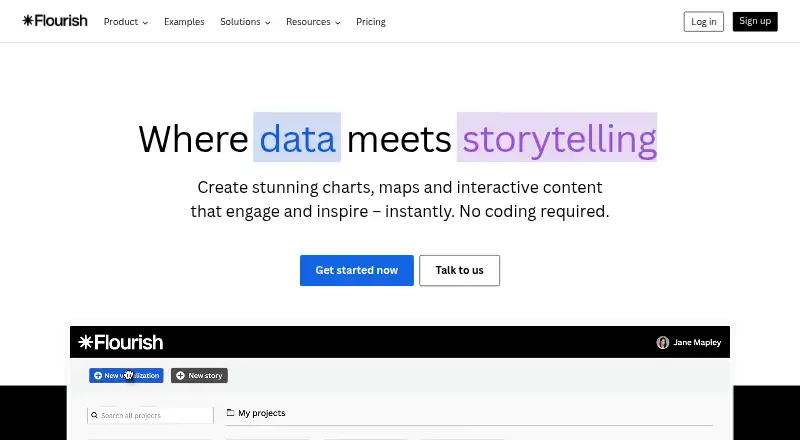
What Flourish is
Flourish is a no-code tool for building interactive data visualizations and stories, including charts and maps. Its library includes more than 50 chart types and templates, from line and bar charts to interactive maps, hierarchy graphs, survey results, and Sankey diagrams. Templates can use tooltips, filters, and animations; Publisher and Enterprise plans add scrollytelling. Published projects can be embedded in websites with responsive embed code or shared through a unique URL. Flourish can refresh visualizations from publicly accessible CSV files at regular intervals, while Publisher supports live updates from Google Sheets or CSV. Presenter, available with Canva Business or Enterprise, supports interactive charts in Canva designs and PowerPoint. Enterprise adds an API for creating and editing visualizations and connecting them to databases, live data feeds, webpages, and named tools. Export options depend on plan: PNG, JPEG, and usually SVG are available on Presenter, Publisher, and Enterprise, while Publisher also includes HTML export for self-hosting. The Free plan costs nothing and allows unlimited projects, with attribution on published visualizations.
Good
- More than 50 chart types and templates.
- Responsive embeds and unique project URLs.
- Free plan includes unlimited projects and stories.
- Publisher supports live Google Sheets or CSV updates.
Watch out
- Published free visualizations include Flourish attribution.
- Scrollytelling is limited to Publisher and Enterprise.
- Presenter requires Canva Business or Enterprise.
Who it suits
Flourish Free suits people learning and exploring, while Presenter is for individuals preparing presentations and reports. Publisher is aimed at professionals and teams publishing online, and Enterprise at organizations needing security, control, and support.
Verdict
Flourish offers charting and interactive storytelling with a free entry point and plan-specific publishing options. Check the publishing, export, attribution, and integration needs of your project against the plan details.
Plans and prices
From Flourish's own pricing page, checked 3 Oct 2026.
| Plan | Price | What it gives you |
|---|---|---|
| Free | Free | Unlimited projects and stories · Full template range · Public publishing and embeds with attribution |
| Enterprise | Priced on request | Advanced security and access controls · SSO · Multiple custom themes · Live rendering API · Dedicated account manager and priority support · Custom contract and invoicing |
| Presenter | Priced on request | Interactive charts in Canva and PowerPoint · Image and SVG export · Available with a Canva Business or Enterprise plan; billed via Canva |
| Publisher | Priced on request | Team collaboration · No-attribution website embeds · Scrollytelling · Live updates via Google Sheets or CSV · HTML export · Custom contract and invoicing |
The facts
Each one read from Flourish's own pages, with the date it was checked.
What it does
- API and integrations
- The Enterprise-level Flourish API can dynamically create and edit visualizations and connect them to databases, live data feeds, webpages, or tools including R, Tableau, Jupyter, and Observable.checked 3 Oct 2026
- Canva and PowerPoint
- Presenter is available with Canva Business or Enterprise and supports interactive charts in Canva designs and PowerPoint; Publisher and Enterprise users also get the Flourish app in Canva.checked 3 Oct 2026
- Enterprise controls
- Enterprise security features include password policies, enforced two-factor authentication, approval policies, session-duration controls, and SAML-based SSO.checked 3 Oct 2026
- Exports and self-hosting
- Presenter, Publisher, and Enterprise users can export projects as PNG, JPEG, or, in most cases, SVG; Publisher also includes HTML export for self-hosting.checked 3 Oct 2026
- Interactive storytelling
- Templates support interactive elements such as tooltips, filters, and animations, and Publisher and Enterprise plans include scrollytelling.checked 3 Oct 2026
- Live data
- Flourish can update visualizations from publicly accessible CSV files at regular intervals; Publisher includes live updates via Google Sheets or CSV.checked 3 Oct 2026
- Security
- Flourish says it is ISO 27001 certified, encrypts visualizations in transit and at rest, and hosts customer projects primarily in the EEA on AWS.checked 3 Oct 2026
- Sharing
- Published visualizations can be embedded in websites using a responsive embed code, and each project has a unique URL.checked 3 Oct 2026
- Support and training
- Publisher and Enterprise teams receive live onboarding and advanced training videos; Enterprise customers also receive tailored sessions and a dedicated customer success manager.checked 3 Oct 2026
- Templates
- The product offers more than 50 chart types and templates, including line charts, bar charts, interactive maps, hierarchy graphs, survey results, and Sankey diagrams.checked 3 Oct 2026
- What it does
- Flourish is a no-code tool for creating interactive data visualizations and stories, including charts and maps.checked 3 Oct 2026
- Who it is for
- Flourish describes Free as suitable for learning and exploring, Presenter for individuals making presentations and reports, Publisher for professionals and teams publishing online, and Enterprise for organizations needing security, control, and support.checked 3 Oct 2026
The company
- Founded
- 2018checked 23 Sep 2026
Money
- Free plan
- Yeschecked 19 Sep 2026
- Free-plan publishing limit
- Free projects are private until published, and published visualizations include Flourish attribution.checked 3 Oct 2026
The full review of Flourish
Flourish is a no-code workspace for turning data into interactive charts, maps, and stories. It suits presenters, publishers, and teams that need web-ready visualizations without building a charting system from scratch. The free tier is a useful way to learn, while professional publishing, export, live-data, and governance requirements determine whether an upgrade is necessary.
Overview
Flourish combines a broad visual template library with interactive presentation features. More than 50 chart types cover line and bar charts, interactive maps, hierarchy graphs, survey results, Sankey diagrams, and other common reporting formats. Tooltips, filters, and animations let readers investigate a visualization instead of receiving only a static graphic.
Projects can be published at a unique URL or placed in a site with responsive embed code. Publicly accessible CSV files can refresh visualizations at regular intervals, which is useful for recurring dashboards or newsroom updates. Free projects are private until publication, but published work carries Flourish attribution, limiting the free tier for client-facing or tightly branded output.
Key features
Interactive storytelling
The templates support exploratory interactions, while scrollytelling is reserved for Publisher and Enterprise. That distinction matters: an individual making a chart can stay on Free or Presenter, but a team building a guided, narrative data package needs Publisher or Enterprise.
Presentations, exports, and live data
Presenter works with Canva Business or Enterprise and adds interactive charts in Canva designs and PowerPoint. Presenter, Publisher, and Enterprise can export PNG, JPEG, and, in most cases, SVG files. Publisher also adds HTML export for self-hosting. Publisher live updates work through Google Sheets or CSV, extending the basic CSV refresh capability.
API, security, and integrations
The Enterprise Flourish API can create and edit visualizations dynamically and connect them to databases, live feeds, webpages, R, Tableau, Jupyter, and Observable. Enterprise security includes password policies, enforced two-factor authentication, approval policies, session-duration controls, and SAML-based single sign-on. Flourish says it is ISO 27001 certified, encrypts visualizations in transit and at rest, and hosts projects primarily in the EEA on AWS.
Pricing
Free — free
Free includes unlimited projects and stories, the full template range, and public publishing and embeds with attribution. It is aimed at learning and exploration. The attribution requirement and lack of the higher-tier export, collaboration, and governance features make it a poor fit for polished client deliverables or controlled organizational publishing.
Presenter — custom pricing
Presenter is for individuals producing presentations and reports. Canva Business or Enterprise is required; the plan provides interactive Canva and PowerPoint charts, image and SVG export, and no Flourish attribution in Canva or PowerPoint. It is the focused choice for presentation work rather than a general team-publishing tier.
Publisher — custom pricing
Publisher targets professionals and teams. Team collaboration, custom themes with fonts, colors, and logos, live Google Sheets or CSV updates, scrollytelling, and HTML self-hosting address recurring branded publication. Choose it when web publishing and operational data updates matter more than enterprise-wide access controls.
Enterprise — custom pricing
Enterprise adds advanced security and access controls, SSO and password-management policies, a live rendering API, a dedicated account manager, priority support, tailored sessions, and advanced training. It is the appropriate tier for organizations integrating visualizations into systems or requiring formal governance and support.
Platforms
Flourish is offered through the web, an API, an extension, and self-hosted deployment. That combination supports browser-based creation, programmatic workflows, connected integrations, and Publisher HTML self-hosting.
Who it's for
Free is best for learners and experimentation. Presenter fits individuals making presentations and reports, especially teams already using Canva Business or Enterprise. Publisher is the stronger match for professionals and collaborative publishing teams that need branding, live data, or self-hosting. Enterprise is for organizations that need security controls, API-driven rendering, structured access, and dedicated support.
Pros and cons
Pros
- Broad template coverage: More than 50 chart and story templates handle charts, maps, hierarchy diagrams, surveys, and Sankey flows.
- Practical web distribution: Responsive embeds and unique URLs make published work easy to place in sites or share directly.
- Clear upgrade paths: Presenter, Publisher, and Enterprise each add capabilities tied to presentation, publishing, or organizational control.
- Serious integration ceiling: The Enterprise API connects visualization workflows with databases, feeds, and tools such as R, Tableau, Jupyter, and Observable.
Cons
- Free attribution: Public free projects display Flourish attribution, which weakens fully branded publishing.
- Scrollytelling is tier-gated: Narrative pages require Publisher or Enterprise rather than the free charting experience.
- Key prices are custom: Presenter, Publisher, and Enterprise require a sales conversation, making budgeting less immediate.
- Advanced exports are paid-tier features: Image, SVG, and HTML export are not part of the Free offer.
Alternatives
Datawrapper is a strong alternative when you want charts, maps, and tables with web publishing, embedding, and PNG downloads on its free plan, accepting attribution.
Understand suits readers seeking a free single-editor storytelling tool with unlimited stories, CSV upload, public sharing, and scrollytelling.
Juicebox is the alternative for search-oriented projects where a paid per-seat plan includes unlimited searches and projects.
BStreams is worth considering for browser-based work with a free storage allowance and collaborator limits.
Infogram fits users who prefer a free basic tier with interactive charts, maps, project caps, and online publishing.
Mimasa AI is an option for users prioritizing AI-assisted workflows with a free daily-credit allowance and hosted storage.
DataStories is a paid product with a free trial rather than a free plan.
Graphtelling is suited to small experiments that can accept three free charts, JPEG-only export, and branding, with a paid Pro upgrade.
For broader comparisons, see Data Storytelling Tools, Data Visualization Software, Interactive Map Software, Map Creation Software, and Infographic Software.
Verdict
Choose Flourish if you need polished interactive charts and stories that can move from a free learning environment to branded, live, collaborative, or governed publishing. Its main strength is the combination of template breadth and publishing flexibility. Look elsewhere if you need transparent pricing for advanced tiers, attribution-free output without a custom plan, or a simpler free scrollytelling workflow.