Graphtelling
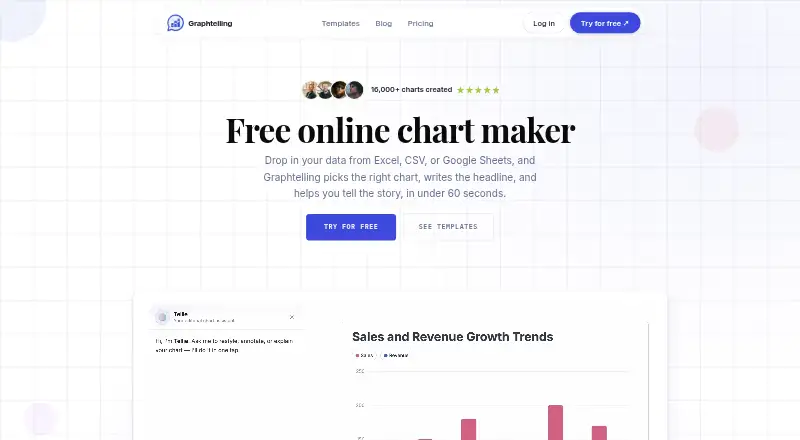
Graphtelling turns spreadsheet data and chart screenshots into editable charts, with AI-generated headlines, insights, and takeaways.
What Graphtelling is
Graphtelling turns spreadsheet data and chart screenshots into editable charts, with AI-generated headlines, insights, and takeaways. It accepts CSV and Excel files, pasted spreadsheet data, Google Sheets, and screenshots of existing charts. All plans include 14 chart types and tables. Dashboards can combine linked charts with text, arrows, shapes, images, and animations, then be shared by link, image, or embed. Live embed links can publish charts on websites, newsletters, or CMSs. The Free plan allows three charts and 50 one-time AI actions, JPEG export, and viewing shared dashboards, but does not allow dashboard building. Pro adds unlimited charts, one editor, and 400 screenshot imports per month; Business supports up to five editors and 800 imports per editor monthly. New workspaces receive seven days of Pro without a credit card, capped at five charts and 30 screenshot imports. The maker says data is stored securely, not shared, and can be deleted at any time. Graphtelling is web-based. Paid monthly options are €15/mo for Pro and €30/mo for Business; yearly billing is listed at €120 and €240 respectively.
Good
- Accepts spreadsheet files, Google Sheets, pasted data, and chart screenshots
- All plans include 14 chart types and tables
- Dashboards can be shared by link, image, or embed
- Free plan includes three charts and 50 one-time AI actions
Watch out
- Free plan does not allow dashboard building
- Free plan limits users to three charts and JPEG export
- Screenshot imports pause at monthly plan limits
Who it suits
Graphtelling suits people turning spreadsheet data or chart images into shareable visuals, including creators, marketers, and founders. Business adds team access for up to five editors.
Verdict
Graphtelling combines editable charts, AI-generated takeaways, and shareable dashboards, with plan limits that differ by tier. The Free plan supports a small chart set, while Pro and Business add greater usage and editor capacity.
Plans and prices
From Graphtelling's own pricing page, checked 7 Oct 2026.
| Plan | Price | What it gives you |
|---|---|---|
| Free | Free | 3 charts total · 50 AI actions one-time · JPEG export only · Graphtelling branding |
| Pro | €10 a month | Unlimited charts · 400 screenshot imports/month · 1 editor · Google Sheets import · PNG, WebP, JPEG and SVG export · €120 billed yearly; monthly option €15/mo |
| Business | €20 a month | 800 screenshot imports/editor/month · Up to 5 editors · Shared Brand Kit · Password-protected dashboards and links · Dedicated support · €240 billed yearly; monthly option €30/mo |
The facts
Each one read from Graphtelling's own pages, with the date it was checked.
What it does
- AI features
- AI can uncover insights, improve headlines, and generate takeaways; paid plans make these features unmetered.checked 7 Oct 2026
- Audience
- The Pro plan is described for creators, marketers, and founders; Business adds team access for up to five editors.checked 7 Oct 2026
- Branding
- The Brand Kit includes logos, palettes, fonts, and saved style presets on Pro and Business.checked 7 Oct 2026
- Chart types
- All plans include 14 chart types and tables.checked 7 Oct 2026
- Dashboards
- Dashboards combine linked charts with text, arrows, shapes, images, and animations, and can be shared by link, image, or embed.checked 7 Oct 2026
- Data import
- It accepts CSV, Excel, pasted spreadsheet data, Google Sheets, and screenshots of existing charts.checked 7 Oct 2026
- Publishing
- Charts can be embedded on websites, newsletters, or CMSs using a live embed link.checked 7 Oct 2026
- Purpose
- Graphtelling turns spreadsheet data and chart screenshots into editable charts with AI-generated headlines and insights.checked 7 Oct 2026
- Security and data
- The maker says data is stored securely, is never shared, and charts and data can be deleted at any time.checked 7 Oct 2026
- Support
- The pricing comparison lists best-effort email support on Free, a 48-hour response on Pro, and a 24-hour response plus dedicated support on Business.checked 7 Oct 2026
- Usage limits
- Pro includes 400 screenshot imports monthly and Business includes 800 per editor monthly; when reached, screenshot import pauses without overage billing.checked 7 Oct 2026
Money
- Free limits
- The Free plan allows 3 charts and 50 one-time AI actions; it permits JPEG export and viewing shared dashboards, but not building dashboards.checked 7 Oct 2026
- Trial
- New workspaces start with 7 days of Pro without a credit card; the trial is capped at 5 charts and 30 screenshot imports.checked 7 Oct 2026
Alternatives to Graphtelling
- 1

Datawrapper
Free planOpen sourceAndroidiOSWebAPI8.6From $21 a month - 2

Infogram
Free planAndroidiOSWebAPI8.1From $19 a month - 3

Understand
Free planAndroidiOSWebAPI7.9From $15 a month - 4
Juicebox
Free planWebExtension7.2From $119 a month - 5

Observable
Free planWebSelf-hosted6.9From $22 a month - 6
DataStories
AndroidiOSWebAPI6.8