Plotly
Plotly provides tools for interactive dashboards, data applications and charts, spanning open-source libraries, hosted services and self-hosted platforms.
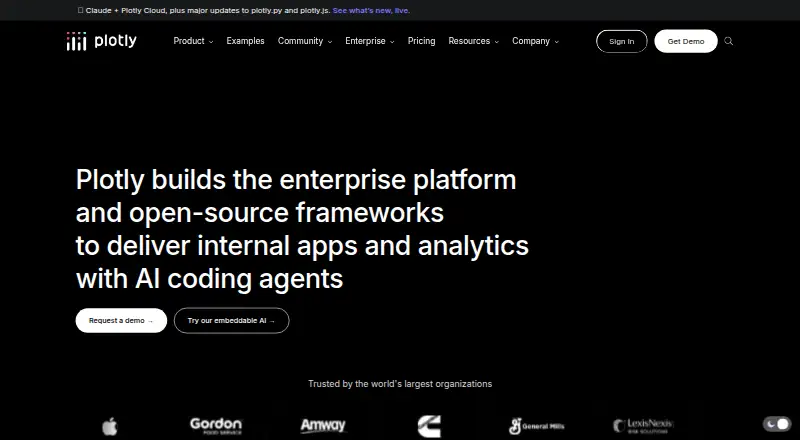
What Plotly is
Plotly provides tools for interactive dashboards, data applications and charts, spanning open-source libraries, hosted services and self-hosted platforms. Its graphing libraries support Python and JavaScript and offer more than 70 chart types. Data connections include Snowflake, Databricks, BigQuery, PostgreSQL, MySQL, SQL Server, MotherDuck, Oracle, CSV and other sources accessible through Python. Plotly Studio runs locally as a desktop app and can deploy to Plotly Cloud, while Dash Enterprise can be self-hosted or run on premises to keep data within an organization's network. Dashboards support embedding and scheduled refreshes. The free plan includes one creator seat, one Dash or Plotly Studio app, three private viewers and 10 trial credits, without requiring a credit card. It does not allow invitations to other Creators or Viewers. Pro costs $29 per Creator seat per month and includes 30 monthly credits, 10 private Viewers and unlimited apps. Credit-powered features stop when credits are exhausted, though published apps continue running. Subscriptions can be canceled without fees or penalties.
Good
- Graphing libraries support Python and JavaScript.
- Offers more than 70 chart types.
- Free plan includes one app and 10 trial credits.
- Dashboards support embedding and scheduled refresh.
- Published apps continue running after credits run out.
Watch out
- Free plan limits access to three private viewers.
- Free plan does not allow inviting other users.
- Credit-powered features stop when credits run out.
Who it suits
Plotly may suit people building charts, interactive dashboards or internal data applications using Python, JavaScript or connected data sources. Its self-hosted and on-premises options are relevant to organizations that want data to remain within their network.
Verdict
Plotly spans charting libraries, desktop authoring, cloud publishing and self-hosted enterprise deployment. The free plan is limited to one app and three private viewers, while Pro starts at $29 per Creator seat per month.
Plans and prices
From Plotly's own pricing page, checked 28 Sep 2026.
| Plan | Price | What it gives you |
|---|---|---|
| Free | Free | No credit card required; includes 10 trial credits, 3 private viewers, and 1 app. · 1 creator seat · 3 private viewers · 1 Dash or Plotly Studio app · 10 Plotly credits trial · No credit card required |
| Pro | $29 a month | 30 Plotly credits monthly · 1 creator seat · 10 private viewers · Unlimited apps · per Creator seat / month |
| Enterprise | Priced on request | For large organizations with mission-critical data applications. · Unlimited apps · Flexible creator seats · Flexible private viewers · custom pricing |
| Pro Monthly | $29 a month | Includes 30 monthly credits, 10 private Viewers, and unlimited apps. · billed monthly at $29 per Creator seat |
| Pro Annual | $290 a year | Includes 30 monthly credits, 10 private Viewers, and unlimited apps. · billed annually at $290 per Creator seat |
The facts
Each one read from Plotly's own pages, with the date it was checked.
Money
- Additional credit cost
- Additional Plotly credits cost $1 each.checked 28 Sep 2026
- Free plan
- Yeschecked 20 Sep 2026
- Free plan limits
- The Free plan includes 3 private viewers and 1 Dash or Plotly Studio app.checked 28 Sep 2026
- Free team access
- The Free plan does not allow inviting other Creators or Viewers.checked 28 Sep 2026
- Free trial credits
- The Free plan includes a 10-credit trial and requires no credit card.checked 28 Sep 2026
Where it runs
- App publishing
- Plotly Cloud supports drag-and-drop, MCP, or CLI deployment without infrastructure setup.checked 28 Sep 2026
- Platform
- web_and_desktopchecked 20 Sep 2026
- Platforms and apps
- Plotly offers Studio, Cloud, Dash, graphing libraries, and Dash Enterprise.checked 28 Sep 2026
- Studio platform
- Plotly Studio runs locally as a native desktop app and can deploy to Plotly Cloud.checked 28 Sep 2026
What it does
- Cancellation policy
- Subscriptions can be canceled without penalties or cancellation fees.checked 28 Sep 2026
- Credit exhaustion
- Credit-powered features stop when credits run out, but published apps continue running.checked 28 Sep 2026
- Dashboard type
- interactivechecked 20 Sep 2026
- Data connections
- Connectors are available for Snowflake, Databricks, BigQuery, and Postgres, plus Python-accessible sources.checked 28 Sep 2026
- Data sources
- Snowflake,Databricks,BigQuery,PostgreSQL,MySQL,SQL Server,MotherDuck,Oracle,CSV,and anything Python can connect tochecked 20 Sep 2026
- Embedded dashboards
- Yeschecked 20 Sep 2026
- Embedding support
- Enterprise plans include Dash Design Kit and Secure Embedding.checked 28 Sep 2026
- Enterprise certifications
- Enterprise is SOC II certified and ISO 27001, 27701, and 42001 certified.checked 28 Sep 2026
- Enterprise deployment
- Dash Enterprise is self-hosted, on-premises, and designed to keep data within the organization's network.checked 28 Sep 2026
- Graphing support
- Plotly's open-source graphing library supports Python and JavaScript with 70+ chart types.checked 28 Sep 2026
- Open-source license
- plotly.py, plotly.js, and Dash are MIT-licensed.checked 28 Sep 2026
- Paid from
- 29checked 20 Sep 2026
- Scheduled refresh
- Yeschecked 20 Sep 2026
- Security certifications
- Plotly Cloud and Dash Enterprise support SOC2 and SSO/SAML; Enterprise lists several certifications.checked 28 Sep 2026
The company
- Company focus
- Plotly builds enterprise platforms and open-source frameworks for internal apps and analytics.checked 28 Sep 2026
The full review of Plotly
Plotly combines open-source charting libraries with desktop authoring, cloud publishing and self-hosted enterprise deployment. It suits developers and teams building interactive data apps, especially those who need Python or JavaScript charting or must keep deployments on their own infrastructure. Its range is a strength, but the free plan’s tight collaboration cap makes Pro the more practical starting point for shared work.
Overview
Plotly spans graphing libraries, Plotly Studio, Plotly Cloud, Dash and Dash Enterprise rather than offering a single charting product. Its open-source libraries support Python and JavaScript and provide more than 70 chart types, while Dash supports building internal apps and analytics. That breadth is useful for teams that want to move from chart creation to published applications without changing ecosystems; it is more than many users need if they only want to make and embed a few charts.
Studio is a native desktop app that can deploy to Plotly Cloud. Cloud supports drag-and-drop, MCP or CLI publishing without infrastructure setup, and published dashboards can be interactive, embedded and scheduled to refresh. Data connections include Snowflake, Databricks, BigQuery and PostgreSQL, alongside Python-accessible sources such as CSV, MySQL, SQL Server, MotherDuck and Oracle.
Key features
Charts and apps
The MIT-licensed plotly.py, plotly.js and Dash libraries let developers build with familiar programming languages and keep the underlying tools open source. Studio adds a desktop authoring route for users who prefer to create locally and then deploy to Cloud. This combination offers flexibility, but teams should choose the relevant Plotly product deliberately: chart libraries, Studio, Cloud and enterprise deployment serve different parts of the workflow.
Publishing and administration
Cloud removes the need to set up publishing infrastructure, and the listed support for embedded dashboards and scheduled refresh makes it suitable for shared, recurring reporting. Teams use Creator roles to build and administer apps and Viewer roles to consume them. In-app support aims to respond within 48 hours during business hours, a useful channel but not a promise of immediate help.
Pricing
The Free plan costs nothing and includes one Creator seat, one Dash or Plotly Studio app, three private viewers and a 10-credit trial with no credit card required. It is a sensible way for an individual to explore the platform, but it is restrictive for collaboration: the plan does not allow inviting other Creators or Viewers, and the three private-viewer allowance does not change that team-access limit.
Pro costs $29 a month per Creator seat when billed monthly, or $290 a year per Creator seat when billed annually. Both options include 30 Plotly credits monthly, 10 private Viewers and unlimited apps. Pro removes the one-app ceiling and gives a Creator room to publish more, though the 10-viewer cap still limits private distribution. Additional Plotly credits cost $1 each. Credit-powered features stop when credits run out, but published apps continue running, so a credit shortage does not take existing apps offline.
Enterprise has custom pricing, unlimited apps and flexible Creator seats and private Viewers. It is aimed at large organizations with mission-critical data applications, particularly those requiring deployment control or enterprise security. Subscriptions can be canceled without penalties or cancellation fees. The Free plan’s 10-credit trial requires no card; no separate paid-plan trial terms are stated.
Platforms
Plotly supports web and desktop use through Studio and Cloud, and Dash Enterprise can be deployed self-hosted or on-premises to keep data within an organization’s network. Plotly Cloud and Dash Enterprise support SOC2 and SSO/SAML; Enterprise is SOC II certified and ISO 27001, 27701 and 42001 certified. These options make Plotly relevant to organizations with security and deployment requirements, while a solo chart-maker may have little use for its enterprise controls.
Who it's for
Plotly is a strong fit for developers and analytics teams building interactive, data-connected apps, especially where Python or JavaScript charting, embedded dashboards, refresh schedules or private deployment matter. Pro suits a Creator who needs unlimited apps and a small private audience. Organizations that need flexible seats, viewers and on-premises deployment should consider Enterprise. It is less compelling for someone who wants only a small number of simple public charts or needs broad team collaboration at no cost.
Pros and cons
- Pro: More than 70 chart types and MIT-licensed Python and JavaScript libraries give developers substantial scope without locking chart creation to a proprietary toolkit.
- Pro: Studio, Cloud and Dash Enterprise cover desktop creation, infrastructure-free publishing and self-hosted deployment, allowing different teams to choose an operating model.
- Pro: Pro includes unlimited apps and 30 monthly credits, while published apps keep running even if credits are exhausted.
- Con: Free permits just one app and three private viewers, and does not allow inviting additional Creators or Viewers, limiting its usefulness for team evaluation.
- Con: Pro’s 10 private Viewers may be too few for wider internal distribution, and additional credits cost $1 each.
Alternatives
For a wider comparison, see Data Visualization Software.
- Datawrapper is worth considering when charts, maps and tables with web publishing and embedding are the priority; its free plan includes PNG downloads but shows attribution.
- Apache Superset is a free, self-managed option for teams seeking an open-source data exploration and visualization platform.
- Kibana is an alternative for teams that prefer a free and open, self-managed option with community support.
- Infogram is an alternative to consider for online publishing with interactive chart and map types.
- amCharts may suit users who want a free plan with full functionality, commercial use and unlimited users and pages, in exchange for a small backlink.
- Flourish is an alternative for public publishing, with a free plan offering unlimited projects and stories, its full template range and embeds with attribution.
- Tableau is another option for teams comparing Creator and Explorer licensing; its Creator plan is $75 a month billed annually.
- ClicData is an alternative to consider for teams comparing dashboard software with annual or monthly billing options.
Verdict
Choose Plotly if you need developer-oriented interactive charting that can grow into cloud-published or privately hosted data apps. Its open libraries and range of deployment paths are the clearest reasons to choose it; its free collaboration limits and Pro’s 10-viewer cap are the main reasons to look elsewhere if you need broad sharing on a low budget.