Matplotlib
Matplotlib is a free Python library for making static, animated, and interactive visualizations.
What Matplotlib is
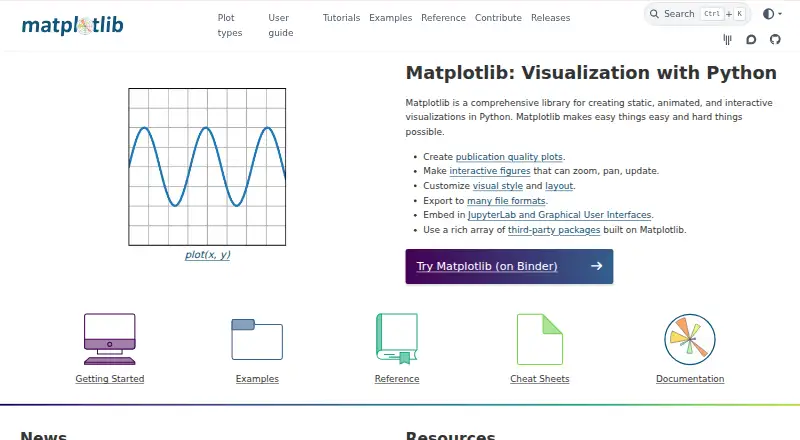
Matplotlib is a free Python library for making static, animated, and interactive visualizations. The project says it can produce publication-quality plots, and interactive figures can support zooming, panning, and updates. Users can adjust visual styles and figure layouts, then export figures to many file formats. Matplotlib can be embedded in JupyterLab and graphical user interfaces. Its ecosystem includes third-party packages such as seaborn, HoloViews, plotnine, Cartopy, and WCSAxes. Official release wheels are available for Linux, macOS, and Windows, and documented runtime dependencies require Python 3.11 or newer. Extra dependencies may be needed for other GUI frameworks, LaTeX rendering, animation saving, and additional file formats. The project says its code is BSD-compatible and provides a royalty-free license subject to its terms. For community help, it points users to Discourse, GitHub issues, and Stack Overflow. Matplotlib began as a tool for EEG data and is now used in many fields, according to the project.
Good
- Creates static, animated, and interactive visualizations.
- Interactive figures can zoom, pan, and update.
- Exports to many file formats.
- Works with JupyterLab and graphical user interfaces.
- BSD-compatible licensing is listed.
Watch out
- Requires Python 3.11 or newer.
- Some features need additional dependencies.
- No free trial is offered.
Who it suits
Matplotlib suits Python users who need to create and customize plots for analysis, publication, or interactive use. It can also suit developers embedding figures in JupyterLab or graphical user interfaces.
Verdict
Matplotlib offers visualization tools within Python, from static plots to interactive figures, with extensive style and layout customization. Consider its Python requirement and possible extra dependencies when selecting it.
Plans and prices
From Matplotlib's own pricing page, checked 11 Oct 2026.
| Plan | Price | What it gives you |
|---|---|---|
| Matplotlib | Free | BSD-compatible open-source license · Python library |
The facts
Each one read from Matplotlib's own pages, with the date it was checked.
What it does
- Customization
- Users can customize visual style and figure layout.checked 11 Oct 2026
- Dashboard type
- bothchecked 21 Sep 2026
- Data sources
- Python lists,NumPy arrayschecked 21 Sep 2026
- Embedded dashboards
- Yeschecked 21 Sep 2026
- Export
- Matplotlib can export figures to many file formats.checked 11 Oct 2026
- Integrations
- The project lists third-party packages built on Matplotlib, including seaborn, HoloViews, plotnine, Cartopy, and WCSAxes.checked 11 Oct 2026
- Intended users
- The project says Matplotlib began as a tool for EEG data and grew to be used in many different fields.checked 11 Oct 2026
- Interactive figures
- Interactive figures can support zooming, panning, and updates.checked 11 Oct 2026
- Jupyter and GUIs
- The project describes embedding Matplotlib in JupyterLab and graphical user interfaces.checked 11 Oct 2026
- License
- The project says Matplotlib uses BSD-compatible code and grants a royalty-free license subject to its license terms.checked 11 Oct 2026
- Optional components
- Additional dependencies may be needed for other GUI frameworks, LaTeX rendering, animation saving, and more file formats.checked 11 Oct 2026
- Plot quality
- The project says Matplotlib can create publication-quality plots.checked 11 Oct 2026
- Purpose
- Matplotlib is a Python library for creating static, animated, and interactive visualizations.checked 11 Oct 2026
- Python requirement
- The documented runtime dependencies require Python 3.11 or newer.checked 11 Oct 2026
- Security
- The Matplotlib 3.11.0 release notes say parsing of the axes.prop_cycle setting was restricted to a safer set of expressions.checked 11 Oct 2026
- Support
- The project directs users to community help through Discourse, GitHub issues, and Stack Overflow.checked 11 Oct 2026
- Supported systems
- Official release wheels are available for macOS, Windows, and Linux.checked 11 Oct 2026
The company
- Founded
- 2003checked 28 Sep 2026
Money
- Free plan
- Yeschecked 21 Sep 2026
Where it runs
- Platform
- web_and_desktopchecked 21 Sep 2026
The full review of Matplotlib
Overview
Matplotlib is a Python library for building static, animated and interactive visualizations. It suits people who work in Python and want control over plots for analysis or publication. Its flexibility is a strength, but it comes with a Python 3.11-or-newer requirement and may need extra dependencies for some output and interface options.
Key features
Matplotlib covers the full path from static charts to interactive figures, where users can zoom, pan and update a visualization. That range is useful when the same plotting toolkit needs to serve both exploratory work and finished figures. The project says it can produce publication-quality plots, and customization of visual style and figure layout gives users room to shape the result.
Figures can be exported to many file formats, and Matplotlib can be embedded in JupyterLab and graphical user interfaces. Its ecosystem also includes third-party packages such as seaborn, HoloViews, plotnine, Cartopy and WCSAxes. These extensions broaden its reach, though some GUI frameworks, LaTeX rendering, animation saving and additional file formats can require extra dependencies.
The library works with Python lists and NumPy arrays. Its code is BSD-compatible and licensed royalty-free subject to the license terms. Support comes through community channels including Discourse, GitHub issues and Stack Overflow. The 3.11.0 release notes also describe a security-related restriction on expressions parsed from the axes.prop_cycle setting.
Pricing
Matplotlib costs free under a BSD-compatible open-source license. There is no paid tier or free-trial period to weigh against the free option. The trade-off is practical rather than financial: users need a suitable Python environment, and optional capabilities can bring additional dependency requirements.
Platforms
Official release wheels are available for macOS, Windows and Linux. Matplotlib can also be used in web contexts and self-hosted environments, with dashboards described as both desktop and web and embedded dashboards supported. Python 3.11 or newer is required; a target platform alone does not remove that runtime requirement.
Who it's for
Matplotlib is a strong fit for Python users who need detailed control over chart appearance, figure layout and export, or who want plotting embedded in JupyterLab or a GUI. The project began with EEG data and has since been used across many fields, making it relevant wherever Python-based visualization is part of the work. It is a poorer fit for readers who want a standalone charting application without a Python requirement or dependency management.
Pros and cons
- Pros: Static, animated and interactive figures in one library suit workflows that move from exploration to finished output.
- Pros: Extensive style and layout customization, plus export to many formats, gives Python users control over presentation.
- Pros: JupyterLab and GUI embedding, along with a broad set of third-party packages, makes it adaptable to different Python workflows.
- Cons: Python 3.11 or newer is a firm prerequisite, so it is not a direct choice for people seeking a non-Python desktop charting tool.
- Cons: Optional dependencies for GUI frameworks, LaTeX, animation saving and other formats can add setup work.
Alternatives
For a broader directory of category choices, browse Data Visualization Software. Choose Datawrapper instead if a web-oriented freemium option for charts, maps and tables, with publishing, embedding and PNG downloads, better matches the job. Apache Superset is worth considering for open-source data exploration and visualization with self-managed installation options. Kibana is another freemium alternative, with a self-managed free-and-open option and Elastic Cloud Hosted and Serverless trials.
Plotly is a freemium alternative with a free plan and trial, while Redash offers a free self-hosted version after its hosted service shut down. amCharts may suit readers seeking a freemium charting option with a free plan that allows commercial use and unlimited users and pages. Flourish has a free plan with unlimited projects and stories, its full template range, and public publishing and embeds with attribution. Infogram is a freemium alternative whose Basic plan includes one user, more than 35 interactive chart types and up to 10 projects.
Verdict
Choose Matplotlib if Python is already central to your work and you need flexible, customizable figures that can move between interactive exploration and exportable output. Its free, open-source license removes a price barrier, while broad plotting control is the main reason to choose it. Look elsewhere if you want charting without Python or do not want to manage the dependencies that some capabilities require.
Getting started
- Visit https://matplotlib.org/.
- Use Python 3.11 or newer for the documented runtime dependencies.
- Install Matplotlib using the official release wheel for Linux, macOS, or Windows.
- Embed figures in JupyterLab or a graphical user interface as needed.
- Consult Discourse, GitHub issues, or Stack Overflow for community help.
Questions
How much does Matplotlib cost?
Matplotlib is free. Its listed plan is free.
Is Matplotlib open source?
The project says Matplotlib uses BSD-compatible code and grants a royalty-free license subject to its license terms.
Which operating systems are supported?
Official release wheels are available for Linux, macOS, and Windows.
What Python version does Matplotlib require?
The documented runtime dependencies require Python 3.11 or newer.
Can Matplotlib create interactive figures?
Yes. Interactive figures can support zooming, panning, and updates.
Where can I get community help?
The project directs users to Discourse, GitHub issues, and Stack Overflow.