OCRFeeder
OCRFeeder is a Linux application for analyzing document layouts and recognizing text in images.
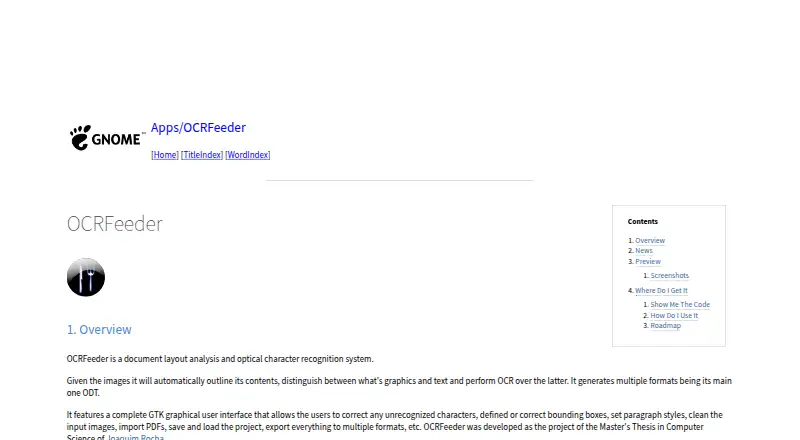
What OCRFeeder is
OCRFeeder is a Linux application for analyzing document layouts and recognizing text in images. It outlines image contents, separates graphics from text, and applies OCR to the text regions. Its GTK graphical interface lets you correct recognition results and bounding boxes, set paragraph styles, and clean input images. You can import PDFs, save or load projects, and export documents in several formats, with ODT as the main output format. OCRFeeder also provides a command-line interface and works with system-wide OCR engines, including command-line OCR engines. The graphical interface’s documentation is available from its Help menu or by pressing F1. OCRFeeder is free software under the GNU General Public License, version 3 or any later version. The project page links to source code, release packages, and a GitLab issue tracker. Its listed roadmap includes proposed additions such as plain-text export and undo/redo support. The README states that the software comes without warranty.
Good
- Automatically outlines image contents and separates graphics from text
- Correct recognition and bounding boxes in the GTK interface
- Imports PDFs and saves or loads projects
- Exports multiple formats, with ODT as the main format
- Free software under GPL version 3 or later
Watch out
- Available for Linux only
- Plain-text export and undo/redo are roadmap items
Who it suits
OCRFeeder suits Linux users who need to extract text from documents while retaining control over layout corrections. It may also fit users who want both a graphical interface and command-line access.
Verdict
OCRFeeder combines layout analysis, OCR, and document correction tools in a Linux application with both graphical and command-line interfaces. Check its current output and editing options against your workflow, particularly if you need plain-text export or undo/redo.
Plans and prices
From OCRFeeder's own pricing page, checked 9 Oct 2026.
| Plan | Price | What it gives you |
|---|---|---|
| OCRFeeder | Free | Free software under GPL version 3 or later |
The facts
Each one read from OCRFeeder's own pages, with the date it was checked.
What it does
- Author
- The README names Joaquim Rocha as the author.checked 9 Oct 2026
- Automatic analysis
- It automatically outlines image contents, distinguishes graphics from text, and performs OCR on the text.checked 9 Oct 2026
- Code availability
- The GNOME Wiki links to the source repository and release packages.checked 9 Oct 2026
- Command line
- The project README says OCRFeeder includes both graphical and command line interfaces.checked 9 Oct 2026
- Documentation
- The README says graphical interface documentation is available from the Help menu or by pressing F1.checked 9 Oct 2026
- Downloads
- The GNOME project page links to source code and release packages.checked 9 Oct 2026
- Editing
- Its GTK graphical interface lets users correct unrecognized characters, define or correct bounding boxes, set paragraph styles, and clean input images.checked 9 Oct 2026
- Editing tools
- Its GTK graphical interface lets users correct recognized characters and bounding boxes, set paragraph styles, and clean input images.checked 9 Oct 2026
- Export
- The interface can export documents to multiple formats.checked 9 Oct 2026
- Help
- The graphical interface includes documentation accessible from its Help menu or by pressing F1.checked 9 Oct 2026
- Interfaces
- OCRFeeder provides graphical and command-line interfaces.checked 9 Oct 2026
- Layout analysis
- It automatically outlines image contents, distinguishes graphics from text, and performs OCR on text.checked 9 Oct 2026
- License
- The README says OCRFeeder is free software under the GNU General Public License, version 3 or, at the user's option, any later version.checked 9 Oct 2026
- Limitations
- The project roadmap lists plain-text export and Undo/Redo support as items to add.checked 9 Oct 2026
- OCR engine integration
- OCRFeeder uses system-wide OCR engines; its project documentation says command-line OCR engines can be used with it.checked 9 Oct 2026
- Output
- It generates multiple formats, with ODT as its main format.checked 9 Oct 2026
- PDF and projects
- Users can import PDFs and save or load projects.checked 9 Oct 2026
- Purpose
- OCRFeeder is a document layout analysis and optical character recognition system.checked 9 Oct 2026
- Roadmap limits
- The listed roadmap includes proposed additions such as plain-text export, undo/redo, and an option to choose all OCR engines and automatically select the best results.checked 9 Oct 2026
- Support
- The project page links to a GitLab issue tracker.checked 9 Oct 2026
- Supported inputs
- bothchecked 23 Sep 2026
- Warranty
- The README states that OCRFeeder is distributed without any warranty, including implied warranties of merchantability or fitness for a particular purpose.checked 9 Oct 2026
Money
- Free plan
- Yeschecked 23 Sep 2026
Where it runs
- Primary platform
- desktopchecked 23 Sep 2026
The full review of OCRFeeder
Overview
OCRFeeder is a Linux application for analyzing document layouts and recognizing text, with both graphical and command-line interfaces. It is best for Linux users who want to inspect and correct pages, not simply extract text. Its strongest case is the combination of layout tools and editable projects, with ODT as the main output.
Key features
Layout analysis and correction
OCRFeeder automatically identifies image contents, separates graphics from text, and applies OCR to text regions. This gives mixed pages a more useful starting structure than a text-only pass, but automatic recognition still benefits from review. In its GTK interface, users can fix recognized characters and bounding boxes, set paragraph styles, and clean input images. Those controls suit people preparing a document for reuse; they add less value if the goal is only a quick, uncorrected text extraction.
PDFs, projects and output
PDF import and the ability to save and reload projects make OCRFeeder more suitable for iterative document work than a one-off conversion. ODT is its main output, and the interface exports to multiple formats. Plain-text export and undo/redo are proposed roadmap additions, so users who rely on either should choose a tool that already provides them. The graphical interface's documentation is accessible from the Help menu or with F1.
OCR engines and interfaces
OCRFeeder uses system-wide OCR engines, including command-line engines. The graphical interface supports page-level correction, while the command-line interface gives users another way to incorporate OCRFeeder into their workflow. The choice of OCR engine is therefore part of the setup, rather than a reason to expect a single bundled recognition engine.
Pricing
OCRFeeder is free software under the GNU General Public License, version 3 or any later version at the user's option. The OCRFeeder plan costs nothing. There is no free trial because the software is already free to use. The license and availability of source code make it a sensible choice for users who want an open-source Linux tool without a subscription.
Platforms
OCRFeeder supports Linux and is a desktop application. It is not the right choice for readers who need OCR on Android, iOS, macOS, Windows, or the web.
Who it's for
Choose OCRFeeder if you work on Linux and want to turn scanned or image-based pages into structured documents you can inspect, correct, and export, especially when ODT suits your workflow. Its project saving is useful when corrections need to continue later. Look elsewhere if you need a different platform, depend on plain-text export, or require undo and redo.
Pros and cons
- Pros: Automatic layout analysis distinguishes graphics from text, reducing the need to sort mixed-page content manually.
- Pros: Editable recognition, bounding boxes, paragraph styles, and image cleanup support document correction before export.
- Pros: PDF import, project saving, multiple output formats, and command-line access cover more than a single GUI conversion workflow.
- Cons: Linux is the only supported platform, so users on other systems need another option.
- Cons: Plain-text export and undo/redo are proposed additions, which may block workflows that depend on them.
- Cons: It relies on system-wide OCR engines, so users must account for that engine dependency.
Alternatives
For a standalone open-source OCR engine rather than a layout-analysis application, Tesseract OCR is free and supports Android, Linux, macOS, Windows, APIs, and self-hosted use. PaddleOCR is another free option, with an Official API Free Tier capped at 20,000 pages per day. Choose docTR if a Python library is a better fit: its free open-source plan requires Python 3.11 or higher and can be installed with pip, Git, or Docker. OCRmyPDF suits users seeking a free, self-hosted PDF workflow, though it depends on external OCR and PDF tools. GNU Ocrad is a free alternative for Linux and self-hosted environments. FreeOCR.AI is an option for web or API access and also supports macOS and Windows; its Monthly Pro plan costs $10 a month, while Yearly Pro costs $80 a year. Open-Capture is a free, GPLv3 option for Linux, API, web, and self-hosted use, with no user limit. Surya offers a free pay-as-you-go plan for API, Linux, macOS, and self-hosted environments, with a monthly allowance and request and concurrency limits.
Browse more options in OCR software or Document Scanning Software.
Verdict
Its free GPL-licensed availability is compelling, but users who need another platform, plain-text export, or undo and redo should choose elsewhere.
Alternatives to OCRFeeder
- 1
Dynamic Web TWAIN
AndroidiOSWebAPI7.7$1,249 usage-based - 2

EzeScan
Free planWebAPISelf-hostedWindows7.6$500 usage-based - 3

NAPS2
Free planOpen sourceAPILinuxmacOSWindows7.4Free plan - 4

PaperScan
Free planWindows7.4$79 one-time - 5
Avidemux
Free planOpen sourceWebLinuxmacOSWindows7.3Free plan - 6
Readiris PDF
macOSWindows6.6