
Obvra
Obvra turns gameplay demonstrations into reusable tests for game testing and automated playtesting.
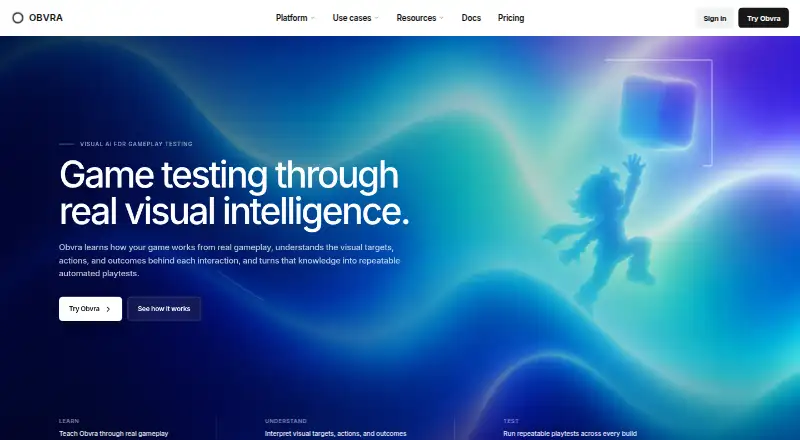
What Obvra is
Obvra turns gameplay demonstrations into reusable tests for game testing and automated playtesting. It records actions, screenshots, visual targets, screen changes, and outcomes, then uses visual context around actions to interpret what was clicked, what changed, and what result was intended. Tests can locate objects when their screen positions shift, rather than relying on fixed coordinates. Automated runs find targets, perform actions, check expected results, and capture evidence. When a run fails, Obvra identifies target, action, or outcome problems and retains screenshots and game states for review. Its coverage includes gameplay and UI testing, visual regression, build verification, regression testing, and bug reproduction. Obvra says its visual workflow does not require an engine-specific integration, DOM selector, Unity SDK, or Unreal plugin. It supports a range of engines and environments, including browser and Android games. Desktop runs in a studio's own environment; Cloud manages test creation, execution, maintenance, and infrastructure. Capture Free costs nothing and includes recording and analysis, but not automated playback or executable tests.
Good
- Finds visual targets despite screen-position changes
- Captures evidence and game states from runs
- Supports local and managed-cloud workflows
- Works with several engines and game environments
Watch out
- Capture Free has no automated playback
- Capture Free has no executable tests
Who it suits
Obvra suits game teams that want to turn demonstrations into repeatable visual tests across gameplay, interfaces, and builds. Teams choosing between local execution and managed cloud can use Desktop or Cloud, respectively.
Verdict
Obvra combines visual test creation, automated runs, and failure evidence for game teams. Capture Free is limited to recording and analysis; automated execution requires a paid plan.
Plans and prices
From Obvra's own pricing page, checked 30 Sep 2026.
| Plan | Price | What it gives you |
|---|---|---|
| Capture Free | Free | 1 named user · up to 5 game projects · 50 analyzed recordings/month · 30-day history · no automated playback |
| Desktop Starter | $44 a month | 1 seat · 5 projects · 3,000 AI credits/month · unlimited local runs · 180-day history · monthly |
| Desktop Studio | $134 a month | 8 seats · 25 projects · 20,000 AI credits/month · unlimited local runs · 365-day history · monthly |
| Cloud Starter | $349 a month | 3 seats · 24 new managed test units/month · 80 active units · 60 runner hours/month · 1 concurrent runner · 90-day history · monthly |
| Desktop Pro | $359 a month | 25 seats · unlimited projects · 100,000 AI credits/month · unlimited local runs · 730-day history · priority support · monthly |
| Cloud Studio | $799 a month | 10 seats · 80 new managed test units/month · 300 active units · 250 runner hours/month · 3 concurrent runners · 365-day history · priority support · monthly |
| Cloud Pro | $1,799 a month | 25 seats · 240 new managed test units/month · 1,000 active units · 750 runner hours/month · 6 concurrent runners · 730-day history · priority support · monthly |
The facts
Each one read from Obvra's own pages, with the date it was checked.
What it does
- AI interpretation
- Obvra interprets what was clicked, what changed and the intended outcome using visual context before and after actions.checked 30 Sep 2026
- automated runs
- Learned tests find visual targets, perform actions, validate expected results and capture evidence from each run.checked 30 Sep 2026
- failure analysis
- Obvra identifies target, action and outcome failures and preserves screenshots, expected outcomes and observed game states.checked 30 Sep 2026
- game compatibility
- Obvra states it works with Unity, Unreal Engine, Godot, GameMaker, RPG Maker, browser games, WebGL, Chrome, Edge, Firefox, BlueStacks, Android games and custom engines.checked 30 Sep 2026
- integration requirement
- Obvra says no Unity SDK, Unreal plugin, DOM selector or engine-specific integration is required for its visual testing workflow.checked 30 Sep 2026
- local deployment
- Obvra Desktop runs from the studio's own environment and keeps unreleased builds under the studio's direct control.checked 30 Sep 2026
- managed cloud
- Obvra Cloud handles test creation, execution, maintenance and infrastructure while teams review results in the web workspace.checked 30 Sep 2026
- product purpose
- Obvra turns real gameplay demonstrations into reusable intelligent tests for game testing and automated playtesting.checked 30 Sep 2026
- recording
- Obvra records gameplay actions, screenshots, visual targets, screen changes and outcomes for review.checked 30 Sep 2026
- support
- Priority support is included with Desktop Pro, Cloud Studio and Cloud Pro plans.checked 30 Sep 2026
- testing coverage
- The product covers gameplay testing, UI testing, visual regression, build verification, regression testing and bug reproduction.checked 30 Sep 2026
- visual targets
- Tests can locate visual objects again across changing screen positions instead of relying on fixed coordinates.checked 30 Sep 2026
Money
- free-plan limit
- Capture is free forever for recording and analysis but does not provide automated playback or executable tests.checked 30 Sep 2026
The company
- team collaboration
- Supported plans provide shared workspaces where developers and QA can review tests, runs, failures, evidence and corrections.checked 30 Sep 2026
The full review of Obvra
Obvra is a visual testing tool for studios that want to turn gameplay actions into repeatable checks across builds. It is best suited to game teams balancing QA and automated playtesting; the key choice is whether to keep execution local or hand it to managed cloud infrastructure.
Overview
Obvra records actions, screenshots, visual targets, screen changes and outcomes, then interprets interactions in context: what was clicked, what changed and what result was intended. Tests can relocate visual targets as their positions shift, rather than depending on fixed coordinates. That makes the approach relevant to both gameplay sequences and changing interfaces, although teams should account for the usage quotas attached to paid plans.
Automated runs find targets, perform actions, validate expected results and retain evidence. When a run fails, Obvra identifies whether the problem involved a target, action or outcome, with screenshots and expected and observed states for review. Its coverage includes gameplay and UI testing, visual regression, build verification, regression testing and bug reproduction. The workflow requires no Unity SDK, Unreal plugin, DOM selector or engine-specific integration, and Obvra says it supports established engines, custom engines, browser games and Android games.
Key features
- Demonstration-based test creation: Recorded gameplay supplies actions and visual context for reusable tests. This is a practical fit for teams whose test cases are easiest to demonstrate, rather than describe through fixed screen coordinates.
- Visual validation and failure evidence: Tests can locate objects after they move, check expected outcomes and preserve screenshots and game states when something goes wrong. That gives QA and developers concrete material to review, though the amount of execution and analysis depends on the selected plan.
- Local or managed execution: Obvra Desktop runs in the studio's environment, keeping unreleased builds under its direct control. Obvra Cloud manages test creation, execution, maintenance and infrastructure, with results reviewed in a web workspace. Local control will appeal to studios cautious about build handling; cloud removes infrastructure work but puts execution on the managed service.
- Shared review: Supported plans provide shared workspaces for developers and QA to inspect tests, runs, failures, evidence and corrections. This makes team plans more suitable than single-seat entry tiers when test review is collaborative.
Pricing
Obvra has a free recording tier, but automated playback and executable tests begin with a paid plan. All paid prices below are billed monthly.
| Plan | Price | Included |
|---|---|---|
| Capture Free | free | 1 named user, up to 5 game projects, 50 analyzed recordings/month and 30-day history; no automated playback. |
| Desktop Starter | $44 a month | 1 seat, 5 projects, 3,000 AI credits/month, unlimited local runs and 180-day history. |
| Desktop Studio | $134 a month | 8 seats, 25 projects, 20,000 AI credits/month, unlimited local runs and 365-day history. |
| Cloud Starter | $349 a month | 3 seats, 24 new managed test units/month, 80 active units, 60 runner hours/month, 1 concurrent runner and 90-day history. |
| Desktop Pro | $359 a month | 25 seats, unlimited projects, 100,000 AI credits/month, unlimited local runs, 730-day history and priority support. |
| Cloud Studio | $799 a month | 10 seats, 80 new managed test units/month, 300 active units, 250 runner hours/month, 3 concurrent runners, 365-day history and priority support. |
| Cloud Pro | $1,799 a month | 25 seats, 240 new managed test units/month, 1,000 active units, 750 runner hours/month, 6 concurrent runners, 730-day history and priority support. |
Capture Free is useful for evaluating recording and analysis, but it is not a free automation tier. Desktop Starter is the lowest-cost route to executable tests, with one seat and a 5-project ceiling; its unlimited local runs do not remove the monthly AI-credit limit. Desktop Studio raises those caps and seats for a larger team. Desktop Pro suits studios needing broad project capacity, longer history and priority support.
Cloud Starter trades local execution for managed infrastructure, but its one concurrent runner, 60 monthly runner hours and 24 new test units set real throughput boundaries. Cloud Studio and Cloud Pro raise those allowances and include priority support, making them better fits for larger managed workloads. Teams choosing cloud should compare runner hours, concurrency and active-unit ceilings against their release cadence, not just seat counts.
Platforms
Obvra is available on web and Windows, with hybrid test environments. Its stated compatibility spans Unity, Unreal Engine, Godot, GameMaker, RPG Maker, custom engines, browser games, WebGL, Chrome, Edge, Firefox, BlueStacks and Android games. The lack of engine-specific integration broadens its potential fit, while Desktop's Windows availability and local deployment matter to studios that need builds to remain in their own environment.
Who it's for
Obvra is a strong candidate for game studios that want visual, reusable QA checks across gameplay and UI, especially when they need failure evidence or test the same flows across changing layouts. Smaller teams can start with free analysis, then move to Desktop Starter for local automation. Teams that prefer managed execution should budget for Cloud and evaluate its finite runner capacity. It is a weaker fit for anyone expecting free automated playback or a low-cost cloud starting point.
Pros and cons
- Pros: Visual targets can move without relying on fixed coordinates, and failure records preserve screenshots and expected versus observed states—useful for diagnosing regressions.
- Pros: Local and managed-cloud execution serve different build-control and infrastructure preferences, while the workflow avoids engine-specific plugins and SDKs.
- Pros: Desktop plans include unlimited local runs, and higher tiers extend seats, project or test capacity, history and support.
- Cons: The free tier stops at recording and analysis; automated playback requires at least $44 a month.
- Cons: Starter plans are constrained: Desktop has one seat and five projects, while Cloud Starter limits hours, active units and concurrent execution.
- Cons: The managed-cloud tiers cost substantially more than the entry desktop plan and still impose test-unit and runner-hour quotas.
Alternatives
For a broader category shortlist, browse Game Testing Software.
- GameDriver is worth comparing if its free educator and solo-developer Ambassador Program or broader listed platform support better matches your needs.
- Airtest Project is a free alternative with community tools including Airtest, Poco and AirtestIDE.
- Antidote may suit teams looking for a time-limited playtest: its free trial runs 14 days and allows one playtest, up to five community players, 20 survey questions and sessions up to 20 minutes.
- Gua is another free option.
- Poki Playtesting is free for web, with Poki controlling the nature and number of players in tests.
- T-Plan Game Test Automation is a paid option with a free trial.
- GameBench offers a Pro trial with 30 minutes of Pro testing and unlimited sessions for 28 days.
- GAutomator is another listed alternative.
Verdict
Choose Obvra if your game team wants reusable visual tests, useful failure evidence and a choice between studio-controlled local runs and managed cloud execution. Its strongest case is connecting demonstration-based test creation to validation and diagnosis without engine-specific integration. Look elsewhere if free automation is essential, or if Cloud's monthly runner and test-unit limits do not suit your workload.
Alternatives to Obvra
- 1

Antidote
Free planAndroidiOSWebLinux8.1From $99.95 a month - 2
GameDriver
Free planAndroidiOSWebAPI8.0From $200 a month - 3

Backtrace
Free planAndroidiOSWebLinux7.7From $600 a year - 4

GameBench
Free planAndroidiOSWebAPI7.6Free plan - 5
FirstLook Engagement Analytics
Free planAndroidiOSWebAPI7.4From $149 a month - 6

PlaytestCloud
AndroidiOSWebWindows7.2From €1,025 a month