
GameBench
GameBench provides tools for measuring, analyzing and optimizing game performance.
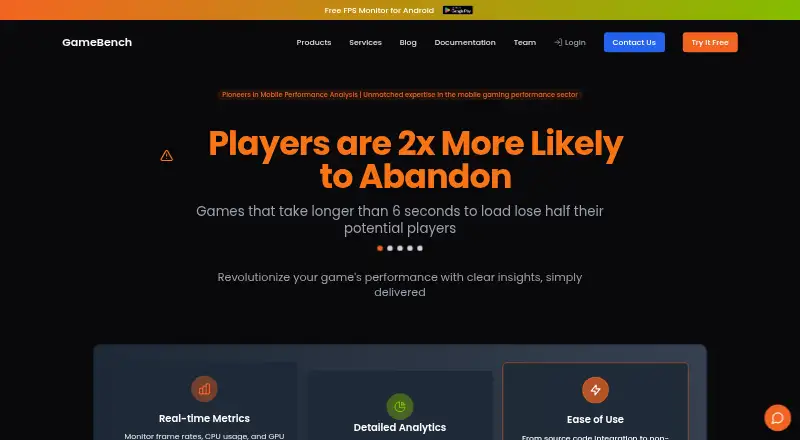
What GameBench is
GameBench provides tools for measuring, analyzing and optimizing game performance. With GameBench Pro, users connect an Android or iOS device, choose a game, measure performance and upload results to a dashboard. GameBench Injector adds instrumentation to APK or IPA builds without requiring developer code changes. Measurements include frame rate, CPU, GPU, memory, power, battery, network use, screenshots and thermal throttling. The web dashboard stores and visualizes sessions, trends, apps, devices and collections for comparison. An API supports token creation, session searches, session details and time-series metrics. Jira integration lets teams raise engineering tickets from the dashboard with links to sessions. Dashboard identity options include SSO and LDAP, and companies can require multi-factor authentication. Enterprise customers can host a private dashboard on their own infrastructure, including Kubernetes or custom containers. The native SDK supports Android 5.0+, 64-bit iOS 10.0+ and tvOS 10.0+, and is limited to hardware platforms. A 28-day trial is listed, with pricing on request.
Good
- Measures frame rate, hardware use, battery and network.
- Injector instruments APK and IPA builds without code changes.
- Dashboard compares sessions, apps and devices.
- Jira links sessions to engineering tickets.
- Enterprise customers can host a private dashboard.
Watch out
- Pricing is available on request.
- Native SDK supports hardware platforms only.
- SDK requires Android 5.0+, iOS 10.0+ 64-bit, or tvOS 10.0+.
Who it suits
GameBench suits game publishers, network operators and technology providers measuring game performance across devices. It can also fit teams that want dashboard-based comparisons or a privately hosted enterprise setup.
Verdict
GameBench covers device-based testing, build instrumentation and dashboard analysis for game performance. The trial includes Pro testing, while pricing beyond trial is not listed and requires a request.
Plans and prices
From GameBench's own pricing page, checked 1 Oct 2026.
| Plan | Price | What it gives you |
|---|---|---|
| GameBench FPS Monitor | Free | Real-time FPS overlay · normal and big jank detection · session recording · performance charts · battery temperature monitoring |
| GameBench Pro trial | Free | 30 minutes of Pro testing · unlimited sessions for 28 days · unlimited SDK sessions for 28 days · full API access · all metrics and analytics |
| Enterprise license | Priced on request | Required for self-hosted Web Dashboard · Contact GameBench for pricing |
The facts
Each one read from GameBench's own pages, with the date it was checked.
Where it runs
- Android app privacy
- Google Play states that the FPS Monitor app collects no data and shares no data with third parties.checked 14 Oct 2026
- Android app requirements
- The FPS Monitor app requires Android 11 or later, enabled Developer Options and Wireless Debugging.checked 14 Oct 2026
- Android app usage limit
- The FPS Monitor app currently permits up to 20 minutes of use per day.checked 14 Oct 2026
- Android FPS Monitor app
- The Android FPS Monitor displays floating FPS, jank-count and battery-temperature overlays, saves sessions and provides charts.checked 14 Oct 2026
- Desktop platforms
- The GameBench desktop app has installers for Windows and OS X.checked 1 Oct 2026
- iOS profiling requirement
- Profiling iOS 17 from GameBench Pro Desktop requires macOS 13 or later and the latest Xcode.checked 14 Oct 2026
What it does
- API
- The public API supports session search and session-specific metrics including GPU, janks, markers, memory, network, notes, power and frametimes.checked 14 Oct 2026
- API authentication
- The documented API uses JWT authentication and API tokens.checked 14 Oct 2026
- Audience
- GameBench services target game publishers, network operators, and technology providers.checked 1 Oct 2026
- CI/CD automation
- The Performance Injector has a command-line mode for automated testing and CI/CD pipelines.checked 14 Oct 2026
- Core metrics
- The platform captures FPS, CPU, GPU, battery or power, memory and network performance data.checked 14 Oct 2026
- Dashboard
- The Web Dashboard stores, visualizes and compares sessions, trends, applications, devices, collections and reports.checked 14 Oct 2026
- Dashboard metrics
- Session details include FPS, power, CPU, GPU, memory, network and marker panes.checked 14 Oct 2026
- Data collection
- GameBench says its SDK does not collect user or personal data.checked 1 Oct 2026
- Desktop requirements
- The newer StudioPro Windows app requires Windows 10 or later, an NVIDIA GTX 1660 Super or later, a quad-core Intel Core i5 or later and at least 16 GB RAM.checked 14 Oct 2026
- Funding
- Preqin reports a £300,000 seed round in October 2014 from individual investors.checked 14 Oct 2026
- Identity
- The dashboard supports SSO and LDAP users, and companies can require multi-factor authentication.checked 1 Oct 2026
- Injector
- GameBench Injector adds performance instrumentation to APK or IPA builds without developer code changes.checked 1 Oct 2026
- Integrations
- The dashboard documentation includes Jira integration and SSO configuration areas.checked 14 Oct 2026
- Jira integration
- GameBench provides Jira integration for raising engineering tickets directly from the web dashboard with links to sessions.checked 1 Oct 2026
The company
- Company legal entity
- GameBench Limited is an active UK private limited company, number 08187280, incorporated on 22 August 2012.checked 14 Oct 2026
- Company profile
- LinkedIn lists GameBench as privately held, headquartered in Bristol, founded in 2013 and employing 11–50 people.checked 14 Oct 2026
- Founded
- 2012checked 28 Sep 2026
- Headquarters
- Bristol, UKchecked 28 Sep 2026
The full review of GameBench
GameBench is a performance-testing and analysis suite for mobile games, with tools for measuring devices and instrumenting app builds. It suits game publishers and engineering teams that need comparable performance data across devices; its trial offers broad Pro access, but ongoing costs require custom pricing.
Overview
GameBench connects device testing, build instrumentation and dashboard analysis in one workflow. Pro users can measure a game on Android or iOS, upload results, then compare sessions and trends in the Web Dashboard. That makes it more useful for recurring QA and performance work than for a one-off benchmark score.
Key features
Device testing and instrumentation
GameBench Pro records frame rate, CPU and GPU use, memory, power, battery, network activity, screenshots and thermal throttling. The breadth helps teams look beyond smoothness to spot resource and heat issues, though teams seeking only a quick score may not need this much instrumentation. GameBench Injector adds instrumentation to APK or IPA builds without requiring developer code changes, lowering the friction of bringing performance measurement into an existing build process.
Analysis and integration
The Web Dashboard stores and visualizes sessions, trends, apps, devices and collections for comparison. Its API can create tokens, search sessions, retrieve session details and access time-series metrics, while Jira integration lets engineers raise tickets linked to dashboard sessions. These connections suit teams that want test findings to feed into existing analysis and issue-tracking workflows.
Dashboard identity controls include SSO and LDAP users, with an option for companies to require multi-factor authentication. Enterprise customers can run a private dashboard on their own infrastructure, including Kubernetes or custom containers. The SDK supports Android 5.0+, iOS 10.0+ 64-bit and tvOS 10.0+, on hardware platforms only; GameBench says the SDK does not collect user or personal data.
Pricing
GameBench Pro trial costs nothing and runs for 28 days. It includes unlimited SDK sessions, unlimited sessions, full API access, all metrics and analytics, and 30 minutes of Pro testing. That is a substantial evaluation window for teams assessing the workflow, but the 30-minute Pro testing allowance is a constraint for heavier device-testing needs.
GameBench FPS Monitor also costs nothing. It provides a real-time FPS overlay, normal and big jank detection, session recording, performance charts and battery-temperature monitoring. It is the narrower option for monitoring gameplay performance rather than using the full Pro workflow. Beyond the trial, GameBench has custom pricing, so teams should request a quote to assess ongoing cost.
Platforms
GameBench spans Android, iOS, Linux, macOS, Windows, web, API and self-hosted deployments. The desktop app has Windows and OS X installers. Broad platform coverage supports teams working across mobile devices and desktop environments, while the SDK's supported operating systems and hardware-only requirement define where its native instrumentation applies.
Who it's for
GameBench targets game publishers, network operators and technology providers. Its mix of device testing, SDK and build instrumentation, comparisons, API access and enterprise deployment makes the strongest case for organizations running repeatable performance programs. It is less compelling for an individual who only wants a free, single-score benchmark.
Pros and cons
- Pros: Broad metrics include thermal, battery and network data alongside frame rate, helping teams diagnose more than visual stutter.
- Pros: Injector instrumentation avoids developer code changes to APK or IPA builds, and Jira links keep findings connected to engineering tickets.
- Pros: Dashboard comparisons, API access, SSO/LDAP and self-hosting address recurring and enterprise workflows.
- Cons: Pro testing in the free trial is capped at 30 minutes, which may be restrictive for extensive evaluation.
- Cons: Ongoing pricing is custom, so buyers cannot judge budget fit without requesting a quote.
- Cons: Native SDK support is limited to specified Android, iOS and tvOS versions on hardware platforms.
Alternatives
For a free, cross-platform benchmark with Android and iOS apps and a Windows/macOS option priced at $34.99 per on, consider 3DMark; its stated offerings focus on platform-specific benchmarking rather than GameBench's instrumentation and team workflow.
Basemark GPU is a fit for home or private-use GPU testing across Android, iOS, Linux, macOS and Windows: its free tier submits data to Powerboard, requires internet and provides a single score without breakdown analysis.
PerfDog may suit non-profit organizations seeking a free option across mobile and desktop platforms; its free version is limited to non-profit organizations.
UNIGINE Heaven Benchmark is an alternative for Linux, macOS and Windows users, with an Advanced plan at $14.95 a month for 1 seat and Professional at $495 a month for 1 seat.
NVIDIA ShadowPlay is a free Windows option for users with Windows 10 or 11, a GeForce 551.52 driver or later, and a supported GPU.
UNIGINE Superposition Benchmark suits Linux or Windows users considering a benchmark with Advanced at $19.95 a month for 1 seat and Professional at $495 a month for 1 seat.
WhatFPS Benchmark is a free Windows 10/11 choice requiring no account, with GPU, CPU, RAM and disk benchmarking plus a public leaderboard.
glmark2 is another free option for users who need an Android, Linux or Windows benchmark.
Browse more options in Game Benchmark Software, Game Profiling Software, Game Analytics Software and Game Testing Software.
Verdict
Choose GameBench if you publish or support games and need repeatable device measurements, build instrumentation and session analysis tied to engineering workflows. Its strongest advantage is the breadth from metrics through Jira and API access; the main reasons to look elsewhere are the short Pro-testing allowance during the trial and custom ongoing pricing.
Getting started
- Visit the GameBench website.
- Choose the GameBench Pro trial or FPS Monitor free plan.
- For Pro testing, connect an Android or iOS device and select a game.
- Measure performance and upload the session to the dashboard.
- Use the dashboard or API to review session data.
Limits worth knowing
The GameBench Pro trial includes 30 minutes of Pro testing, although sessions and SDK sessions are unlimited for 28 days. The free FPS Monitor plan provides its listed overlay, recording, charts, and battery-temperature features; no further plan limits are stated.
Questions
Is GameBench free?
A free plan is available, including GameBench FPS Monitor at no cost. A GameBench Pro trial is also listed as free.
How much does GameBench Pro cost?
Pricing is on request. A 28-day trial is listed.
Which devices and platforms does GameBench support?
GameBench Pro connects Android or iOS devices. The native SDK supports Android 5.0+, 64-bit iOS 10.0+, and tvOS 10.0+ on hardware platforms only. The desktop app has Windows and OS X installers.
Can a company host GameBench privately?
Enterprise customers can run a private Web Dashboard on their own infrastructure, including Kubernetes or custom containers.
Does GameBench integrate with Jira?
Yes. Users can raise engineering tickets from the web dashboard with links to sessions.
Alternatives to GameBench
- 1
3DMark
Free planAndroidiOSWebmacOS7.4$34.99 one-time - 2

Basemark GPU
Free planAndroidiOSLinuxmacOS7.1Free plan - 3
UNIGINE Valley Benchmark
Free planLinuxmacOSWindows7.1$14.95 one-time - 4

Evolve Benchmark
Free planAndroidWindows6.9From $540 a year - 5
VRMark
Free planAndroidWindows6.9From $1,595 a year - 6
SPECviewperf
Free planLinuxWindows6.8$2,500 one-time