3DMark
3DMark benchmarks gaming performance across PCs, Macs, notebooks, tablets, and smartphones, and lets users compare scores with systems using the same CPU and…
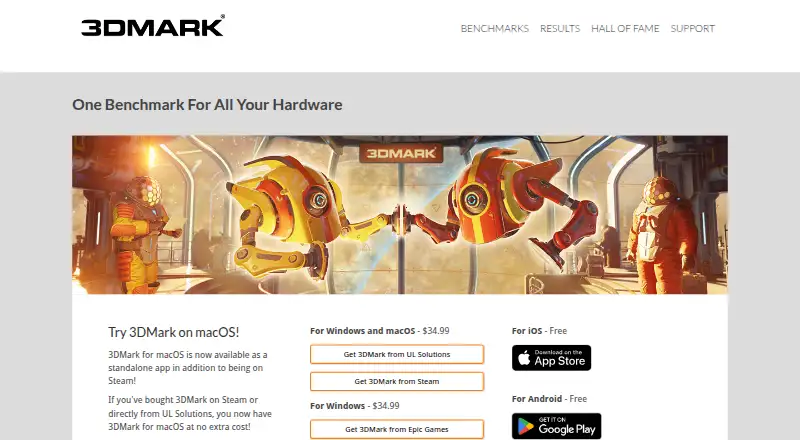
What 3DMark is
3DMark benchmarks gaming performance across PCs, Macs, notebooks, tablets, and smartphones, and lets users compare scores with systems using the same CPU and GPU combination. It scans a system's hardware and recommends a benchmark, then reports graphics, CPU, and GPU stress test results. Tests include ray tracing and DirectX and Vulkan graphics benchmarks, while charts show CPU and GPU temperatures, clock speeds, and frame-rate changes during a run. It also estimates frame rates for selected popular games to put benchmark scores in a gaming context. A separately purchased Storage Benchmark DLC evaluates SSDs and other storage hardware through practical gaming activities. Free editions are listed for iOS and Android. The Windows and macOS edition is a one-time purchase listed at 34.99 USD; another Windows edition is also listed at 34.99 USD as a one-time purchase through Epic Games. Enterprise features include command-line automation, offline results, XML export, commercial-use licensing, Testdriver compatibility, and priority email and phone support. The minimum Windows requirement is Windows 10 64-bit, a dual-core 1.8 GHz CPU, 4 GB memory, and DirectX 11 graphics.
Good
- Compares results for matching CPU and GPU combinations.
- Recommends benchmarks after scanning hardware.
- Charts temperatures, clock speeds, and frame-rate changes.
- Free editions are listed for iOS and Android.
- Enterprise edition includes command-line automation.
Watch out
- Storage Benchmark DLC is purchased separately.
- Windows minimum requirement includes Windows 10 64-bit.
- Windows and macOS version is listed at 34.99 USD once.
Who it suits
3DMark suits users who want to benchmark and compare gaming performance across supported device types. The enterprise edition may fit organizations needing automation, offline results, or commercial-use licensing.
Verdict
3DMark covers graphics, CPU, stress, and storage benchmarking, with score comparisons and game frame-rate estimates. Consider the separately purchased storage test and platform-specific purchase details when deciding which edition fits.
Plans and prices
From 3DMark's own pricing page, checked 29 Sep 2026.
| Plan | Price | What it gives you |
|---|---|---|
| 3DMark for Android | Free | Android |
| 3DMark for iOS | Free | iOS |
| 3DMark for Windows | $34.99, paid once | Windows · sold through Epic Games |
| 3DMark for Windows and macOS | $34.99, paid once | Windows and macOS · one-time purchase |
The facts
Each one read from 3DMark's own pages, with the date it was checked.
What it does
- Automatic test selection
- The app scans hardware and recommends the best benchmark for the system.checked 29 Sep 2026
- Download channels
- The 3DMark Demo is officially available through Steam; paid home-use copies can be downloaded through Steam, Epic Games Store, or 3dmark.com depending on where purchased.checked 29 Sep 2026
- Enterprise features
- The Enterprise edition lists command-line automation, offline results, XML export, commercial-use licensing, Testdriver compatibility, and priority email and phone support.checked 29 Sep 2026
- Enterprise licensing
- Single-seat enterprise licenses need internet access for online activation, while site licenses support offline activation and simultaneous use on multiple systems.checked 29 Sep 2026
- Game estimates
- 3DMark estimates frame rates for a selection of popular games to relate benchmark scores to game performance.checked 29 Sep 2026
- GPU and CPU tests
- Its tests include ray tracing, DirectX and Vulkan graphics benchmarks, CPU Profile tests, and GPU stress tests.checked 29 Sep 2026
- Hardware monitoring
- Benchmark charts show CPU and GPU temperatures, clock speeds, and frame rate changes during a run.checked 29 Sep 2026
- Purpose
- 3DMark benchmarks and compares gaming performance across PCs, Macs, notebooks, tablets, and smartphones.checked 29 Sep 2026
- Score comparison
- Users can compare scores with results from systems using the same CPU and GPU combination.checked 29 Sep 2026
- SSD test
- The separately purchased Storage Benchmark DLC measures gaming performance of SSDs and other storage hardware using practical gaming activities.checked 29 Sep 2026
- Support and updates
- The product page links to support, a user guide, downloads, benchmark rules, and approved drivers, and lists version 2.32.8897 dated August 3, 2026.checked 29 Sep 2026
- System requirements
- The listed minimum Windows requirement is Windows 10 64-bit with a dual-core 1.8 GHz CPU, 4 GB memory, and DirectX 11 graphics.checked 29 Sep 2026
The company
- Company and history
- UL Solutions says its benchmarks are developed in Finland near Helsinki and that Futuremark was founded in December 1997.checked 29 Sep 2026
- Founded
- 1894checked 23 Sep 2026
- Headquarters
- Northbrook, Illinois, USAchecked 23 Sep 2026
The full review of 3DMark
Overview
3DMark is a cross-platform gaming benchmark for measuring and comparing graphics and processor performance. It suits people evaluating gaming hardware across PCs, Macs, notebooks, tablets, and phones. Its broad mix of tests and score context is the main draw; storage benchmarking costs extra, and desktop purchase options differ by storefront.
Key features
3DMark scans a system and recommends a suitable benchmark, which helps users avoid choosing a test that does not fit their hardware. Its graphics coverage includes ray tracing and DirectX and Vulkan benchmarks, alongside CPU Profile tests and GPU stress tests. That makes it useful for more than a single graphics score, though the separately purchased Storage Benchmark DLC is required to assess SSDs and other storage hardware through gaming activities.
Results can be compared with systems using the same CPU and GPU combination, a more relevant reference than comparing unlike configurations. Estimated frame rates for selected popular games help put synthetic scores in gaming terms, but remain estimates for a selection of games rather than measurements of every title. Charts show CPU and GPU temperatures, clock speeds, and frame-rate changes during a run, providing useful performance context.
3DMark supports custom workloads and an online results database. Enterprise edition adds command-line automation, offline results, XML export, commercial-use licensing, Testdriver compatibility, and priority email and phone support. Single-seat enterprise licenses require internet access for activation; site licenses support offline activation and simultaneous use on multiple systems.
Pricing
3DMark is freemium, with free iOS and Android editions at no cost. For desktop use, 3DMark for Windows and macOS costs $34.99, paid once, while the Windows edition sold through Epic Games costs $34.99, paid once. The free mobile editions suit people benchmarking those devices, but they do not replace the paid Windows and macOS purchase options. The Storage Benchmark DLC is a separate purchase. The stated paid-from price is 29.99 one-time.
There is no free trial. The Enterprise edition is the fit for commercial use, automation, offline results, or multi-system site licensing; it has custom pricing. The listed minimum Windows requirement is Windows 10 64-bit, a dual-core 1.8 GHz CPU, 4 GB memory, and DirectX 11 graphics. The 3DMark Demo is available through Steam; paid home-use copies can be downloaded through Steam, Epic Games Store, or 3dmark.com depending on the purchase channel.
Platforms
3DMark supports Android, iOS, macOS, web, and Windows. The Windows minimum requirement makes the desktop edition's baseline clear, while the mobile editions provide separate free options for Android and iOS. Product support includes a user guide, downloads, benchmark rules, approved drivers, and support resources.
Who it's for
Choose 3DMark if you want a broad benchmark suite with comparable hardware scores, selected game frame-rate estimates, and monitoring during test runs. It is especially suited to comparing systems or checking graphics and CPU performance across supported device types. Look elsewhere if included storage tests are essential or if a single-platform, narrowly focused benchmark better matches the task.
Pros and cons
- Pro: Graphics, CPU, and stress tests cover several distinct ways to assess gaming hardware.
- Pro: Same-CPU-and-GPU score comparisons and game frame-rate estimates make results easier to interpret.
- Pro: Enterprise options include automation, exports, commercial licensing, and site licensing.
- Con: Storage testing requires a separately purchased DLC, adding cost for users who need SSD results.
- Con: Desktop editions cost $34.99, paid once, and there is no trial for evaluating them first.
Alternatives
Game Benchmark Software is the broader category for comparing options. Consider GameBench if its Android, iOS, desktop, web, and self-hosted platform coverage or 28-day Pro trial suits your evaluation. Basemark GPU is another freemium cross-platform option; its free edition is for home or private use, requires internet, and submits data to Powerboard while providing a single score without breakdown analysis.
PerfDog may fit users seeking a freemium option across mobile, desktop, and web platforms, though its free version is limited to non-profit organizations. Choose NVIDIA ShadowPlay if you want a free Windows option, provided your system meets its Windows 10 or 11, driver, and supported-GPU requirements. WhatFPS Benchmark is a free Windows alternative with GPU, CPU, RAM, and disk benchmarking and a public leaderboard.
glmark2 is a free option for Android, Linux, and Windows. UNIGINE Heaven Benchmark offers a free download and paid plans for Linux, macOS, and Windows. UNIGINE Superposition Benchmark also has a free download and paid plans, for Linux and Windows.
Verdict
3DMark is the right choice for people who want one broad suite for comparing gaming graphics and CPU performance, with results tied to hardware and selected game estimates. Its principal drawbacks are the paid desktop editions and separate storage-test purchase. Choose it for breadth and comparative context; look elsewhere if your priority is storage testing included in the base purchase or a free desktop benchmark.
Getting started
- Visit the 3DMark website.
- Choose the free iOS or Android edition, or a paid Windows or macOS copy.
- Download the 3DMark Demo through Steam, or obtain a paid home-use copy through Steam, Epic Games Store, or 3dmark.com depending on where it was purchased.
- On Windows, confirm the system meets the listed minimum requirements.
- For Enterprise edition, choose a single-seat or site license; single-seat activation requires internet access, while site licenses support offline activation.
Limits worth knowing
The iOS and Android editions are free. Windows and macOS plans are listed at 34.99 USD once; the separately purchased Storage Benchmark DLC is not included in that price.
Questions
Is there a free version of 3DMark?
Yes. Free editions are listed for iOS and Android.
How much do the paid editions cost?
Windows and macOS editions are listed at 34.99 USD as a one-time purchase. A separate Windows edition sold through Epic Games is also listed at 34.99 USD once.
Which platforms does 3DMark support?
The listed platforms are Android, iOS, macOS, web, and Windows. Download channels are listed for Windows and macOS copies, and the 3DMark Demo is available through Steam.
What does the Enterprise edition include?
It lists command-line automation, offline results, XML export, commercial-use licensing, Testdriver compatibility, and priority email and phone support.
Does 3DMark include a storage benchmark?
The Storage Benchmark DLC is separately purchased and measures SSDs and other storage hardware through practical gaming activities.
What are the minimum Windows requirements?
The listed minimum is Windows 10 64-bit, a dual-core 1.8 GHz CPU, 4 GB memory, and DirectX 11 graphics.
Alternatives to 3DMark
- 1

GameBench
Free planAndroidiOSWebAPI7.6Free plan - 2

Basemark GPU
Free planAndroidiOSLinuxmacOS7.1Free plan - 3

UNIGINE Valley Benchmark
Free planLinuxmacOSWindows7.1$14.95 one-time - 4

Evolve Benchmark
Free planAndroidWindows6.9From $540 a year - 5
VRMark
Free planAndroidWindows6.9From $1,595 a year - 6
SPECviewperf
Free planLinuxWindows6.8$2,500 one-time