NetApp XCP
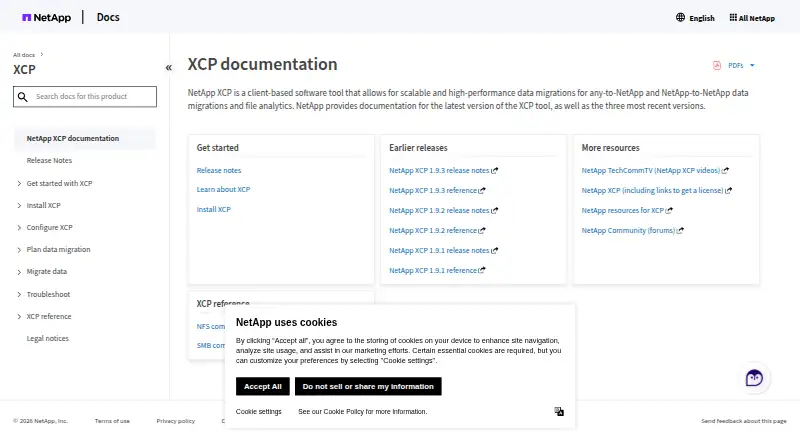
NetApp XCP is client-based software for migrating files to NetApp systems and analyzing file shares.
What NetApp XCP is
NetApp XCP is client-based software for migrating files to NetApp systems and analyzing file shares. It supports NFS and SMB migration and analytics workflows, with a dashboard for NFS and SMB file systems, including third-party systems. Migration tools cover scanning, copying, syncing, verification, and resuming. By default, verification compares target files and directories, including attributes, access-control lists, and data bytes. XCP uses parallel I/O and can distribute supported copy operations across multiple Linux hosts, making it intended for large datasets and high file counts. NFS add-ons include POSIX and HDFS connectors; HDFS connectors are qualified for MapR and Cloudera and support baseline copy only. The software is available for Linux and Windows as self-hosted software. A free one-year license is listed as free and can be renewed for another year. Licensing is available online, which requires internet access, or offline. Baseline copy requires a clean destination, and XCP does not support IPv6 or NFS-to-S3 migration.
Good
- Supports NFS and SMB migration and analytics.
- Verification checks attributes, ACLs, and data bytes.
- Can distribute copy operations across Linux hosts.
- Free one-year license is listed.
- Online and offline licensing are available.
Watch out
- No IPv6 support.
- NFS-to-S3 migration is unsupported.
- Baseline copy requires a clean destination.
- Online licensing requires internet access.
Who it suits
XCP suits teams migrating or analyzing large file datasets, especially where NFS or SMB workflows and metadata and access preservation matter. It may also suit environments using Linux hosts for distributed copy operations.
Verdict
XCP brings migration operations and file-share analytics together for large file workloads. Check protocol support and destination readiness first, particularly if IPv6 or NFS-to-S3 migration is needed.
Plans and prices
From NetApp XCP's own pricing page, checked 7 Oct 2026.
| Plan | Price | What it gives you |
|---|---|---|
| NetApp XCP | Free | Free license · License required · Online or offline licensing · Free; the documentation describes a free one-year license, renewable for another year. |
The facts
Each one read from NetApp XCP's own pages, with the date it was checked.
What it does
- Audience
- XCP is intended for file migration and analytics involving large datasets and high file counts.checked 7 Oct 2026
- Connectors
- NFS add-ons include POSIX and HDFS connectors; HDFS connectors are qualified for MapR and Cloudera and support baseline copy only.checked 7 Oct 2026
- File Analytics
- File Analytics scans file shares and provides a dashboard for NFS and SMB file systems, including third-party systems.checked 7 Oct 2026
- Licensing
- Licenses are available online or offline; online licensing requires internet access, while offline licensing does not.checked 7 Oct 2026
- Limitations
- XCP does not support IPv6 or NFS-to-S3 migration, and baseline copy requires a clean destination.checked 7 Oct 2026
- Migration operations
- XCP provides scan, copy, sync, verify, and resume capabilities for file migration.checked 7 Oct 2026
- Purpose
- XCP is client-based software for high-performance data migration to NetApp systems and file analytics.checked 7 Oct 2026
- Scale
- XCP uses parallel I/O and can distribute supported copy operations across multiple Linux hosts.checked 7 Oct 2026
- Security
- The XCP binary is code signed, and its Linux security feature allows migrations as a non-root user.checked 7 Oct 2026
- Support
- NetApp directs technical questions and issues to NetApp Global Support and provides a separate XCP licensing contact.checked 7 Oct 2026
- Verification
- By default, verify compares target files and directories, including attributes, ACLs, and all data bytes.checked 7 Oct 2026
- Workloads
- XCP supports NFS and SMB migration and file analytics workflows.checked 7 Oct 2026
The company
- Founded
- 1992checked 28 Sep 2026
- Headquarters
- San Jose, California, United Stateschecked 28 Sep 2026
The full review of NetApp XCP
NetApp XCP is client software for moving files into NetApp environments while examining NFS and SMB shares. It is aimed at administrators handling very large datasets or unusually high file counts, especially when preserving permissions matters. Its strongest case is a controlled, auditable file migration; projects involving IPv6, NFS-to-S3 routes, or a non-empty destination should look elsewhere.
Overview
XCP brings migration control and file-share visibility into one tool. Operators can scan a source, copy data, synchronize changes, verify the result, and resume interrupted work instead of rebuilding a job from scratch. That workflow suits staged migrations and cutovers where progress and repeatability matter.
The software is designed for scale. Parallel I/O accelerates supported copy operations, and those operations can be spread across multiple Linux hosts. The benefit is greatest for estates with many files, where a single sequential process becomes a bottleneck; smaller transfers may not justify the additional infrastructure and administration.
Verification is substantial rather than superficial: the default comparison covers target files and directories, all data bytes, attributes, and access-control lists. This makes XCP appropriate when the destination must retain both content and access behavior. Baseline copy, however, expects a clean destination, so it is not the right starting point for merging into an already populated tree.
Key features
Migration operations
Scan, copy, sync, verify, and resume cover discovery, transfer, change propagation, checking, and recovery. Resume is particularly useful for long-running jobs interrupted by maintenance or connectivity issues. The combination gives administrators more control than a one-shot copy utility.
File Analytics
File Analytics scans NFS and SMB file systems and presents the results in a dashboard. It also covers third-party systems, allowing an inventory and assessment phase before committing to a NetApp target. This is valuable for planning capacity and identifying what is actually on a share, not just for moving it.
Connectors and security
NFS add-ons include POSIX and HDFS connectors. The HDFS connectors are qualified for MapR and Cloudera, but support baseline copy only, so they do not provide the full migration workflow. The code-signed binary supports trust controls, while Linux security features allow migrations as a non-root user, a practical advantage where least-privilege operation is required.
Licensing choices
Licenses can be handled online or offline. Online licensing requires internet access; offline licensing avoids that dependency for isolated environments. NetApp routes technical issues to Global Support and provides a separate contact for licensing matters.
Pricing
NetApp XCP: free, billed Free. A license is required, and the free license lasts one year with renewal for another year. Online or offline licensing is supported.
This is a useful way to run a substantial migration without a software fee, provided the two-year renewal arrangement fits the project timeline. The published terms do not describe seats or data quotas, so the main practical constraints are licensing administration and the platform or protocol requirements rather than a stated capacity tier.
Platforms
XCP runs on Linux and Windows and is also offered as self-hosted software. Its supported workload and storage paths include NFS, SMB, POSIX, HDFS, S3, NetApp NAS, and third-party NAS in the directory's compatibility listing, while the documented limitations specifically exclude IPv6 and NFS-to-S3 migration. HDFS use is limited to baseline copy through the qualified MapR and Cloudera connectors.
Who it's for
XCP is a strong fit for storage teams migrating large NFS or SMB estates to NetApp systems, particularly when file counts are high, access-control preservation is mandatory, or a migration needs repeatable verification and restart capability. It also suits organizations that need a dashboard view of third-party shares before deciding what to move.
It is a poor fit for an IPv6-dependent environment, an NFS-to-S3 project, or a migration into a destination that cannot be emptied for baseline copy. Teams seeking a general-purpose cloud transfer service rather than NetApp-oriented file operations should consider alternatives.
Pros and cons
- Pros: Full scan-to-verify workflow supports staged migrations; default checks include data, attributes, and ACLs; parallel I/O and multi-host Linux distribution address large file counts; analytics covers third-party NFS and SMB shares; offline licensing and non-root Linux operation help in restricted environments.
- Cons: No IPv6 support; no NFS-to-S3 migration; baseline copy requires a clean destination; HDFS connectors provide baseline copy only; licensing still requires a license despite the free price and requires renewal after the initial one-year term.
Alternatives
Storage Migration Software is the broader category to compare when XCP's protocol limits or NetApp focus do not match the project.
- Synology Photos is a free option for photo management when the requirement is a Synology NAS rather than enterprise file migration.
- Google Cloud Storage suits cloud object-storage workflows with usage-based pricing and a free tier, rather than XCP's file-share migration model.
- Cloudsfer is worth choosing for web-based transfers with a free 1GB tier or a paid $100-per-month, 100GB Essential plan with one parallel job.
- Azure Storage Mover fits on-premises-to-Azure or AWS-to-Azure moves with no charge for its capabilities, while standard storage, transaction, and networking charges still apply.
- StoneFly Migrate offers free self-hosted migration software with no data-transfer limit; support and professional services are sold separately.
- Atempo Lina is a paid Linux, macOS, Windows, and self-hosted alternative with custom pricing.
- PoINT Storage Manager is a paid self-hosted, web, and Windows option with trial availability and sales-based pricing.
- Synology Active Backup for SaaS is a free Synology NAS add-on for Microsoft 365 and Google Workspace protection.
Verdict
Choose NetApp XCP when a storage team needs disciplined NFS or SMB migration, detailed verification, and analytics for large file estates, especially in a self-hosted or restricted environment. Its free one-year license, renewable for another year, strengthens the value proposition. Look elsewhere when IPv6, NFS-to-S3, or a populated destination is central to the job, or when the goal is cloud-object transfer rather than NetApp-focused file migration.
Alternatives to NetApp XCP
- 1

Google Cloud Storage
Free planAndroidiOSWebAPI8.2From $0.01 a month - 2

Synology Photos
Free planAndroidiOSWebExtension7.7Free plan - 3

Cloudsfer
Free planWebSelf-hostedWindows7.4Free plan - 4
Datadobi DobiMigrate
Free planWebAPILinuxSelf-hosted6.8Free plan - 5

Synology Active Backup for SaaS
Free planSelf-hosted6.7Free plan - 6
Peer Global File Service
LinuxSelf-hostedWindows6.3