
Atempo Lina
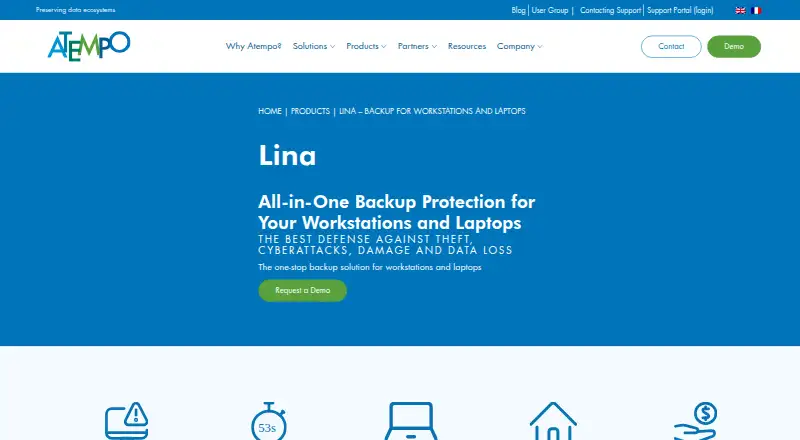
Atempo Lina is backup software for company workstations, laptops and file servers, including devices used by remote workers and sites.
What Atempo Lina is
Atempo Lina is backup software for company workstations, laptops and file servers, including devices used by remote workers and sites. It continuously backs up new and changed files in blocks. Users can restore files or earlier versions through a browser, and full machine rebuilds are supported through Bare Metal Recovery and Continuous Data Protection. Lina deduplicates data at both the source and server to reduce network and storage use. Listed security features include two-factor authentication, encryption and backup immutability; behavior analysis can also alert on anomalies. Agent compatibility includes Linux, Windows 10 and 11, Windows Server, and macOS 11 through 14. The compatibility guide lists MinIO, Scality Artesca, Quantum ActiveScale, AWS, Wasabi and OVH for S3 repositories. It does not support hybrid on-premises/cloud arrangements, agent-connected USB sticks, or cloud-synced files accessible on disk. Atempo positions Lina for small and medium-sized business IT managers. Pricing is available on request, and the product page invites visitors to request a demo.
Good
- Continuously backs up new and modified files.
- Users can restore files and earlier versions in a browser.
- Supports full machine rebuilds.
- Deduplicates data at source and server.
- Includes encryption, 2FA and immutability.
Watch out
- Pricing is available only on request.
- Hybrid on-premises/cloud arrangements are unsupported.
- Agent-connected USB sticks are unsupported.
- Cloud-synced files accessible on disk are unsupported.
Who it suits
Lina suits IT managers at small and medium-sized businesses seeking backup for workstations and laptops, including remote users. It also supports file servers and full machine recovery.
Verdict
Lina combines ongoing file backup with browser-based restores and full-machine recovery options. Check its storage and data exclusions against your environment, and request pricing or a demo from Atempo.
Plans and prices
From Atempo Lina's own pricing page, checked 3 Oct 2026.
| Plan | Price | What it gives you |
|---|---|---|
| Lina | Priced on request | Pricing not published; request a demo or contact Atempo |
The facts
Each one read from Atempo Lina's own pages, with the date it was checked.
What it does
- Continuous backup
- Lina continuously backs up new and modified files in blocks.checked 3 Oct 2026
- Deduplication
- Lina deduplicates data at the source and again on the server to reduce network and storage use.checked 3 Oct 2026
- Encryption compatibility
- The compatibility guide lists Microsoft EFS, Defender, BitLocker, and PRIM’X ZoneCentral as certified applications compatible with the Lina agent.checked 3 Oct 2026
- Purpose
- Lina provides backup protection for company workstations, laptops, and file servers, including remote workers and remote sites.checked 3 Oct 2026
- Recovery
- Users can restore files or earlier versions themselves through a browser, and Lina supports complete machine rebuilds using Bare Metal Recovery and Continuous Data Protection.checked 3 Oct 2026
- Security
- Atempo’s Lina overview lists strong authentication including 2FA, encryption, and backup immutability as security features.checked 3 Oct 2026
- Storage compatibility
- The guide lists MinIO, Scality Artesca, Quantum ActiveScale, AWS, Wasabi, and OVH for S3 backup block repositories; hybrid on-premises/cloud arrangements are unsupported.checked 3 Oct 2026
- Support
- Atempo says its technical support organization is staffed 24×7; software downloads and upgrades require signing in to the support portal.checked 3 Oct 2026
- Supported systems
- The Lina 7.0.2 compatibility guide lists Linux, Windows 10 and 11, Windows Server, and macOS 11 through 14 for agents.checked 3 Oct 2026
- Target users
- Atempo describes Lina as addressing small and medium-sized business IT managers’ workstation and laptop backup needs.checked 3 Oct 2026
- Threat detection
- Lina analyzes backup behavior and can trigger alerts when it detects an anomaly.checked 3 Oct 2026
- Unsupported data
- Lina does not support USB sticks connected to an agent or cloud-synced data such as OneDrive or Dropbox files accessible on disk.checked 3 Oct 2026
The company
- Founded
- 1992checked 28 Sep 2026
- Headquarters
- Massy, Francechecked 28 Sep 2026
Money
- Pricing and trial
- The product page invites visitors to request a demo and does not state a price, free plan, or free trial.checked 3 Oct 2026
The full review of Atempo Lina
Overview
Atempo Lina is a backup system for company workstations, laptops and file servers, including devices used by remote workers and sites. It best suits small and medium-sized business IT teams that need continuous file protection as well as a route to full-machine recovery. Its combination of browser-based restores, deduplication and recovery options is compelling, but unsupported cloud-synced files and USB drives may rule it out for some environments.
Key features
Lina continuously backs up new and changed files in blocks, so protection is ongoing rather than limited to scheduled full-file copies. Users can restore files and earlier versions through a browser, reducing the need to involve IT for routine recovery. For a lost or damaged machine, Bare Metal Recovery and Continuous Data Protection support complete rebuilds; that broader recovery scope is useful when restoring individual files is not enough.
Deduplication at both the source and server reduces data sent over the network and stored at the destination. Lina also offers strong authentication, including two-factor authentication, encryption and backup immutability. Its backup-behavior analysis can raise alerts when it detects an anomaly. Those controls make it more than a basic file-copy tool, though alerts are not a substitute for an organization’s wider security measures.
Lina supports point-in-time recovery and preserves metadata and access permissions. Its migration capabilities include cutover orchestration and reporting, making it relevant to file-migration work as well as backup. The stated workload scope is file-based, so organizations looking for a broader workload-protection system should confirm that Lina covers their needs.
Pricing
Lina is paid software with custom pricing. Atempo invites prospective customers to request a demo or contact the company; there is no free plan or free trial. With no published price or seat and storage terms, buyers should ask for a quote that clarifies capacity, deployment and support costs before comparing it with per-user or fixed-price services.
Platforms
The product is available for Linux, macOS, Windows and self-hosted deployment. Lina 7.0.2 lists agent support for Linux, Windows 10 and 11, Windows Server, and macOS 11 through 14. Its compatibility guide names MinIO, Scality Artesca, Quantum ActiveScale, AWS, Wasabi and OVH for S3 backup block repositories, but hybrid on-premises/cloud storage arrangements are unsupported.
USB sticks connected to an agent are not supported, nor are cloud-synced files such as OneDrive or Dropbox content accessible on disk. Organizations relying on those locations need another protection approach for that data. Microsoft EFS, Defender, BitLocker and PRIM’X ZoneCentral are listed as certified applications compatible with the Lina agent. Atempo says its technical support organization is staffed 24×7; downloads and upgrades require signing in to the support portal.
Who it's for
Lina is a strong fit for SMB IT managers responsible for workstation and laptop backup, especially where remote devices, self-service file recovery and full-machine rebuilds matter. Its file migration features may also suit teams moving supported file workloads that need permissions and metadata preserved. It is a weaker fit when the estate depends on USB storage, synced OneDrive or Dropbox files, or a hybrid on-premises/cloud S3 repository arrangement.
Pros and cons
- Pros: Continuous block-level backup and browser-based version restores cover everyday recovery without making users wait for IT.
- Pros: Bare Metal Recovery and Continuous Data Protection extend recovery to complete machine rebuilds.
- Pros: Source and server deduplication can reduce both network traffic and repository use.
- Pros: Immutability, encryption, two-factor authentication and anomaly alerts provide useful security and detection capabilities.
- Cons: USB sticks and cloud-synced OneDrive or Dropbox files are unsupported, leaving potential gaps in mixed work environments.
- Cons: Hybrid on-premises/cloud arrangements are unsupported for the named S3 backup block repositories.
- Cons: Custom pricing, with no free plan or trial, makes evaluation and budget comparison less direct.
Alternatives
For a different continuous-protection option, browse our Continuous Data Protection Software category. Choose IDrive if a free plan, free trial or broad mobile and desktop platform support is more important than Lina’s stated machine-rebuild and file-migration scope. DataCore SANsymphony is another paid option, with a free trial and capacity-based enterprise pricing; consider it when that pricing model suits your purchasing process.
Backblaze Computer Backup offers a free trial and a monthly plan with unlimited backup data, making it worth comparing if a published subscription is preferable to custom pricing. CrashPlan for Business is another paid service with a free trial and Linux, macOS, web and Windows support. CPRemote is a paid alternative with a free trial. Zerto and JetStream DR are paid alternatives. If self-hosted open-source software and a free plan matter most, UrBackup offers file and image backups through its self-hosted core.
Verdict
Choose Atempo Lina if your business needs continuous workstation and laptop backup, user-driven browser restores and a path to complete machine recovery, with file migration capabilities as an added benefit. Its strongest case is the breadth of protection and recovery in a system aimed at SMB IT teams. Look elsewhere if your data depends on USB drives or synced cloud files, if you require hybrid on-premises/cloud repositories, or if you need a free trial or transparent pricing before committing.
Alternatives to Atempo Lina
- 1
UrBackup
Free planOpen sourceAndroidWebAPILinux8.7Free plan - 2

IDrive
Free planAndroidiOSWebLinux8.4From $0.25 a month - 3
Bacula Enterprise
AndroidWebAPILinux7.9From $90 a year - 4

Backblaze Computer Backup
AndroidiOSWebmacOS7.8From $7.88 a month - 5

Storware Backup & Recovery
Free planWebAPILinuxmacOS7.5Free plan - 6
Vinchin Backup & Recovery
Free planWebLinuxSelf-hostedWindows7.3Free plan