Microsoft Loop
Microsoft Loop is a collaborative workspace for teams that combines flexible pages with portable content components.
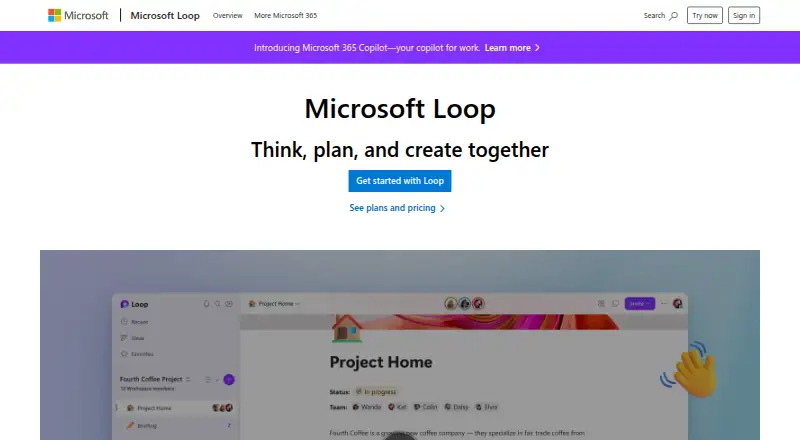
What Microsoft Loop is
Microsoft Loop is a collaborative workspace for teams that combines flexible pages with portable content components. Pages provide canvases for ideas, while workspaces gather project materials and help track progress. Components can include lists, tables, notes, task lists, teammate mentions, emojis, and dates. Collaborators edit these components in supported applications, with changes staying synchronized when shared through Microsoft Teams, Outlook, OneNote, and Whiteboard. Loop is available on Android, iOS, the web, and Windows. Personal-account users can access the iOS, Android, and web apps at no cost while the offering is in Public Preview. They can create up to 250 workspaces, with up to 50 created daily and 1,000 members per workspace. Workspaces and components use Microsoft cloud storage. Work accounts need SharePoint or OneDrive licensing for full access, while Exchange Online supports features such as mentions and sharing.
Good
- Flexible pages and grouped workspaces
- Components stay synchronized across supported apps
- Android, iOS, web, and Windows access
- Real-time editing and comments
- Sensitivity and retention labels supported
Watch out
- No external guest or user sharing
- Mobile apps lack several page-management controls
- Work accounts need qualifying Microsoft licenses
- Personal content counts toward storage quota
Who it suits
Loop suits teams organizing projects, ideas, and shared work across Microsoft applications. Personal Microsoft-account users can use the mobile and web apps at no cost, while organizations may need additional Microsoft licenses.
Verdict
Microsoft Loop combines collaborative canvases, synchronized components, and Microsoft-app integrations across major platforms. Check sharing restrictions, mobile limitations, storage use, and work-account licensing before choosing it.
Plans and prices
From Microsoft Loop's own pricing page, checked 2 Oct 2026.
| Plan | Price | What it gives you |
|---|---|---|
| Microsoft 365 Business Basic | $7 a month | 1–300 employees · web and mobile apps · 1 TB cloud storage per user · paid yearly |
The facts
Each one read from Microsoft Loop's own pages, with the date it was checked.
What it does
- Components
- Loop components are portable pieces of content, such as lists, tables, and notes, that collaborators can edit in supported apps.checked 2 Oct 2026
- Copilot
- A Copilot for Microsoft 365 plan is required to use Copilot features in Loop for work or school accounts; Copilot is unavailable in Loop for personal Microsoft accounts.checked 2 Oct 2026
- Copilot eligibility
- A Copilot for Microsoft 365 plan is required to use Copilot features in Loop for work or school accounts.checked 2 Oct 2026
- External sharing
- Loop currently doesn't support external sharing for guests or external users.checked 2 Oct 2026
- Information barriers
- Information Barriers are supported for Loop content in SharePoint or OneDrive, but not for content in SharePoint Embedded containers.checked 2 Oct 2026
- Integrations
- Loop components are currently supported in Microsoft Teams, Outlook, OneNote, and Whiteboard.checked 2 Oct 2026
- Mobile limitation
- On iOS and Android, users cannot rearrange workspace pages or links, search within a page, change page emojis or cover images, or see a component's shared locations.checked 2 Oct 2026
- Pages and workspaces
- Loop pages are flexible canvases, while workspaces let teams group project materials and track progress.checked 2 Oct 2026
- Personal account access
- The Loop apps for iOS, Android, and the web are available to anyone with a personal Microsoft account.checked 2 Oct 2026
- Personal account limits
- Personal accounts can create up to 250 workspaces per user, up to 50 per day, with a maximum of 1,000 members in each workspace.checked 2 Oct 2026
- Portable components
- Loop components are portable pieces of content that stay in sync wherever they are shared.checked 2 Oct 2026
- Purpose
- Microsoft Loop is a collaborative app for teams to think, plan, and create together.checked 2 Oct 2026
- Security and compliance
- Users can apply sensitivity labels and retention labels to Loop components, pages, and workspaces.checked 2 Oct 2026
- Storage
- Loop workspaces and pages count toward Microsoft storage quotas, and the storage location depends on where content was created.checked 2 Oct 2026
- Support
- Microsoft directs users to Contact Microsoft Support for technical help and its Microsoft Answers community for Loop questions.checked 2 Oct 2026
- Templates and components
- Loop offers page templates and lets users insert items such as task lists, teammate mentions, emojis, and dates.checked 2 Oct 2026
- What it does
- Microsoft Loop combines a flexible canvas with portable components that stay in sync across applications so teams can think, plan, and create together.checked 2 Oct 2026
- Work account requirements
- A SharePoint or OneDrive license is required for full feature access, and an Exchange Online mailbox is needed for features such as @mentions and workspace sharing.checked 2 Oct 2026
Money
- Cost
- Microsoft says the Loop app for personal Microsoft accounts is currently in Public Preview and available at no cost.checked 2 Oct 2026
- Free access
- The Loop apps for iOS, Android, and the web are available to anyone with a personal Microsoft account.checked 2 Oct 2026
Where it runs
- Platforms
- The Loop app is available on the web, iOS, and Android, and Microsoft says Windows users can download it from the Windows app store.checked 2 Oct 2026
Alternatives to Microsoft Loop
- 1

ONLYOFFICE Docs
Free planOpen sourceAndroidiOSWebAPI8.7From $8 a month - 2

Lark
Free planAndroidiOSWebAPI8.4From $6 a month - 3
Nextcloud Office
Open sourceAndroidiOSWebAPI8.0From €71.29 a year - 4

Superhuman Docs
Free planAndroidiOSWebmacOS7.8From $12 a month - 5
Dropbox Paper
Free planAndroidiOSWebAPI7.7Free plan - 6

Collabora Online
Free planAndroidiOSWebLinux7.5From $3.40 a month