
Maestro
Maestro is an open-source UI testing framework for mobile and web apps, with tests written as human-readable YAML flows.
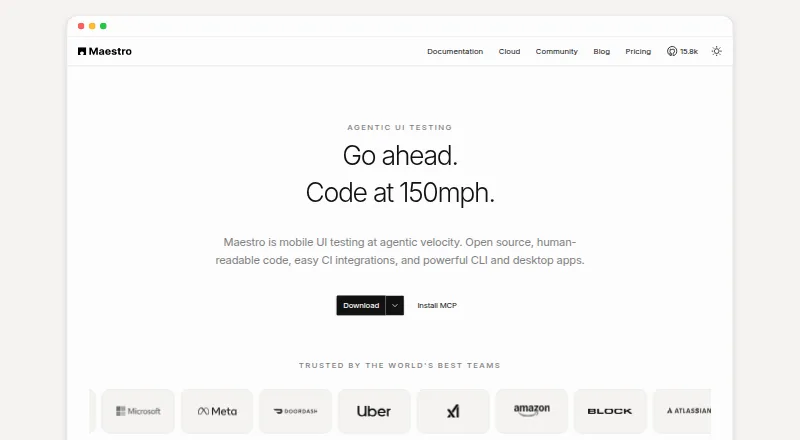
What Maestro is
Maestro is an open-source UI testing framework for mobile and web apps, with tests written as human-readable YAML flows. Its CLI runs tests locally on a developer’s own devices and can also execute them in CI. Maestro Studio is a desktop app for creating and running tests, with screen inspection, command suggestions, and an embedded emulator. Maestro Cloud runs tests in parallel on hosted devices and provides video playback, detailed logs, and flake detection. Supported targets include Android, iOS, React Native, Flutter, and web apps. Web testing is in beta and limited to Chromium, with preset locale and screen dimensions. Cloud integrations include GitHub Actions, Bitrise, Bitbucket Pipelines, CircleCI, and generic CI providers; results can be sent to pull requests, Slack, email, or webhooks. The Cloud service has a free seven-day trial without a credit card. Its monthly price is based on maximum concurrent executions, and web or Chromium device pricing is available by inquiry.
Good
- Open-source CLI runs tests locally and in CI.
- Studio includes screen inspection and an embedded emulator.
- Cloud provides parallel hosted-device runs.
- Offers a free seven-day Cloud trial.
- Results can be sent to Slack, email, or webhooks.
Watch out
- Web testing is in beta.
- Web support is limited to Chromium.
- Cross-browser support is not listed.
Who it suits
Maestro suits testers, developers, engineers, and DevOps teams automating mobile or web app tests. The local tools suit teams running tests on their own devices, while Cloud is for those needing hosted parallel runs.
Verdict
Maestro offers local authoring and execution alongside a hosted option for parallel test runs. Consider the Chromium-only beta web support and Cloud’s per-device pricing basis when evaluating it.
Plans and prices
From Maestro's own pricing page, checked 29 Sep 2026.
| Plan | Price | What it gives you |
|---|---|---|
| Local | Free | Run on your own devices · Maestro MCP, Viewer, Studio, CLI · local agents · Free Open Source |
| Cloud | $250 a month | Price based on maximum concurrent executions · unlimited hosted test runs · Android, iOS, and web devices · $250/device/mo |
| Enterprise Cloud | Priced on request | Custom contracts · SSO · dedicated support · managed test cases · security review · Custom pricing |
The facts
Each one read from Maestro's own pages, with the date it was checked.
What it does
- Audience
- The product is aimed at testers, developers, engineers, and DevOps teams working on mobile and web test automation.checked 29 Sep 2026
- CLI
- The open-source CLI runs YAML tests locally and can execute tests in CI.checked 29 Sep 2026
- Cloud
- Maestro Cloud runs tests in parallel on hosted devices and provides video playback, detailed logs, and flake detection.checked 29 Sep 2026
- Enterprise support
- Enterprise Cloud includes premium dedicated support and detailed vendor and security review.checked 29 Sep 2026
- Integrations
- Maestro Cloud documents integrations for GitHub Actions, Bitrise, Bitbucket Pipelines, CircleCI, and generic CI providers.checked 29 Sep 2026
- Notifications
- Maestro Cloud can send test results to GitHub pull requests, Slack, email, or webhooks.checked 29 Sep 2026
- Privacy
- The privacy notice says its servers are in the United States and that personal information may be transferred, stored, and processed in other countries.checked 29 Sep 2026
- Product
- Maestro is an open-source UI testing framework for mobile and web apps, using human-readable YAML flows.checked 29 Sep 2026
- Studio
- Maestro Studio is a visual desktop app for building and running tests with screen inspection, command suggestions, and an embedded emulator.checked 29 Sep 2026
- Supported targets
- Maestro supports Android, iOS, React Native, Flutter, and web applications.checked 29 Sep 2026
- Web limitation
- Web testing is in beta and supports Chromium only, with preset locale and screen dimensions.checked 29 Sep 2026
Money
- Cloud plan limit
- The Cloud monthly price is based on maximum concurrent executions, and web or Chromium device pricing is available by inquiry.checked 29 Sep 2026
- Trial
- Maestro Cloud offers a free 7-day trial with no credit card required.checked 29 Sep 2026
Where it runs
- Desktop platforms
- Maestro Studio installers are available for Windows, macOS, and Linux.checked 29 Sep 2026
The full review of Maestro
Overview
Maestro is an open-source UI automation framework for teams testing mobile apps and web apps with YAML-based flows. It suits testers and developers who want to author tests locally and add hosted parallel runs when their workload calls for them. Its strongest fit is mobile testing; web automation remains a narrower, Chromium-only beta.
The framework combines a local CLI, a visual desktop authoring tool, and a paid hosted service. That lets teams start on their own devices and CI before deciding whether hosted device capacity is worth the recurring cost.
Key features
Local authoring and execution
The CLI runs YAML tests on a team's own devices and in CI, making Local a practical starting point for teams that can provide their own execution environment. Maestro Studio adds screen inspection, command suggestions, and an embedded emulator for building and running tests from a desktop app. This pairing gives visual help without making the hosted service a prerequisite.
Hosted parallel testing
Maestro Cloud runs tests in parallel on hosted Android, iOS, and web devices, with video playback, detailed logs, and flake detection. Integrations cover GitHub Actions, Bitrise, Bitbucket Pipelines, CircleCI, and generic CI providers; results can be sent to GitHub pull requests, Slack, email, or webhooks. Those features make Cloud more useful for teams that need to inspect and share repeated runs, though its price is tied to maximum concurrent executions rather than simply a flat team subscription.
Web scope
Maestro supports Android, iOS, React Native, Flutter, and web apps. Web tests are in beta, support Chromium only, and use preset locale and screen dimensions. That is a meaningful constraint for teams needing cross-browser coverage or flexible browser environments. Maestro is for mobile and web app testing, not desktop app coverage.
Pricing
Local: free. Billed Free Open Source, this plan runs on your own devices and includes Maestro MCP, Viewer, Studio, CLI, and local agents. It is the sensible entry point for teams prepared to manage execution themselves; it does not include hosted devices or Cloud's parallel-run service.
Cloud: $250 a month. Billed at $250/device/mo, with price based on maximum concurrent executions, Cloud includes unlimited hosted test runs on Android, iOS, and web devices. The 7-day trial requires no credit card, so teams can assess the hosted workflow before paying. The per-device pricing basis matters: budget depends on the concurrency capacity needed, not just the number of people using the tool. Web or Chromium device pricing is available by inquiry.
Enterprise Cloud: custom pricing. This plan adds custom contracts, SSO, dedicated support, managed test cases, and security review. It is aimed at organizations that need enterprise procurement and support rather than teams seeking the lowest-cost way to run tests.
Maestro has a free plan and a free trial, but the trial applies to Cloud and lasts seven days. Cloud also includes premium dedicated support and detailed vendor and security review at the Enterprise level. Its privacy notice says servers are in the United States and personal information may be transferred, stored, and processed in other countries, a consideration for teams with data-location requirements.
Platforms
Maestro Studio installers are available for Windows, macOS, and Linux. The framework targets Android and iOS apps, plus web apps within the Chromium-only beta described above. It does not cover desktop app testing despite Studio's desktop availability; Studio is an authoring and execution interface, not a desktop application test target.
Who it's for
Maestro fits testers, developers, engineers, and DevOps teams building mobile and web test automation. Local suits teams that want open-source tooling and can run tests on their own devices or in CI. Cloud is better for teams that value hosted devices, parallel execution, run videos, logs, and flake detection enough to pay according to concurrency. Teams requiring broad browser coverage, desktop app tests, or control over locale and screen dimensions for web testing should look elsewhere.
Pros and cons
Pros
- A usable local-to-hosted path: the open-source CLI and Studio support local work, while Cloud adds hosted parallel runs for teams ready to scale execution.
- Useful run diagnostics: Cloud combines video playback, detailed logs, and flake detection, with integrations and notifications that fit common CI workflows.
- Free starting point: Local costs nothing and includes the CLI and Studio, while Cloud offers a 7-day trial without a credit card.
Cons
- Limited web flexibility: beta web support is restricted to Chromium with preset locale and screen dimensions, ruling it out for teams needing cross-browser testing.
- Cloud budgeting follows concurrency: the $250/device/mo basis can be less straightforward to plan than a simple per-seat subscription.
- No desktop app coverage: a desktop Studio app does not make Maestro suitable for testing desktop applications.
Alternatives
Choose testRigor if its broader platform range, which includes API, extension, and self-hosted alongside mobile and web, better matches your testing scope. Choose WebdriverIO for a free open-source automation framework when a Node.js requirement is acceptable. ACCELQ is another freemium option spanning web, mobile, and API automation.
Nightwatch is a free open-source choice with no paywalls. For browser-focused testing, Cypress offers a free Starter plan with 10 users, 500 test results per month, 100 prompt executions per month, and 30-day access to paid features. Playwright is a free alternative with Chromium, Firefox, and WebKit support and language options including TypeScript, Python, .NET, and Java. Selenium is a free option for open-source browser automation tools and libraries. Robot Framework is a free open-source alternative with API support.
Explore the Functional Testing Software, Device Farm Software, End-to-End Testing Software, Mobile App Testing Software, and GUI Testing Software categories for more options.
Verdict
Maestro is a strong choice for teams automating mobile app interfaces that want readable YAML flows, local execution, and an optional route to hosted parallel testing. Start with Local if your own devices and CI are enough; consider Cloud when hosted capacity and run diagnostics justify its concurrency-based price. Look elsewhere if your web tests need browsers beyond Chromium, adjustable browser settings, or desktop app coverage.
Getting started
- Visit https://maestro.dev/.
- Choose the free Local plan to use the open-source CLI, Studio, Viewer, Maestro MCP, and local agents on your own devices.
- Install Maestro Studio for Windows, macOS, or Linux if you want its visual desktop app.
- Write tests as human-readable YAML flows and run them with the local CLI or in CI.
- For hosted runs, start the seven-day Maestro Cloud trial; no credit card is required.
- Connect Cloud to a documented CI provider and choose where to send test results.
Limits worth knowing
The Local plan is free. Maestro Cloud's listed price is $250 a month per device, based on maximum concurrent executions; hosted runs are unlimited. The free Cloud trial lasts seven days, and web testing is limited to Chromium with preset locale and screen dimensions.
Questions
Is Maestro open source?
Yes. Its UI testing framework and CLI are open source, and the CLI runs YAML tests locally and in CI.
Is there a free plan?
Yes. The Local plan costs $0.00 USD and includes Maestro MCP, Viewer, Studio, CLI, and local agents.
How much does Maestro Cloud cost?
The listed Cloud plan is $250 a month per device. Its monthly price is based on maximum concurrent executions; web or Chromium device pricing is available by inquiry.
Does Maestro offer a free trial?
Maestro Cloud offers a seven-day free trial without requiring a credit card.
Which platforms and app targets does Maestro support?
Supported app targets include Android, iOS, React Native, Flutter, and web applications. Studio installers are available for Windows, macOS, and Linux. Web testing is in beta and supports Chromium only.
Which CI tools can Maestro Cloud integrate with?
Documented integrations include GitHub Actions, Bitrise, Bitbucket Pipelines, CircleCI, and generic CI providers. Results can be sent to GitHub pull requests, Slack, email, or webhooks.
Alternatives to Maestro
- 1
Perfecto
AndroidiOSWebAPI7.9From $83 a month - 2

TestingBot
AndroidiOSWebAPI7.9From $20 a month - 3

Appetize
Free planAndroidiOSWebAPI7.5From $59 a month - 4
 7.5
7.5 - 5

TestMu AI Real Device Cloud
Free planAndroidiOSWebAPI7.4From $49 a month - 6

BrowserStack Live
AndroidiOSWebmacOS7.2From $12.50 a month