
Cypress
Cypress is a front-end testing tool for web applications, with an open-source Cypress App and a cloud-based Cypress Cloud service.
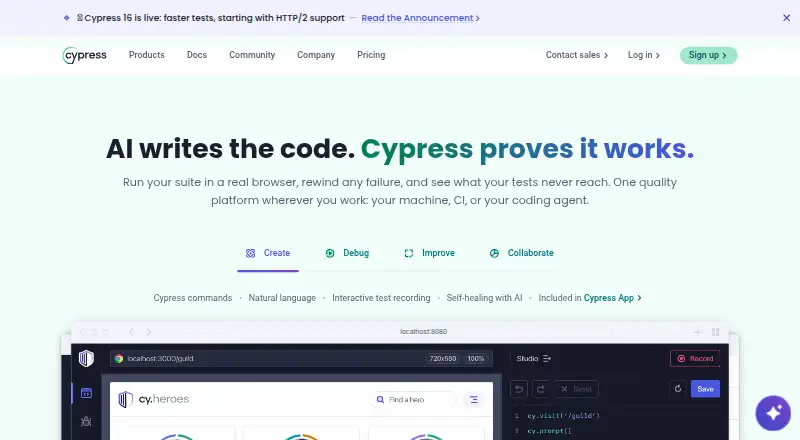
What Cypress is
Cypress is a front-end testing tool for web applications, with an open-source Cypress App and a cloud-based Cypress Cloud service. It supports end-to-end and component testing. The App launches and controls real browsers, including Chrome-family browsers and Firefox; WebKit is listed as experimental. Debugging tools include time-travel snapshots, readable errors, stack traces, automatic waiting, and network stubbing. Cypress Cloud stores recorded CI test runs and provides debugging, analytics, and orchestration for teams. It integrates with GitHub, GitLab, Bitbucket, Slack, Microsoft Teams, and Jira. Its MCP works with AI coding assistants including Claude, Cursor, and GitHub Copilot. The free Starter plan includes 10 users, 500 test results per month, 100 prompt executions per month, and 30-day access to paid features. Team costs $67 a month, billed annually at $799. Cypress says Cloud test content is stored in the United States, and content in public projects is publicly accessible. Cypress Cloud maintains a SOC 2 Type 2 report and encrypts testing content in transit with TLS 1.2 or greater and at rest with AES-256 or greater.
Good
- Supports end-to-end and component testing.
- Debugging includes snapshots, stack traces, and network stubbing.
- Starter plan includes 10 users and 500 monthly test results.
- Cypress Cloud integrates with popular development tools.
Watch out
- WebKit support is experimental.
- Public project content is publicly accessible.
- Starter, Team, and Business feature sets are not customizable.
Who it suits
Cypress suits developers and teams testing web applications with end-to-end or component tests. Teams using Cypress Cloud can connect test runs to the listed code, communication, and project tools.
Verdict
Cypress combines browser-based testing with optional cloud storage and team tools, with a free Starter plan and annual-billed paid tiers. Consider browser support, plan limits, and the visibility of public-project content when deciding whether it fits.
Plans and prices
From Cypress's own pricing page, checked 14 Oct 2026.
| Plan | Price | What it gives you |
|---|---|---|
| Starter | Free | 10 users · 500 test results/month · 100 prompt executions/month · 30-day data retention · community support · Free; no credit card required |
| Team | $67 a month | 50 users · 120,000 test results/year · 9,000 prompt executions/year · 90-day retention · email support · Billed annually at $799 |
| Business | $267 a month | 50 users · 120,000 test results/year · 24,000 prompt executions/year · 90-day retention · email support · Billed annually at $3,199 |
| Enterprise | Priced on request | Unlimited users · 1.8M test results/year · 60,000 prompt executions/year · 180-day retention · premium support · Custom pricing |
The facts
Each one read from Cypress's own pages, with the date it was checked.
What it does
- Accessibility testing
- Cypress offers a separate Accessibility solution that reports accessibility violations without additional test authoring or configuration.checked 14 Oct 2026
- AI data handling
- Cypress states that its AI models are not trained on customer data.checked 30 Sep 2026
- AI tools
- Cypress Cloud MCP works with AI coding assistants including Claude, Cursor, and GitHub Copilot.checked 30 Sep 2026
- API testing
- The cy.request() command sends HTTP requests and checks status, body, headers and response time without rendering a page.checked 14 Oct 2026
- Automatic waiting
- Cypress retries queries and assertions until conditions are met, reducing the need for manually timed waits.checked 14 Oct 2026
- CI integrations
- Official CI guidance covers GitHub Actions, CircleCI, GitLab CI, Jenkins and AWS CodeBuild.checked 14 Oct 2026
- CLI and MCP
- Cypress Cloud provides a Cloud CLI and Cloud MCP integration on all listed plans.checked 14 Oct 2026
- Cloud
- Cypress Cloud stores recorded CI test runs and provides debugging, analytics, and orchestration for teams.checked 30 Sep 2026
- Component testing
- Component Testing mounts front-end components in a real browser and supports visual inspection and browser DevTools debugging.checked 14 Oct 2026
- Data location
- Cypress says Cloud test content is stored in the United States and content in public projects is publicly accessible.checked 30 Sep 2026
- Debugging
- The App provides time-travel snapshots, readable errors, stack traces, automatic waiting, and network stubbing.checked 30 Sep 2026
- Documentation depth
- Documentation includes installation, system requirements, component and end-to-end testing, API concepts, CI setup, plugins, migration guides and troubleshooting FAQs.checked 14 Oct 2026
- End-to-end testing
- The platform runs end-to-end tests for complete browser workflows such as authentication and purchasing.checked 14 Oct 2026
- Funding
- Cypress announced a $40 million Series B led by OpenView Venture Partners on December 17, 2020.checked 14 Oct 2026
- Independent funding record
- CB Insights lists $54.81 million raised across five Cypress funding rounds, including the $40 million December 2020 Series B.checked 14 Oct 2026
- Installation methods
- The app installs as a project development dependency through npm, Yarn, pnpm or Bun.checked 14 Oct 2026
- Integrations
- Cypress Cloud integrates with GitHub, GitLab, Bitbucket, Slack, Microsoft Teams, and Jira.checked 30 Sep 2026
- Language support
- Cypress test code executes as JavaScript and has no language-specific driver bindings.checked 14 Oct 2026
Where it runs
- Browser architecture
- Cypress runs in the same run loop as the application instead of sending commands through Selenium’s remote network protocol.checked 14 Oct 2026
- Browser automation
- The Cypress App launches and controls real browsers, supporting Chrome-family browsers and Firefox, with WebKit listed as experimental.checked 30 Sep 2026
The company
- Company facts
- LinkedIn lists Cypress.io as privately held, founded in 2015, headquartered in Atlanta, Georgia, with 51–200 employees.checked 14 Oct 2026
- Company history
- Cypress's About page dates its story to 2014.checked 30 Sep 2026
- Founded
- 2014checked 23 Sep 2026
- Headquarters
- Atlanta, Georgia, United Stateschecked 23 Sep 2026
The full review of Cypress
Overview
Cypress combines code-authored end-to-end and component testing with an app that controls real browsers and a cloud service for CI runs. It is best suited to web development teams that want browser-level debugging and shared test-run records. Its main trade-offs are plan quotas and the experimental status of WebKit support.
The product has an open-source Cypress App and a cloud-based Cypress Cloud service. Cypress dates its story to 2014 and is headquartered in Atlanta, Georgia. It also supports mobile web and visual testing, making it relevant across End-to-End Testing Software, Browser Automation Tools, Functional Testing Software, GUI Testing Software, and Test Flakiness Management Software.
Key features
Browser testing and debugging
The Cypress App launches and controls real browsers, supporting Chrome-family browsers and Firefox. WebKit is experimental, so Cypress is a less certain fit for teams whose browser coverage depends on it. Code-based authoring and a self-hosted runner suit development workflows that keep test code and execution close to the application; the product supports both end-to-end and component tests.
Time-travel snapshots, readable errors, stack traces, automatic waiting, and network stubbing give developers several ways to inspect and isolate failures. These capabilities are valuable when diagnosing browser behavior, but they do not remove the need to write and maintain tests in code.
Cloud collaboration and AI
Cypress Cloud records CI test runs and adds debugging, analytics, and orchestration for teams. It connects with GitHub, GitLab, Bitbucket, Slack, Microsoft Teams, and Jira. Its MCP works with AI coding assistants including Claude, Cursor, and GitHub Copilot. Cypress says its AI models are not trained on customer data, and that Cloud maintains a SOC 2 Type 2 report and encrypts content in transit with TLS 1.2 or greater and at rest with AES-256 or greater.
Cloud test content is stored in the United States, and content in public projects is publicly accessible. Teams handling sensitive test content should account for that exposure and choose project visibility accordingly.
Pricing
Cypress is freemium, with a free plan and a 30-day trial of paid features. Starter costs nothing. It allows 10 users, 500 test results per month, and 100 prompt executions per month, with 30-day access to paid features. That is a useful starting point for small teams, but the monthly result and prompt caps constrain sustained or heavier use.
Team costs $67 a month, billed annually at $799. It raises the user limit to 50 and includes 120k test results and 9k prompt executions per year, 90-day data retention, and email support. It fits teams needing shared cloud records beyond Starter’s caps, though the annual billing term matters for buyers comparing monthly cash commitments.
Business costs $267 a month, billed annually at $3,199. It keeps the 50-user cap and 120k annual test-result quota, while raising prompt executions to 24k per year. It adds SSO and GitHub Enterprise and GitLab Enterprise integrations, with the same 90-day retention and email support as Team. This tier is most relevant to organizations that need those integrations or higher prompt volume, not teams seeking more test-result capacity.
Enterprise has custom pricing and includes unlimited users, 1.8M test results per year, 60k prompt executions per year, 180-day retention, and premium support. It is the tier for larger deployments that need substantially higher quotas or longer retention. Starter, Team, and Business feature sets are not customizable, and reaching a user limit prevents adding users until the limit changes or someone is removed.
Platforms
Cypress is available for Linux, macOS, Windows, and the web. Its browser support spans Chrome-family browsers and Firefox, with WebKit experimental. Mobile web testing is supported; Cypress does not claim native mobile-app testing.
Who it's for
Cypress is a strong fit for web teams writing code-based end-to-end or component tests who want browser-level debugging and a cloud service for recorded CI runs and team coordination. Starter offers a route to begin without a subscription, while Team and Business provide greater quotas and collaboration features. It is less suitable for teams that require dependable WebKit support, need more than 50 users without Enterprise, or cannot accept public-project content being publicly accessible.
Pros and cons
- Pros: Real-browser control, time-travel snapshots, readable errors, and network stubbing support investigation of web-test failures.
- Pros: Cypress Cloud combines recorded CI runs with analytics and orchestration, plus integrations with common code-hosting and team tools.
- Pros: Starter provides 10 users and monthly test and prompt quotas at no cost, with a 30-day window for paid features.
- Cons: WebKit is experimental, limiting confidence for teams that depend on that browser engine.
- Cons: Starter’s 500 monthly results and 100 prompt executions can be restrictive, while paid tiers impose annual quotas and user caps.
- Cons: Public-project content is publicly accessible, a significant consideration for teams with sensitive test data.
Alternatives
Choose Bitbucket Pipelines if a CI pipeline service with a free plan for up to five users, unlimited public and private repositories, and 50 build minutes per month better matches the need than Cypress’s browser-testing focus.
Captain is an alternative for teams prioritizing flaky-test tracking and quarantine, retrying failed tests, or parallel test-suite partitioning; its OSS plan is free.
HyperExecute offers a free plan with 300 testing minutes, up to two concurrent sessions, and Windows or Linux VMs, making it worth considering when those execution limits and VM options fit better.
Qualflare has a free Starter plan limited to one project, one active user, 200 test cases, and 100 test reports; choose it when those project and case limits suit the work better.
TeamCity offers a free on-premises Professional plan with unlimited users, three build agents, and 100 build configurations, a relevant alternative for teams looking for those build-server limits.
Testery has a Growth plan with 10 test-execution hours and 10 parallel runners, priced at $0 for 10 hr/mo then $1.20/hr; it may suit teams whose use fits that metered model.
Buildkite offers a free plan for up to five users and 10 concurrent jobs, with Linux vCPU minutes and test limits; consider it when those CI job allowances fit the workflow.
CircleCI is another freemium option for teams comparing CI services.
Verdict
Choose Cypress if your team writes web tests in code and values real-browser debugging paired with recorded CI runs and team tools. Starter makes it possible to begin without a subscription, and the paid plans expand quotas and collaboration. Look elsewhere if WebKit coverage is essential, plan caps do not fit your team, or public-project visibility conflicts with how you handle test content.
Getting started
- Open the Cypress website
- Install or access the open-source Cypress App
- Choose the free Starter plan or a paid Cloud plan
- Connect Cypress Cloud to your CI workflow
- Link supported services such as GitHub, GitLab, Slack, Teams, or Jira
Limits worth knowing
Starter includes 10 users, 500 test results per month, 100 prompt executions per month, and 30-day access to paid features. Starter, Team, and Business plans cannot be customized at the feature level, and reaching a user limit prevents adding users until the limit changes or someone is removed.
Questions
Is Cypress free?
Yes. The Starter plan is free and includes 10 users, 500 test results per month, and 100 prompt executions per month.
Does Cypress offer a trial?
Yes. The pricing note lists a 30-day trial, and Starter includes 30-day access to paid features.
What platforms does Cypress support?
Cypress supports Linux, macOS, web, and Windows.
Is Cypress open source?
The Cypress App is open source, while Cypress Cloud is a cloud-based service.
How much do paid Cypress plans cost?
Team costs $67 a month billed annually at $799. Business costs $267 a month billed annually at $3,199. Enterprise uses custom pricing.
Which browsers can Cypress control?
The App controls real Chrome-family browsers and Firefox. WebKit is listed as experimental.
Alternatives to Cypress
- 1

Katalon Studio
Free planAndroidiOSWebAPI8.4From $1,000 a year - 2
testRigor
Free planAndroidiOSWebAPI8.3From $300 a month - 3
Keysight Eggplant Test
AndroidiOSWebAPI7.9$9,999 one-time - 4

Selenium
Free planOpen sourceWebAPIExtensionLinux7.8Free plan - 5
Leapwork
Free planAndroidiOSWebAPI7.7Free plan - 6

Autify
Free planAndroidiOSWebAPI7.6From $99 a month