
WebdriverIO
WebdriverIO is a free, open-source automation test framework for Node.js that covers browsers, mobile devices, and native desktop apps.
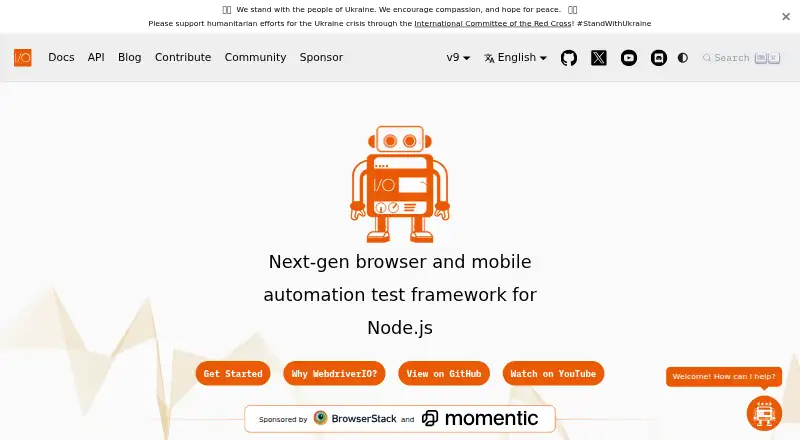
What WebdriverIO is
WebdriverIO is a free, open-source automation test framework for Node.js that covers browsers, mobile devices, and native desktop apps. It supports end-to-end testing as well as unit or component tests in real browsers and on mobile devices, using WebDriver and WebDriver BiDi. Through Appium, it can test native and hybrid mobile apps on emulators, simulators, or real devices, as well as smart TVs and other IoT devices. The framework waits for elements to appear before interacting with them. Its test runner has built-in support for Mocha, Jasmine, and Cucumber.js, and the browser runner provides component-testing presets for Vue, Svelte, Solid, React, Preact, and Stencil. The CLI lists services for tools such as Sauce Labs, BrowserStack, TestingBot, Appium, LambdaTest, and Docker. WebdriverIO can automate native desktop apps, including Electron.js apps, and describes a Lighthouse service for PWA checks and frontend performance metrics. It requires Node.js 18.20.0 or higher. Security guidance warns that Appium plugins or cloud-provider logging proxies may expose sensitive values despite masking.
Good
- Supports WebDriver and WebDriver BiDi.
- Automatically waits for elements before interacting.
- Built-in support for Mocha, Jasmine, and Cucumber.js.
- Supports Appium testing on real devices and simulators.
- Can automate native desktop apps, including Electron apps.
Watch out
- Requires Node.js 18.20.0 or higher.
- Appium plugins or cloud logging proxies may expose sensitive values.
- getValue is not supported for masking.
Who it suits
WebdriverIO suits developers who write Node.js tests for browser, mobile, or desktop applications. It may also fit teams seeking component testing or Appium-based mobile automation.
Verdict
WebdriverIO spans browser, mobile, and desktop automation with built-in test runner options. Its Node.js requirement and documented masking limitations are important considerations.
Plans and prices
From WebdriverIO's own pricing page, checked 30 Sep 2026.
| Plan | Price | What it gives you |
|---|---|---|
| WebdriverIO | Free | Open source automation framework · Node.js required |
The facts
Each one read from WebdriverIO's own pages, with the date it was checked.
What it does
- Automation standards
- It supports automation through the WebDriver and WebDriver BiDi standards.checked 30 Sep 2026
- Auto-wait
- WebdriverIO automatically waits for elements to appear before interacting with them.checked 30 Sep 2026
- Component testing
- The browser runner offers presets for Vue, Svelte, Solid, React, Preact, and Stencil.checked 30 Sep 2026
- Desktop support
- The project describes using WebdriverIO to automate native desktop apps, including apps built with Electron.js.checked 30 Sep 2026
- Developer tools
- The homepage describes a Lighthouse service for checking PWA validity and capturing frontend performance metrics.checked 30 Sep 2026
- Governance
- WebdriverIO describes itself as an open-source project with community governance that is part of the OpenJS Foundation.checked 30 Sep 2026
- Integrations
- The CLI lists services including Sauce Labs, BrowserStack, TestingBot, Appium, LambdaTest, and Docker.checked 30 Sep 2026
- Mobile support
- WebdriverIO can automate native and hybrid mobile apps on emulators, simulators, or real devices through Appium.checked 30 Sep 2026
- Mobile testing
- It supports native mobile testing through Appium on real devices, smart TVs, or other IoT devices.checked 30 Sep 2026
- Purpose
- WebdriverIO is a browser and mobile automation test framework for Node.js.checked 30 Sep 2026
- Requirements
- WebdriverIO requires Node.js 18.20.0 or higher, and officially supports Node.js releases that are or will become LTS releases.checked 30 Sep 2026
- Security
- The security guidance recommends storing keys and passwords securely and masking sensitive values in logs and reports; it also describes limitations, including possible leaks from Appium plugins or cloud-provider HTTP logging.checked 30 Sep 2026
- Security limitation
- The security guide says masking may be bypassed by Appium plugins or cloud-provider HTTP logging proxies, and getValue is not supported for masking.checked 30 Sep 2026
- Support
- The project points users to its Discord support server for help.checked 30 Sep 2026
- Test frameworks
- The test runner has built-in support for Mocha, Jasmine, and Cucumber.js.checked 30 Sep 2026
- Test types
- It supports end-to-end tests and unit or component tests in a real browser or on a mobile device.checked 30 Sep 2026
- Web standards
- It supports the WebDriver and WebDriver BiDi protocols for cross-browser automation.checked 30 Sep 2026
The full review of WebdriverIO
Overview
WebdriverIO is a code-first automation framework for teams building tests with Node.js across browser, mobile, and desktop apps. It is a strong fit for developers who want standards-based browser testing alongside Appium-driven device coverage, though its runtime requirement and limits on masking sensitive data merit attention.
Key features
Browser and component testing
WebdriverIO supports end-to-end tests as well as unit and component tests in real browsers. Automation through WebDriver and WebDriver BiDi gives teams a standards-based path across browser engines, while automatic waits for elements reduce the need to manage timing around each interaction. Its runner includes Mocha, Jasmine, and Cucumber.js, and the browser runner has component-testing presets for Vue, Svelte, Solid, React, Preact, and Stencil.
A Lighthouse service can check PWA validity and capture frontend performance metrics. The CLI also offers integrations with services such as Sauce Labs, BrowserStack, TestingBot, Appium, LambdaTest, and Docker, giving teams options for connecting the framework to their testing environments.
Mobile and desktop automation
Appium extends WebdriverIO to native and hybrid apps on emulators, simulators, and real devices, and to smart TVs and other IoT devices. That breadth is useful when web and device testing belong in the same code-driven workflow. The project also describes automation for native desktop apps, including Electron.js applications.
Security and runtime requirements
The security guidance recommends keeping keys and passwords secure and masking sensitive values in logs and reports. Masking is not a guarantee: Appium plugins and cloud-provider HTTP logging proxies may expose values, and getValue is not supported for masking. Teams handling secrets should account for those gaps in their logging and test setup.
WebdriverIO requires Node.js 18.20.0 or higher and officially supports Node.js versions that are, or will become, LTS releases. This suits teams already maintaining a compatible Node.js environment, but adds a runtime constraint for others. The open-source project is community-governed and part of the OpenJS Foundation; it points users to Discord for help.
Pricing
WebdriverIO is free: its open-source automation framework costs nothing. There is no free trial because the framework itself is free. Code is the test-authoring method, and a self-hosted runner is supported, so teams can use it without a paid plan while taking responsibility for their own test environment.
Platforms
WebdriverIO supports Android, iOS, Linux, macOS, Windows, and web testing, with an extension platform also listed. It supports mobile web testing and visual testing, and its browser automation is multi-engine. Mobile coverage through Appium includes emulators, simulators, and real devices.
Who it's for
WebdriverIO is best suited to development teams comfortable with Node.js who want one code-based framework for browser, component, mobile, and some desktop automation. Its standards-based browser support, built-in test-runner options, and Appium reach are valuable when a project spans several test targets. It is less suitable for teams seeking a graphical test-authoring approach, or for environments unable to meet the Node.js requirement. Teams whose tests involve sensitive data also need to plan around the masking limitations.
Pros and cons
- Broad test coverage: End-to-end and component testing in real browsers combine with Appium support for native and hybrid mobile apps, smart TVs, and other IoT devices.
- Choice of established runner frameworks: Built-in Mocha, Jasmine, and Cucumber.js support lets teams use a familiar test structure.
- Free and self-hostable: The open-source framework and self-hosted runner avoid a software-plan charge, but the team must manage its own test environment.
- Node.js is mandatory: The 18.20.0 minimum and LTS support policy may rule it out for teams that cannot maintain a compatible runtime.
- Masking has gaps: Appium plugins and cloud-provider HTTP logging proxies can bypass masking, and getValue cannot be masked.
Alternatives
Choose Playwright if you want browser automation across Chromium, Firefox, and WebKit with support for TypeScript, Python, .NET, and Java rather than WebdriverIO's Node.js requirement.
Nightwatch is another free, open-source option with no paywalls.
Choose Selenium for its open-source browser automation tools and libraries.
Cypress is a freemium alternative with a free Starter plan capped at 10 users, 500 test results per month, and 100 prompt executions per month; paid features are accessible for 30 days.
ACCELQ is another freemium option.
Functionize offers a free web-testing plan with 800,000 credits per month and five parallel runs.
Maestro offers a free open-source local plan for running on your own devices.
BugBug has a free local-testing plan capped at four test suites, one user, one project, and 15 tests.
Verdict
Choose WebdriverIO if your team works in Node.js and wants a free, standards-based framework that can span browser, component, and Appium mobile testing. Its main advantage is that breadth within a code-first, self-hosted tool; look elsewhere if Node.js is a poor fit or your security needs depend on masking every sensitive value in logs.
Alternatives to WebdriverIO
- 1

TestCafe
Free planOpen sourceAndroidiOSWebAPI8.7From $20 a month - 2

Cypress
Free planOpen sourceWebAPILinuxmacOS8.4From $67 a month - 3

Katalon Studio
Free planAndroidiOSWebAPI8.4From $1,000 a year - 4
testRigor
Free planAndroidiOSWebAPI8.3From $300 a month - 5

Kameleo
Free planAndroidiOSWebAPI8.2Free plan - 6

TestingBot
AndroidiOSWebAPI7.9From $20 a month