Google Tasks
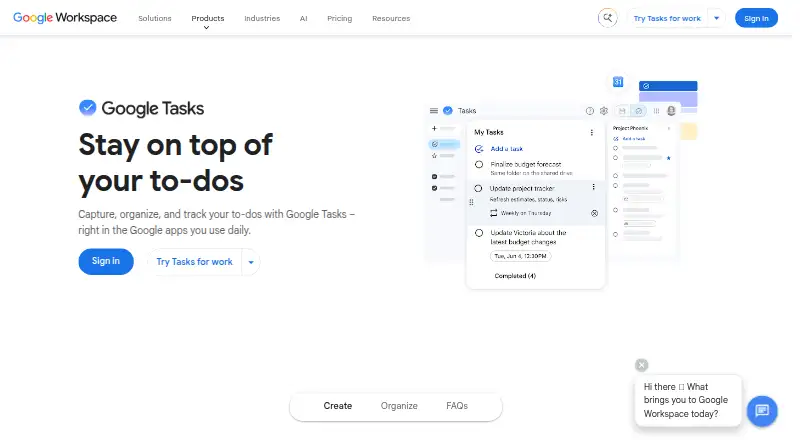
The facts below are what the maker publishes about Google Tasks, checked and dated. Our editors have not written about it yet.
The facts
Each one read from Google Tasks's own pages, with the date it was checked.
What it does
- Account administration
- For work or school accounts, an administrator controls access to Google Tasks.checked 11 Oct 2026
- Calendar
- Tasks with dates appear in Google Calendar, and users can schedule time for tasks there.checked 11 Oct 2026
- Collaboration
- In Chat, you can create a task from a direct message or create and assign group tasks in a space.checked 11 Oct 2026
- Email tasks
- You can create a task from a Gmail message and return to the original message from the task.checked 11 Oct 2026
- Gmail
- Users can turn an email into a task and return to the original message from that task.checked 11 Oct 2026
- Integrations
- Tasks can be created and managed in Google Calendar, Keep, ChromeOS, and the side panels in Gmail, Calendar, Chat, Drive, and Google Docs, Sheets, or Slides.checked 11 Oct 2026
- Lists and priorities
- You can create separate task lists, reorder tasks, and star important tasks.checked 11 Oct 2026
- Organisation
- Users can create separate lists, reorder tasks and star important tasks.checked 11 Oct 2026
- Privacy
- Google's Privacy Policy describes information collection and controls for reviewing, updating, exporting and deleting information.checked 11 Oct 2026
- Purpose
- Google Tasks helps users capture, organise and track to-dos across devices.checked 11 Oct 2026
- Recurring task limits
- Shared tasks and subtasks cannot repeat, and recurring tasks cannot be moved to another task list.checked 11 Oct 2026
- Recurring tasks
- Tasks can repeat daily, weekly, monthly, or yearly.checked 11 Oct 2026
- Repeat limitation
- Tasks with subtasks cannot be repeated.checked 11 Oct 2026
- Security
- The Google Play listing says data is encrypted in transit and that users can request deletion of their data.checked 11 Oct 2026
- Support
- Google provides a Tasks Help Center with setup, task management, notification and other help topics.checked 11 Oct 2026
- Task details
- Tasks can include details, due dates, notifications, and subtasks.checked 11 Oct 2026
- Task limits
- You can create up to 100,000 tasks across all lists and up to 20,000 uncompleted tasks in any one list.checked 11 Oct 2026
- Workspace access
- For work or school accounts, an administrator controls access to Tasks.checked 11 Oct 2026
- Workspace integrations
- Tasks can be created and managed through Google Calendar, ChromeOS, Keep, and the side panels in Gmail, Calendar, Chat, Drive, Docs, Sheets and Slides.checked 11 Oct 2026
Where it runs
- Cross-device sync
- Tasks and task lists sync across devices when users sign in to the same Google Account.checked 11 Oct 2026
The company
- Headquarters
- 1600 Amphitheatre Parkway, Mountain View, California, United Stateschecked 28 Sep 2026
- Team tasks
- Google Chat spaces support group tasks that can be assigned to members, and eligible Google Workspace accounts can assign tasks in Docs.checked 11 Oct 2026
Alternatives to Google Tasks
- 1
Pomodoist
Free planOpen sourceAndroidiOSWebAPI9.2Free plan - 2

Any.do
Free planAndroidiOSWebmacOS8.8Free plan - 3

TickTick
Free planAndroidiOSWebLinux8.7From $49.99 a year - 4

Routine
Free planAndroidiOSWebLinux8.7From $5 a month - 5
Nozbe
Free planAndroidiOSWebmacOS8.6From $6 a month - 6

Vikunja
Free planAndroidiOSWebAPI8.5From €4 a month