
GoodTask
GoodTask is an iOS and macOS task manager built on Apple Reminders and Calendars.
What GoodTask is
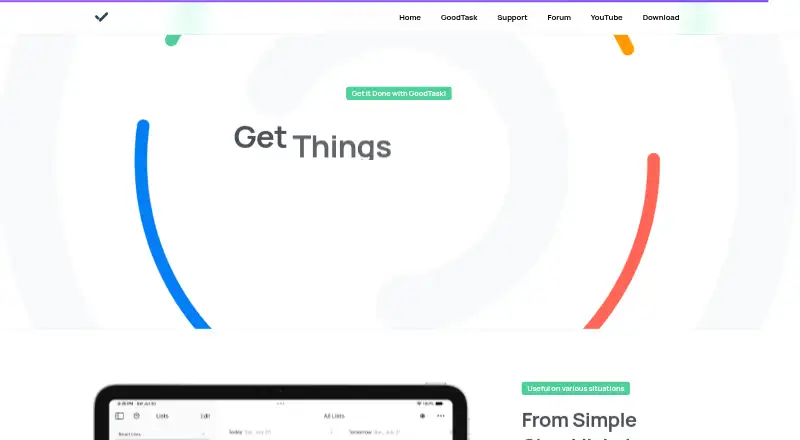
GoodTask is an iOS and macOS task manager built on Apple Reminders and Calendars. Smart Lists combine tasks from different lists and filter them by dates, priorities, tags, and other criteria. Planning tools include a Today Page, calendar events beside tasks, focus sessions, reports, and daily notes. Work can be shown in list, day, week, month, kanban-style, Matrix, or Project views. GoodTask supports subtasks, repeating schedules, reusable templates, bulk actions, presets, text snippets, and customizable Quick Actions. It uses iCloud to synchronize reminders and calendar events across devices. The iOS listing includes iPhone, iPad, Apple Vision, and Apple Watch; the watch companion requires an iPhone. The Mac app adds a global keyboard shortcut, menu bar access, widgets, and an offline User Guide. The iOS app is a free download with a 14-day full-access trial. Afterward, full iOS access requires a one-time Unlock Everything purchase or optional annual Supporter subscription. The Mac app is sold separately. The maker also provides in-app guidance, a forum, and support email.
Good
- Built on Apple Reminders and Calendars
- Smart Lists with flexible filters
- Recurring tasks and subtasks
- Multiple planning and project views
- 14-day full-access iOS trial
Watch out
- Mac app sold separately
- Full iOS access follows trial
- Apple-device ecosystem required
- Annual Supporter subscription is optional paid access
Who it suits
GoodTask suits people who want to extend Apple Reminders and Calendars from simple checklists to complex projects. It is aimed at Apple-device users needing recurring tasks, planning views, and subtasks.
Verdict
GoodTask adds extensive planning, filtering, and project views while keeping Apple Reminders and Calendar at its core. The separate Mac purchase and post-trial iOS choices are important when budgeting across devices.
Plans and prices
From GoodTask's own pricing page, checked 21 Sep 2026.
| Plan | Price | What it gives you |
|---|---|---|
| Unlock Everything | — | Full iOS app access |
| GoodTask Supporter | — | Optional yearly auto-renewable supporter subscription |
| GoodTask for iOS | Free | Free download · 14-day full-access trial · after trial, one-time Unlock Everything purchase or optional annual Supporter subscription · Mac app sold separately |
| GoodTask for Mac | $39.99, paid once | Mac only · iPhone, iPad and Apple Vision Pro app requires a separate purchase for full access |
The facts
Each one read from GoodTask's own pages, with the date it was checked.
What it does
- Analytics
- The maker says third-party providers may collect anonymous usage data, including crash reports, and identifies Google Firebase and Microsoft Visual Studio App Center.checked 11 Oct 2026
- Calendar sync
- Yeschecked 21 Sep 2026
- Lists and filters
- Smart Lists combine tasks from different lists and can filter by dates, priorities, tags and other criteria.checked 11 Oct 2026
- Privacy
- The maker's privacy policy says it does not store personal data and that sync-service data remains private to users and connected directly with those services and users.checked 11 Oct 2026
- Product
- GoodTask is a task manager built on Apple Reminders and Calendars that adds productivity features.checked 11 Oct 2026
- Recurring tasks
- Yeschecked 21 Sep 2026
- Subtasks
- Yeschecked 21 Sep 2026
- Support
- The maker provides an in-app User Guide with instructions, troubleshooting and settings reference, plus a community forum and support email.checked 11 Oct 2026
- Task reminders
- Yeschecked 21 Sep 2026
- Task tools
- GoodTask supports subtasks, repeating schedules, reusable templates, bulk actions, presets, text snippets and customizable Quick Actions.checked 11 Oct 2026
- Views
- Views include list, day, week and month formats, kanban-style boards, Matrix View and Project View.checked 11 Oct 2026
- Who it is for
- The maker presents GoodTask for people who want to build on the Reminders and calendars they already use, from simple checklists to complex projects.checked 11 Oct 2026
Where it runs
- Apple integrations
- GoodTask uses Apple Reminders and Calendar and uses iCloud to sync reminders and calendar events across devices.checked 11 Oct 2026
- Devices
- The iOS listing names iPhone, iPad, Apple Vision and Apple Watch; it says the Apple Watch companion is used with an iPhone.checked 11 Oct 2026
- Mac features
- The Mac app supports a global keyboard shortcut, menu bar access, widgets and an offline built-in User Guide.checked 11 Oct 2026
- Supported platforms
- iOS,macOSchecked 21 Sep 2026
Money
- Free plan
- Nochecked 21 Sep 2026
- Planning
- The app includes a Today Page, calendar events alongside tasks, focus sessions, reports and daily notes.checked 11 Oct 2026
Alternatives to GoodTask
- 1
Pomodoist
Free planOpen sourceAndroidiOSWebAPI9.2Free plan - 2

Any.do
Free planAndroidiOSWebmacOS8.8Free plan - 3
TickTick
Free planAndroidiOSWebLinux8.7From $49.99 a year - 4

Routine
Free planAndroidiOSWebLinux8.7From $5 a month - 5
Nozbe
Free planAndroidiOSWebmacOS8.6From $6 a month - 6
Vikunja
Free planAndroidiOSWebAPI8.5From €4 a month